

USB-C to USB-C Cable: Complete Guide to Charging, Data Transfer, and Cable Differences
USB-C to USB-C Cables: The Complete B2B Buyer's Guide
Whether you're an Amazon FBA seller, a corporate IT buyer, a private label brand owner, or an electronics distributor, understanding USB-C to USB-C cable specifications is critical to avoiding returns, negative reviews, and compatibility headaches. This comprehensive guide covers charging, data transfer, video output, internal construction, and everything you need to know before placing a bulk order.

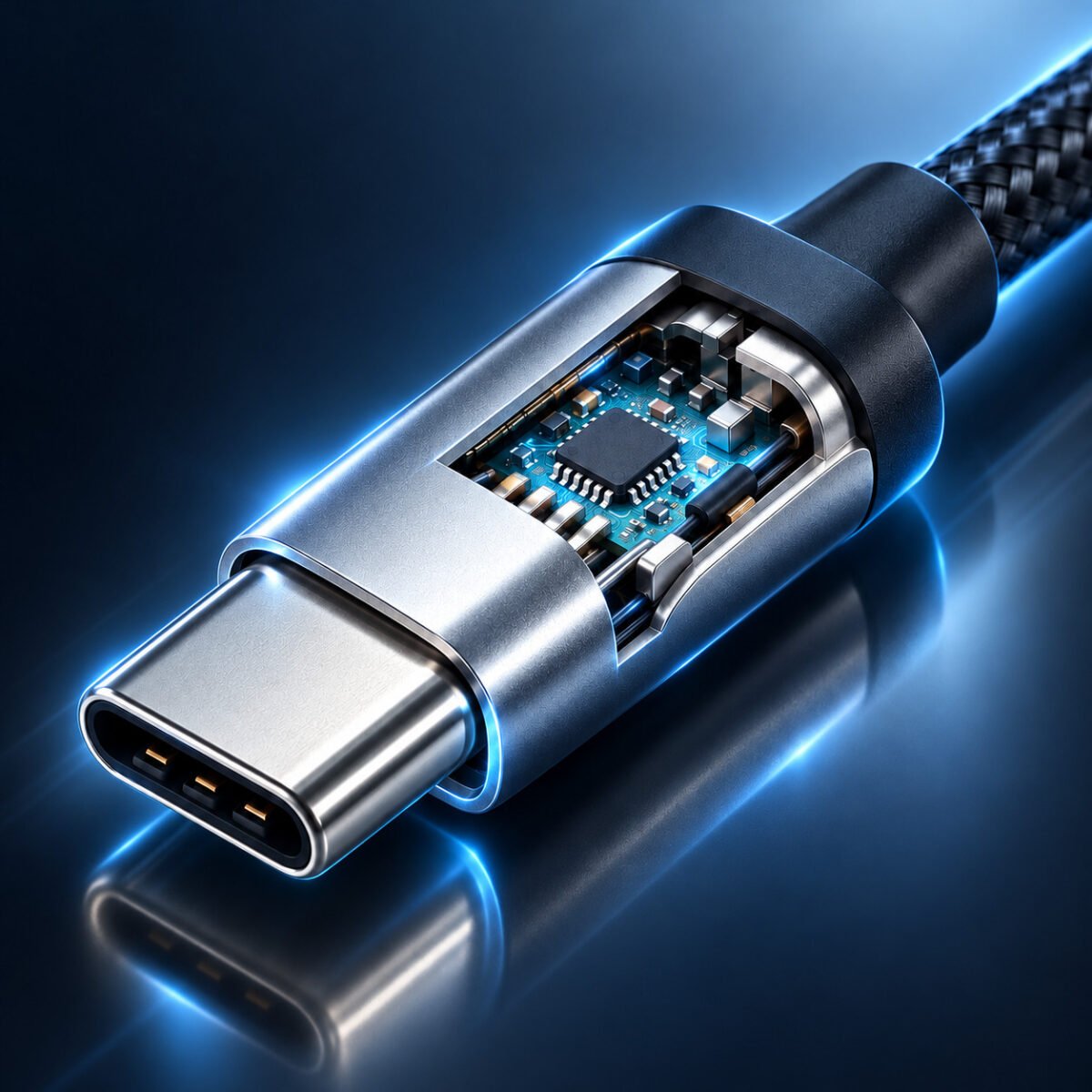
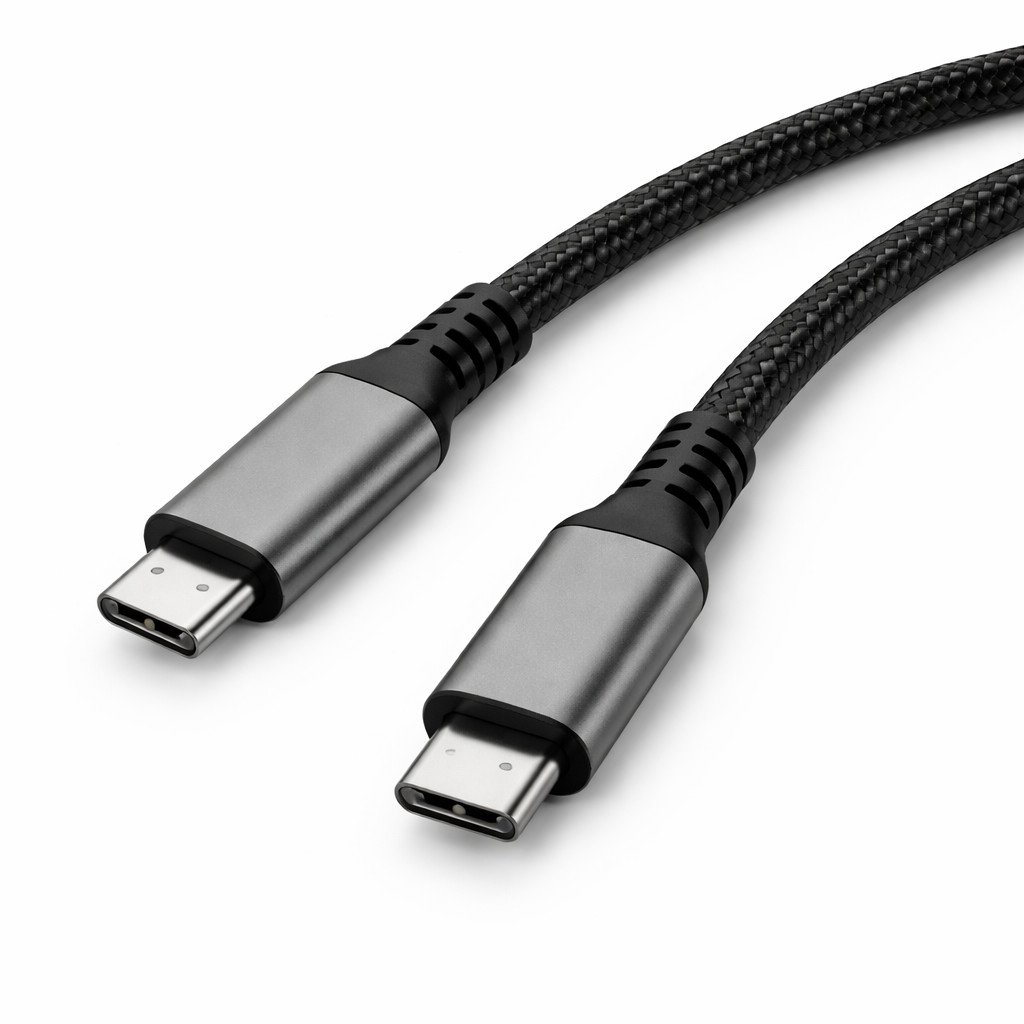
USB-C to USB-C cables: From external appearance to internal construction—everything B2B buyers need to evaluate before sourcing.
On the surface, all USB-C to USB-C cables look nearly identical. Two reversible USB-C connectors, a flexible cable jacket, and that's about it. But beneath that unassuming exterior lies a world of difference. One cable might barely manage 15W of charging power and struggle with USB 2.0 speeds, while another can simultaneously deliver 240W of power, 40Gbps data transfer, and dual 4K video output at 60Hz. For B2B buyers—whether you're stocking Amazon inventory, supplying corporate IT departments, or building a private label accessory brand—understanding these differences isn't optional. It's the difference between a 2% return rate and a 15% return rate. This guide gives you the technical knowledge and procurement framework to make confident sourcing decisions.
Table of Contents
- USB-C to USB-C Cables: Why "Same Connector" Doesn't Mean "Same Cable"
- Charging Capability: From 15W Basic Charging to 240W EPR
- Data Transfer Speeds: USB 2.0, 5Gbps, 10Gbps, 20Gbps, and 40Gbps Explained
- Video Output and DisplayPort Alt Mode: What Makes a Cable Support Monitors
- The E-Marker Chip: Deep Dive into the Cable's Brain
- Internal Construction: Coaxial Wires, Shielding Layers, and Wire Gauge Analysis
- Active vs. Passive Cables: Signal Integrity Over Distance
- Cable Length and Performance: The Distance Trade-off
- Connector Durability: Strain Relief, Molding, and Plug Cycles
- Material Quality: Copper Types, Plating, and Jacket Options
- Certifications and Compliance: USB-IF, CE, FCC, RoHS, REACH
- Application-Based Selection Guide: Matching Cable to Use Case
- Bulk Sourcing Checklist: 20 Questions to Ask Your Supplier
- The True Cost of Cheap Cables: Return Rates and Brand Damage
- Summary and WJWSY Wholesale Support
1. USB-C to USB-C Cables: Why "Same Connector" Doesn't Mean "Same Cable"
The USB-C connector standard (USB Type-C Specification) defines only the physical interface—the reversible 24-pin connector shape, the pin assignments, and the basic electrical characteristics. It does not mandate what the cable must support. A manufacturer can legally produce a USB-C to USB-C cable that only has two power wires inside, completely omitting all data lines, and still call it a USB-C cable. This is why the market is flooded with cables that look identical but perform radically differently.
For B2B buyers, this creates a significant sourcing challenge. The same product photo on Alibaba or a supplier's catalog could represent:
- Charge-Only Cable (USB 2.0): Contains VBUS (power), GND (ground), and sometimes D+/D- for legacy USB 2.0 data. Maximum 480Mbps data. Usually limited to 3A/60W charging without E-Marker.
- USB 3.2 Gen 1 Cable (5Gbps): Contains one SuperSpeed differential pair plus all USB 2.0 wires. Supports 5Gbps data and can include E-Marker for 5A/100W.
- USB 3.2 Gen 2 Cable (10Gbps): Contains two SuperSpeed differential pairs. Supports 10Gbps data, 4K video via DP Alt Mode, and 100W-240W charging with proper E-Marker.
- USB4 / Thunderbolt 3 Cable (20Gbps-40Gbps): Contains four coaxial high-speed pairs with premium shielding. Supports 40Gbps data, dual 4K or single 8K video, and full power delivery.
The connector shape is identical across all four categories. The only way to know what you're actually buying is to understand the specifications—or, better yet, to cut one open and inspect the internal construction (which we'll cover in detail later).
2. Charging Capability: From 15W Basic Charging to 240W EPR
The power delivery capability of a USB-C to USB-C cable is determined by three interconnected factors: the wire gauge of the power conductors, the presence and programming of an E-Marker chip, and the cable's compliance with USB Power Delivery (USB-PD) specification revisions.
2.1 Understanding USB-PD Power Levels
The USB Power Delivery specification has evolved through several revisions, each increasing the maximum power a cable can safely carry:
- USB-PD 2.0 / 3.0 (Standard Power Range - SPR): Up to 100W (20V @ 5A). This is the most common specification for laptop charging cables.
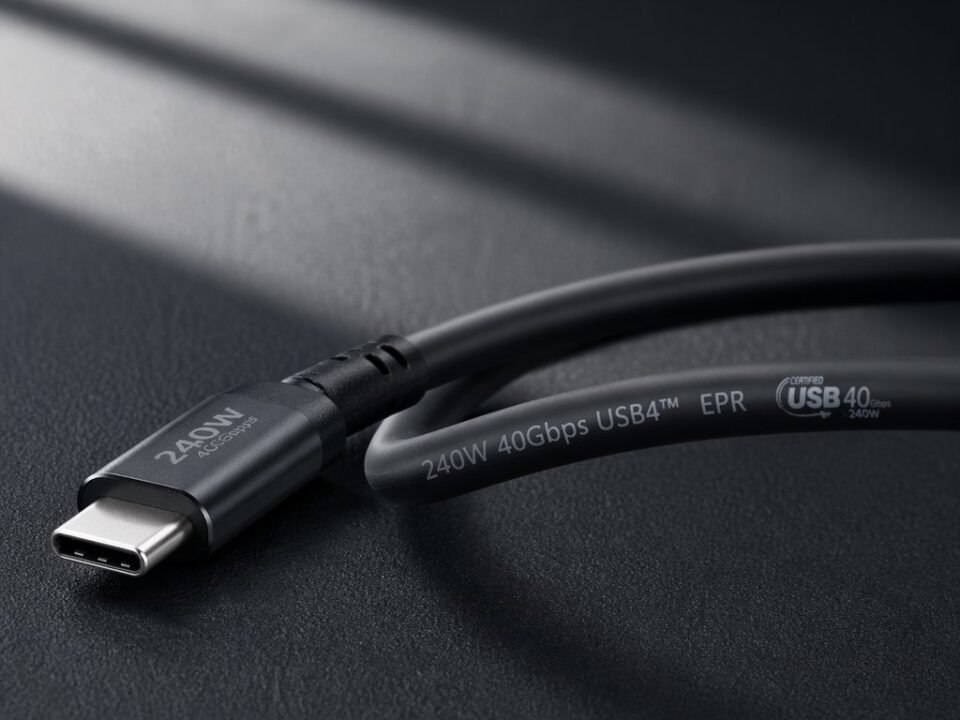
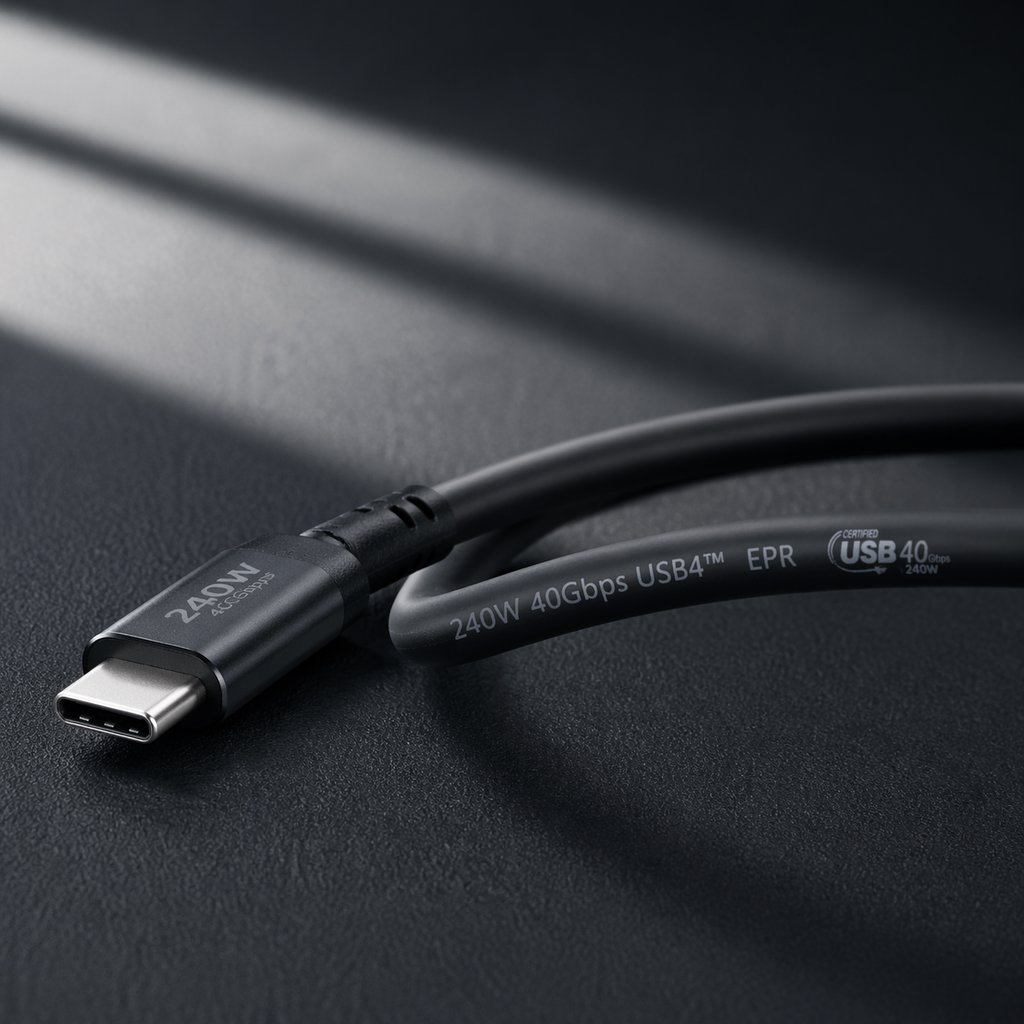
- USB-PD 3.1 (Extended Power Range - EPR): Up to 240W (48V @ 5A). This newer specification enables charging for high-performance gaming laptops and workstations through a single cable.
Importantly, a cable that supports 100W does not automatically support 240W. The E-Marker chip must be specifically programmed for EPR, and the cable's internal construction must be rated for the higher 48V voltage.
2.2 The Role of Wire Gauge (AWG) in Power Delivery
American Wire Gauge (AWG) measures the diameter of the copper conductors inside the cable. A smaller AWG number indicates a thicker wire, which means lower electrical resistance and less heat generation under load. Here's how wire gauge affects real-world charging performance for a standard 1-meter cable:
| Power Wire Gauge (AWG) | Conductor Diameter | Resistance per Meter | Voltage Drop at 5A / 1m | Recommended Max Power |
|---|---|---|---|---|
| 28 AWG | 0.32mm | ~0.213 Ω | ~1.07V (unacceptable) | 15W (5V/3A) maximum |
| 26 AWG | 0.40mm | ~0.134 Ω | ~0.67V (poor) | 30W-45W, not suitable for 5A |
| 24 AWG | 0.51mm | ~0.084 Ω | ~0.42V (marginal) | 60W (20V/3A) with E-Marker for 3A |
| 22 AWG | 0.64mm | ~0.053 Ω | ~0.26V (good) | 100W (20V/5A) with 5A E-Marker |
| 21 AWG | 0.72mm | ~0.042 Ω | ~0.21V (excellent) | 100W-240W with EPR E-Marker |
Excessive voltage drop triggers the charger to reduce power output or causes the connected device to charge slowly. Worse, the lost voltage is converted to heat, which can damage the cable, the connector, or in extreme cases, the device itself. This is why cable thickness and weight are often reliable indicators of quality—thicker, heavier cables typically contain properly sized 21-22 AWG power conductors.
2.3 3A vs. 5A Cables: The E-Marker Distinction
By USB-IF specification, any USB-C cable without an E-Marker chip is limited to 3A current (60W maximum at 20V). To support 5A current (100W at 20V, or 240W at 48V), the cable must contain an E-Marker chip that positively identifies itself as a 5A-capable cable during the USB-PD negotiation handshake. The charger reads this E-Marker data and only enables 5A current if the cable is verified.
A common deceptive practice in low-cost cables is including an E-Marker chip but still using thin 24-26 AWG power wires. The charger sees the 5A E-Marker, delivers 5A, and the cable overheats because the conductors cannot handle the current. This is a serious safety and reliability risk that B2B buyers must actively guard against through sample testing.
2.4 Testing Charging Performance: What to Look For
When evaluating samples, use a USB-C power meter (such as Power-Z KM003C, ChargerLab KM002C, or Fnirsi C1) to verify:
- The E-Marker data reads correctly (should show "5A" for 100W+ cables)
- Actual voltage under 5A load remains above 19.5V (minimal drop)
- Cable temperature at the connector rises less than 10°C above ambient after 30 minutes at full load
Sourcing Risk Alert: Fake 5A Cables
The market has a significant problem with "fake 5A" cables—cables that claim 100W support but fail under real load. In a recent test of 20 "100W" cables sourced from various online marketplaces, 11 failed to maintain stable 20V/5A for more than 10 minutes, with connector temperatures exceeding 65°C. The common failure point? 24-26 AWG power conductors paired with genuine-looking E-Marker chips. Always request a load test report or conduct your own testing before committing to bulk orders.
3. Data Transfer Speeds: USB 2.0, 5Gbps, 10Gbps, 20Gbps, and 40Gbps Explained
USB-C to USB-C cable data speeds span an enormous range—from 480Mbps (0.48Gbps) to 40,000Mbps (40Gbps). Understanding what each speed tier means in practical terms helps B2B buyers match cables to their customers' actual needs without overpaying for unnecessary capability or under-specifying and causing returns.
3.1 Speed Tier Breakdown
| USB Specification | Marketing Name | Max Data Rate | Internal High-Speed Pairs | Real-World Transfer Time (10GB File) |
|---|---|---|---|---|
| USB 2.0 | Hi-Speed USB | 480 Mbps | 0 (uses D+/D- only) | ~3 minutes |
| USB 3.2 Gen 1 | SuperSpeed USB 5Gbps | 5 Gbps | 1 pair | ~16 seconds |
| USB 3.2 Gen 2 | SuperSpeed USB 10Gbps | 10 Gbps | 2 pairs | ~8 seconds |
| USB 3.2 Gen 2x2 | SuperSpeed USB 20Gbps | 20 Gbps | 2 pairs (dual-lane) | ~4 seconds |
| USB4 Gen 2 | USB4 20Gbps | 20 Gbps | 2 pairs (coaxial) | ~4 seconds |
| USB4 Gen 3 / Thunderbolt 3 | USB4 40Gbps / Thunderbolt 3 | 40 Gbps | 4 pairs (coaxial) | ~2 seconds |
3.2 Why High-Speed Pairs Matter: The Physics of Signal Degradation
At frequencies above a few hundred megahertz, electrical signals traveling through copper wire experience significant attenuation, crosstalk, and reflection. USB 3.2 Gen 2 signals operate at 10Gbps, which corresponds to a fundamental frequency of 5GHz—well into microwave territory. At these frequencies, simple twisted-pair wiring is inadequate. Proper high-speed USB cables use coaxial construction for each data pair: a center conductor surrounded by dielectric insulation, wrapped in a foil shield, with a drain wire for grounding. This coaxial structure maintains characteristic impedance (typically 90Ω for USB) and minimizes signal loss.
Thunderbolt 3 and USB4 40Gbps cables take this further, using four coaxial pairs with even tighter impedance tolerance and enhanced shielding. They often incorporate silver-plated copper center conductors because at 10-20GHz frequencies, the skin effect pushes current to the conductor surface, where silver's lower resistivity provides measurably better performance than bare copper.
3.3 USB4 and Thunderbolt 3/4 Compatibility
USB4 is the latest USB specification, incorporating Thunderbolt 3 technology as an optional feature set. A USB4 cable may support 20Gbps (Gen 2) or 40Gbps (Gen 3). However, not all USB4 cables support Thunderbolt 3/4 compatibility—this requires specific E-Marker programming and full 4-pair coaxial construction. For B2B buyers sourcing for MacBook, high-end Windows laptop, or docking station users, confirming "Thunderbolt 3/4 compatible" or "USB4 40Gbps certified" is essential.
Important distinction: A USB-C cable labeled "40Gbps" may be either a Thunderbolt 3 passive cable (limited to ~0.8m length) or an active Thunderbolt 3/USB4 cable (available in longer lengths). We'll cover active vs. passive in detail in Section 7.
3.4 Testing Data Transfer Performance
When evaluating cable samples for data performance, use the following methodology:
- Equipment: Connect a high-speed external SSD (such as Samsung T7 Shield or OWC Envoy Pro FX) between two USB 3.2 Gen 2 or Thunderbolt 3 ports
- Software: Run CrystalDiskMark or Blackmagic Disk Speed Test with a 5GB test file
- Expected Results:
- USB 3.2 Gen 2 (10Gbps) cables: ~1,000-1,050 MB/s read/write
- Thunderbolt 3 (40Gbps) cables: ~2,500-2,800 MB/s read/write - Stability Test: Run a continuous 10-minute transfer. Speeds should remain stable without disconnections or significant drops
4. Video Output and DisplayPort Alt Mode: What Makes a Cable Support Monitors
Video output over USB-C is one of the most misunderstood features—and one of the biggest sources of customer confusion and returns. The ability to connect a laptop to an external monitor via USB-C depends on a technology called DisplayPort Alt Mode (DP Alt Mode).
4.1 How DP Alt Mode Works
DisplayPort Alt Mode repurposes some of the USB-C connector's high-speed data lanes to carry DisplayPort video signals instead of USB data. When a DP Alt Mode-capable host (like a MacBook Pro or Dell XPS) connects to a DP Alt Mode-capable device (monitor or dock), the USB-PD negotiation determines that video output is requested. The high-speed lanes are then dynamically switched from USB data mode to DisplayPort mode.
For this to work, the cable must meet specific requirements:
- Full-featured USB-C cable: Must contain all SuperSpeed data pairs (at least 2 pairs for 4K@60Hz, 4 pairs for higher resolutions/refresh rates)
- Proper CC line configuration: The Configuration Channel must correctly advertise DP Alt Mode support
- SBU (Sideband Use) wires: These carry the DisplayPort AUX channel for communication between source and sink
A cable that lacks SuperSpeed data pairs—such as a charge-only USB 2.0 cable—will never support video output, regardless of what the marketing description claims.
4.2 Resolution and Refresh Rate Support by Cable Type
| Cable Type | Max Video Support | Typical Use Case |
|---|---|---|
| USB 2.0 Charge-Only | No video support | Charging only |
| USB 3.2 Gen 1 (5Gbps) | 4K @ 30Hz (limited) | Basic monitor connection, not recommended for productivity |
| USB 3.2 Gen 2 (10Gbps) | 4K @ 60Hz, or 2x 4K @ 60Hz (with DSC) | Single high-resolution productivity monitor |
| Thunderbolt 3 / USB4 (40Gbps) | 8K @ 60Hz, or 2x 4K @ 60Hz, or 1x 5K/6K @ 60Hz | Professional workstations, multi-monitor setups, high-end docks |
DSC (Display Stream Compression) is a visually lossless compression technology that allows higher resolutions and refresh rates over limited bandwidth. Many modern laptops and monitors support DSC, which is why a 10Gbps USB-C cable can sometimes drive dual 4K displays when connected to a compatible dock.
4.3 Common Video-Related Customer Complaints and Root Causes
- "Monitor not detected": Cable lacks SuperSpeed data pairs (USB 2.0 charging cable being used for video)
- "Screen flickers or goes black": Poor shielding causing EMI interference; insufficient bandwidth for resolution/refresh rate combination
- "Only 30Hz refresh rate": Cable only supports USB 3.2 Gen 1 (5Gbps), not enough bandwidth for 4K@60Hz without DSC
- "Dock works but monitor doesn't": Cable may support data but not DP Alt Mode (incorrect E-Marker programming or missing SBU wires)
Procurement Decision Framework
If your customer base includes laptop users (MacBook, Dell XPS, Lenovo ThinkPad, HP EliteBook), we strongly recommend sourcing cables that support at least USB 3.2 Gen 2 (10Gbps) with DP Alt Mode. The incremental cost over a basic charging cable is modest, but the reduction in video-related returns and support inquiries is substantial. For customers specifically seeking dock or monitor cables, Thunderbolt 3/USB4 40Gbps is the gold standard.
5. The E-Marker Chip: Deep Dive into the Cable's Brain
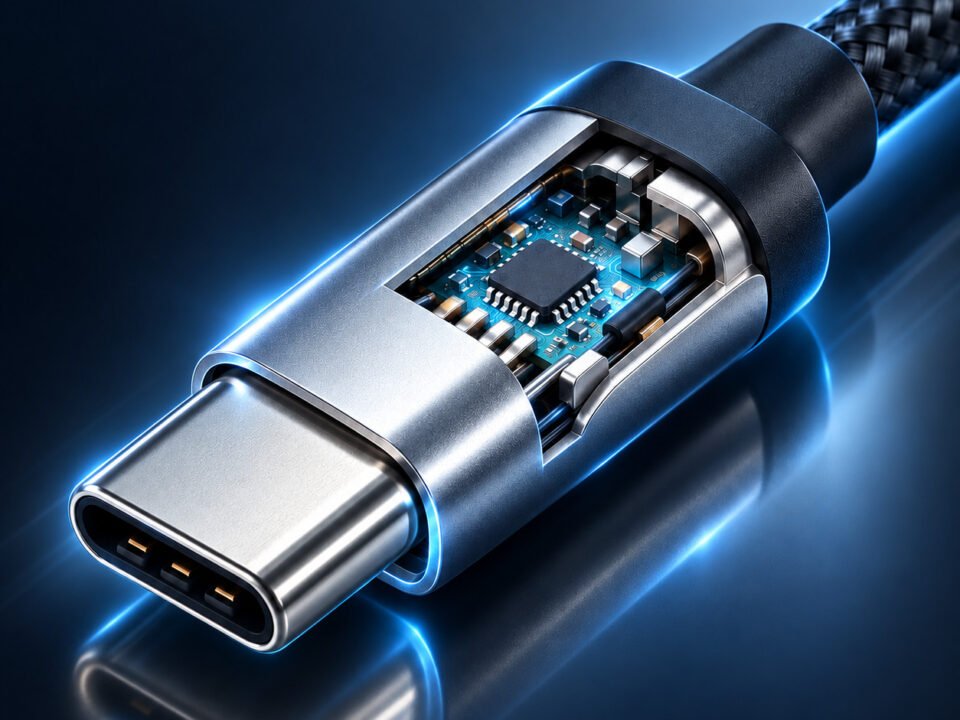
The E-Marker (Electronically Marked) chip is arguably the most important component in a modern USB-C cable—and the one most frequently compromised in low-cost products. This tiny integrated circuit, typically housed on a flexible PCB inside the USB-C connector overmold, acts as the cable's "digital identity card."
5.1 What Information Does the E-Marker Store?
According to the USB Type-C Specification, an E-Marker chip must contain specific data fields that are read by the host device during connection:
- USB Version: USB 2.0, USB 3.2 Gen 1, USB 3.2 Gen 2, USB4, Thunderbolt 3
- Current Rating: 3A or 5A
- Voltage Rating: Up to 20V (SPR) or up to 48V/50V (EPR)
- Data Speed: 480Mbps, 5Gbps, 10Gbps, 20Gbps, 40Gbps
- Alt Mode Support: DisplayPort, Thunderbolt, etc.
- Vendor ID and Product ID: Identifies the manufacturer and specific cable model
- Cable Type: Passive or Active
When you plug a USB-C cable into a charger and laptop, the charger reads the E-Marker data through the CC (Configuration Channel) pin. If the E-Marker indicates 5A capability, the charger enables 5A output. If the E-Marker is missing or indicates 3A, the charger limits output to 3A, even if the cable could physically handle more current.
5.2 Genuine vs. Counterfeit E-Marker Chips
Legitimate E-Marker chips come from established semiconductor manufacturers including Infineon (formerly Cypress), Realtek, NXP, STMicroelectronics, and specialized USB-PD controller companies like Hynetek and Injoinic. These chips are programmed at the factory with accurate cable specifications and include security features to prevent tampering.
However, the market has a significant problem with counterfeit or "blank" E-Marker chips:
- Cloned Chips: Copied from genuine chips but with unreliable or incorrect programming
- Blank/Reprogrammed Chips: Generic microcontrollers programmed with false specifications (e.g., claiming 5A when the cable uses 26 AWG wire)
- Missing Chips: Some cables omit the E-Marker entirely but are sold as "100W compatible"—these will never deliver more than 60W
The consequences of counterfeit E-Marker chips include PD negotiation failures, devices not charging at expected speeds, Thunderbolt devices not being recognized, and in worst cases, electrical damage due to incorrect power delivery.
5.3 How to Verify E-Marker Authenticity
Using a USB-C power meter/tester (such as Power-Z KM003C, ChargerLab KM002C, or equivalent), B2B buyers can read the E-Marker data directly:
- Connect the tester between a USB-C charger and the cable
- Navigate to the E-Marker readout screen
- Verify the following:
- Vendor ID and Product ID are present (not all zeros)
- Current rating matches specification (3A or 5A)
- USB version matches claimed speed
- Cable type (passive/active) is correct for length
For large volume orders, we recommend random sampling of 5-10 units per production batch to verify E-Marker consistency. Legitimate suppliers should have no issue with this quality control practice.
5.4 E-Marker and USB-PD 3.1 EPR (240W)
The new USB-PD 3.1 EPR (Extended Power Range) specification introduces support for voltages up to 48V and power up to 240W. EPR-capable cables require a new generation of E-Marker chips specifically programmed for EPR support. These chips include additional safety fields related to the higher voltage thresholds. As of 2025-2026, EPR-capable cables remain a premium product category, but B2B buyers should be aware of this emerging standard as more high-performance laptops adopt 140W-240W charging over USB-C.
6. Internal Construction: Coaxial Wires, Shielding Layers, and Wire Gauge Analysis
This section provides a detailed breakdown of what's actually inside a high-quality USB-C to USB-C cable. For B2B buyers, understanding internal construction is the most reliable way to assess whether a cable will perform as specified—and whether the supplier's claims match reality.
6.1 Layer-by-Layer Teardown of a Premium USB 3.2 Gen 2 (10Gbps) Cable
Let's dissect a typical 1-meter full-featured USB-C cable layer by layer, from outside to inside:
Layer 1: Outer Jacket
The external jacket serves as the first line of defense against physical damage, UV exposure, and everyday wear. Premium cables typically use one of two materials:
- TPE (Thermoplastic Elastomer): Flexible, environmentally friendly, available in matte or soft-touch finishes. Good balance of cost and performance.
- Nylon Braid: A woven nylon exterior over an inner TPE jacket. Offers superior abrasion resistance, tangle resistance, and premium tactile feel. Slightly higher cost but strongly preferred in premium retail markets.
Layer 2: Tinned Copper Braided Shield
Beneath the jacket lies a dense mesh of tinned copper wire. This braided shield typically provides 85-95% optical coverage. Its functions:
- Protects against low-frequency electromagnetic interference (EMI) from nearby power cables, transformers, and wireless devices
- Provides a low-impedance ground return path
- Adds mechanical strength and flexibility
Quality indicator: Premium cables use tightly woven braid with minimal gaps. Economy cables often use sparse braiding (60-70% coverage) or omit the braid entirely, relying only on foil.
Layer 3: Aluminum Mylar Foil Shield
Beneath the braid, each internal wire bundle is wrapped in aluminum-coated Mylar foil. This foil shield provides 100% coverage against high-frequency RF interference that passes through the gaps in the braid. The combination of braid + foil (sometimes called "dual-layer shielding") is the industry standard for reliable high-speed data cables.
Layer 4: High-Speed Data Pairs (Coaxial Construction)
This is where USB 3.2 and Thunderbolt cables fundamentally differ from basic charging cables. Each high-speed differential pair consists of:
- Center Conductor: Silver-plated copper wire (typically 30-34 AWG for signal lines). Silver plating reduces high-frequency resistance due to the skin effect, improving signal integrity at 5-20GHz.
- Dielectric Insulator: Foamed polyethylene or solid PTFE, maintaining precise 90Ω characteristic impedance.
- Individual Foil Shield: Each coaxial pair has its own aluminum foil wrap to prevent crosstalk between adjacent pairs.
- Drain Wire: A bare tinned copper wire running alongside the foil, connecting the shield to ground at the connector.
A USB 3.2 Gen 2 cable contains two such coaxial pairs. A Thunderbolt 3/USB4 40Gbps cable contains four coaxial pairs. Cables lacking coaxial construction (using simple twisted pairs) cannot reliably achieve 10Gbps or higher speeds, especially at lengths beyond 0.5 meters.
Layer 5: Power Conductors (VBUS and GND)
Thick red (VBUS) and black (GND) wires carry the actual charging current. In a quality 100W cable, these are 21-22 AWG tinned copper strands—substantially thicker than the signal wires. Some premium cables use multiple parallel conductors (e.g., two 24 AWG wires in parallel) to achieve lower resistance while maintaining flexibility.
Layer 6: USB 2.0 Data Pair (D+ / D-)
An unshielded or lightly shielded twisted pair for legacy USB 2.0 communication. This pair is required for all USB-C cables because initial device enumeration and PD negotiation occur over USB 2.0 before SuperSpeed lanes are activated.
Layer 7: CC (Configuration Channel) and VCONN Wires
The CC wire carries the USB-PD communication protocol and detects cable orientation. VCONN provides power to the E-Marker chip. These are thin signal wires, typically 30-34 AWG.
Layer 8: SBU (Sideband Use) Wires
Two SBU wires carry sideband signals for Alt Modes—specifically the DisplayPort AUX channel for DP Alt Mode. Cables lacking SBU wires cannot support DisplayPort Alt Mode video output, even if they have SuperSpeed data pairs.
Layer 9: Tensile Strength Members
Kevlar (aramid) or high-strength nylon fibers run the full length of the cable, crimped into the connector shells at both ends. These fibers absorb tensile stress when the cable is pulled, protecting the delicate copper conductors and solder joints from breaking. This is a critical durability feature that many economy cables omit.
6.2 Cross-Sectional Comparison: Charge-Only vs. Full-Featured
Charge-Only USB-C Cable (USB 2.0)
- Wire Count: 4-8 conductors
- Power Wires: VBUS, GND (often undersized)
- Data Wires: D+, D- only (unshielded)
- Shielding: None or single sparse braid
- Coaxial Pairs: 0
- SBU Wires: Absent
- Tensile Fibers: Often absent
- Cost Position: Lowest
- Use Case: Basic charging only
Full-Featured USB 3.2 Gen 2 Cable (10Gbps)
- Wire Count: 16-22 conductors
- Power Wires: 21-22 AWG VBUS, multiple GND returns
- Data Wires: D+/D- + 2 coaxial SuperSpeed pairs
- Shielding: Dual-layer (braid + foil)
- Coaxial Pairs: 2
- SBU Wires: Present
- Tensile Fibers: Kevlar strands
- Cost Position: Mid-high
- Use Case: Charging, 10Gbps data, 4K video
6.3 Visual Identification: What to Look for When Cutting Open a Cable
For B2B buyers who want to verify supplier claims, a simple teardown is the ultimate quality check. Here's what to examine:
- Power Wire Thickness: Strip the insulation from a VBUS wire and measure the copper diameter with calipers. For 100W cables, copper diameter should be at least 0.64mm (22 AWG).
- Copper Color: Cut the wire and examine the cross-section. Pure copper is reddish-orange throughout. Copper-clad aluminum (CCA) appears silvery in the center—this is a major red flag.
- Coaxial Construction: Look for individually shielded pairs with foil wrap and drain wires. Simple twisted pairs without shielding indicate a low-speed cable.
- Braid Density: Count the number of wire strands in the braid per linear centimeter. Higher density = better shielding.
- Strain Relief Crimp: Examine how the cable jacket is secured to the connector. A metal crimp gripping the jacket and Kevlar fibers is a sign of quality construction.
For a detailed visual guide to cable teardown analysis, refer to our Thunderbolt 3 Cable Teardown Report, which includes high-resolution photos of each layer and component.
7. Active vs. Passive Cables: Signal Integrity Over Distance
As data rates increase to 10Gbps, 20Gbps, and 40Gbps, signal integrity over longer cable lengths becomes a critical engineering challenge. This is where the distinction between passive and active cables becomes essential for B2B buyers to understand.
7.1 Passive Cables: Simple Copper, Limited Reach
A passive cable contains only copper conductors—no active electronic components. The signal transmitted at one end arrives at the other end having traveled only through copper wire. Passive cables are simpler, cheaper, and perfectly adequate for short distances. However, they have strict length limitations for high-speed applications:
- USB 3.2 Gen 1 (5Gbps): Passive up to 2 meters
- USB 3.2 Gen 2 (10Gbps): Passive up to 1 meter (some premium designs reach 1.5m)
- Thunderbolt 3 / USB4 40Gbps: Passive up to 0.8 meters maximum
Beyond these lengths, signal attenuation, inter-symbol interference, and crosstalk degrade the signal beyond what the receiver can reliably recover. The cable will either fail to connect, drop to a lower speed, or experience intermittent disconnections.
7.2 Active Cables: Built-in Signal Conditioning
Active cables incorporate semiconductor chips (Re-drivers or Re-timers) inside the connector overmold that actively condition and regenerate the signal. This allows much longer cable lengths while maintaining full performance:
- USB 3.2 Gen 2 (10Gbps) Active: Available in lengths up to 3-5 meters
- Thunderbolt 3 / USB4 40Gbps Active: Available in lengths up to 2-3 meters (some optical Thunderbolt cables reach 50m+)
Active cables draw a small amount of power from the VBUS line to operate their internal chips. This power consumption is minimal (typically <100mW) and does not meaningfully impact charging performance.
7.3 Re-driver vs. Re-timer: Two Levels of Active Conditioning
- Re-driver: Amplifies the incoming signal to compensate for attenuation. Simpler, lower cost, and adequate for moderate length extensions. Used in many active USB 3.2 cables.
- Re-timer: Fully recovers the clock and regenerates the data stream, effectively creating a "clean slate" signal. Required for Thunderbolt 3/USB4 active cables due to the extremely tight timing requirements at 40Gbps. Re-timers are more expensive but provide superior signal integrity.
7.4 How to Identify Active vs. Passive Cables
Physically, active and passive cables look nearly identical. The most reliable identification methods:
- Length: Any Thunderbolt 3 cable longer than 0.8m is almost certainly active (or it wouldn't work). USB 3.2 Gen 2 cables longer than 1.5m are almost certainly active.
- E-Marker Data: A USB-C tester will read "Active" or "Passive" in the E-Marker fields
- Price: Active cables are significantly more expensive due to the additional silicon
- Connector Temperature: Active cable connectors may become slightly warm during operation due to chip power dissipation
7.5 Optical Thunderbolt Cables (AOC)
For very long distances (10m-50m+), Active Optical Cables (AOC) convert electrical signals to light pulses transmitted through optical fiber. These cables offer complete electrical isolation and zero EMI, but they cannot carry power—they are data-only. AOC cables are a specialized product category for professional AV and data center applications, not general consumer/retail markets.
Sourcing Implications for B2B Buyers
If your customer base requires longer cables (2m+) for high-speed applications (docking stations, 4K monitors, external SSDs), you must source active cables. Passive long cables in these applications will generate returns and complaints. Conversely, if you're selling short cables (0.5m-1m) for everyday use, passive cables are perfectly adequate and more cost-effective. The key is matching the cable type to the expected use case.
8. Cable Length and Performance: The Distance Trade-off
Cable length directly impacts both charging and data performance, and B2B buyers need to understand these trade-offs to stock the right products for their markets.
8.1 Length and Charging Performance: Voltage Drop
Electrical resistance is proportional to cable length. Double the length, and you double the resistance—and double the voltage drop at a given current. For a 100W (20V/5A) load, the voltage drop across different cable lengths and wire gauges is:
| Cable Length | 22 AWG Power Wires | 24 AWG Power Wires | 26 AWG Power Wires |
|---|---|---|---|
| 0.5m | ~0.13V drop (excellent) | ~0.21V drop (good) | ~0.34V drop (marginal) |
| 1.0m | ~0.26V drop (good) | ~0.42V drop (marginal) | ~0.67V drop (poor) |
| 2.0m | ~0.53V drop (marginal) | ~0.84V drop (unacceptable) | ~1.34V drop (failure) |
Voltage drop exceeding 0.5V will typically cause the USB-PD charger to reduce current output or the device to throttle charging speed. This is why long charging cables (2m+) often fail to deliver full 100W power—even with 22 AWG wire, the resistance is significant. For 2m+ 100W charging applications, look for cables using 21 AWG or multiple parallel power conductors.
8.2 Length and Data Performance: Signal Attenuation
High-speed data signals degrade exponentially with distance. At 10Gbps (5GHz fundamental frequency), signal loss in copper cable is approximately 1-2 dB per meter. After 2-3 meters, the signal-to-noise ratio falls below the receiver's threshold, causing bit errors and speed reductions. This is the fundamental reason passive high-speed cables have strict length limits, as discussed in Section 7.
8.3 Recommended Lengths by Application
| Application | Recommended Length Range | Cable Type |
|---|---|---|
| Desktop charging (phone/tablet) | 1m - 2m | Passive, USB 2.0 charge cable |
| Laptop charging (at desk) | 1m - 2m | Passive, 5A E-Marker, 21-22 AWG |
| External SSD connection | 0.2m - 0.5m | Passive, USB 3.2 Gen 2 or Thunderbolt 3 |
| Docking station (desktop) | 0.5m - 0.8m | Passive Thunderbolt 3/USB4 |
| Docking station (under desk / farther) | 1m - 2m | Active Thunderbolt 3/USB4 |
| Monitor connection | 1m - 2m | Active USB 3.2 Gen 2 or Thunderbolt 3 |
9. Connector Durability: Strain Relief, Molding, and Plug Cycles
The connector is the most common failure point for USB-C cables. Repeated plugging and unplugging, bending at the connector neck, and accidental pulling all concentrate stress at the junction between the flexible cable and rigid connector. Quality connector design is the difference between a cable that lasts 2 months and one that lasts 2 years.
9.1 Connector Construction Methods
- One-Piece Injection Molding: The connector housing, strain relief boot, and cable jacket are fused together in a single injection molding process. This creates a seamless, durable structure that resists separation. Premium cables use this method.
- Two-Piece Assembly: The connector body and strain relief are separate pieces that snap or glue together. More prone to separation under stress. Common in economy cables.
- Metal Shell + Overmold: A stamped metal shield encloses the PCB, with a separate plastic or rubber overmold for strain relief. The metal shell provides EMI shielding and structural rigidity.
9.2 Strain Relief Boot Design
The strain relief boot is the tapered flexible section where the cable enters the connector. Key design features:
- Length: Longer strain relief (10-15mm) distributes bending stress over a larger area, reducing the peak stress at the connector entry point.
- Internal Ribbing: Flexible ribs or grooves inside the boot allow it to bend smoothly without kinking the internal wires.
- Material: Soft, flexible TPE that maintains elasticity over thousands of bend cycles. Hard plastic boots crack prematurely.
9.3 Internal Crimp and Solder Joint Protection
Inside the connector overmold, several features protect the electrical connections:
- Cable Crimp: A metal tab crimps the cable jacket and Kevlar strength fibers to the connector shell. This transfers any pulling force to the metal shell, not the solder joints.
- Epoxy Potting: The connector cavity is filled with hard epoxy that immobilizes the PCB and wire terminations. This prevents micro-fractures from vibration and repeated plugging.
- PCB Strain Relief: The flexible PCB inside the connector may include slots or cutouts designed to flex slightly, reducing stress on solder pads.
9.4 Plug Cycle Rating
The USB Type-C specification requires connectors to withstand a minimum of 10,000 insertion/removal cycles. Premium cables are often tested to 15,000-20,000 cycles. However, real-world connector failure often occurs not from insertion cycles but from bending at the strain relief. Look for cables with documented bend test ratings (e.g., "10,000+ bend cycles at 90 degrees").
9.5 Visual Quality Indicators
When evaluating cable samples, inspect the connector area for:
- Smooth, gap-free transition from cable jacket to strain relief to connector body
- No visible mold lines or flash that could catch and tear
- Consistent color and finish between the strain relief and connector body
- Firm feel—no looseness or play when gently wiggling the connector relative to the cable
10. Material Quality: Copper Types, Plating, and Jacket Options
The materials used in cable construction directly determine electrical performance, durability, and long-term reliability. For B2B buyers, understanding material specifications helps differentiate quality suppliers from cost-cutting manufacturers.
10.1 Conductor Materials: Copper Grades
- OFC (Oxygen-Free Copper): 99.95% pure copper with minimal oxygen content. Lowest electrical resistance, best for high-current and high-frequency applications. Standard in premium cables.
- TPC (Tough Pitch Copper): 99.9% pure copper with small oxygen content. Slightly higher resistance than OFC but still excellent performance. Common in quality mid-range cables.
- CCA (Copper-Clad Aluminum): Aluminum core with thin copper coating. Significantly higher resistance (40-60% more than pure copper), brittle, prone to breakage. Strongly associated with low-quality cables. Not suitable for 100W charging or high-speed data.
- CCS (Copper-Clad Steel): Steel core with copper coating. Very high resistance, magnetic, extremely brittle. Absolute lowest quality—avoid entirely.
Simple test for CCA/CCS: Scrape the conductor with a blade. If silvery material appears beneath a thin copper layer, it's CCA. If a magnet attracts the wire, it's CCS. Pure copper is non-magnetic and copper-colored throughout.
10.2 Conductor Plating
- Bare Copper: Adequate for power conductors and low-frequency signals. May oxidize over time, slightly increasing resistance.
- Tinned Copper: Copper coated with a thin layer of tin. Prevents oxidation, improves solderability, and maintains consistent performance over time. Standard for quality cables.
- Silver-Plated Copper: Used for high-frequency signal conductors in premium cables. Silver's lower resistivity at high frequencies (skin effect) provides measurably better signal integrity at 10Gbps and above.
- Gold-Plated Contacts: The USB-C connector pins should be gold-plated to prevent corrosion and ensure reliable electrical contact over thousands of plug cycles. Gold thickness is typically 15-30 microinches.
10.3 Jacket Materials and Applications
| Material | Characteristics | Best For |
|---|---|---|
| PVC (Polyvinyl Chloride) | Low cost, adequate flexibility. Can become brittle with age/UV exposure. Environmental concerns. | Budget cables, indoor use only |
| TPE (Thermoplastic Elastomer) | Flexible, environmentally friendly, pleasant tactile feel. Moderate cost. | Mid-range to premium retail cables |
| Silicone | Extremely flexible, soft touch, tangle-resistant. Premium cost. | Premium lifestyle accessories |
| Nylon Braid over TPE | Excellent durability, abrasion resistance, premium appearance. Higher cost. | Premium retail, gaming, heavy-use applications |
| Kevlar-Reinforced | Extreme tensile strength, cut resistance. Specialized applications. | Industrial, military, professional AV |
10.4 Environmental and Safety Certifications
For cables sold in North American and European markets, material compliance is non-negotiable:
- RoHS (Restriction of Hazardous Substances): Restricts lead, mercury, cadmium, and other hazardous materials. Mandatory for EU market access.
- REACH (Registration, Evaluation, Authorization of Chemicals): EU regulation on chemical safety. Required for EU market.
- California Proposition 65: Requires warnings for products containing listed chemicals. Important for US market, especially California.
- UL/ETL Certification: Safety certification for electrical products. Strongly recommended for cables sold in North America.
Legitimate suppliers should provide compliance documentation upon request. Lack of documentation is a red flag for B2B procurement.
11. Certifications and Compliance: USB-IF, CE, FCC, RoHS, REACH
Certifications serve as third-party validation of a cable's safety, performance, and regulatory compliance. For B2B buyers, understanding the certification landscape helps filter suppliers and ensures products can be legally sold in target markets.
11.1 USB-IF Certification
The USB Implementers Forum (USB-IF) manages the official certification program for USB products. USB-IF certified cables have undergone rigorous compliance testing at authorized test labs and are listed in the USB-IF Product Search database. Certified cables display the official USB logo with the certified speed rating (e.g., "Certified USB 10Gbps").
Benefits of USB-IF Certification:
- Guaranteed compliance with USB specifications
- Reduced risk of interoperability issues
- Legal use of official USB logos on packaging
- Listed in USB-IF public database—customers can verify authenticity
Important note: Many high-quality cables are not USB-IF certified due to the certification cost and time requirements. Non-certified does not automatically mean low quality, but certified provides an additional layer of confidence. For premium retail brands, USB-IF certification is a strong marketing advantage.
11.2 Thunderbolt Certification (Intel)
Thunderbolt 3 and Thunderbolt 4 cables require certification from Intel. Certified cables undergo stringent signal integrity, power delivery, and interoperability testing. Thunderbolt certification is more demanding than USB-IF certification due to the 40Gbps data rate and tight timing requirements. For cables marketed as "Thunderbolt 3 compatible" but lacking certification, B2B buyers should verify performance through independent testing.
11.3 Regulatory Certifications by Market
| Market | Required Certifications | Purpose |
|---|---|---|
| United States | FCC Part 15 (EMI), UL/ETL (safety), Prop 65 (chemicals) | Electromagnetic compatibility, electrical safety, chemical disclosure |
| European Union | CE Mark (includes EMC, LVD, RoHS), REACH, WEEE | Comprehensive compliance covering safety, EMC, chemicals, waste |
| United Kingdom | UKCA Mark (replacing CE), RoHS | Post-Brexit compliance marking |
| Canada | ISED (formerly IC), CSA/UL | EMC and safety compliance |
| Japan | PSE (Electrical Appliance and Material Safety Law) | Electrical safety for consumer products |
| Australia/New Zealand | RCM (Regulatory Compliance Mark) | Combined EMC and safety mark |
11.4 How to Verify Certifications
- USB-IF: Search the USB-IF Product Search database by Vendor ID or Product ID (readable via E-Marker tester)
- FCC: Search FCC ID database if the product has an FCC ID number
- CE: Request the Declaration of Conformity (DoC) from the supplier—legitimate manufacturers maintain these documents
- UL/ETL: Search the UL Online Certifications Directory or ETL listing database
B2B Compliance Checklist
Before importing cables for resale, verify with your supplier:
- RoHS and REACH compliance for EU/UK markets (non-negotiable)
- CE/UKCA documentation
- FCC compliance for US market (mandatory)
- Any market-specific certifications (PSE for Japan, RCM for Australia)
- USB-IF or Thunderbolt certification if you intend to use official logos
A reputable supplier should provide this documentation without hesitation. Difficulty obtaining compliance documents is a significant red flag.
12. Application-Based Selection Guide: Matching Cable to Use Case
This section provides a practical selection matrix for B2B buyers, mapping common customer use cases to the appropriate cable specifications.
| Use Case | Recommended Spec | Key Features | Price Tier | Typical Customer |
|---|---|---|---|---|
| Basic phone/tablet charging | USB 2.0, 3A/60W, 1-2m | Cost-effective, durable strain relief, multiple color options | $ | General consumers, accessory bundles |
| Fast phone charging (SuperVOOC, Mi Turbo Charge, etc.) | USB 2.0, 5A E-Marker, 1-2m, 21-22 AWG | Supports proprietary fast-charge protocols requiring 5A+ current | $$ | Android flagship phone users, aftermarket accessory buyers |
| Laptop charging (60W-100W) | 5A E-Marker, 21-22 AWG, 1-2m | Stable 100W delivery, low heat generation, reliable E-Marker | $$ | MacBook/Ultrabook users, corporate IT |
| Data transfer + charging (general) | USB 3.2 Gen 1 (5Gbps), 3A/60W, 1m | Balanced cost and performance, suitable for external HDDs | $$ | General productivity users, students |
| High-speed external SSD + charging | USB 3.2 Gen 2 (10Gbps), 5A/100W, 0.5-1m | Fast transfers, video output capable, premium feel | $$$ | Content creators, photographers, videographers |
| Docking station (desktop, short distance) | Thunderbolt 3 / USB4 40Gbps passive, 0.5-0.8m | Full 40Gbps bandwidth, 100W charging, dual 4K video | $$$ | Professional workstation users, IT departments |
| Docking station (under desk, longer distance) | Thunderbolt 3 / USB4 40Gbps active, 1-2m | Active signal conditioning, full performance at longer reach | $$$$ | Executive offices, clean desk setups |
| Monitor connection (USB-C monitor) | USB 3.2 Gen 2 (10Gbps) or Thunderbolt 3, 1-2m active | Stable 4K@60Hz video, USB hub functionality on monitor | $$ - $$$ | Home office users, dual-monitor productivity setups |
| Gaming / High-refresh rate | USB 3.2 Gen 2 or Thunderbolt 3, braided jacket, 1-2m | Durable construction, premium aesthetics, RGB options available | $$$ | Gamers, enthusiast PC builders |
| Travel / Portable | USB 3.2 Gen 2, 0.3-0.5m, silicone or soft TPE | Ultra-compact, tangle-free, lightweight | $$ | Mobile professionals, travelers |
12.1 Bundling Strategy for B2B Resellers
For Amazon/eBay sellers and retailers, consider offering multi-packs or bundles:
- Home Office Kit: 1x 2m active Thunderbolt cable (dock to laptop) + 1x 1m USB 3.2 Gen 2 cable (SSD to dock)
- Travel Kit: 2x 0.5m USB 3.2 Gen 2 cables + 1x 1m charging cable
- Family Pack: 3x 1m USB 2.0 charging cables + 1x 2m charging cable
- Pro Creator Bundle: 1x 0.8m Thunderbolt 3 cable + 1x 1m USB 3.2 Gen 2 cable + 1x 2m active USB 3.2 Gen 2 cable
13. Bulk Sourcing Checklist: 20 Questions to Ask Your Supplier
Before placing a bulk order, B2B buyers should systematically evaluate suppliers using this comprehensive checklist. The answers will reveal whether a supplier truly understands their product—or is simply a trading company reselling commodity cables.
13.1 Technical Specifications
- What is the exact USB data speed specification? (USB 2.0, USB 3.2 Gen 1/5Gbps, Gen 2/10Gbps, USB4 20Gbps, USB4 40Gbps)
- What is the maximum charging power? (60W/3A or 100W/5A or 240W/EPR)
- Does the cable include an E-Marker chip? If so, what is the chip manufacturer and model?
- What is the wire gauge (AWG) of the power conductors (VBUS/GND)?
- What is the wire gauge and construction of the high-speed data pairs? (Coaxial or twisted pair?)
- Does the cable support DisplayPort Alt Mode for video output?
- Is the cable active or passive? (Critical for lengths over 1m at high speeds)
- What is the conductor material? (OFC, TPC, or CCA—reject CCA)
- What is the conductor plating? (Bare copper, tinned copper, silver-plated)
- What is the shielding structure? (Braid coverage percentage, foil type)
13.2 Quality Control and Consistency
- Can you provide a sample from current mass production inventory (not a hand-picked "golden sample")?
- What is your batch-to-batch consistency control process?
- Do you perform 100% continuity and short testing on every cable produced?
- Do you perform load testing at rated current for each production batch? What is the sampling rate?
- Can you provide a teardown report or allow us to teardown samples for verification?
- What is the warranty period and defect rate guarantee?
13.3 Compliance and Documentation
- Is the cable USB-IF certified? If so, provide the TID (Test ID) number.
- Provide RoHS, REACH, CE, and FCC compliance documentation.
- Do you have any third-party lab test reports (UL, TUV, SGS, Intertek)?
- For Thunderbolt 3/USB4 cables: Is the cable Intel Thunderbolt certified?
13.4 OEM and Logistics
- What OEM customization options are available? (Length, color, connector housing, logo printing, packaging)
- What is the MOQ for custom orders? For stock orders?
- What is the lead time for production and shipping?
- Can you provide references from existing B2B clients in our market segment?
- Supplier cannot or will not provide wire gauge specifications
- Supplier claims "supports up to" without specifying exact ratings
- Supplier cannot provide E-Marker chip manufacturer information
- Supplier's sample performs differently from specification sheet
- Supplier is evasive about compliance documentation
- Price is significantly below market average for stated specifications
14. The True Cost of Cheap Cables: Return Rates and Brand Damage
For B2B buyers, the unit price is only one component of total cost. This section quantifies the hidden costs of sourcing low-quality cables—costs that often exceed the initial "savings" many times over.
14.1 The Amazon FBA Return Cost Calculation
Consider a cable sold on Amazon for $14.99. The per-unit return costs include:
- FBA Return Processing Fee: $2.50 - $3.50 per returned unit
- Return Shipping Label Cost: $3.00 - $5.00 (if customer-paid return shipping is not accepted)
- Lost Inventory Value: The returned unit is often unsellable as "New" due to opened packaging. If liquidated, recover 10-20% of wholesale cost
- Lost Future Sales: A 1-star review can reduce conversion rates on a product by 30-50%
Example calculation: A 10% return rate on 1,000 units sold = 100 returns.
- FBA fees: 100 x $3.00 = $300
- Lost inventory (assuming $4 wholesale cost): 100 x $3.60 (90% loss) = $360
- Total direct cost: $660—equivalent to $0.66 per unit across all 1,000 units sold.
This $0.66 per unit is a "tax" on every sale caused by poor quality. It often exceeds the per-unit cost difference between a quality cable and a low-cost alternative.
14.2 Brand Reputation and Review Velocity
Beyond direct financial costs, low-quality cables damage brand reputation in ways that are harder to quantify but potentially more damaging:
- Negative Review Accumulation: A product with 4.2 stars converts significantly worse than one with 4.7 stars. The difference in organic ranking and PPC efficiency compounds over time.
- Customer Service Load: Each return and complaint consumes support time that could be spent on growth activities.
- Account Health Risk: High return rates can trigger Amazon account warnings, listing suppressions, or in extreme cases, account suspension.
- Lost Repeat Business: A customer who has a bad experience with one of your products is unlikely to purchase from your brand again.
14.3 Quality Cable ROI Example
Assume two sourcing options for a 10Gbps 100W USB-C cable:
| Metric | Low-Cost Option | Quality Option |
|---|---|---|
| Unit cost (landed) | $3.50 | $4.80 |
| Selling price (Amazon) | $14.99 | $16.99 (premium positioning) |
| Estimated return rate | 12% | 3% |
| Return cost per 1,000 units | ~$792 | ~$198 |
| Average review rating | 4.1 stars | 4.6 stars |
| Net profit per 1,000 units (after fees, returns) | ~$3,200 | ~$4,100 |
In this realistic scenario, the "more expensive" cable generates 28% higher net profit due to lower return costs and premium pricing enabled by better reviews. The lesson: unit cost is a poor proxy for profitability. Total cost of ownership and customer satisfaction drive the bottom line.
15. Summary and WJWSY Wholesale Support
The USB-C to USB-C cable market is complex, with wide variations in performance, quality, and reliability hidden beneath identical-looking connectors. For B2B buyers—whether you're an Amazon seller, a corporate IT purchaser, a private label brand owner, or a distributor—making informed sourcing decisions requires understanding the technical details covered in this guide:
- Charging capability depends on wire gauge, E-Marker chips, and USB-PD compliance—not just marketing claims
- Data transfer speeds range from 480Mbps to 40Gbps, determined by internal construction (coaxial pairs, shielding)
- Video output requires DisplayPort Alt Mode support and full SuperSpeed data pairs
- Cable length directly impacts performance, requiring active electronics for longer high-speed runs
- Material quality (OFC vs. CCA, proper shielding, durable molding) separates reliable cables from failure-prone ones
- Certifications provide third-party validation but are not a substitute for independent verification
- The true cost of cheap cables includes returns, reviews, and brand damage that often exceed initial savings
At WJWSY, we specialize in USB-C cable wholesale and OEM manufacturing with a commitment to transparency and consistency. We provide:
- Full technical specifications for every cable we supply
- Sample availability from current production inventory (not hand-picked "golden samples")
- Teardown reports and internal construction documentation
- Flexible OEM customization: length, color, connector design, packaging, branding
- Quality control processes including 100% continuity testing and batch sample teardowns
- Compliance documentation for major markets (CE, FCC, RoHS, REACH)
- Small trial orders to validate quality before large volume commitments
Whether you're sourcing 1,000 charge-only cables for a retail promotion or 10,000 full-featured 10Gbps cables for a private label brand, we're here to ensure the cables you receive match the specifications you expect.
Ready to Source High-Quality USB-C Cables for Your Business?
We support OEM and wholesale cable projects with stable production quality, flexible customization, and transparent technical documentation. Browse our USB-C cable manufacturing capabilities or contact our team to discuss your specific requirements and request samples.
For official technical specifications on USB Type-C, USB Power Delivery, and USB4, visit the USB Implementers Forum (USB-IF) official website.
For detailed visual documentation of premium cable internal construction, read our in-depth Thunderbolt 3 cable teardown report.
Learn more about USB-C connector specifications at the USB-IF USB Type-C page.