
Explicación de las marcas de los cables USB: Guía completa de los logotipos, potencias y certificaciones USB-IF
2026-04-23
USB Explained: Complete Guide to Types, Speeds, and Power Delivery Standards
USB Explained: Complete Guide to Types, Speeds, and Power Delivery Standards
Stop guessing which USB cable to stock. This guide translates complex USB standards into clear procurement decisions—covering connector types, speed generations, power delivery versions, and certification systems that B2B buyers need to know.
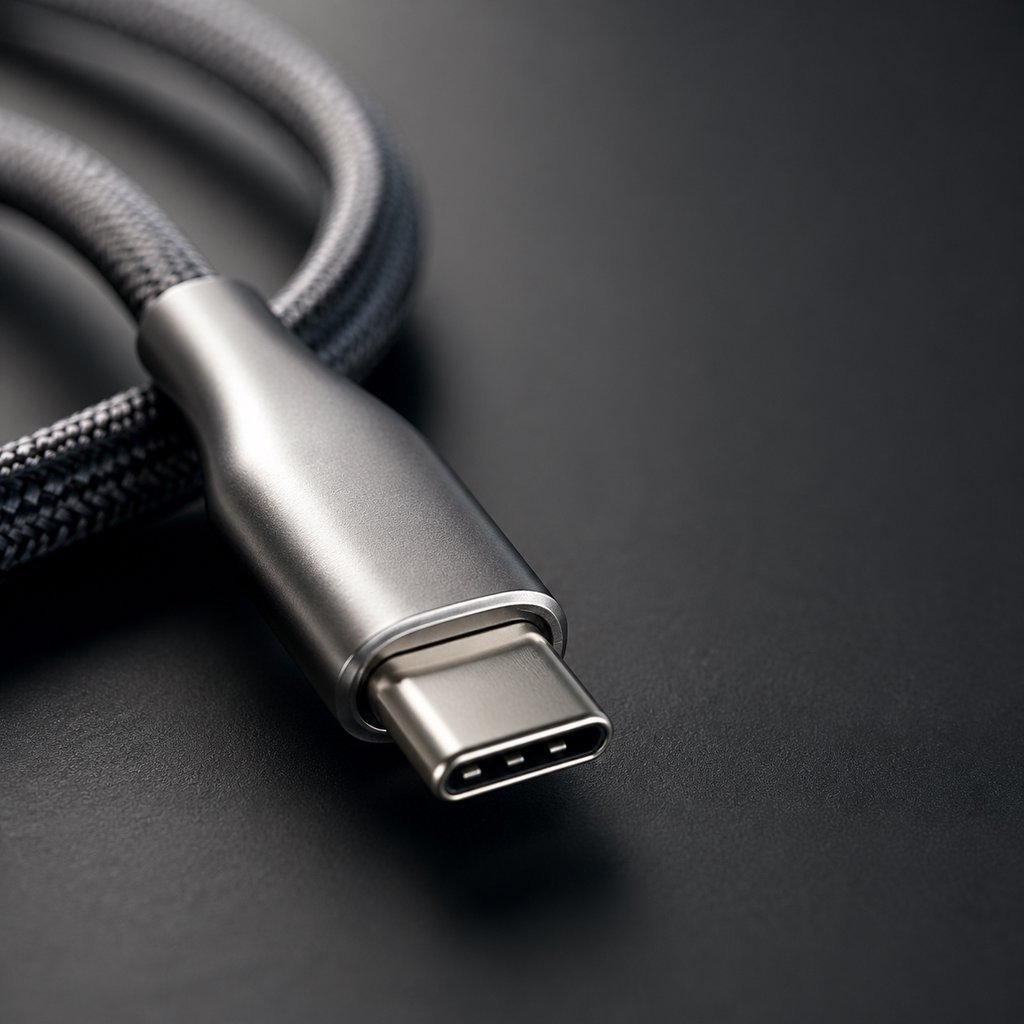
USB has evolved from a simple rectangular connector to a universal standard for power, data, and video—but not all USB-C cables are created equal.
USB explained — this is not a textbook. This is a procurement guide disguised as a technical reference. For B2B buyers, importers, and procurement teams, understanding USB is not about memorizing specifications. It is about knowing which cable to stock for which customer. The USB ecosystem spans five physical connector types, eight speed generations, and five power delivery standards—but only a handful of combinations matter for real-world inventory decisions. This USB explained complete guide cuts through the noise. It tells you what to buy, what to avoid, and how to verify supplier claims before placing an order.
Tabla de contenido
- What is USB? The Three-Layer Model That Explains Everything
- USB Connector Types: Complete Market Overview
- USB Speed Standards: Complete Comparison Table
- USB Power Delivery: From 7.5W to 240W
- USB Video Output: DisplayPort Alt Mode Explained
- USB Certification Systems: USB-IF, MFi, and Thunderbolt
- Common USB Misconceptions That Cost B2B Buyers Money
- How to Choose USB Cables: B2B Selection Guide
- USB Cable Markings: What the Numbers on the Jacket Mean
- EU Regulations and Global Compliance
- FAQ: Quick Answers to Common USB Questions
- Resumen y soporte de abastecimiento de WJWSY
1. What is USB? The Three-Layer Model That Explains Everything
USB, which stands for Universal Serial Bus, was introduced in 1996 by a consortium including Intel, Microsoft, and IBM. The goal was simple: replace the confusing mess of proprietary computer ports with one standard connector. It worked. USB is now the universal interface for charging, data transfer, and video output across billions of devices worldwide.
But here is where most B2B buyers get confused. USB is not one thing—it is three independent layers stacked on top of each other. Understanding this model is the key to making correct procurement decisions.
1.1 The Three-Layer USB Model
Layer 1: Form Factor (The Shape)
This determines physical compatibility. Type-A plugs into Type-A ports. Type-C plugs into Type-C ports. The shape tells you what it connects to—nothing more.
Procurement implication: A Type-C connector does not guarantee any specific speed or power level. It only guarantees the cable fits into a Type-C port.
Layer 2: Protocol (The Speed)
This determines how fast data moves. USB 2.0 runs at 480Mbps. USB4 runs at 40Gbps or 80Gbps. The protocol is independent of the connector shape.
Procurement implication: A Type-C cable can run USB 2.0 speeds or USB4 speeds. Always check the speed marking, not just the connector.
Layer 3: Functionality (What It Can Do)
This determines the cable's capabilities. Some cables only charge. Some transfer data. Some output video. Some do all three simultaneously.
Procurement implication: A "charging cable" cannot output video. A "data cable" may not support high power. Match the cable to the customer's actual use case.
2. USB Connector Types: Complete Market Overview
Each USB connector type serves a specific market segment with distinct demand drivers. As a B2B buyer or distributor, understanding the current market position of each connector helps you allocate inventory to the right customer base.
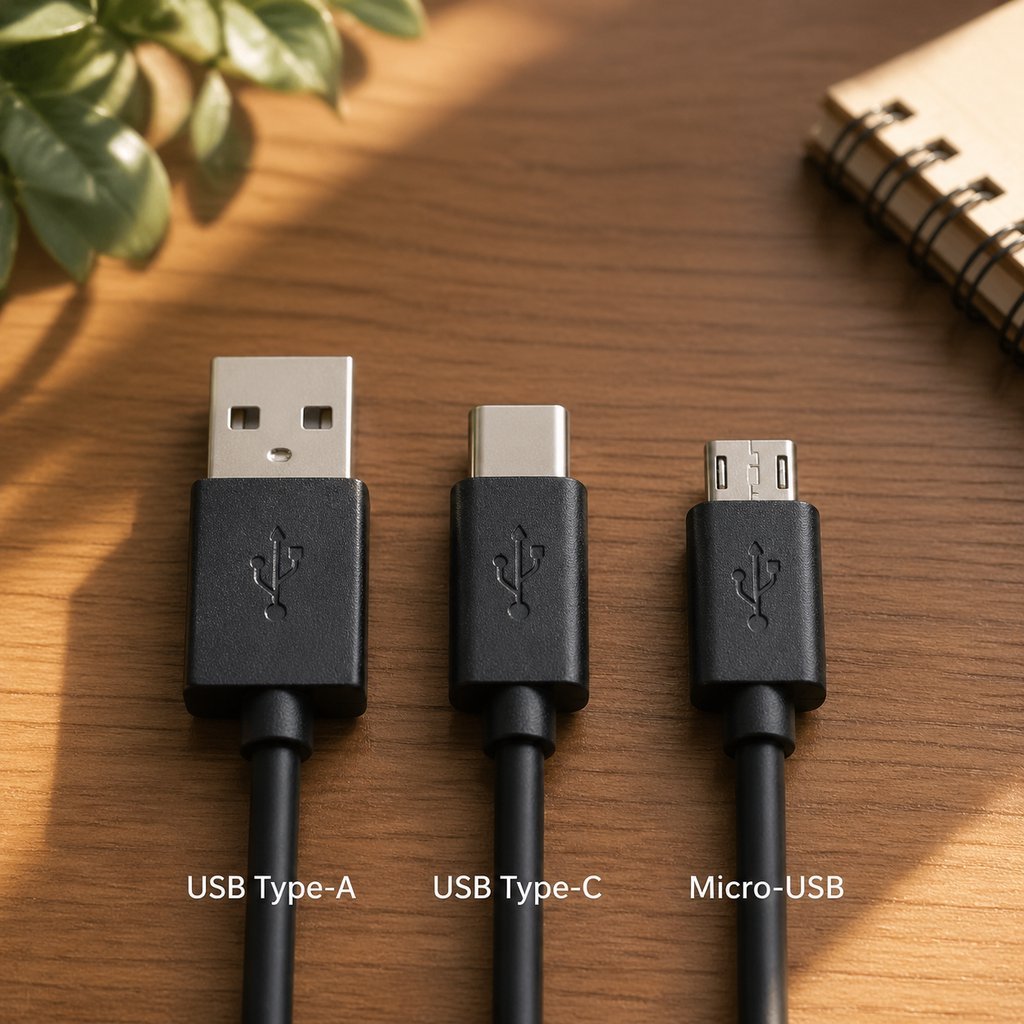
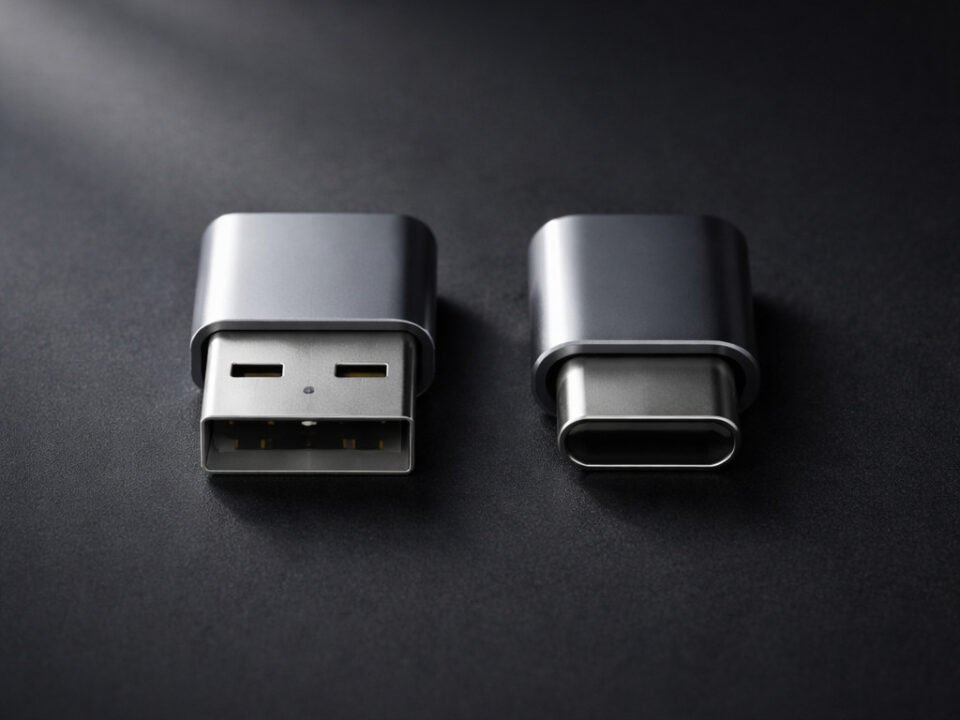
Five USB connector types—each serving distinct market segments with active demand in 2026.
2.1 USB Type-A: The Established Standard with Massive Installed Base
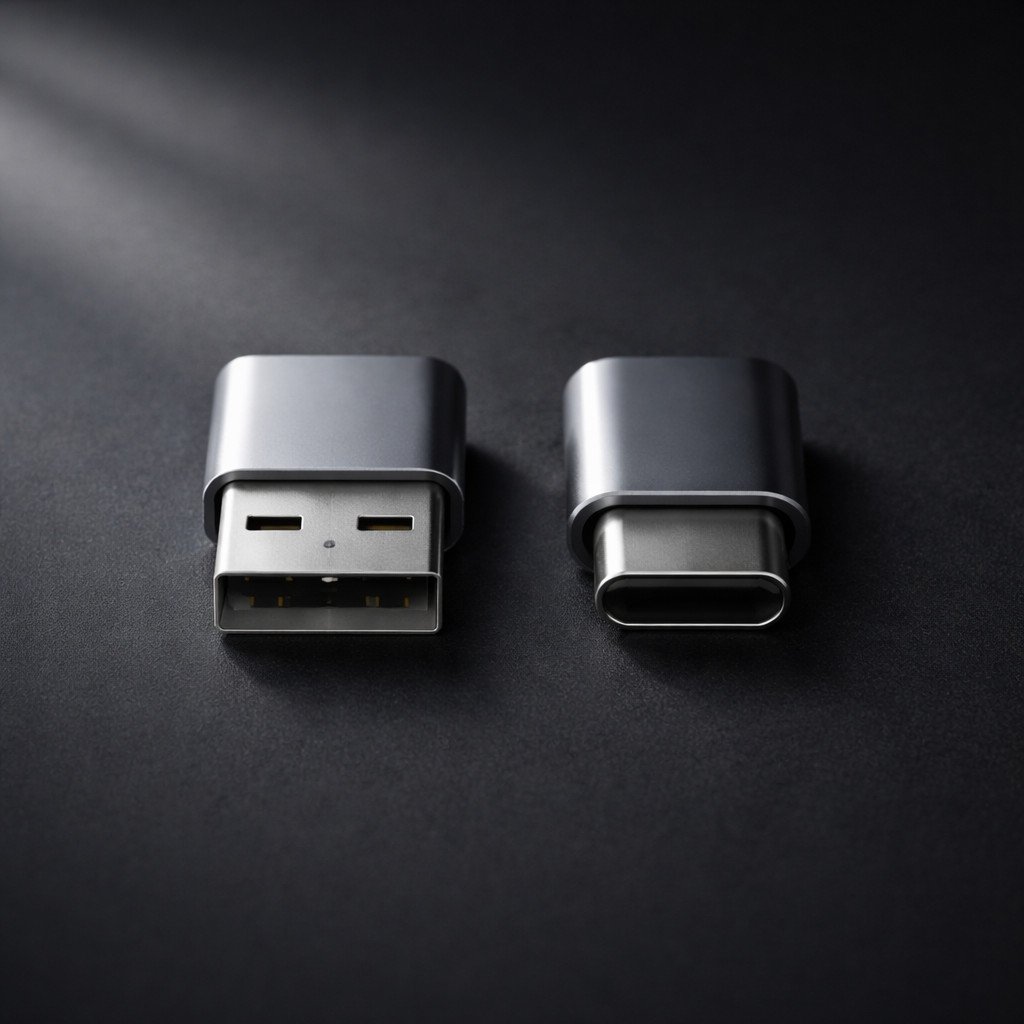
Introduced in 1996. Rectangular shape with one-way insertion. Type-A remains the most widely deployed USB port globally, with billions of active ports on computers, chargers, cars, power banks, and wall outlets. While new premium devices increasingly omit Type-A ports, the installed base ensures sustained demand for Type-A cables and adapters for years to come. For buyers: Stock USB-A to USB-C and USB-A to Micro-USB cables to serve customers with existing chargers, vehicles, and computers. Type-A represents a stable, high-volume market—particularly for value-oriented and replacement cable segments.For B2B buyers, our USB-A to USB-C cables serve customers upgrading from legacy chargers to modern devices—a high-volume, stable-demand category.
2.2 USB Type-C: The Growth Driver
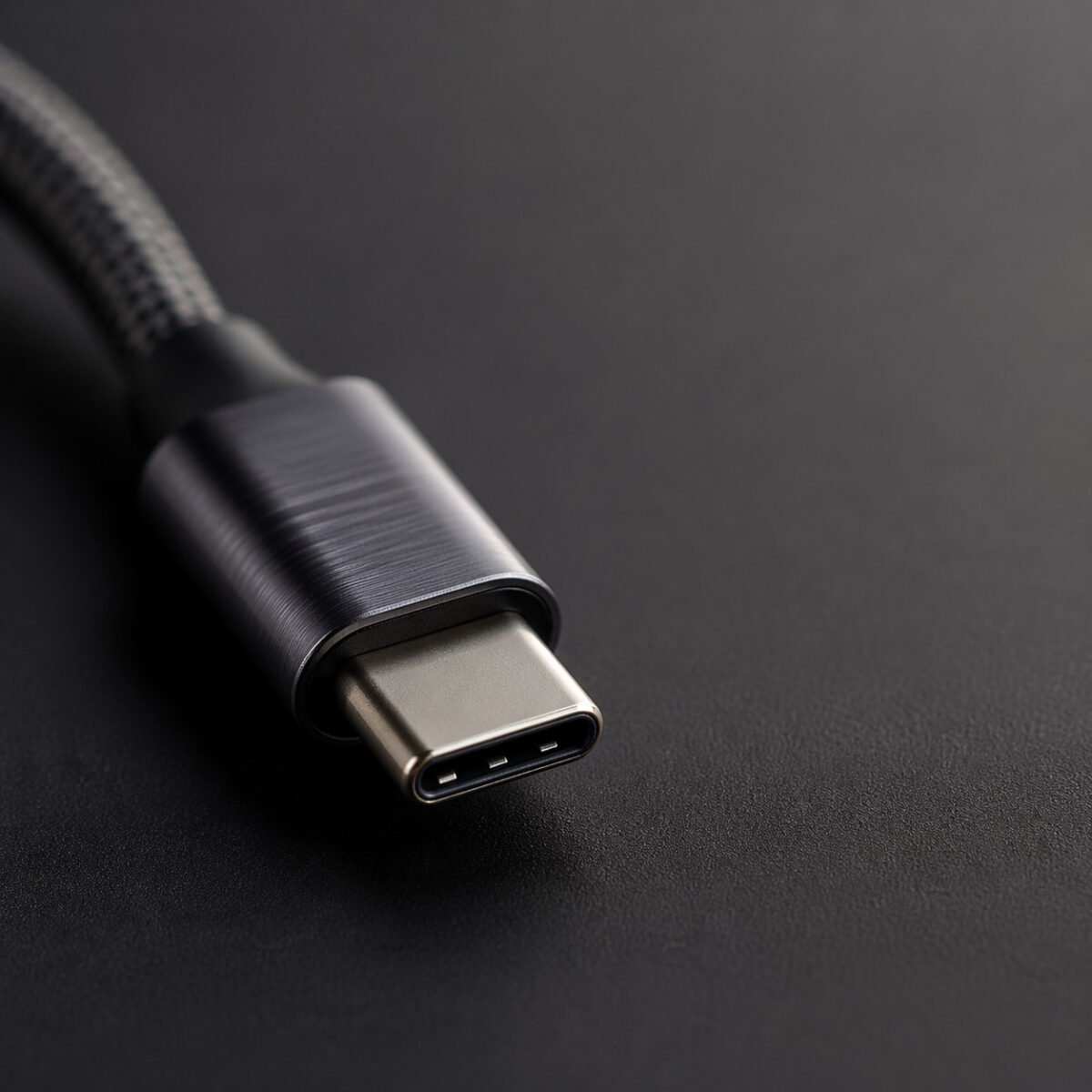
Introduced in 2014. Oval shape with reversible insertion. 24 pins enable up to 240W charging, 80Gbps data, and 8K video—but actual capabilities depend on internal construction. Type-C is now mandatory for new smartphones, tablets, and laptops sold in the EU, driving rapid adoption worldwide. For buyers: This is the fastest-growing connector category. It should represent the largest share of your inventory investment. However, specification awareness is critical—stock cables at multiple performance tiers (60W basic, 100W fast charging, 240W EPR premium) to serve different customer segments.Browse our USB-C a USB-C cables for charging, data, and video applications across all performance tiers.
2.3 Micro-USB: The Replacement Market Staple
Former standard for Android smartphones and widely used in budget electronics, power banks, Bluetooth speakers, and IoT devices. While no longer used on new flagship phones, Micro-USB maintains steady replacement demand from the massive installed base of existing devices. For buyers: Stock Micro-USB cables for the replacement and value markets. This is a mature, price-sensitive category where reliability and cost-effectiveness drive purchasing decisions. It is not a growth market, but it remains a necessary inventory category for comprehensive accessory coverage.We stock Micro-USB replacement cables for the value and replacement markets—reliable, cost-effective, and consistently available.
2.4 USB Type-B: The Specialty Connector
Square connector primarily used for printers, scanners, external hard drive enclosures, and professional audio equipment. For buyers: Limited but consistent demand from business, industrial, and professional users. Not a volume category, but margins are often better due to lower competition.
2.5 Lightning: The Apple Installed Base Connector
Apple's proprietary 8-pin connector, introduced in 2012 and used on iPhones through the iPhone 14 series. While iPhone 15 and 16 have transitioned to USB-C, hundreds of millions of Lightning devices remain in active use globally. For buyers: Lightning cable demand remains strong for replacement purchases. MFi certification is essential for this category—non-certified Lightning cables face compatibility issues and high return rates. This is a managed-decline market with 3-5 years of solid replacement demand remaining. Our MFi-certified Lightning cables ensure full Apple device compatibility with no warning messages—essential for this managed-decline but still-profitable category.
For a detailed technical comparison of Type-A and Type-C, see our Guía de abastecimiento B2B USB-A vs USB-C.
3. USB Speed Standards: Complete Comparison Table
USB data speeds have increased over 50,000 times since 1996. This table is your procurement reference—match the speed to the customer's actual needs. Not every customer needs 40Gbps. Charging-only users are perfectly served by USB 2.0 cables at a lower price point.
| Generation | Nombre comercial | Velocidad máxima | Year | Conector | Real-World Use | B2B Stock Priority |
|---|---|---|---|---|---|---|
| USB 1.0/1.1 | Low/Full Speed | 1,5-12 Mbps | 1996/1998 | Tipo-A | Keyboards, mice (legacy only) | Specialty Only |
| USB 2.0 | USB de alta velocidad | 480 Mbps | 2000 | All types | Basic charging, peripherals | High Volume |
| USB 3.2 Gen 1 | USB SuperSpeed de 5 Gbps | 5 Gbps | 2008 | Type-A, Type-C | External HDDs, everyday use | Medium Volume |
| USB 3.2 Gen 2 | USB SuperSpeed de 10 Gbps | 10 Gbps | 2013 | Type-A, Type-C | External SSDs, 4K video | Medium Volume |
| USB 3.2 Gen 2x2 | USB SuperSpeed de 20 Gbps | 20 Gbps | 2017 | Type-C only | High-speed storage | Growing Demand |
| USB4 Gen 3 | USB4 de 40 Gbps | 40 Gbps | 2019 | Type-C only | External GPUs, 8K video | SKU Premium |
| USB4 2.0 | USB4 80Gbps | 80 Gbps | 2022 | Type-C only | Professional workflows | Future Premium |
3.1 What is the difference between USB 2.0 and USB 3.0?
USB 2.0 transfers data at 480Mbps. USB 3.0 (now called USB 3.2 Gen 1) transfers at 5Gbps—roughly 10 times faster. In real-world terms: transferring a 10GB file takes about 3 minutes over USB 2.0 versus 16 seconds over USB 3.0. For charging-only applications, USB 2.0 is perfectly adequate and more cost-effective. For data transfer, 5Gbps is the minimum acceptable standard for external storage. Both speed tiers have legitimate market demand—the key is matching the product to the application.
For a detailed guide on cable specifications, refer to our Guía completa del cable USB-C a USB-C.
4. USB Power Delivery: From 7.5W to 240W
USB charging has evolved from a trickle to a torrent. Understanding power delivery versions is essential for matching chargers and cables to customer devices.
| Estándar | Potencia máxima | Voltaje/Corriente | Year | Característica clave | Lo mejor para |
|---|---|---|---|---|---|
| USB BC 1.2 | 7.5W | 5V/1.5A | 2010 | Basic charging baseline | Legacy devices only |
| USB PD 2.0 | 100W | 20V/5A | 2014 | Fixed voltage profiles | Budget laptop charging |
| USB PD 3.0 | 100W | 20V/5A + PPS | 2017 | 20mV programmable steps | Samsung/Google fast charging |
| USB PD 3.1 | 240 W | 48V/5A + EPR | 2021 | Extended Power Range | Portátiles para juegos, estaciones de trabajo |
| USB PD 3.2 | 240 W | EPR + SPR AVS | 2024 | Mid-power fine control | Inventario a prueba de futuro |
4.1 PPS and AVS: Why They Matter for Your Inventory
PPS (Programmable Power Supply) enables voltage adjustment in 20mV steps. This is mandatory for Samsung 45W Super Fast Charging and Google Pixel fast charging. For buyers: Stocking PD 3.0 chargers without PPS means your customers with Samsung or Google phones will experience slow charging and leave negative reviews. AVS (Adjustable Voltage Supply) extends similar capability to 240W devices—important for premium gaming laptop accessories.
4.2 EPR Cable Requirements: The 240W Bottleneck
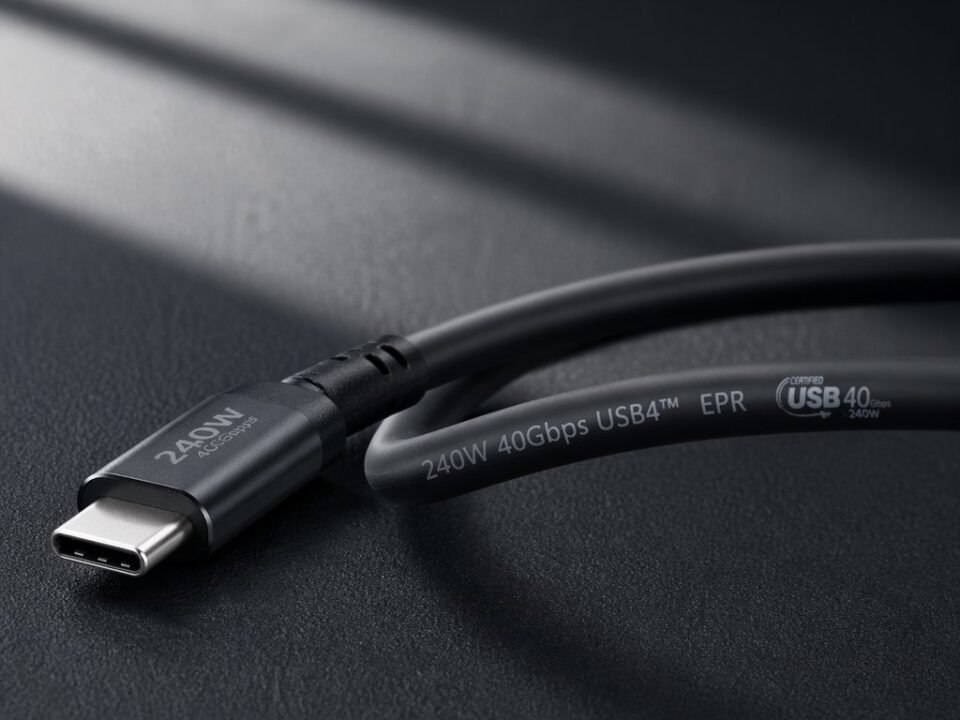
Extended Power Range (240W) requires EPR-certified cables. Standard 100W cables will limit charging to 100W even with an EPR charger and device. For buyers: Always bundle EPR chargers with EPR-certified cables. Many negative reviews for 140W+ chargers stem from customers using incompatible cables. For more on identifying EPR cables, see our USB cable markings explained guide.
5. USB Video Output: DisplayPort Alt Mode Explained
One of USB-C's most valuable capabilities is native video output—but only if the cable supports it. This is a common return driver when customers discover their "USB-C cable" cannot connect to a monitor.
5.1 Can USB-C output video to a monitor?
Yes, but only if the cable is a full-featured USB-C cable with SuperSpeed data pairs and SBU wires. Charge-only or USB 2.0 cables cannot output video regardless of connector shape. For buyers: If your customers use USB-C monitors or docking stations, you must stock full-featured cables. Clearly label "video-capable" products to prevent mis-selling.Stock our full-featured USB-C to USB-C cables with verified 10Gbps+ speeds and DP Alt Mode support for monitor and docking applications.
| Especificación del cable | Soporte máximo para pantallas | Typical Application |
|---|---|---|
| USB 3.2 Gen 1 (5 Gbps) | 4K @ 30Hz | Basic single monitor |
| USB 3.2 Gen 2 (10 Gbps) | 4K @ 60Hz, dual 4K with DSC | Productivity workstation |
| USB4/Thunderbolt 3 (40Gbps) | 8K @ 60Hz, dual 4K @ 60Hz | Professional video editing |
6. USB Certification Systems: USB-IF, MFi, and Thunderbolt
Certification provides independent verification of a cable's claims. For B2B buyers, certification status directly impacts return rates and retail channel access.
USB-SI la Certificación
Voluntary, but de facto required for EU compliance. Certified products receive a TID number and appear in the public Integrators List. The unified logo system combines power and speed (e.g., 40Gbps/240W).
Buyer impact: USB-IF certified cables demonstrate 2-4% return rates versus 8-12% for uncertified equivalents.
Imf Certificación
Mandatory for Apple device compatibility. Requires factory audit and authentication chip. Company approval rate is approximately 2%.
Buyer impact: Non-MFi cables trigger warning messages on Apple devices. Essential for Apple accessory inventory.
Thunderbolt Certification
Intel's premium standard. Guarantees 40Gbps, dual 4K video, and 100W power delivery. Stricter than USB-IF certification.
Buyer impact: Required for professional video and workstation applications. Commands premium pricing.
For a detailed comparison, see our Guía de certificación USB-IF frente a MFi.
7. Common USB Misconceptions That Cost B2B Buyers Money
These five misconceptions are responsible for the majority of USB cable returns and negative reviews. Learn them. Avoid them. Your return rate depends on it.
❌ Misconception 1: "USB-C means fast charging"
✅ Realidad: USB-C is just the connector shape. Many USB-C cables only support 60W charging. Some only support USB 2.0 speeds. The connector tells you nothing about performance.
Cost to B2B buyers: Customers buy a "USB-C cable" expecting 100W laptop charging, receive 60W, leave 1-star reviews.
❌ Misconception 2: "USB-C means fast data transfer"
✅ Realidad: Many USB-C cables are USB 2.0 only (480Mbps). Customers connecting an external SSD experience 30-40 MB/s transfers instead of 1000+ MB/s.
Cost to B2B buyers: "Data cable" returns spike when customers discover their cable is USB 2.0.
❌ Misconception 3: "Thicker cable means higher power"
✅ Realidad: A thick jacket can hide thin 28 AWG conductors. Always check AWG markings—22 AWG minimum for 100W.
Cost to B2B buyers: Cables that overheat under load generate safety complaints and potential liability.
❌ Misconception 4: "All USB-C cables support video"
✅ Realidad: Charge-only and USB 2.0 cables cannot output video. Only full-featured cables with SuperSpeed pairs support DP Alt Mode.
Cost to B2B buyers: Customers connecting monitors receive "no signal" and return the cable.
❌ Misconception 5: "Certification logos are just marketing"
✅ Realidad: USB-IF certified cables demonstrate measurably lower return rates. Certification provides independent verification of claims.
Cost to B2B buyers: Uncertified cables generate 2-3x higher return rates in real-world data.
8. How to Choose USB Cables: B2B Selection Guide
This is the section that translates everything above into procurement decisions. Match your customer's actual use case to the right cable specification.
| If Your Customer Wants To... | Cable recomendado | Por qué | Key Spec to Verify |
|---|---|---|---|
| Only charge a phone | USB-A to USB-C or C-to-C (60W, USB 2.0) | Most cost-effective; covers 99% of smartphones | 3A current rating; 56kΩ resistor |
| Fast charge Samsung or Google Pixel | USB-C to USB-C (100W, PD 3.0 + PPS) | PPS is mandatory for max Android charging speed | PD 3.0 PPS in E-Marker data |
| Charge a modern laptop (60W-100W) | USB-C to USB-C (100W, 5A, 22AWG) | Required for USB PD laptop charging | 5A E-Marker; 22AWG marking |
| Connect to a 4K monitor | USB-C to USB-C (10Gbps+, full-featured) | Requires SuperSpeed pairs and SBU wires | 10Gbps marking; DP Alt Mode support |
| Power a gaming laptop (140W-240W) | USB-C to USB-C (240W EPR, 21AWG) | Only EPR cables can exceed 100W | EPR marking; 48V/5A E-Marker |
| Transfer large video files | USB-C to USB-C (20Gbps or 40Gbps) | 50GB file in ~10 seconds at 40Gbps | 20Gbps or 40Gbps marking |
| Use a docking station | Thunderbolt 4 or USB4 40Gbps | Single cable for power, video, and data | Thunderbolt logo or USB4 40Gbps mark |
| Replace old Lightning cable | MFi-certified USB-C to Lightning | Only MFi avoids "not supported" warnings | MFi badge on packaging |
The table above covers the most common B2B procurement scenarios. For bulk USB cable orders across multiple connector types and specifications, we offer consolidated shipping and volume pricing.
8.1 Quick Decision Tree for Cable Procurement
Step 1: Identify the customer's primary device. Phone? Laptop? Monitor?
Step 2: Determine the required power level. Under 60W? 60W-100W? Above 100W?
Step 3: Determine if data transfer matters. Charging only? Occasional files? Professional video?
Step 4: Check if video output is needed. Monitor connection? Docking station?
Step 5: Select the cable from the table above. Verify specifications through E-Marker reading.
8.2 What to Stock by Customer Segment
Consumer Retail
60% USB-C to USB-C 60W charging cables
25% USB-A to USB-C for legacy chargers
15% 100W fast-charging cables
Corporate IT Supply
50% 100W USB-C to USB-C
30% Full-featured 10Gbps for docks
20% Thunderbolt 4 for workstations
Premium / Prosumer
40% USB4 40Gbps cables
35% 240W EPR cables
25% Thunderbolt 4 active cables
9. USB Cable Markings: What the Numbers on the Jacket Mean
Every USB cable has markings printed on its jacket. These markings tell you what the cable can actually do—if you know how to read them.
9.1 Key Markings for B2B Quality Control
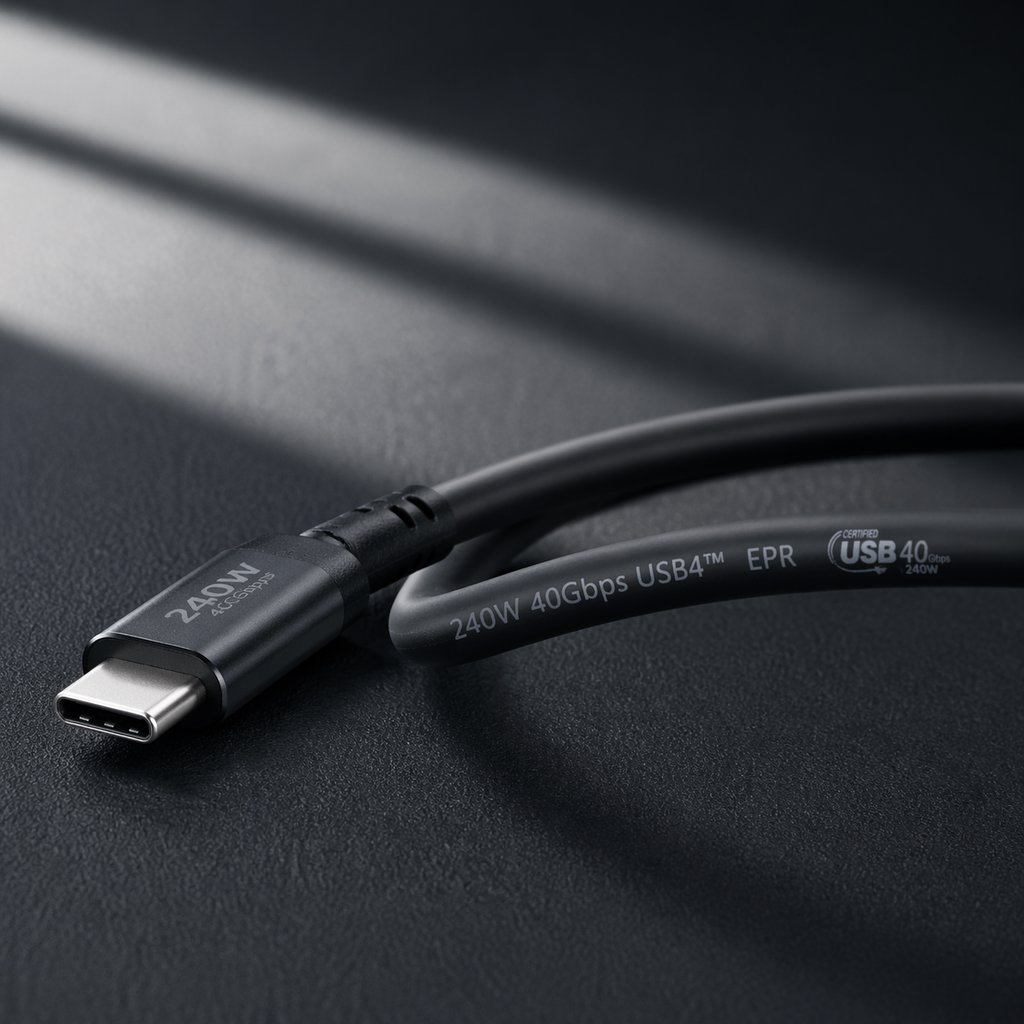
- Potencia nominal: 60W/3A, 100W/5A, or 240W/5A EPR—maximum charging capability
- Clasificación de velocidad: 480Mbps, 5Gbps, 10Gbps, 20Gbps, 40Gbps—data transfer capability
- Calibre del cable AWG: 22AWG for 100W, 21AWG for 240W, 24-26AWG for 60W only
- USB-IF certification logo: Black version on cable body confirms independent testing
- Safety certifications: CE, FCC, RoHS—required for market access in respective regions
For a complete guide to interpreting cable markings, see our USB cable markings explained guide.
10. EU Regulations and Global Compliance
The EU Common Charger Directive mandates USB-C for most portable electronics. This is the regulatory driver that makes USB-C the safe long-term inventory bet.
- 28 de diciembre de 2024: Smartphones, tablets, cameras, headphones, portable speakers, e-readers, keyboards, mice, and portable navigation systems must use USB-C.
- 28 de abril de 2026: Laptops must comply with USB-C charging requirements.
For buyers: USB-C inventory purchased today will remain compliant and salable for years. Legacy connector inventory should be maintained at levels appropriate for replacement demand in your target markets.
11. FAQ: Quick Answers to Common USB Questions
What is USB?
USB (Universal Serial Bus) is an industry standard for cables, connectors, and communication protocols. It was introduced in 1996 to standardize connections between computers and peripherals. Today, USB handles charging (up to 240W), data transfer (up to 80Gbps), and video output (up to 8K) through a single interface.
What is the difference between USB-C and USB-A?
USB-A is the traditional rectangular connector (1996). USB-C is the modern oval reversible connector (2014). USB-C supports higher power (240W vs 10Gbps max for USB-A), faster data (80Gbps vs 10Gbps), and native video output—capabilities USB-A cannot match. However, a USB-C connector does not guarantee any performance level—always check the cable's specifications.
Is USB-C always faster than USB-A?
No. The connector shape does not determine speed. A USB-C cable may only support USB 2.0 speeds (480Mbps), while a USB-A cable can support up to 10Gbps. Always check the speed marking on the cable jacket, not just the connector type.
Are all USB-C cables the same?
No. USB-C cables vary dramatically in capabilities. Some support only 60W charging and USB 2.0 speeds. Others support 240W charging, 40Gbps data, and 8K video output. The connector looks identical, but the internal construction determines what the cable can do. Always check the markings printed on the cable jacket.
Can USB 2.0 support fast charging?
Yes. Charging speed depends on the power delivery standard and cable construction, not the data speed. A USB 2.0 cable with 22AWG power conductors and a 5A E-Marker can support 100W charging. Data speed and charging power are independent specifications.
How do I know if my USB cable supports video?
Look for speed markings of 10Gbps or higher on the cable jacket. The cable must also be "full-featured" with SuperSpeed data pairs and SBU wires. USB 2.0 cables and charge-only cables cannot output video. If the cable packaging or markings mention "DP Alt Mode" or "video output," it supports monitor connections.
What is USB Power Delivery (PD)?
USB Power Delivery is a fast-charging protocol that enables up to 240W of power over USB-C. It allows the charger and device to dynamically negotiate optimal voltage and current levels. PD 3.0 (with PPS) is the current mainstream standard. PD 3.1 (with EPR) extends to 240W for gaming laptops and workstations.
12. Summary: USB Explained for B2B Procurement
Este USB explained complete guide has covered every dimension that matters for B2B buyers. The key insight is simple: the USB-C connector tells you nothing about performance. Always verify power ratings, speed markings, and certification status before committing to inventory.
Five Rules for Profitable USB Cable Sourcing
- Match the cable to the use case — charging only? USB 2.0 is fine. Video output? Full-featured 10Gbps+ required.
- Verify, don't assume — read E-Marker data with a USB-C power meter during quality control.
- Prioritize USB-IF certification — certified cables generate measurably lower return rates.
- Stock USB-C as the primary connector — 55-65% of cable inventory should be Type-C for most suppliers.
- Bundle EPR cables with EPR chargers — prevent the 100W bottleneck that drives negative reviews.
Recommended Inventory Mix (2026-2027)
- USB-C to USB-C (60W-100W, various speeds): 55-65% of cable inventory
- USB-A to USB-C (legacy compatibility): 20-25% of inventory
- USB-C to USB-C (240W EPR, premium): 10-15% of inventory
- Lightning, Micro-USB, Type-B (replacement/niche): 5% combined
Need USB Cables with Verified Specifications for Your Market?
WJWSY provides OEM and wholesale manufacturing for USB cables across all connector types and performance tiers—including Type-A, Type-C, Micro-USB, and Lightning. From cost-effective USB 2.0 charging cables to premium USB4 40Gbps and 240W EPR solutions, all products come with clear jacket markings, certification documentation, and batch-consistency guarantees. We help B2B buyers match the right cable to the right customer segment.
Explorar las capacidades de fabricación Solicitar muestras y especificaciones.
Para conocer las especificaciones oficiales de USB, visite el sitio web. Página de especificaciones de USB4 y el USB Type-C specification page.
Para obtener guías técnicas relacionadas, lea nuestra Guía de diferencias entre versiones de USB PD o nuestro Página de garantía de calidad y certificación.
 Spanish
  English
  French
  Portuguese
  Italian