MULTI-INTERFACE & SPECIALTY CABLES

Complex Cable Productos

Explore multi-interface charging cables, OTG adapters, panel-mount extensions, magnetic charging solutions and specialty USB cables. Compare connector combination, function, mechanical design and device compatibility to choose the right cable for your application.

Conector múltiple OTG Panel Mount Screw Lock Magnetic Charging Legacy USB
Complex multi-interface and specialty cable products
Multi-Interface & Specialty Cable Solutions
Conector múltiple Flexible interface combinations
OTG / Data Selected functional options
Special Design Panel and magnetic solutions

Complex Cable

PRODUCT FAMILIES

Explore Complex Cable Solutions

Start with the type of connection problem you need to solve. Our complex cable range covers multi-device charging, OTG conversion, secured installation, magnetic charging and specialty legacy connections.

Multi-Connector Charging Cables

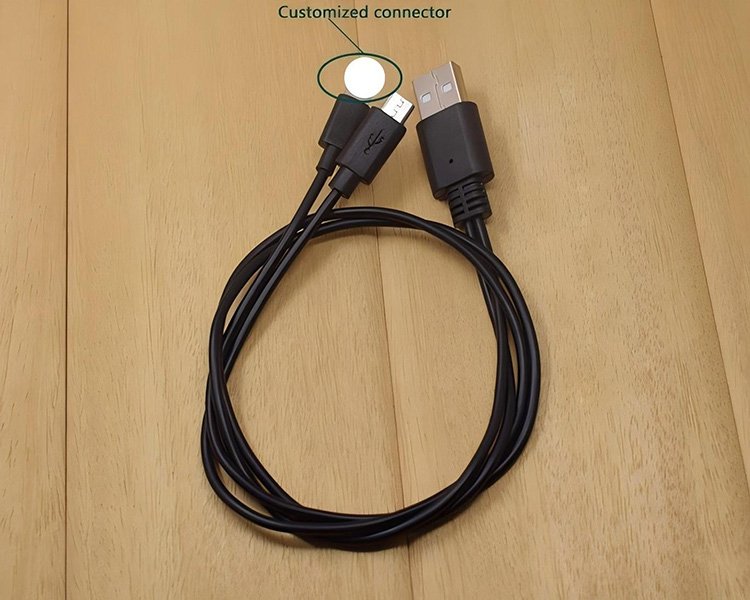
Multi-interface cable designs provide several connector choices from one compact cable system, making them suitable for mixed-device charging and portable applications.

Conector múltiple Carga Portátil

OTG & Adapter Cables

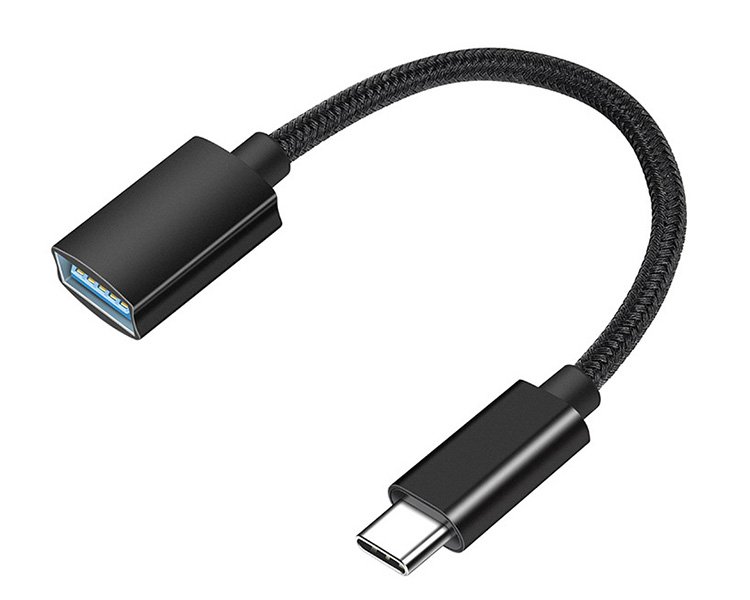
Adapter configurations support compatible host and peripheral connections, with selected designs also combining an additional power input for the connected system.

OTG Host Connection Adaptador

Panel-Mount & Secure Installation Cables

Panel-oriented cable assemblies relocate USB connections to an accessible equipment surface, while mounting structures help provide a more secure installation.

Panel Mount Screw Lock Installation

Magnetic Charging Cables

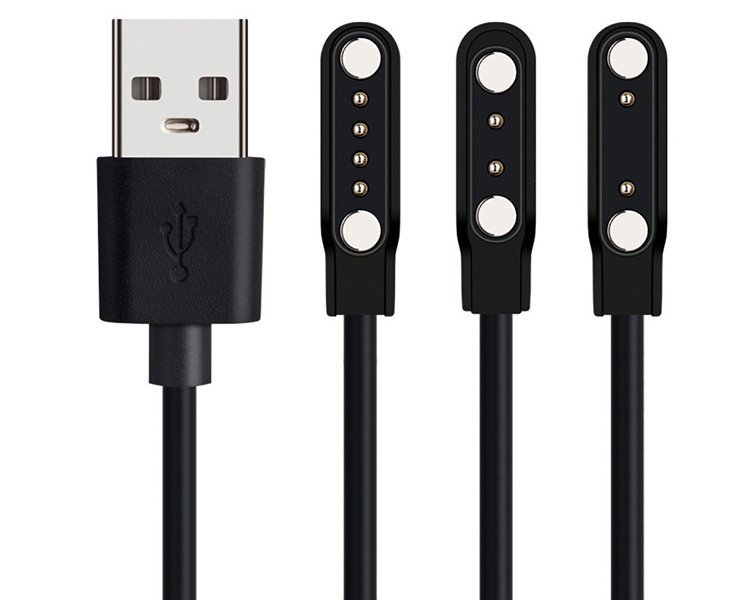
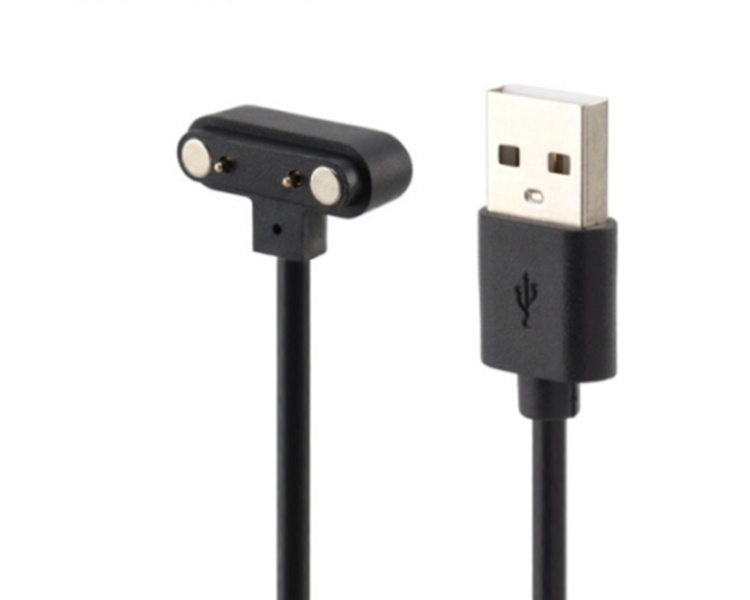
Magnetic charging solutions use contact-based interfaces for compatible smartwatches, fitness trackers and wearable devices, allowing simple alignment during charging.

Magnético 2-Pin / 4-Pin Wearables

Legacy & Specialty USB Cables

Specialty USB cable configurations support equipment that continues to use legacy interfaces, including products requiring charging and USB data communication.

Mini USB USB 2.0 Legacy Devices

CABLE DESIGN

What Makes a Complex Cable Different?

A complex cable is not defined by one connector. It combines interface configuration, electrical function and mechanical design to solve a specific connection requirement.

Multi-I/O

Multiple Interfaces

A cable may combine USB-A, USB-C, Micro USB, Mini USB or other device-side interfaces.

Power + Data

Different Functions

Some products provide charging, some support data, and others are designed for OTG or extension functions.

Fixed / Mobile

Installation Design

Retractable, panel-mounted, screw-lock and standard cables serve very different installation requirements.

Device Match

Compatibility Matters

Magnetic contacts, OTG operation and specialty connectors must match the target equipment.

CABLE FUNCTIONS

Choose the Function Before the Connector

Connectors that look similar can perform different functions. Charging, data, OTG and extension should therefore be evaluated separately.

CHARGING

Power Delivery

Multi-connector and magnetic products are mainly used to supply power to compatible portable or wearable devices.

DATA

USB Communication

Selected USB cables support data communication, including USB 2.0 and USB 3.0 configurations.

OTG

Host Connection

OTG adapters allow compatible host devices to connect supported USB peripherals.

EXTENSION

Interface Relocation

Panel and extension cables move an existing USB connection to a more accessible installation position.

INTERFACE OPTIONS

Interface Combinations

Start by identifying both ends of the connection and then confirm what the cable must actually do between them.

USB-A ↔ USB-C

USB-C Connections

Used in multi-device charging, OTG and power-assist configurations.

USB-A ↔ Micro USB

Micro USB Connections

Used in multi-charging, OTG and screw-lock panel cable configurations.

USB-A ↔ Mini USB

Mini USB Connections

Legacy USB connection for compatible cameras, GPS devices and other equipment.

USB ↔ Magnetic

Magnetic Contacts

2-pin and 4-pin charging interfaces for compatible wearable devices.

USB ↔ Panel Port

Panel Extension

Relocates an existing USB interface to a dashboard or equipment panel.

Multi ↔ Multi

Multi-Connector Cable

Provides more than one device-side connector from a compact cable system.

MECHANICAL DESIGN

Cable Structures for Different Installations

For specialty cables, mechanical design can be just as important as electrical function.

01

Retráctil

Compact cable storage for travel, power banks and portable use.

02

Flush Panel Mount

Fixed USB access through dashboards and equipment panels.

03

Screw Lock

Mechanically secured USB installation for embedded equipment.

04

Short Adapter

Compact OTG or converter design for peripheral connections.

05

Magnetic Dock

Magnetic contact interface for selected watches and fitness trackers.

KEY SPECIFICATIONS

Complex Cable Parameters

Specifications vary by product family. Confirm the function and interface first, then compare electrical and mechanical parameters.

Carga 5V Options

Available on selected multi-device, OTG power and magnetic charging configurations.

USB 2.0 Up to 480Mbps

Available on selected Mini USB charging and data cable configurations.

USB Interface USB 3.0

Represented by flush panel-mount USB extension configurations.

Magnetic Contact 2-Pin / 4-Pin

Available for selected wearable-device magnetic charging solutions.

Longitud del cable 30cm / Custom

Available on selected multi-interface and OTG cable configurations.

Magnetic Cable 0.6m / Custom

Available on selected magnetic smartwatch charging cable designs.

Jacket PVC

Used by several charging, OTG and magnetic cable configurations.

Configuración Standard / Custom

Connector combination, length and installation design depend on the product.

PRODUCT COMPARISON

Compare Specialty Cable Configurations

After choosing the product family, compare specific cable configurations by interface, function and mechanical design.

PRODUCTO INTERFACE FUNCTION DESIGN APPLICATION
Producto Host / Input Device / Output Primary Function Known Spec Structure Característica Uso típico
4-in-1 Multi Charging Cable Multi Interface USB-C / Micro / Lightning / Type-A Carga 5V Retráctil 30cm / Custom Travel / Power Banks
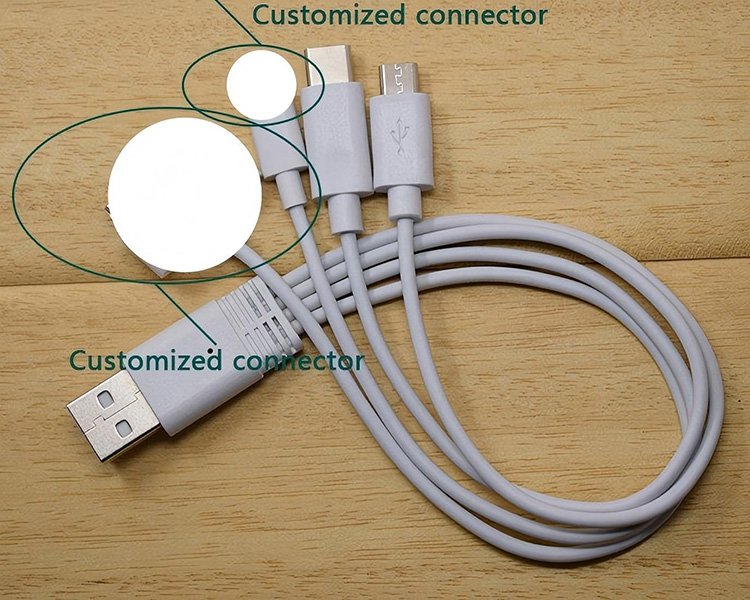
2-in-1 Micro USB & USB-C USB-A Micro USB / USB-C Carga 5V Conector múltiple 30cm / Custom Portable Devices
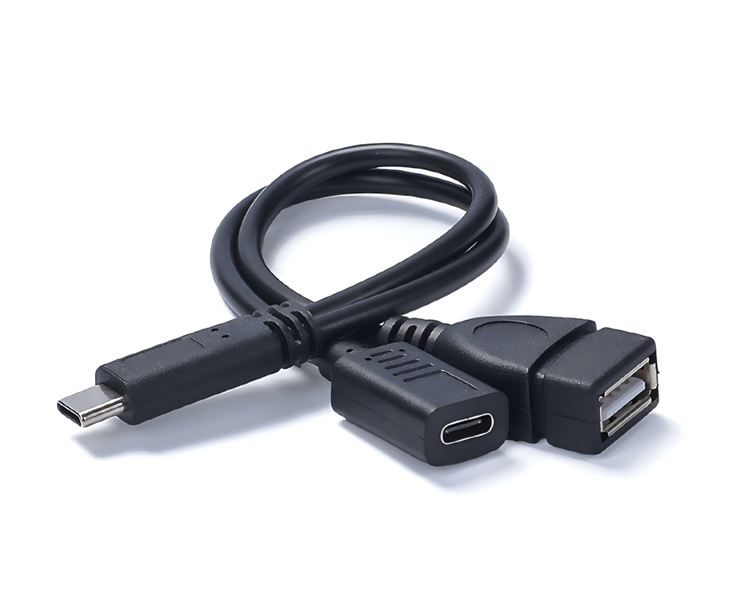
USB-C OTG + Power Adapter USB-C Male USB-C Female + USB-A OTG + Power 5V Adapter Cable 30cm Host / Peripheral Use
Adaptador Micro USB OTG Micro-B Male USB-A Female OTG Host Device Dependent Short Adapter OTG Required Phones / Tablets
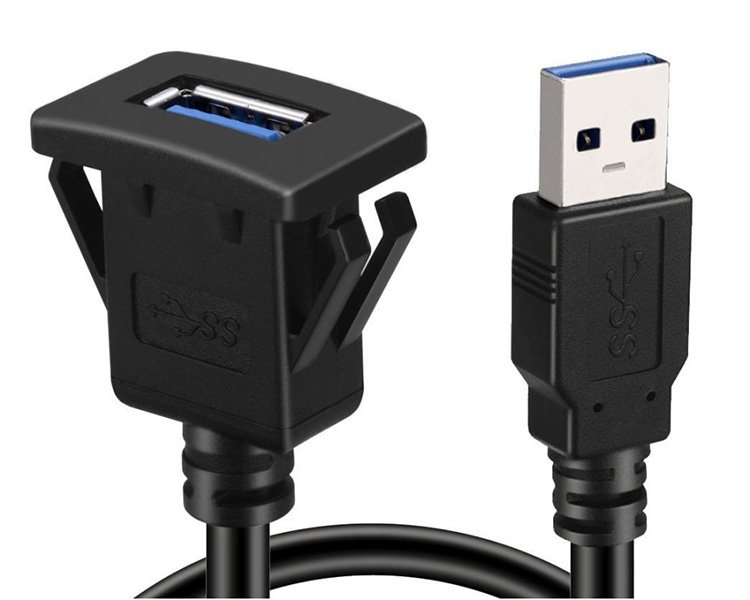
USB 3.0 Panel-Mount Extension USB 3.0 Panel USB Port Extension USB 3.0 Interface Flush Mount Fixed Installation Car / Marine
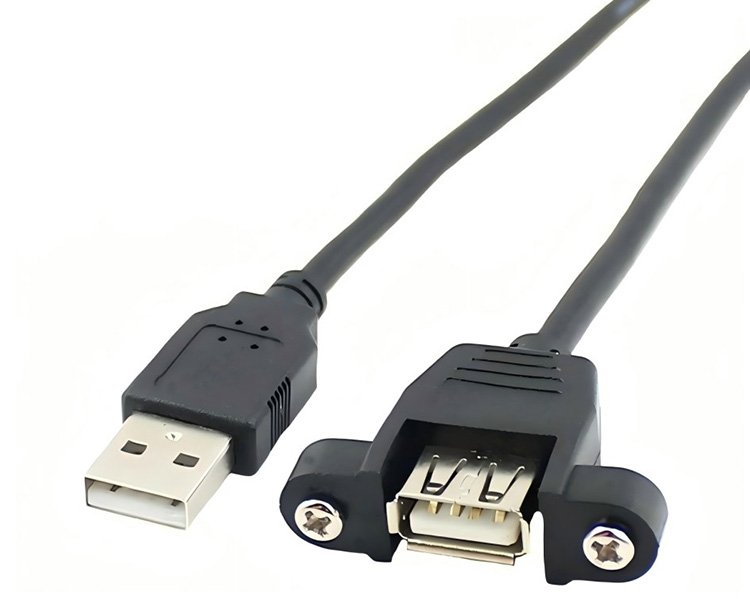
Micro USB Screw-Lock Cable Micro USB 5P USB-A Female Extension / Adapter Confirm Product Spec Screw Lock Panel Installation Equipos Industriales
Magnetic Smartwatch Cable USB 2-Pin / 4-Pin Magnetic Carga 5V Magnetic Dock 0.6m / Custom Smartwatches / Trackers
Magnetic Charger Adapter USB Charging 2-Pin / 4-Pin Magnetic Carga Device Dependent Magnetic Adapter Compacto Wearable Charging

Charging, data communication and OTG are separate functions. A cable with multiple connectors should not automatically be treated as a data cable. Magnetic charging compatibility should also be confirmed against the target device's contact layout and charging requirements.

APPLICATIONS

Specialty Cables for Different Connection Scenarios

Different product families solve different charging, connectivity and installation requirements.

01

Power Banks & Travel

Multi-interface charging cables for portable power sources and mixed-device charging.

Focus: multi-connector charging
02

Cars & Marine Equipment

Panel-mounted USB connections for dashboards, consoles and marine equipment.

Focus: fixed USB access
03

Industrial Panels

Screw-lock USB cables for secure embedded and equipment installations.

Focus: mechanical retention
04

Phones & Tablets

OTG cables and adapters for compatible host devices connecting supported peripherals.

Focus: OTG compatibility
05

Cameras & Legacy Devices

Mini USB charging and data for compatible cameras, GPS units and legacy electronics.

Focus: USB 2.0 + Mini USB
06

Smartwatches & Wearables

Magnetic charging cables and adapters for compatible watches and fitness trackers.

Focus: contact layout + charging match
SELECTION GUIDE

How to Choose a Complex Cable

Start with the connection requirement, then confirm electrical function and mechanical installation.

1

Product Family

Choose multi-charging, OTG, panel, magnetic or legacy USB.

2

Interfaces

Define every connector required at the host, power and device sides.

3

La función

Confirm charging, data, OTG or extension requirements.

4

Compatibilidad

Verify that the target equipment supports the required interface and function.

5

Mechanical Design

Choose retractable, panel, screw-lock, magnetic or standard design.

6

Especificación del cable

Confirm voltage, data capability, length and other product parameters.

Preguntas frecuentes

Complex Cable Questions

Common questions about multi-interface cables, OTG, panel mounting, legacy USB and magnetic charging.

No. Multi-connector cables may be designed primarily for charging. If data communication is required, confirm that function in the individual product specification.
A charging cable primarily supplies power. An OTG adapter allows a compatible device to operate as a host for supported peripherals. The connected device must support OTG.
A panel-mount cable relocates a USB connection to an accessible position on a dashboard, enclosure or equipment panel.
A flush-mount design provides a clean external interface, while a screw-lock design uses mechanical fasteners to help secure the connector or panel assembly.
Selected USB-A to Mini USB 5-pin cables support both charging and USB 2.0 data, with signaling up to 480Mbps.
No. Compatibility depends on contact quantity, spacing, polarity, physical alignment and charging requirements. Confirm the target device before selection.
Selected cable configurations support custom lengths or connector combinations. The required interfaces, function, length and installation requirements should be defined before selection.

Need a Specific Complex Cable Configuration?

Tell us the connector combination, charging or data requirement, OTG function, target device, cable length and installation style. We can help match your application to a suitable specialty cable configuration.

Contact Us →