

The Universal Serial Bus: From Simple Connection to Digital Backbone
In today's interconnected world, USB technology has evolved far beyond its original purpose of connecting peripherals to computers. What began as a simple replacement for serial and parallel ports has transformed into the central nervous system of modern digital ecosystems, handling everything from data transfer and device charging to video transmission and network connectivity.
This comprehensive guide explores the full spectrum of USB technology, providing professionals with the knowledge needed to navigate the complex landscape of connectors, protocols, and standards. Whether you're an IT manager responsible for enterprise infrastructure, a procurement specialist sourcing hardware, or a technology enthusiast seeking clarity, this guide serves as your definitive reference for 2025 and beyond.
Layer 1: Understanding USB Architecture
The Three Pillars of USB Technology: Form, Protocol, and Function
Fundamental Distinctions Every Professional Must Understand
Form Factor (The Physical Layer)
The physical shape, size, and pin configuration of the connector. This determines what devices can physically connect to each other.
- Type-A: The original rectangular connector
- Type-C: Reversible oval connector (modern standard)
- Micro-USB: Small connector for mobile devices
- Mini-USB: Older small connector (mostly deprecated)
- Type-B: Square connector for peripherals
Protocol/Generation (The Data Layer)
The communication standard that determines data transfer speed, encoding methods, and efficiency.
- USB 2.0: 480 Mbps (High-Speed)
- USB 3.2 Gen 1: 5 Gbps (Supervelocidad)
- USB 3.2 Gen 2: 10 Gbps (SuperSpeed 10Gbps)
- USB4: 40 Gbps (Based on Thunderbolt 3)
- USB4 v2.0: 80 Gbps (Latest standard)
Functionality (The Application Layer)
The actual capabilities enabled by the combination of form factor and protocol, including power delivery and advanced features.
- Power Delivery: Intelligent charging up to 240W
- DisplayPort Alt Mode: Video transmission
- PCIe Tunneling: High-speed data for external GPUs
- Audio Accessory Mode: Digital audio transmission
- Ethernet Networking: Network connectivity
Practical Analogy: USB as a Transportation System
Form Factor = Vehicle Type (car, truck, motorcycle). Protocol = Road System (dirt road, highway, expressway). Functionality = What You Can Transport (people, goods, refrigerated items). A sports car (USB-C) on a dirt road (USB 2.0) is limited, while the same sports car on an expressway (USB4) achieves maximum performance.
The USB Ecosystem: More Than Just Cables
Host Controllers
The hardware that manages USB communication in computers and devices. Different controller types (xHCI, eHCI) support different USB generations.
- xHCI: Supports USB 3.0 and newer
- eHCI: Legacy USB 2.0 controller
- Intel/AMD Chipsets: Integrated USB controllers
Hubs and Docks
Expansion devices that multiply USB ports. Quality varies significantly based on chipset and power delivery capabilities.
- Powered Hubs: Provide additional power
- Docking Stations: Multi-port solutions
- Travel Hubs: Compact portable options
Software Stack
Operating system drivers and firmware that enable USB functionality. Regular updates are essential for compatibility and security.
- USB Drivers: OS-level integration
- Firmware Updates: Device-specific updates
- Management Tools: Monitoring and control
Layer 2: The Connector Zoo - Complete Visual Guide
Physical Characteristics, Applications, and Compatibility Guide
USB Type-A (Standard-A)
The original rectangular connector that defined USB for two decades. Found on virtually all computers, chargers, and hubs until recently. Requires specific orientation (often requiring multiple attempts).
USB Type-C (USB-C)
The reversible, oval-shaped connector that's becoming the universal standard worldwide. Mandated by the European Union for all portable devices. Supports multiple protocols via its advanced 24-pin design.
Micro-USB
The small connector that dominated mobile devices from 2007-2018. Officially deprecated but persists in budget devices, IoT products, and legacy equipment. Prone to wear and damage.
USB Type-B
The square connector primarily used for peripheral devices. Less common in consumer electronics but persists in specific professional and industrial applications.
Mini-USB
The predecessor to Micro-USB, used in early digital cameras, MP3 players, and older mobile devices. Officially deprecated in 2007 and should be avoided in new designs.
Proprietary Connectors
Various manufacturer-specific connectors that preceded or competed with USB standards. Create compatibility issues and contribute to electronic waste.
Strategic Procurement Recommendations
For enterprise purchasing: Develop a phased transition plan from legacy connectors to USB-C. Audit existing equipment to identify compatibility requirements. For new acquisitions, mandate USB-C compatibility with clear specifications for data speed and power delivery. Maintain minimal legacy connector inventory only for critical maintenance needs, with a sunset schedule for complete transition within 2-3 years.
Inventory management: Implement a tiered cable management system with clear labeling for speed ratings and power capabilities. Consider color-coding for different specifications to reduce user error and support costs.
Layer 3: The Speed Evolution - USB Generations Explained
From 1.5 Mbps to 80 Gbps: Three Decades of Performance Advancement
USB 1.0
Original Standard - Designed to replace serial and parallel ports. Low-Speed mode for keyboards and mice. Quickly superseded by USB 1.1.
USB 1.1
Full-Speed USB - First practical USB standard. Added interrupt-out transfers and fixed specification issues. Enabled widespread adoption.
USB 2.0
USB de alta velocidad - 40x faster than USB 1.1. Became the dominant standard for over a decade. Backward compatible with USB 1.1.
USB 3.2 Gen 1
SuperSpeed USB (formerly USB 3.0) - 10x faster than USB 2.0. Introduced dual-bus architecture and increased power delivery.
USB 3.2 Gen 2
SuperSpeed USB 10Gbps (formerly USB 3.1) - Doubled speed again. Improved encoding efficiency from 8b/10b to 128b/132b.
USB 3.2 Gen 2×2
SuperSpeed USB 20Gbps - Uses two 10 Gbps lanes. Requires USB-C connectors. Limited adoption due to USB4 announcement.
USB4
The Convergence Standard - Based on Thunderbolt 3 protocol. Mandates USB-C. Unifies data, power, and display protocols.
USB4 v2.0
Next-Generation Standard - Doubles USB4 speeds. Supports asymmetric data (120Gbps + 40Gbps). New PAM3 encoding.
Real-World Speed Comparison
File Transfer Examples
Video Bandwidth
Storage Performance
Making Sense of USB 3.x Naming Confusion
Layer 4: The USB-C Revolution
One Port to Rule Them All? Understanding the Universal Connector
Why USB-C is the Future of Connectivity
Reversible Design
No more frustration with "wrong side up" connections. USB-C's symmetrical design means it works regardless of orientation, saving time and reducing wear on ports.
- 24-pin configuration: Enables multiple functions
- No orientation needed: Insert either way
- Durability: 10,000+ insertion cycles
Compact & Powerful
Smaller than USB-A but capable of much more. The compact design enables thinner devices while supporting higher power and data transfer rates.
- 8.4mm × 2.6mm: Ultra-compact size
- Supports USB4: Up to 40/80 Gbps
- Up to 240W: PD 3.1 support
Compatibilidad Universal
One connector for all devices - phones, laptops, tablets, monitors, and accessories. Mandated by EU regulations for portable devices from 2024.
- EU mandate: Common charger directive
- Cross-device compatibility: Single cable solution
- Future-proof: Supports emerging standards
Critical Warning: Not All USB-C Are Equal
Important Procurement Advisory
USB-C does not guarantee speed or capability. A USB-C port may only support USB 2.0 (480 Mbps). A USB-C cable might only support 60W charging. Always verify specifications before bulk purchasing.
For enterprise procurement: Require vendors to provide detailed specification sheets. Test samples before large orders. Implement strict quality controls for cable purchases.
How to Identify Capabilities
Look for specific markings and logos to determine what a USB-C port or cable can actually do.
- SS Logo: SuperSpeed (5/10/20 Gbps)
- Lightning Bolt: Power Delivery capable
- DisplayPort/HDMI: Video support
- USB4 Logo: 40 Gbps support
- Thunderbolt: Full 40 Gbps + PCIe
E-Marker Chip
Advanced USB-C cables contain an E-Marker chip that communicates capabilities to devices.
- Required for: > 3A current or > 5 Gbps
- Communicates: Max power, speed, functions
- Verification: Use USB-C testers
Certification Check
Always look for USB-IF certification to ensure compliance and safety.
- USB-IF Logo: Official certification
- TID Number: Unique test ID
- Online Database: Verify at usb.org
Layer 5: Power Delivery Evolution
From 2.5W to 240W: The Charging Revolution
USB Power Delivery (PD) Protocol
Intelligent Power Negotiation
Traditional charging: Fixed voltage/current. USB PD: Intelligent negotiation between device and charger to determine optimal power delivery. Like a smart conversation rather than a monologue.
USB 1.0/2.0 Power
Basic Power: 5V @ 0.5A maximum. Sufficient for keyboards and mice, but inadequate for charging modern devices.
Battery Charging 1.2
Enhanced Charging: 5V @ 1.5A standard for mobile devices. Became common for smartphones and tablets.
USB PD 1.0
Power Revolution: First PD standard supporting up to 20V @ 5A. Enabled laptop charging via USB.
USB PD 3.0
Refined Standard: Added Programmable Power Supply (PPS) for better fast charging compatibility and efficiency.
USB PD 3.1
Extended Power Range: Added 28V, 36V, and 48V profiles. Supports high-performance workstations and gaming laptops.
Power Profiles & Applications
Mobile Devices
Portátiles
Specialized Devices
Procurement Guidelines for Power Delivery
Enterprise Charging Solutions
For office deployment: Standardize on 65W USB-C PD chargers for universal compatibility with phones, tablets, and laptops. For meeting rooms and shared spaces, deploy 100W multi-port chargers.
Quality assurance: Only purchase PD chargers with proper safety certifications (UL, CE, FCC). Require vendor testing reports for high-power (100W+) chargers. Implement regular safety inspections for all charging equipment.
Layer 6: Thunderbolt Technology
USB's High-Performance Partner
Thunderbolt vs USB: The Strategic Partnership
Intel's Premium Protocol
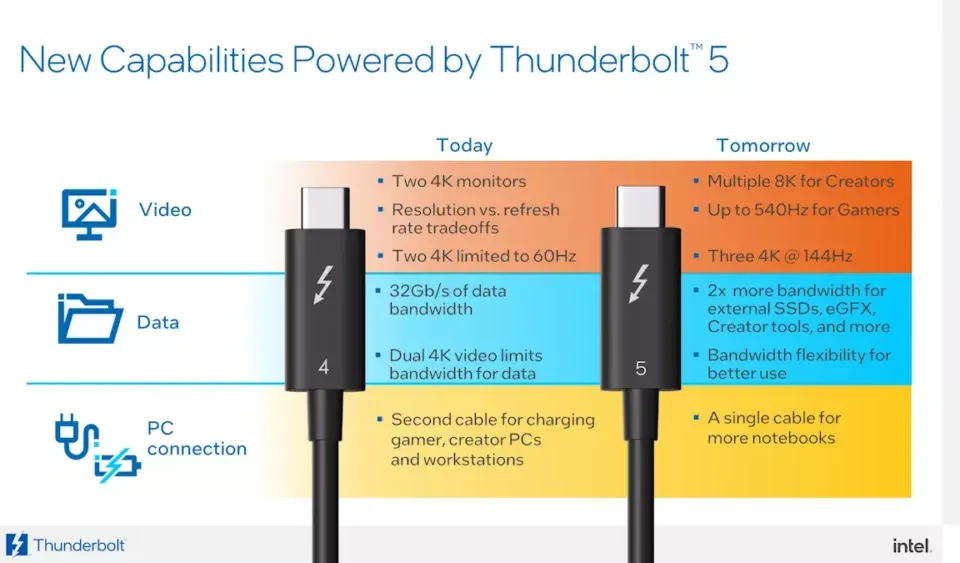
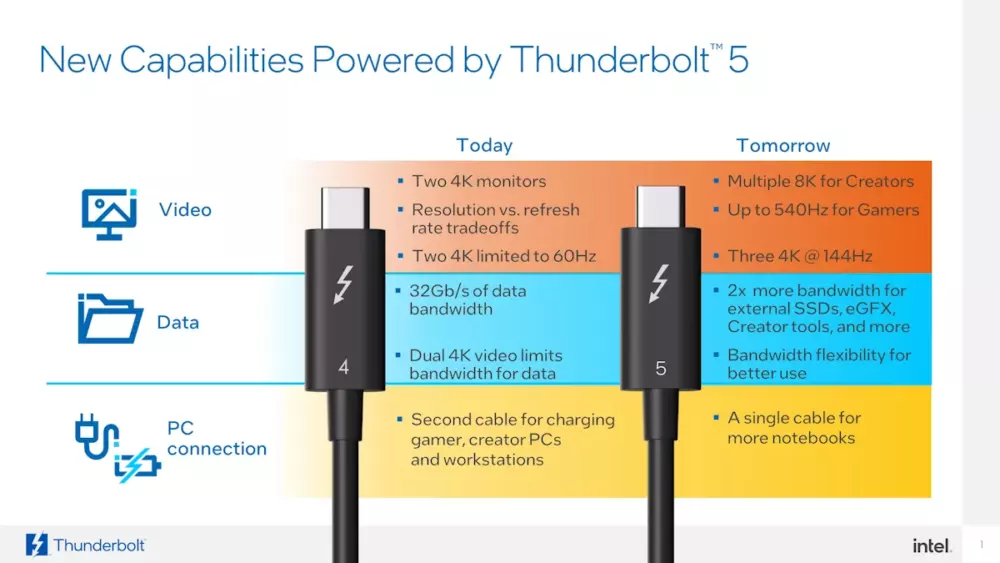
Thunderbolt is Intel's high-performance protocol that has been adopted into the USB4 standard. Think of it as the "express lane" on the USB highway - all Thunderbolt devices work with USB4, but not all USB4 supports full Thunderbolt features.
Thunderbolt 3
The breakthrough standard that unified with USB-C. Basis for USB4 specification.
- Speed: 40 Gbps
- Video: Dual 4K @ 60Hz
- Power: Up to 100W
- PCIe: 32 Gbps for eGPUs
Thunderbolt 4
Refinement with stricter requirements and enhanced capabilities.
- Mandatory 40Gbps: No slower variants
- Wake from Sleep: Improved power management
- DMA Protection: Enhanced security
- Universal Cable: Up to 2 meters at 40Gbps
USB4 Integration
Thunderbolt 3 technology forms the foundation of USB4 specification.
- Same Protocol: Based on TB3
- Optional Features: PCIe, advanced display
- Certification: USB4 ≠ Thunderbolt
Professional Applications
External GPU Enclosures
Professional-grade graphics performance via external Thunderbolt connections.
High-Speed Storage
NVMe SSD arrays with desktop-level performance over single cable.
Professional Video
Multiple high-resolution displays and professional capture devices.
Enterprise Implementation Strategy
Strategic Deployment Recommendations
Creative/Engineering Departments: Standardize on Thunderbolt 4 docks for maximum performance. Ensure all workstations have proper Thunderbolt certification.
General Office Use: USB4 provides excellent value for most users. Reserve Thunderbolt for specific high-performance needs.
Cable Management: Clearly label Thunderbolt cables. Consider color-coding for easy identification. Maintain separate inventories for different cable types.
Layer 7: Alternate Modes
Beyond Data: Video, Audio, and Network over USB-C
DisplayPort Alternate Mode
Direct DisplayPort
Native DisplayPort signal over USB-C, supporting high resolutions and refresh rates.
- Maximum: 8K @ 60Hz
- Common: 4K @ 120Hz
- HDR Support: Sí
HDMI Alt Mode
Direct HDMI signal for compatibility with HDMI displays and TVs.
- Maximum: 4K @ 60Hz
- Audio: Embedded audio
- CEC Support: TV remote control
Other Alt Modes
Specialized protocols for different applications.
- MHL: Mobile High-Definition Link
- VirtualLink: VR headset standard
- Audio: Digital audio accessories
Docking Station Technology
One-Cable Desktop Solution
Modern docking stations turn a single USB-C connection into a complete desktop setup: power delivery, multiple displays, Ethernet, audio, and numerous USB ports. Like having a desktop computer's worth of ports in a compact box.
Business Docks
Reliable, stable docks for office environments with essential connectivity.
Creative Docks
High-performance docks for creative professionals with advanced display support.
Gaming Docks
High-refresh-rate support and additional USB ports for peripherals.
Layer 8: Procurement Checklist
Actionable Guide for Smart USB Purchasing
Four-Step Selection Process
Step 1: Identify Needs
Determine exactly what capabilities you require before purchasing.
- Speed Requirements: Data transfer needs
- Power Needs: Device charging requirements
- Video Output: Display connectivity
- Device Types: What will be connected
Step 2: Check Compatibility
Ensure connectors and protocols match your devices.
- Connector Types: USB-C, USB-A, etc.
- Protocol Support: USB4, Thunderbolt, etc.
- Power Delivery: Wattage requirements
- Certifications: USB-IF, Thunderbolt
Step 3: Verify Specifications
Read the fine print and look for official markings.
- Official Logos: Certification marks
- Spec Sheets: Detailed capabilities
- User Reviews: Real-world performance
- Brand Reputation: Manufacturer quality
Cable & Dock Selection Matrix
Cable Selection Guide
Bulk Procurement Strategy
Enterprise Purchasing Framework
Tiered Inventory System: Create three cable tiers: Basic (USB 2.0 for peripherals), Standard (USB 3.2 Gen 1 for general use), and Premium (USB4/Thunderbolt for high-performance needs).
Quality Assurance Protocol: Test 5% of each batch before full deployment. Maintain relationships with certified manufacturers. Implement regular quality audits.
Lifecycle Management: Establish 2-year replacement cycle for high-use cables. Implement cable recycling program for retired equipment.
Layer 9: Future Standards
What's Next for USB Technology
USB4 Version 2.0 (80 Gbps)
Next-Generation Speed
Doubling the maximum data rate to 80 Gbps with asymmetric data support (120 Gbps + 40 Gbps).
- PAM3 Encoding: New signal encoding for efficiency
- Asymmetric Data: Optimized for display applications
- Backward Compatible: Works with existing USB4
- Expected Launch: 2023-2024 devices
Emerging Technologies
USB inalámbrico
Ultra-wideband wireless technology for cable-free high-speed connections.
- Speed: Up to 2 Gbps wireless
- Range: Up to 10 meters
- Aplicaciones: VR/AR, presentations
Eco-Friendly Designs
Sustainable materials and longer-lasting designs to reduce e-waste.
- Biodegradable Cables: Plant-based materials
- Modular Designs: Replaceable connectors
- Extended Durability: 50,000+ cycles
Cables inteligentes
Cables with embedded intelligence for better management and diagnostics.
- Self-Diagnosis: Identify wear and damage
- Usage Tracking: Monitor cable lifecycle
- Dynamic Optimization: Adjust performance
Layer 10: Key Takeaways
Essential Knowledge for Technology Professionals
Five Critical Insights
1. Shape ≠ Speed
USB-C connector shape doesn't guarantee USB4 speeds. Always check the protocol specification.
2. Power Matters
USB Power Delivery transforms charging. Match wattage to device requirements for optimal performance.
3. Certification is Critical
Always look for USB-IF certification. Uncertified cables can damage devices and void warranties.
4. Future-Proof Strategically
USB-C is the future, but implement gradually. Maintain legacy support during transition periods.
5. Invest in Quality
Premium cables and chargers save money long-term through reliability and safety.
Final Recommendations
Implementation Roadmap
Immediate Action: Audit current USB equipment. Identify critical needs vs. nice-to-haves. Create standardized procurement specifications.
6-Month Plan: Begin transition to USB-C for new equipment. Establish quality standards for cables and chargers. Train staff on proper USB usage.
Long-Term Strategy: Complete transition to USB-C ecosystem. Implement regular technology refresh cycles. Stay informed about emerging standards.
USB Technology Mastery Complete
You now possess comprehensive knowledge of USB technology from basic connectors to advanced protocols. Use this knowledge to make informed decisions, implement effective solutions, and navigate the evolving landscape of digital connectivity with confidence.