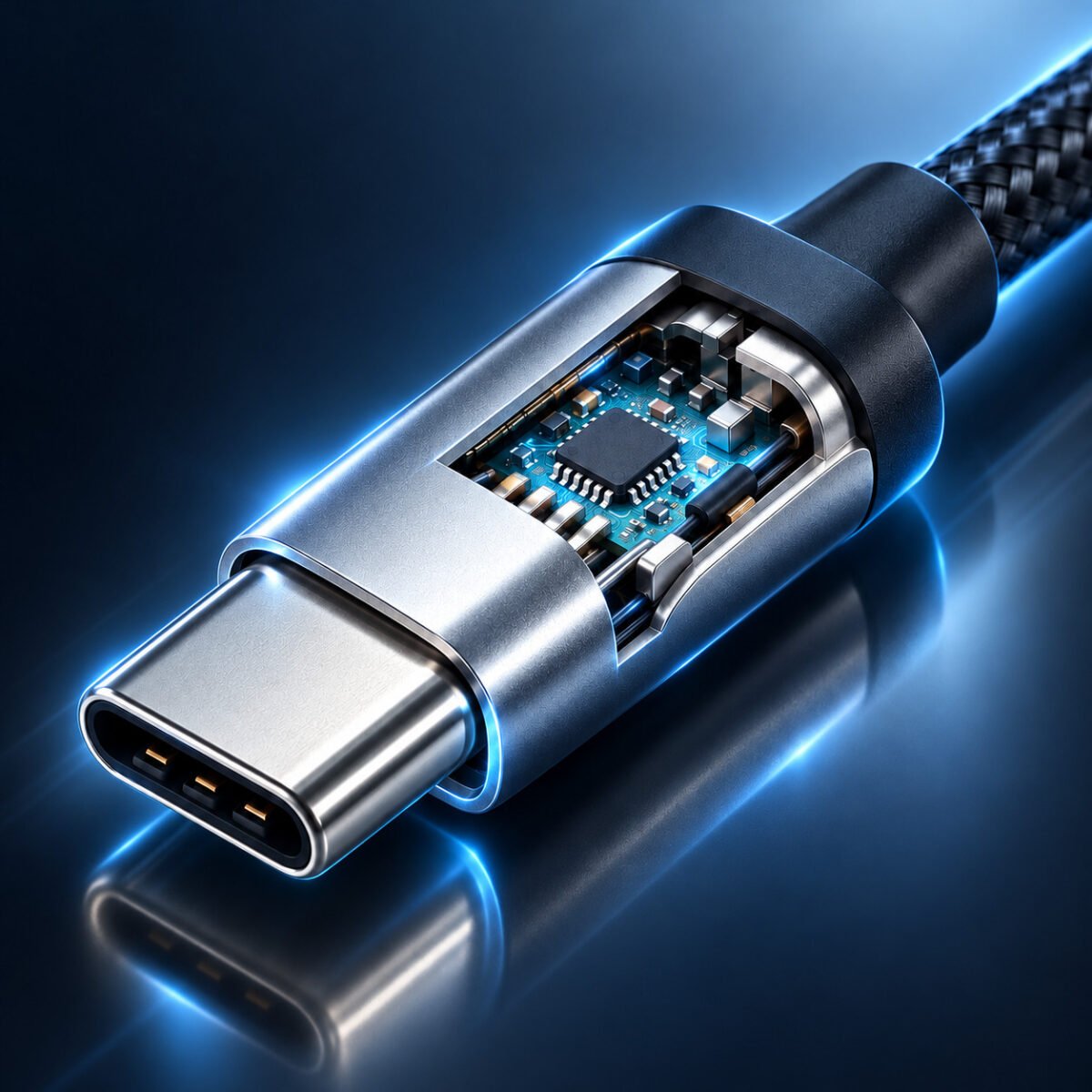


USB-A vs USB-C: Which One Should You Choose? Complete B2B Buyer’s Guide
USB-A vs USB-C: Which One Should You Choose?
The battle between USB-A and USB-C is shaping how we charge devices, transfer data, and connect displays. For B2B buyers, IT managers, and businesses, understanding the fundamental differences between these two interfaces is critical to making informed procurement decisions that balance current compatibility with future needs.
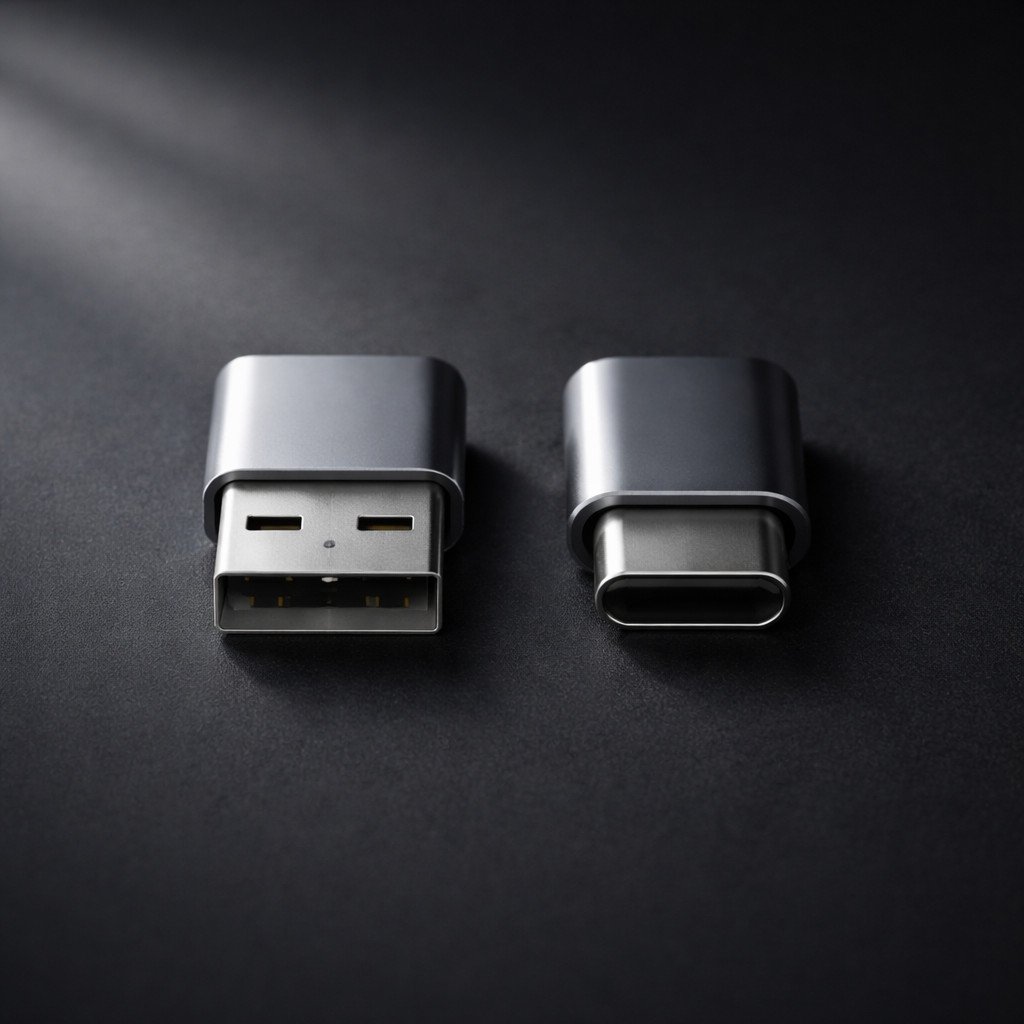
USB-A (left) versus USB-C (right): Same "USB" name, fundamentally different capabilities and use cases.
For B2B buyers evaluating USB-A vs USB-C B2B sourcing guide decisions, understanding the fundamental differences between these two interfaces is essential. The universal serial bus has evolved dramatically since its introduction in 1996. What began as a simple rectangular connector (USB-A) designed to standardize computer peripherals has transformed into a sophisticated oval interface (USB-C) capable of powering laptops, driving 8K displays, and transferring data at speeds that rival internal storage. This comprehensive USB-A vs USB-C B2B sourcing guide examines every dimension of the comparison—from charging power and data speeds to cost structures and regulatory compliance—providing the analytical framework needed to make confident procurement decisions.
Table of Contents
- Executive Summary: USB-A vs USB-C B2B Sourcing Guide Overview
- Historical Context: The Evolution from USB-A to USB-C
- Physical Design and User Experience
- Charging Power: From 2.5W to 240W
- Data Transfer Speed: 480Mbps to 40Gbps
- Video Output Capabilities
- Durability and Connector Lifespan
- Backward Compatibility and Ecosystem
- USB-A vs USB-C Cost Analysis for B2B Procurement
- Certification Requirements: USB-IF and Beyond
- Application Scenarios: When to Choose Which
- EU Regulations and Global Standards
- Future Outlook: The Next Decade of USB
- USB-A vs USB-C B2B Sourcing Guide: Procurement Recommendations
- Summary and WJWSY Support
1. Executive Summary: USB-A vs USB-C B2B Sourcing Guide Overview
Before examining each dimension in depth, the following table provides a consolidated overview of the fundamental differences between USB-A and USB-C across all major performance and procurement dimensions:
| Comparison Dimension | USB-A | USB-C | B2B Implication |
|---|---|---|---|
| Year Introduced | 1996 | 2014 | USB-A is mature, stable, low-cost; USB-C is modern, evolving |
| Connector Shape | Rectangular, directional | Oval, reversible | USB-C reduces user friction and support inquiries |
| Pin Count | 4-pin (2.0) / 9-pin (3.x) | 24-pin | More pins enable more functionality |
| Max Charging Power | 2.5W-12W (up to 18W QC) | 100W standard / 240W EPR | USB-C is mandatory for laptop charging |
| Max Data Speed | 10Gbps (USB 3.2 Gen 2) | 40Gbps (USB4/Thunderbolt 3) | USB-C required for high-speed workflows |
| Video Output | Not natively supported | Up to 8K@60Hz (DP Alt Mode) | USB-C enables single-cable docking |
| Rated Insertion Cycles | 1,500 - 5,000 | 10,000+ (spec minimum) | USB-C designed for longer service life |
| EU Regulatory Status | Not mandated | Mandated for new portable devices | USB-C is the compliance path forward |
| Typical Cable Cost | $0.30 - $0.80 wholesale | $0.80 - $15.00+ wholesale | USB-A is cheaper; USB-C has premium tiers |
This summary reveals a clear pattern: USB-A excels in cost and legacy compatibility, while USB-C dominates in performance, functionality, and regulatory alignment. The optimal choice depends entirely on the specific application and target market.
2. Historical Context: The Evolution from USB-A to USB-C
Understanding why USB-A and USB-C coexist requires examining the historical trajectory of USB technology. The Universal Serial Bus was created to solve a genuine problem: the proliferation of incompatible proprietary connectors for computer peripherals. Before USB, connecting a printer, scanner, or external drive required different cables and ports for each device.
2.1 The USB-A Era (1996-Present)
Initially, USB-A debuted with USB 1.0 in 1996, offering a modest 1.5Mbps data rate. The rectangular connector was designed to be robust and easy to manufacture, with the host-side (computer) port being Type-A and the device-side port varying (Type-B, Mini-USB, Micro-USB). Over the following decades, USB-A became the most widely deployed connector in computing history, appearing on billions of computers, chargers, cars, and peripherals.
The USB-A connector's longevity stems from deliberate backward compatibility: a USB 3.2 Gen 2 port running at 10Gbps can still accept a USB 1.0 cable from 1996 and function at the lower speed. This commitment to compatibility made USB-A indispensable but also constrained its evolution—the physical connector could not accommodate the additional pins and shielding required for higher speeds and power levels.
2.2 The USB-C Revolution (2014-Present)
USB-C was designed as a clean-slate solution to USB-A's limitations. The 24-pin symmetrical connector was engineered from the ground up to support higher power delivery, faster data rates, and alternate modes like DisplayPort video. Critically, USB-C decoupled the physical connector from the underlying protocol: the same USB-C port can support USB 2.0, USB 3.2, USB4, and Thunderbolt 3/4 speeds depending on the implementation.
This flexibility is both a strength and a source of confusion. A USB-C port on a budget smartphone may only support USB 2.0 speeds, while a USB-C port on a premium laptop supports 40Gbps Thunderbolt 4. The connector looks identical, but the capabilities differ dramatically—a phenomenon we explore throughout this guide.
3. Physical Design and User Experience
The physical differences between USB-A and USB-C extend far beyond aesthetics. Connector shape directly impacts insertion success rates, port durability, device design possibilities, and even return rates for accessory products.
3.1 USB-A: The Directional Rectangle
The USB-A connector features a rectangular shape that can only be inserted one way. Its larger physical size makes it robust and forgiving of manufacturing tolerances. Perhaps most importantly, this legacy interface maintains backward compatibility across all USB generations—a USB 3.2 port will accept a USB 1.0 cable from 1996 and operate at the lower speed. The installed base of USB-A ports numbers in the billions globally, ensuring ongoing demand for compatible cables and accessories.
However, the directional nature of USB-A contributes to user friction. Studies suggest that in low-light conditions or when reaching behind equipment, users succeed on the first insertion attempt only about 50% of the time.
3.2 USB-C: The Reversible Oval
In contrast, the USB-C connector measures approximately 8.4mm wide by 2.6mm high—roughly 60% of the cross-sectional area of USB-A. Its symmetrical oval shape and centrally positioned contact pins allow insertion in either orientation. Furthermore, the CC (Configuration Channel) pins automatically detect orientation and route signals appropriately, eliminating the "wrong way" problem entirely.
This reversible design has measurable business implications for B2B buyers. Accessories with USB-C connectors consistently receive higher user satisfaction ratings and lower return rates related to "connector issues" compared to USB-A equivalents. For corporate IT deployments where employees connect and disconnect laptops from docks multiple times daily, the time savings and reduced frustration compound significantly.
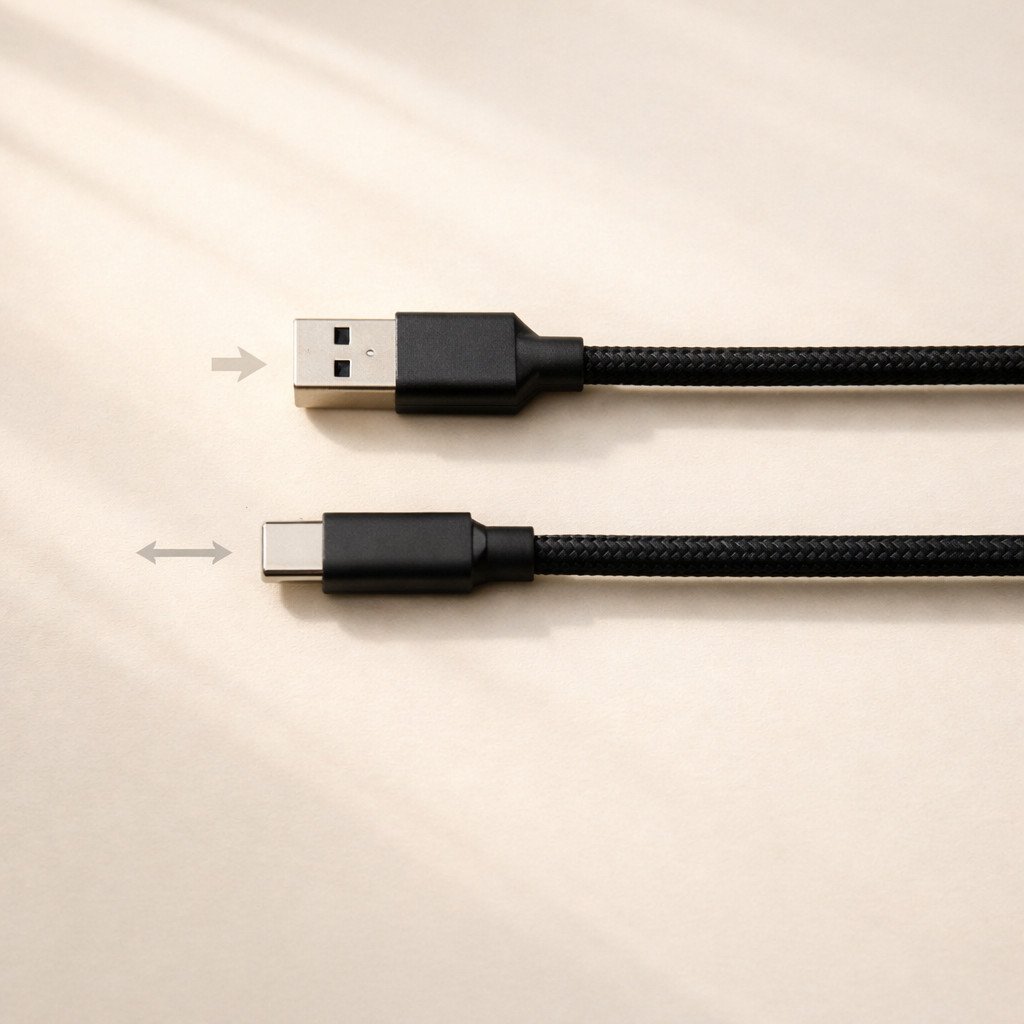
USB-A requires correct orientation and succeeds on first attempt only about 50% of the time. USB-C is fully reversible and works 100% of the time regardless of orientation.
3.3 Impact on Device Design
USB-C's slim profile has enabled thinner laptops, tablets, and smartphones that simply cannot accommodate the full height of a USB-A port. Many modern ultrabooks feature only USB-C ports, relying on dongles or docking stations for legacy USB-A connectivity. Consequently, this trend toward thinner devices will accelerate as USB-C becomes the universal standard, further marginalizing USB-A in new product designs.
4. Charging Power: From 2.5W to 240W
The power delivery gap between USB-A and USB-C represents one of the most significant functional differences—and one of the most important considerations for B2B buyers evaluating which cables to stock.
4.1 USB-A Power Limitations
Specifically, traditional USB-A ports, as defined by the USB 2.0 and USB 3.0 specifications, deliver limited power. For example, a standard USB 2.0 port provides only 2.5W maximum (5V at 500mA), while USB 3.0 offers 4.5W (5V at 900mA). The USB Battery Charging specification increases this to 7.5W, and proprietary fast-charging protocols can reach up to 18W—but only with compatible chargers and devices.
Critically, USB-A was never designed to power laptops or other high-wattage devices. The 5V fixed voltage and limited current capacity make USB-A unsuitable for charging anything larger than a smartphone or small tablet. Attempting to charge a laptop via USB-A would take prohibitively long or fail entirely.
4.2 USB-C Power Delivery (USB-PD)
By contrast, USB-C combined with the USB Power Delivery (USB-PD) protocol fundamentally reimagines how power is delivered. Instead of a fixed 5V output, USB-PD enables dynamic negotiation between the charger and device to select optimal voltage and current levels:
- Standard Power Range (SPR): 5V, 9V, 15V, and 20V at up to 5A, delivering up to 100W
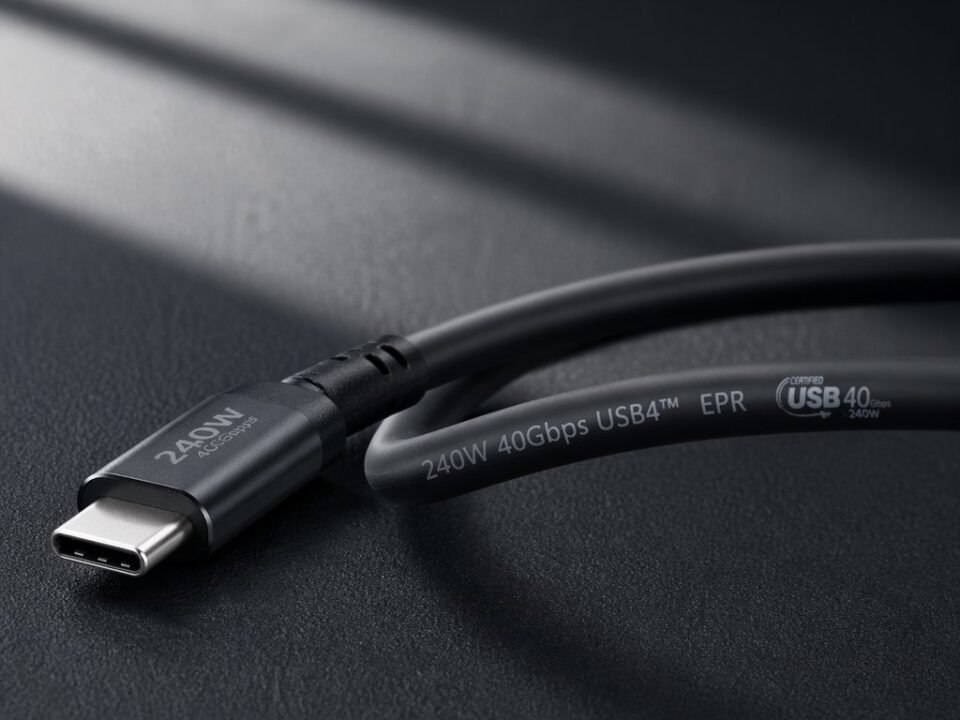
- Extended Power Range (EPR) - USB-PD 3.1: Adds 28V, 36V, and 48V at up to 5A, delivering up to 240W
This flexibility means a single USB-C charger and cable can power a smartphone at 18W, a tablet at 45W, and a laptop at 100W—eliminating the need for multiple proprietary chargers. Therefore, B2B buyers can reduce SKU complexity and inventory costs while improving the end-user experience.
4.3 Real-World Charging Performance Comparison
| Device | USB-A Charging (Best Case) | USB-C PD Charging | Time Savings (0-50%) |
|---|---|---|---|
| iPhone 15/16 | 12W (USB-A to C), ~45 min | 27W PD, ~30 min | ~15 minutes faster |
| Samsung Galaxy S24 Ultra | 10W, ~60 min | 45W PPS, ~20 min | ~40 minutes faster |
| iPad Pro 12.9" | 12W, ~90 min | 30W PD, ~35 min | ~55 minutes faster |
| MacBook Air M3 | Not supported | 70W PD, full charge ~2.5 hours | N/A - USB-A cannot charge |
| Dell XPS 15 | Not supported | 130W PD (proprietary), full charge ~2 hours | N/A - USB-A cannot charge |
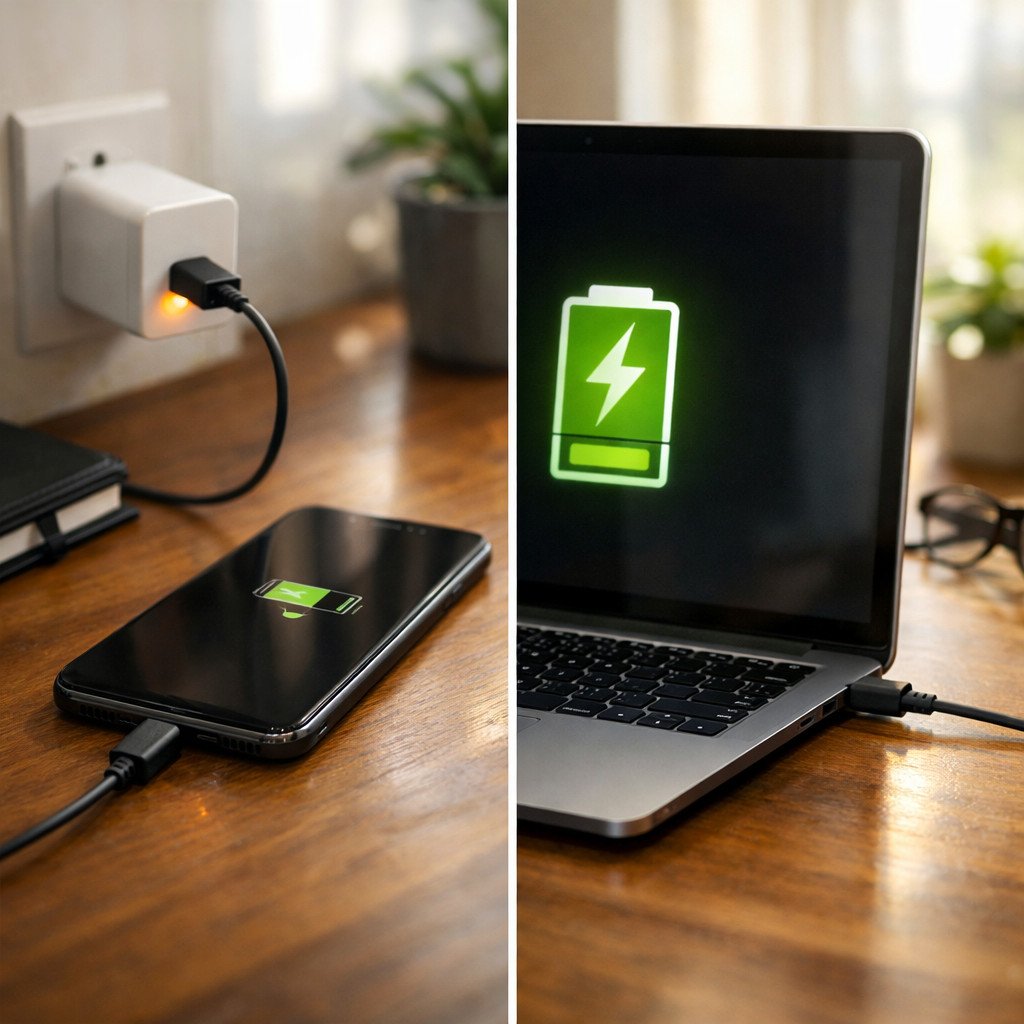
Left: Smartphone charging via USB-A at 12W maximum. Right: Laptop charging via USB-C at up to 100W—a capability USB-A cannot match.
5. Data Transfer Speed: 480Mbps to 40Gbps
Data transfer speed is another dimension where USB-A and USB-C diverge significantly—not because USB-C is inherently faster, but because the USB-C connector can support newer, faster protocols that USB-A cannot physically accommodate.
5.1 USB-A Speed Ceiling
In terms of data transfer, USB-A ports and cables can support several USB standards. However, they cannot support newer protocols like USB4 or Thunderbolt. The maximum speeds available are:
- USB 2.0: 480Mbps (0.48Gbps) - Adequate for keyboards, mice, and basic file transfers
- USB 3.2 Gen 1: 5Gbps - Suitable for external hard drives and everyday file transfers
- USB 3.2 Gen 2: 10Gbps - Suitable for external SSDs and 4K video workflows
USB-A cannot support USB 3.2 Gen 2x2 (20Gbps), USB4 (20-40Gbps), or Thunderbolt 3/4 (40Gbps). The physical connector lacks the additional high-speed data lanes and shielding required for these faster protocols. As a result, for applications that demand maximum data throughput—video editing, large dataset analysis, or high-speed external storage—USB-A is fundamentally limited.
5.2 USB-C Speed Capabilities
On the other hand, USB-C ports and cables can support all USB-A speeds plus the following advanced standards:
- USB 3.2 Gen 2x2: 20Gbps - Requires full-featured USB-C cable
- USB4 Gen 2: 20Gbps - Entry-level USB4 speed tier
- USB4 Gen 3 / Thunderbolt 3: 40Gbps - Premium speed tier
- Thunderbolt 4: 40Gbps with stricter minimum requirements
The 40Gbps ceiling represents an 83x improvement over USB 2.0 and a 4x improvement over USB-A's 10Gbps maximum. At 40Gbps, transferring a 50GB 4K video project file takes approximately 10 seconds, compared to nearly 14 minutes over USB 2.0.
5.3 The Critical Distinction: Cable Matters
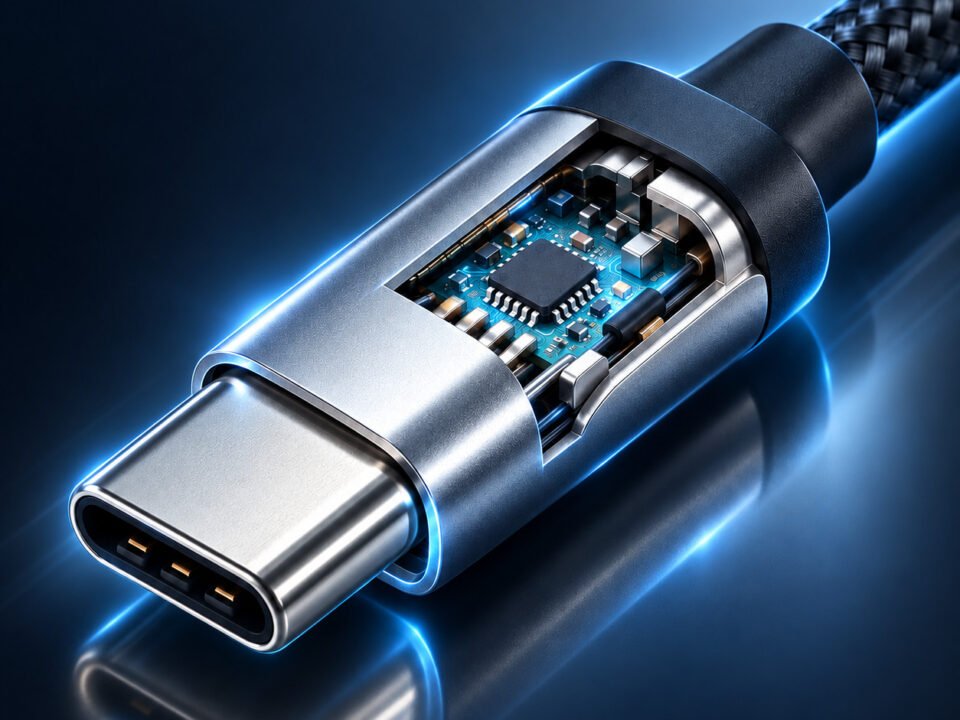
Perhaps the most important point for B2B buyers to understand is that the USB-C connector does not guarantee high-speed data transfer. A USB-C cable may support only USB 2.0 speeds (480Mbps) if it contains only the basic D+/D- data wires. Full-featured USB-C cables that support 10Gbps or 40Gbps require coaxial construction for the high-speed data pairs, which adds significant manufacturing cost.
Many low-cost "USB-C cables" are actually USB 2.0 charge-only cables in a USB-C form factor. When customers purchase these cables expecting fast data transfer with their external SSD, they experience painfully slow 30-40 MB/s transfers and leave negative reviews. Therefore, for B2B buyers, clear labeling and accurate specifications are essential to avoid these returns.
USB-A Maximum Speed
10 Gbps
USB 3.2 Gen 2 ceiling
Limited Future
Cannot support USB4 or Thunderbolt
USB-C Maximum Speed
40 Gbps
USB4/Thunderbolt 3 ceiling
Future-Proof
Supports USB4, Thunderbolt 3/4
6. Video Output Capabilities
Video output represents one of the clearest functional dividing lines between USB-A and USB-C. Understanding this difference is essential for B2B buyers sourcing cables for docking stations, monitor connections, or multi-function workstation setups.
6.1 USB-A and Video: The DisplayLink Workaround
USB-A does not natively support video output. The USB protocol was designed for data transfer, not real-time video signaling. To connect a display via USB-A, an external adapter with DisplayLink technology is required. DisplayLink is a proprietary chipset that compresses video into USB data packets, which the computer's CPU must process before sending over USB.
This workaround has significant limitations: additional cost for the adapter, increased CPU utilization (typically 10-20% for 1080p video), latency and compression artifacts, and driver installation requirements. For basic office productivity with static content, DisplayLink over USB-A is adequate. For any application involving video playback, graphic design, or high-resolution displays, it is a suboptimal solution.
6.2 USB-C DisplayPort Alt Mode: Native Video Support
On the other hand, USB-C natively supports DisplayPort Alt Mode, which repurposes the high-speed data lanes in the USB-C cable to carry raw DisplayPort video signals. As a result, this is native DisplayPort signaling over the USB-C physical layer—not compression or emulation.
The advantages of native DisplayPort Alt Mode are substantial:
- No additional compression or CPU overhead
- Full DisplayPort feature support including HDR, adaptive sync, and multi-stream transport
- Resolution support up to 8K@60Hz (with Thunderbolt 3/USB4) or dual 4K@60Hz
- Single-cable docking: one USB-C cable provides power to the laptop, video to the monitor, and data to USB peripherals
For corporate IT deployments, the single-cable docking capability enabled by USB-C DisplayPort Alt Mode is transformative. Employees arrive at their desk, connect one cable, and instantly gain access to external displays, Ethernet, USB peripherals, and laptop charging. Consequently, this reduces cable clutter, simplifies hot-desking, and lowers IT support overhead.
6.3 Resolution Support by Cable Type
| Cable Type | Maximum Video Support | Use Case |
|---|---|---|
| USB-A (via DisplayLink) | 4K@30Hz (limited), 1080p typical | Basic office productivity only |
| USB-C (USB 3.2 Gen 1 - 5Gbps) | 4K@30Hz uncompressed | Single monitor, not recommended for video |
| USB-C (USB 3.2 Gen 2 - 10Gbps) | 4K@60Hz, or dual 4K@60Hz with DSC | Single high-quality productivity monitor |
| USB-C (Thunderbolt 3/USB4 - 40Gbps) | 8K@60Hz, or dual 4K@60Hz, or 5K/6K@60Hz | Professional video editing, multi-monitor setups |

A single USB-C cable provides power, video, and data—replacing three or more separate cables in modern workstation setups.
Important: Not all USB-C cables support video output. The cable must contain all SuperSpeed data pairs and the SBU (Sideband Use) wires required for DisplayPort AUX channel communication. Charge-only USB-C cables or basic USB 2.0 speed cables will not work for video applications. B2B buyers must verify "full-featured" or "video-capable" specifications when sourcing cables intended for monitor or docking station use.
7. Durability and Connector Lifespan
Connector durability directly impacts product return rates, warranty claims, and customer satisfaction. Understanding the mechanical differences between USB-A and USB-C helps B2B buyers select products with appropriate longevity for their target applications.
7.1 USB-A Durability Characteristics
USB-A connectors have proven remarkably durable over decades of use. The host-side port is particularly robust, with the internal plastic tongue protected by a metal shield. Common failure modes include bent pins from forcing incorrect orientation, broken plastic tongue from excessive force, and worn contacts after thousands of insertion cycles.
The USB specification rates USB-A connectors for a minimum of 1,500 insertion cycles, though quality implementations often exceed 5,000 cycles in real-world use. For desktop peripherals that remain connected for months at a time, this lifespan is more than adequate.
7.2 USB-C Durability Characteristics
Furthermore, USB-C was designed with higher durability targets. Specifically, the USB Type-C specification mandates a minimum of 10,000 insertion cycles—more than six times the USB-A minimum. Consequently, this higher cycle rating reflects USB-C's intended role as the primary charging and connectivity port on mobile devices that experience frequent connection cycles.
USB-C's primary durability challenge is debris accumulation. The slim profile (2.6mm height) creates a narrow cavity that can trap pocket lint and dust. Over time, compressed debris can prevent the connector from seating fully. Regular cleaning with a non-conductive tool resolves this issue.
Quality USB-C cables incorporate several durability-enhancing features:
- Extended strain relief boot that distributes bending stress over a larger area
- Internal crimp that transfers pulling force to the metal shell, not the solder joints
- Epoxy potting inside the connector that immobilizes the PCB
- One-piece injection molding that eliminates seams where failure can initiate
| Durability Factor | USB-A | USB-C |
|---|---|---|
| Specified Minimum Insertion Cycles | 1,500 | 10,000 |
| Typical Real-World Cycles | 3,000 - 8,000 | 15,000+ (quality cables) |
| Primary Failure Mode | Bent pins, broken tongue | Debris accumulation, worn contacts |
| Repairability | Port replacement difficult | Debris removal simple |
8. Backward Compatibility and Ecosystem
The transition from USB-A to USB-C is not happening overnight. Both connectors will coexist for years, and understanding their compatibility characteristics is essential for B2B inventory planning.
8.1 USB-A: The Legacy Backbone
Nevertheless, USB-A's greatest strength remains its ubiquity. Billions of USB-A ports exist in the wild—on computers, chargers, cars, airplanes, and countless other locations. Consequently, demand for USB-A cables and adapters will persist for years despite the transition to USB-C.
USB-A also maintains backward compatibility across all USB generations. However, USB-A is now a legacy technology. While it will remain relevant for connecting existing peripherals, new devices increasingly omit USB-A ports entirely in favor of USB-C.
8.2 USB-C: The Universal Future
USB-C is now the default connector on virtually all new smartphones (including iPhone 15/16), tablets, laptops, and accessories. The EU's Common Charger Directive mandates USB-C for most portable electronics sold in Europe, cementing USB-C's position as the long-term standard.
USB-C maintains backward compatibility with USB-A through adapter cables and dongles. A USB-C to USB-A cable allows a modern USB-C device to connect to a legacy USB-A charger or computer. This transitional compatibility is essential for the next several years.
For importers and distributors, this USB-A vs USB-C B2B sourcing guide provides the technical foundation for inventory planning during the industry transition period.
8.3 Device Ecosystem Coverage (2026)
| Device Category | USB-A Adoption | USB-C Adoption |
|---|---|---|
| Smartphones | 0% (new models) | 100% (all major manufacturers) |
| Tablets | Limited (budget models) | 100% (flagship models) |
| Laptops (Premium) | Decreasing | 100% (often USB-C only) |
| Laptops (Budget/Enterprise) | Still common | Increasing, often mixed with USB-A |
| Desktop PCs | Dominant | Increasing on front panels |
| External Storage | Common | Dominant for high-performance |
| Displays/Monitors | Limited (DisplayLink) | Dominant for new models |
9. USB-A vs USB-C Cost Analysis for B2B Procurement
Cost is a primary consideration in any USB-A vs USB-C B2B sourcing guide decision. The price differential between USB-A and USB-C cables varies dramatically based on the cable's capabilities.
9.1 Cost Comparison by Cable Type
| Cable Type | Typical Wholesale Cost (1m) | Key Cost Drivers |
|---|---|---|
| USB-A to Micro-USB (charging) | $0.25 - $0.45 | Simple 4-wire construction, no chips |
| USB-A to USB-C (charging, 3A) | $0.35 - $0.65 | 56kΩ pull-up resistor, basic construction |
| USB-A to USB-C (5A, E-Marker) | $0.80 - $1.50 | E-Marker chip, thicker power wires |
| USB-C to USB-C (USB 2.0 charging) | $0.50 - $0.90 | Basic construction, no E-Marker |
| USB-C to USB-C (5A/100W, 5Gbps) | $1.20 - $2.20 | E-Marker chip, 1 high-speed pair |
| USB-C to USB-C (5A/100W, 10Gbps) | $1.80 - $3.50 | E-Marker, 2 coaxial pairs, better shielding |
| USB-C to USB-C (240W, 40Gbps/TB4) | $6.00 - $15.00+ | Active electronics, 4 coaxial pairs, premium shielding |
9.2 B2B Cost-Benefit Analysis
Although USB-A cables are consistently cheaper at the basic charging level, it is important to note that the cost gap narrows significantly when comparing cables with equivalent capabilities. A 5A/100W USB-C to USB-C cable costs approximately $1.20-$2.20 wholesale, while achieving the same 100W charging over USB-A is impossible—USB-A simply cannot deliver that power level.
For B2B buyers, the key cost consideration is not the absolute price difference but the value delivered per dollar. A $2.00 USB-C to USB-C cable that can fast-charge a smartphone, tablet, and laptop, transfer data at 10Gbps, and output 4K video delivers dramatically more utility than a $0.50 USB-A to Micro-USB cable that can only slow-charge a single device.
9.3 Inventory Cost Optimization
B2B buyers can optimize inventory costs by aligning cable purchases with customer segments:
- Value/Budget Segment: USB-A to USB-C charging cables ($0.35-$0.65) serve customers with legacy chargers
- Mainstream Segment: USB-C to USB-C 60W-100W charging cables ($0.80-$1.50) serve smartphone and tablet users
- Premium/Professional Segment: USB-C to USB-C 10Gbps+ full-featured cables ($1.80-$3.50) serve content creators
- Enterprise/IT Segment: Thunderbolt 4 active cables ($10-$15+) serve corporate workstation deployments
10. Certification Requirements: USB-IF and Beyond
In addition to physical construction, certification provides third-party validation of a cable's safety, performance, and compliance. Therefore, B2B buyers should prioritize certified products.
10.1 USB-IF Certification
The USB Implementers Forum (USB-IF) manages the official certification program for USB products. USB-IF certified cables have undergone compliance testing and are listed in the public USB-IF Integrators List.
For USB-C cables, USB-IF certification verifies proper E-Marker implementation, power delivery compliance and safety, data speed compliance, and connector mechanical durability. Certified cables demonstrate measurably lower return rates and compatibility issues.
10.2 Thunderbolt Certification
Thunderbolt 3 and Thunderbolt 4 cables require separate certification from Intel. Thunderbolt certification is more stringent than USB-IF certification due to the 40Gbps data rate and tight signal integrity requirements.
10.3 EU Regulatory Compliance
For cables sold in the European market, additional certifications apply:
- CE Marking: Mandatory for all electronic products; covers safety and EMC
- RoHS: Restriction of hazardous substances; mandatory for EU market access
- REACH: Chemical safety regulation; mandatory for EU market access
B2B buyers sourcing for European markets should verify that suppliers provide complete compliance documentation.
11. Application Scenarios: When to Choose USB-A vs USB-C
Now that the technical differences have been established, the following section provides practical guidance for specific application scenarios.
Corporate Office Workstation
Choose USB-C for:
- Laptop docking (single-cable solution)
- External 4K monitor connection
- High-speed external SSD for backups
Choose USB-A for:
- Keyboard and mouse connections
- Legacy printers and scanners
- USB flash drives for occasional use
Mobile and Travel
Choose USB-C for:
- Single charger for phone, tablet, laptop
- Fast charging on the go
- Connecting to portable monitors
Choose USB-A for:
- Compatibility with older car chargers
- Connecting to hotel USB-A ports
Creative Professional
Choose USB-C for:
- External NVMe SSD for video editing
- 4K/8K reference monitor connection
- High-speed card reader for RAW photos
Choose USB-A for:
- Legacy audio interfaces
- Archival hard drives
Decision Framework for B2B Buyers
If your customer base primarily uses devices manufactured before 2020, maintain higher USB-A inventory (40-50%) alongside USB-C.
If your customer base primarily uses devices manufactured after 2022, prioritize USB-C inventory (70-80%) with minimal USB-A for legacy compatibility.
If you're sourcing for corporate IT deployments, prioritize USB-C docking cables while maintaining USB-A peripherals for legacy equipment.
If you're sourcing for retail/e-commerce, maintain a balanced mix with clear product differentiation.
12. EU Regulations and Global Standards
Regulatory developments are accelerating the transition from USB-A to USB-C, particularly in the European market.
12.1 EU Common Charger Directive Timeline
- December 28, 2024: All smartphones, tablets, digital cameras, headphones, headsets, handheld videogame consoles, portable speakers, e-readers, keyboards, mice, and portable navigation systems sold in the EU must be equipped with USB-C charging ports.
- April 28, 2026: Laptops and notebooks sold in the EU must comply with USB-C charging requirements.
As previously mentioned, the directive also mandates unbundled sales and harmonized fast-charging standards based on USB Power Delivery.
12.2 Global Ripple Effects
While the EU Common Charger Directive applies only to the European market, its effects are global. Manufacturers have largely standardized on USB-C worldwide rather than maintaining separate regional variants. Moreover, this means devices sold in North America, Asia, and other regions increasingly feature USB-C as the default connector.
12.3 Impact on B2B Sourcing
For B2B buyers, the regulatory landscape has clear implications: USB-C is the compliance path forward for the European market, USB-A will continue as a legacy compatibility port, and certification documentation is increasingly important for market access.
13. Future Outlook: The Next Decade of USB
Understanding where USB technology is headed helps B2B buyers make forward-looking inventory decisions.
13.1 USB4 and Thunderbolt Convergence
Looking ahead, USB4 incorporates Thunderbolt 3 technology as an optional feature set. Consequently, 40Gbps speeds will become more accessible across the broader USB ecosystem. The emerging Thunderbolt 5 standard promises 80Gbps to 120Gbps speeds over the USB-C connector. All these advanced standards require USB-C connectors; USB-A has reached its evolutionary ceiling.
13.2 USB-PD 3.1 and 240W Charging
The Extended Power Range (EPR) specification enables up to 240W power delivery over USB-C. This means a single USB-C cable and charger can power virtually any portable device. As 240W charging becomes mainstream, the case for USB-C becomes even stronger.
13.3 The Long Tail of USB-A
Despite USB-C's clear technical superiority, USB-A will persist for many years due to its massive installed base. Industry analysts project USB-A will remain a relevant inventory category through at least 2030-2032, albeit at declining volumes. The optimal strategy is to gradually reduce USB-A SKUs while expanding USB-C offerings in line with market demand.
This USB-A vs USB-C B2B sourcing guide has examined the technical differences between the two interfaces; the following section translates these insights into actionable procurement strategies.
14. USB-A vs USB-C B2B Sourcing Guide: Procurement Recommendations
Based on the comprehensive analysis in this guide, the following recommendations provide a framework for B2B procurement decisions.
14.1 By Business Type
| Business Type | USB-A Allocation | USB-C Allocation | Key Considerations |
|---|---|---|---|
| General E-commerce Seller | 30-40% | 60-70% | Maintain both for broad compatibility |
| Corporate IT Supplier | 20-30% | 70-80% | Prioritize USB-C docking and charging |
| Premium Accessory Brand | 10-20% | 80-90% | Focus on certified, high-performance USB-C |
| Value/Budget Retailer | 50-60% | 40-50% | USB-A remains cost-effective for basic needs |
| Industrial/Commercial | 60-70% | 30-40% | Legacy equipment drives USB-A demand |
14.2 Critical Sourcing Checklist
- Verify USB-IF certification for all USB-C cables claimed as high-speed or high-power
- Request E-Marker data readout for any cable claiming 100W+ support
- Conduct load testing on samples to verify power delivery claims
- Inspect strain relief and molding quality for durability assessment
- Obtain CE, RoHS, and REACH documentation for European market access
- Verify supplier's batch consistency and quality control processes
15. Summary: USB-A vs USB-C — Making the Right Choice
In summary, this USB-A vs USB-C B2B sourcing guide has covered every dimension of the comparison—from physical design and charging power to cost structures and regulatory compliance. Therefore, the following key takeaways should guide your procurement decisions.
When to Choose USB-A
- You need maximum compatibility with older computers, chargers, and peripherals
- You're connecting basic input devices like keyboards and mice
- Cost is the absolute primary concern for basic charging applications
- Your customer base primarily uses devices manufactured before 2020
When to Choose USB-C
- You need fast charging for smartphones, tablets, or laptops
- You require high-speed data transfer for external SSDs or video workflows
- You want single-cable docking with power, video, and data over one connection
- You're sourcing inventory for the 2026-2030 market
- You need compliance with EU Common Charger Directive requirements
The Balanced B2B Strategy
For most B2B buyers, the optimal approach is not an either/or decision but a managed transition. USB-A remains relevant for legacy compatibility and value-oriented markets. USB-C represents the growth opportunity and the compliance path forward. The key is aligning inventory mix with your specific customer base while gradually increasing USB-C allocation over time.
At WJWSY, we provide OEM and wholesale manufacturing for both USB-A and USB-C cables across all performance tiers—from basic charging cables to premium 40Gbps Thunderbolt 4 active cables. All products are manufactured with consistent quality control, available with full certification documentation, and customizable to your specifications.
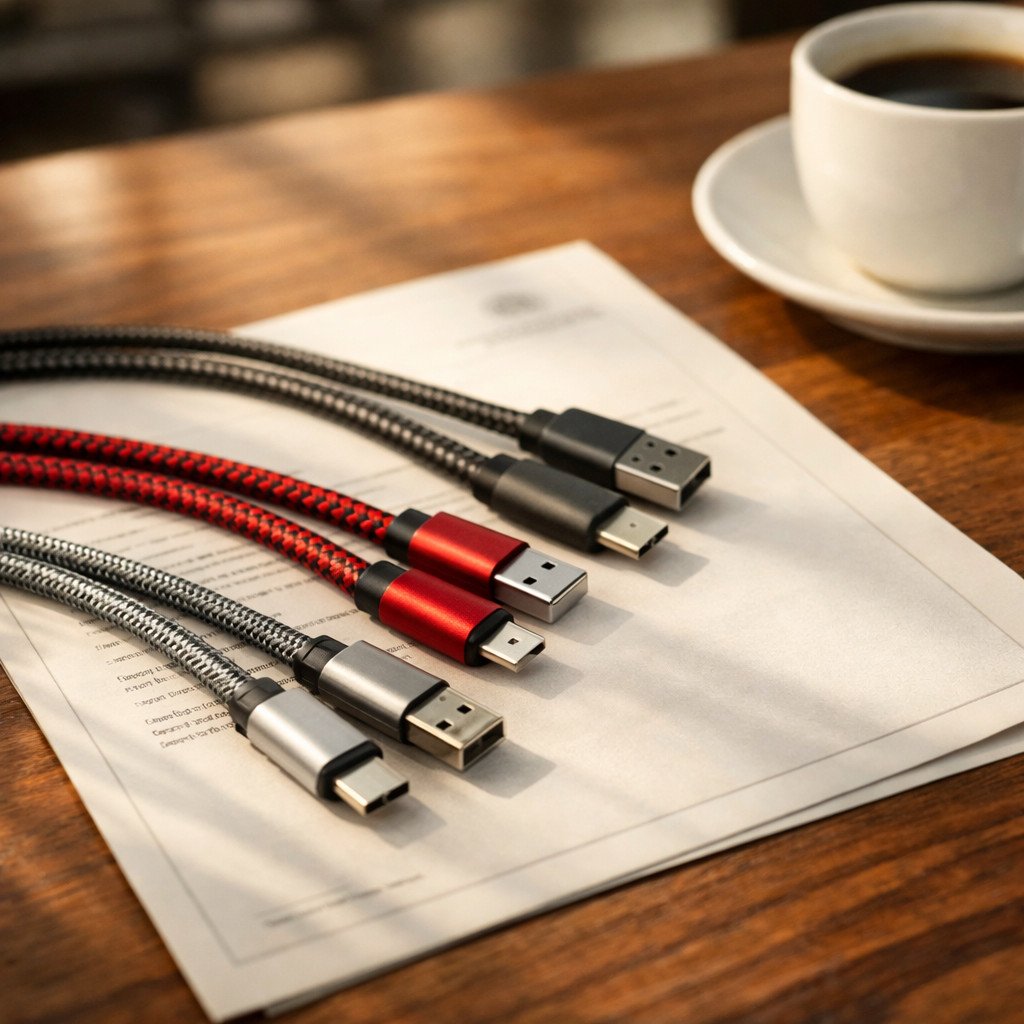
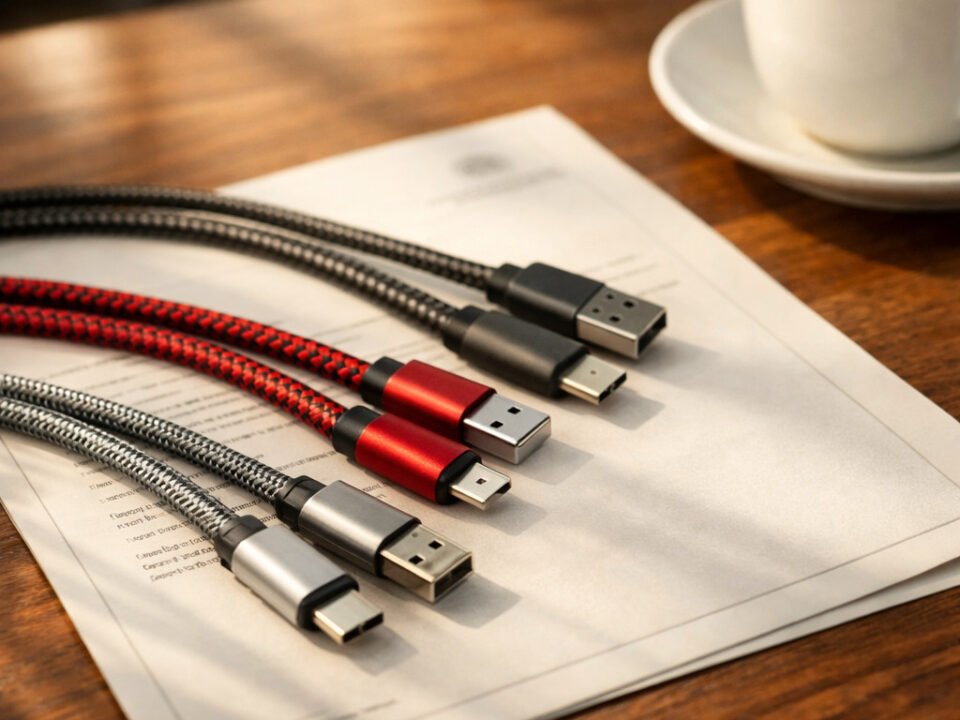
WJWSY wholesale inventory: USB-A and USB-C cable samples with complete certification documentation ready for B2B distribution.
Need USB-A or USB-C Cables for Your Business?
WJWSY provides OEM and wholesale cable manufacturing for both USB-A and USB-C interfaces. From basic charging cables to premium 40Gbps USB4 Type-C cables, we offer complete certification documentation, batch consistency, and flexible customization. Contact our team to discuss your specific requirements and request samples.
Explore Manufacturing Capabilities Request Samples and Quote
For official USB specifications, visit the USB-IF USB Type-C specification page and the USB Power Delivery standard page.
For more technical cable guides, read our USB Type-C cable advantages guide or our USB-C to USB-C complete comparison.