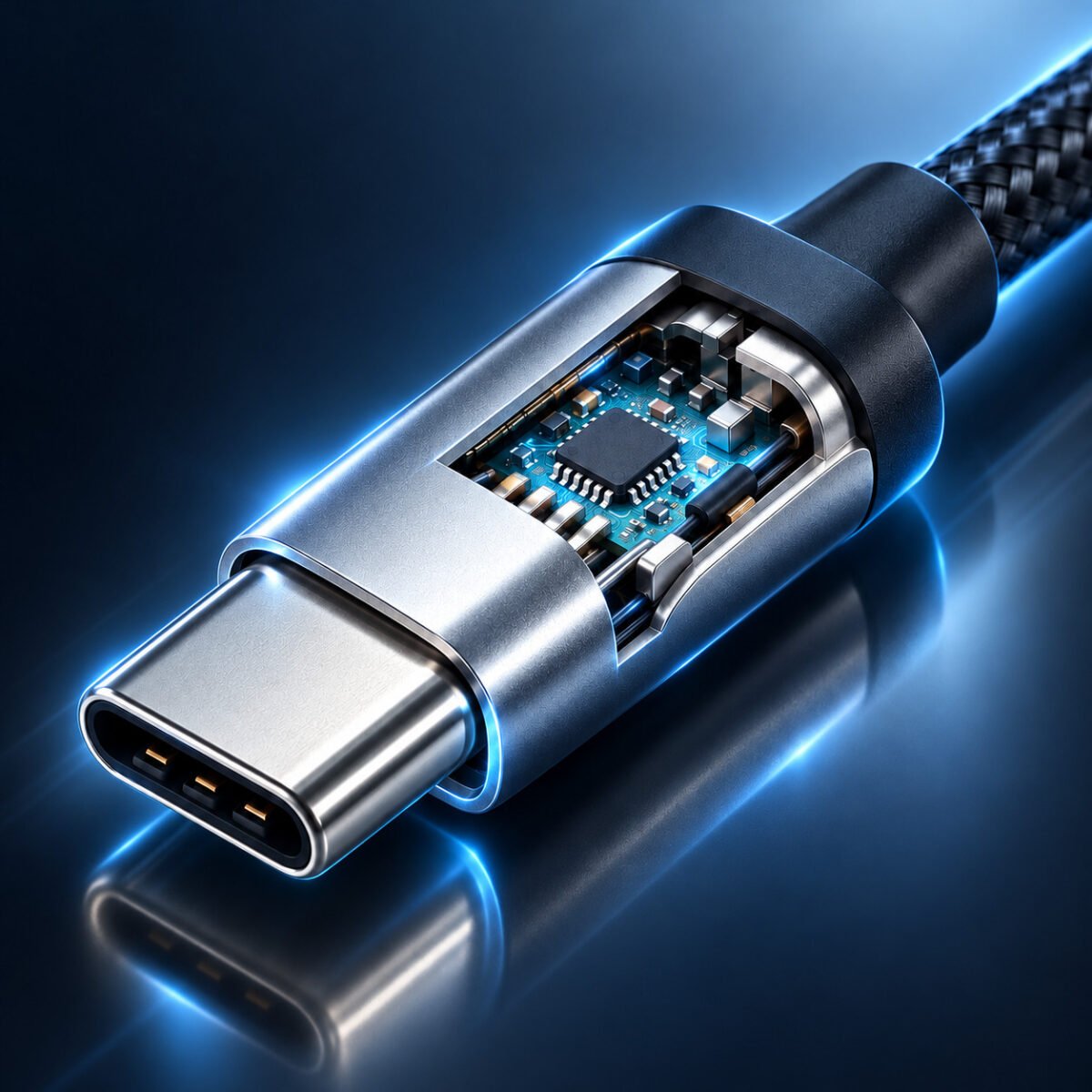


USB-A vs USB-C: Qual escolher? Guia completo para compradores B2B
USB-A ou USB-C: qual escolher?
A disputa entre USB-A e USB-C está moldando a forma como carregamos dispositivos, transferimos dados e conectamos monitores. Para compradores B2B, gerentes de TI e empresas, entender as diferenças fundamentais entre essas duas interfaces é crucial para tomar decisões de compra informadas que equilibrem a compatibilidade atual com as necessidades futuras.
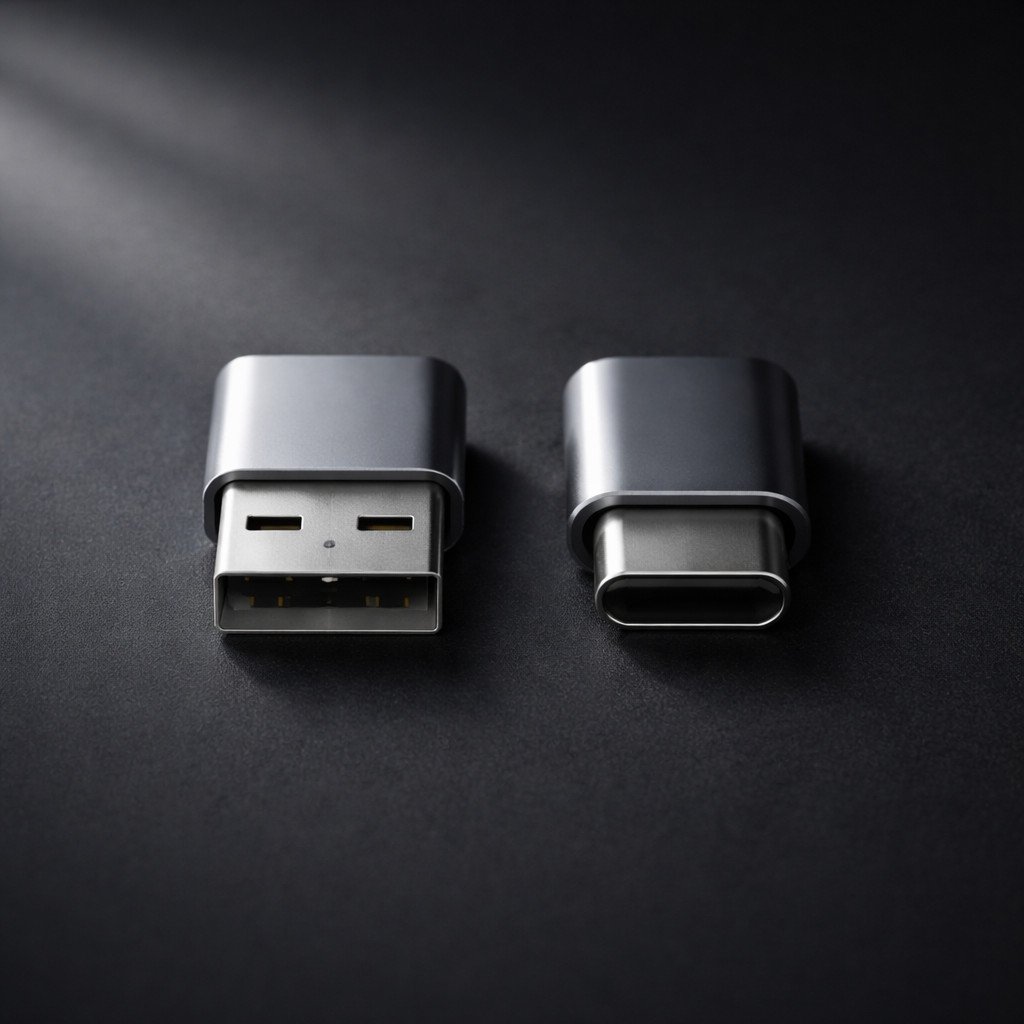
USB-A (esquerda) versus USB-C (direita): Mesmo nome "USB", capacidades e casos de uso fundamentalmente diferentes.
Para compradores B2B em avaliação Guia de fornecimento B2B: USB-A vs USB-C Para tomar decisões, é essencial compreender as diferenças fundamentais entre essas duas interfaces. O barramento serial universal evoluiu drasticamente desde sua introdução em 1996. O que começou como um simples conector retangular (USB-A) projetado para padronizar periféricos de computador se transformou em uma sofisticada interface oval (USB-C) capaz de alimentar laptops, controlar monitores 8K e transferir dados em velocidades que rivalizam com o armazenamento interno. Este guia completo aborda as diferenças fundamentais entre essas duas interfaces. Guia de fornecimento B2B: USB-A vs USB-C Analisa todas as dimensões da comparação — desde a potência de carregamento e a velocidade de dados até as estruturas de custos e a conformidade regulamentar — fornecendo a estrutura analítica necessária para tomar decisões de aquisição com confiança.
Índice
- Resumo Executivo: Guia de Fornecimento B2B USB-A vs USB-C
- Contexto histórico: A evolução do USB-A para o USB-C
- Design físico e experiência do usuário
- Potência de carregamento: de 2,5 W a 240 W
- Velocidade de transferência de dados: 480 Mbps a 40 Gbps
- Capacidades de saída de vídeo
- Durabilidade e vida útil do conector
- Compatibilidade com versões anteriores e ecossistema
- Análise de custos entre USB-A e USB-C para compras B2B
- Requisitos de certificação: USB-IF e além
- Cenários de aplicação: quando escolher qual?
- Regulamentos da UE e normas globais
- Perspectivas Futuras: A Próxima Década do USB
- Guia de Fornecimento B2B USB-A vs USB-C: Recomendações de Aquisição
- Resumo e suporte WJWSY
1. Resumo Executivo: Guia de Fornecimento B2B USB-A vs USB-C
Antes de analisarmos cada dimensão em profundidade, a tabela a seguir fornece uma visão geral consolidada das diferenças fundamentais entre USB-A e USB-C em todas as principais dimensões de desempenho e aquisição:
| Dimensão de comparação | USB-A | USB-C | Implicação B2B |
|---|---|---|---|
| Ano de Introdução | 1996 | 2014 | O USB-A é maduro, estável e de baixo custo; o USB-C é moderno e está em constante evolução. |
| Formato do conector | Retangular, direcional | Oval, reversível | O USB-C reduz o atrito do usuário e as solicitações de suporte. |
| Contagem de pinos | 4 pinos (2.0) / 9 pinos (3.x) | 24 pinos | Mais pinos permitem mais funcionalidades |
| Potência máxima de carregamento | 2,5 W - 12 W (até 18 W QC) | 100 W padrão / 240 W EPR | A conexão USB-C é obrigatória para carregar laptops. |
| Velocidade máxima de dados | 10 Gbps (USB 3.2 Gen 2) | 40 Gbps (USB4/Thunderbolt 3) | USB-C necessário para fluxos de trabalho de alta velocidade. |
| Saída de vídeo | Não suportado nativamente | Até 8K a 60Hz (modo alternativo DP) | O USB-C permite a conexão com um único cabo. |
| Ciclos de Inserção Classificados | 1,500 - 5,000 | Mais de 10.000 (especificação mínima) | USB-C projetado para maior vida útil |
| Status regulatório da UE | Não é obrigatório | Obrigatório para novos dispositivos portáteis | USB-C é o caminho para a conformidade. |
| Custo típico do cabo | $0.30 - $0.80 por atacado | $0.80 - $15.00+ atacado | O USB-A é mais barato; o USB-C possui versões premium. |
Este resumo revela um padrão claro: o USB-A se destaca em custo e compatibilidade com sistemas legados, enquanto o USB-C domina em desempenho, funcionalidade e conformidade com as regulamentações. A escolha ideal depende inteiramente da aplicação específica e do mercado-alvo.
2. Contexto histórico: A evolução do USB-A para o USB-C
Para entender por que USB-A e USB-C coexistem, é preciso examinar a trajetória histórica da tecnologia USB. O Universal Serial Bus foi criado para resolver um problema real: a proliferação de conectores proprietários incompatíveis para periféricos de computador. Antes do USB, conectar uma impressora, um scanner ou um disco rígido externo exigia cabos e portas diferentes para cada dispositivo.
2.1 A Era USB-A (1996-Presente)
Inicialmente, o USB-A estreou com o USB 1.0 em 1996, oferecendo uma modesta taxa de transferência de dados de 1,5 Mbps. O conector retangular foi projetado para ser robusto e fácil de fabricar, com a porta do lado do host (computador) sendo do tipo A e a porta do lado do dispositivo variando (tipo B, Mini-USB, Micro-USB). Ao longo das décadas seguintes, o USB-A tornou-se o conector mais amplamente utilizado na história da computação, estando presente em bilhões de computadores, carregadores, carros e periféricos.
A longevidade do conector USB-A decorre da retrocompatibilidade deliberada: uma porta USB 3.2 Gen 2 operando a 10 Gbps ainda pode aceitar um cabo USB 1.0 de 1996 e funcionar na velocidade inferior. Esse compromisso com a compatibilidade tornou o USB-A indispensável, mas também limitou sua evolução — o conector físico não comportava os pinos e a blindagem adicionais necessários para velocidades e níveis de potência mais altos.
2.2 A Revolução USB-C (2014-Presente)
O USB-C foi projetado como uma solução inovadora para as limitações do USB-A. O conector simétrico de 24 pinos foi desenvolvido desde o início para suportar maior fornecimento de energia, taxas de dados mais rápidas e modos alternativos, como vídeo DisplayPort. Fundamentalmente, o USB-C desacoplou o conector físico do protocolo subjacente: a mesma porta USB-C pode suportar velocidades USB 2.0, USB 3.2, USB 4.0 e Thunderbolt 3/4, dependendo da implementação.
Essa flexibilidade é tanto uma vantagem quanto uma fonte de confusão. Uma porta USB-C em um smartphone de baixo custo pode suportar apenas velocidades USB 2.0, enquanto uma porta USB-C em um laptop premium suporta Thunderbolt 4 de 40 Gbps. O conector parece idêntico, mas as capacidades diferem drasticamente — um fenômeno que exploraremos ao longo deste guia.
3. Projeto Físico e Experiência do Usuário
As diferenças físicas entre USB-A e USB-C vão muito além da estética. O formato do conector impacta diretamente as taxas de sucesso de inserção, a durabilidade da porta, as possibilidades de design do dispositivo e até mesmo as taxas de devolução de acessórios.
3.1 USB-A: O Retângulo Direcional
O conector USB-A possui um formato retangular que permite a inserção apenas de uma maneira. Seu tamanho físico maior o torna robusto e tolerante a variações de fabricação. Talvez o mais importante seja que essa interface legada mantém a retrocompatibilidade com todas as gerações de USB — uma porta USB 3.2 aceita um cabo USB 1.0 de 1996 e opera na velocidade reduzida. A base instalada de portas USB-A chega aos bilhões em todo o mundo, garantindo uma demanda contínua por cabos e acessórios compatíveis.
No entanto, a natureza direcional do USB-A contribui para a dificuldade de inserção por parte do usuário. Estudos sugerem que, em condições de pouca luz ou ao alcançar a parte traseira do equipamento, os usuários obtêm sucesso na primeira tentativa de inserção em apenas cerca de 50% das vezes.
3.2 USB-C: O Oval Reversível
Em contraste, o conector USB-C mede aproximadamente 8,4 mm de largura por 2,6 mm de altura — cerca de 60% da área da seção transversal do USB-A. Seu formato oval simétrico e pinos de contato posicionados centralmente permitem a inserção em qualquer orientação. Além disso, os pinos CC (Canal de Configuração) detectam automaticamente a orientação e roteiam os sinais adequadamente, eliminando completamente o problema de "orientação incorreta".
Esse design reversível tem implicações comerciais mensuráveis para compradores B2B. Acessórios com conectores USB-C recebem consistentemente classificações de satisfação do usuário mais altas e taxas de devolução mais baixas relacionadas a "problemas com o conector" em comparação com os equivalentes USB-A. Para implantações de TI corporativas onde os funcionários conectam e desconectam laptops de estações de acoplamento várias vezes ao dia, a economia de tempo e a redução da frustração se multiplicam significativamente.
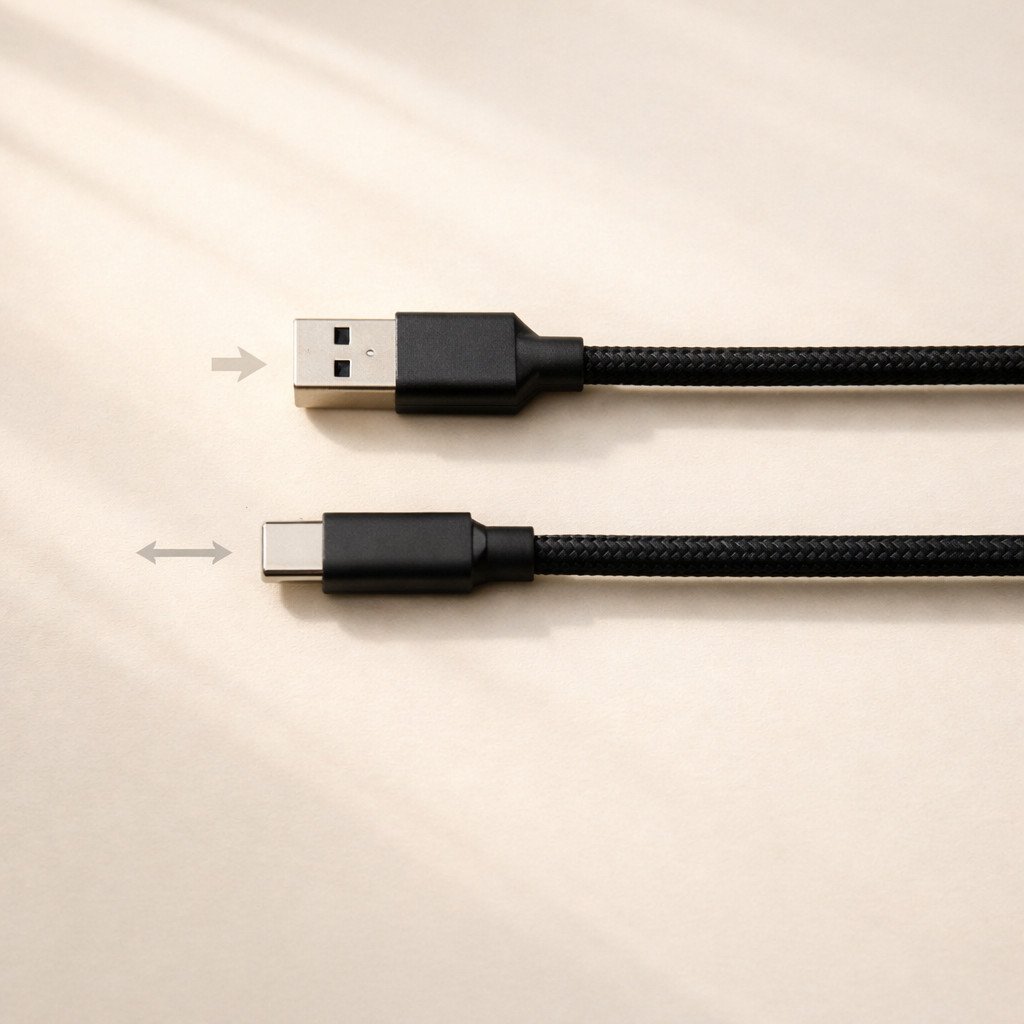
A porta USB-A requer a orientação correta e funciona na primeira tentativa apenas em cerca de 50% dos casos. A porta USB-C é totalmente reversível e funciona em 100% dos casos, independentemente da orientação.
3.3 Impacto no projeto do dispositivo
O perfil fino do USB-C possibilitou a criação de laptops, tablets e smartphones mais finos, que simplesmente não comportariam a altura total de uma porta USB-A. Muitos ultrabooks modernos possuem apenas portas USB-C, dependendo de adaptadores ou estações de acoplamento para a conectividade USB-A tradicional. Consequentemente, essa tendência de dispositivos mais finos se intensificará à medida que o USB-C se tornar o padrão universal, marginalizando ainda mais o USB-A em novos projetos de produtos.
4. Potência de carregamento: de 2,5 W a 240 W
A diferença na capacidade de fornecimento de energia entre USB-A e USB-C representa uma das diferenças funcionais mais significativas — e uma das considerações mais importantes para compradores B2B ao avaliarem quais cabos estocar.
4.1 Limitações de alimentação USB-A
Especificamente, as portas USB-A tradicionais, conforme definidas pelas especificações USB 2.0 e USB 3.0, fornecem energia limitada. Por exemplo, uma porta USB 2.0 padrão fornece apenas 2,5 W no máximo (5 V a 500 mA), enquanto a USB 3.0 oferece 4,5 W (5 V a 900 mA). A especificação de carregamento de bateria USB aumenta esse valor para 7,5 W, e protocolos proprietários de carregamento rápido podem atingir até 18 W — mas apenas com carregadores e dispositivos compatíveis.
É importante ressaltar que a USB-A nunca foi projetada para alimentar laptops ou outros dispositivos de alta potência. A tensão fixa de 5V e a capacidade de corrente limitada tornam a USB-A inadequada para carregar qualquer coisa maior que um smartphone ou um tablet pequeno. Tentar carregar um laptop via USB-A levaria um tempo proibitivo ou falharia completamente.
4.2 USB-C Power Delivery (USB-PD)
Em contrapartida, o USB-C, combinado com o protocolo USB Power Delivery (USB-PD), reinventa fundamentalmente a forma como a energia é fornecida. Em vez de uma saída fixa de 5V, o USB-PD permite a negociação dinâmica entre o carregador e o dispositivo para selecionar os níveis ideais de tensão e corrente:
- Faixa de potência padrão (SPR): 5V, 9V, 15V e 20V com corrente de até 5A, fornecendo até 100W
- Alcance de alimentação estendido (EPR) - USB-PD 3.1Adiciona 28V, 36V e 48V com até 5A, fornecendo até 240W.
Essa flexibilidade significa que um único carregador e cabo USB-C pode alimentar um smartphone a 18 W, um tablet a 45 W e um laptop a 100 W, eliminando a necessidade de vários carregadores proprietários. Portanto, os compradores B2B podem reduzir a complexidade do SKU e os custos de estoque, ao mesmo tempo que melhoram a experiência do usuário final.
4.3 Comparação do desempenho de carregamento no mundo real
| Dispositivo | Carregamento USB-A (Melhor caso) | Carregamento USB-C PD | Economia de tempo (0-50%) |
|---|---|---|---|
| iPhone 15/16 | 12 W (USB-A para C), ~45 min | 27W PD, ~30 min | ~15 minutos mais rápido |
| Samsung Galaxy S24 Ultra | 10 W, ~60 min | 45 W PPS, ~20 min | aproximadamente 40 minutos mais rápido |
| iPad Pro de 12,9"" | 12 W, ~90 min | PD de 30 W, ~35 min | aproximadamente 55 minutos mais rápido |
| MacBook Air M3 | Não suportado | 70 W PD, carga completa em aproximadamente 2,5 horas | N/A - USB-A não pode carregar |
| Dell XPS 15 | Não suportado | PD de 130 W (tecnologia proprietária), carga completa em aproximadamente 2 horas. | N/A - USB-A não pode carregar |
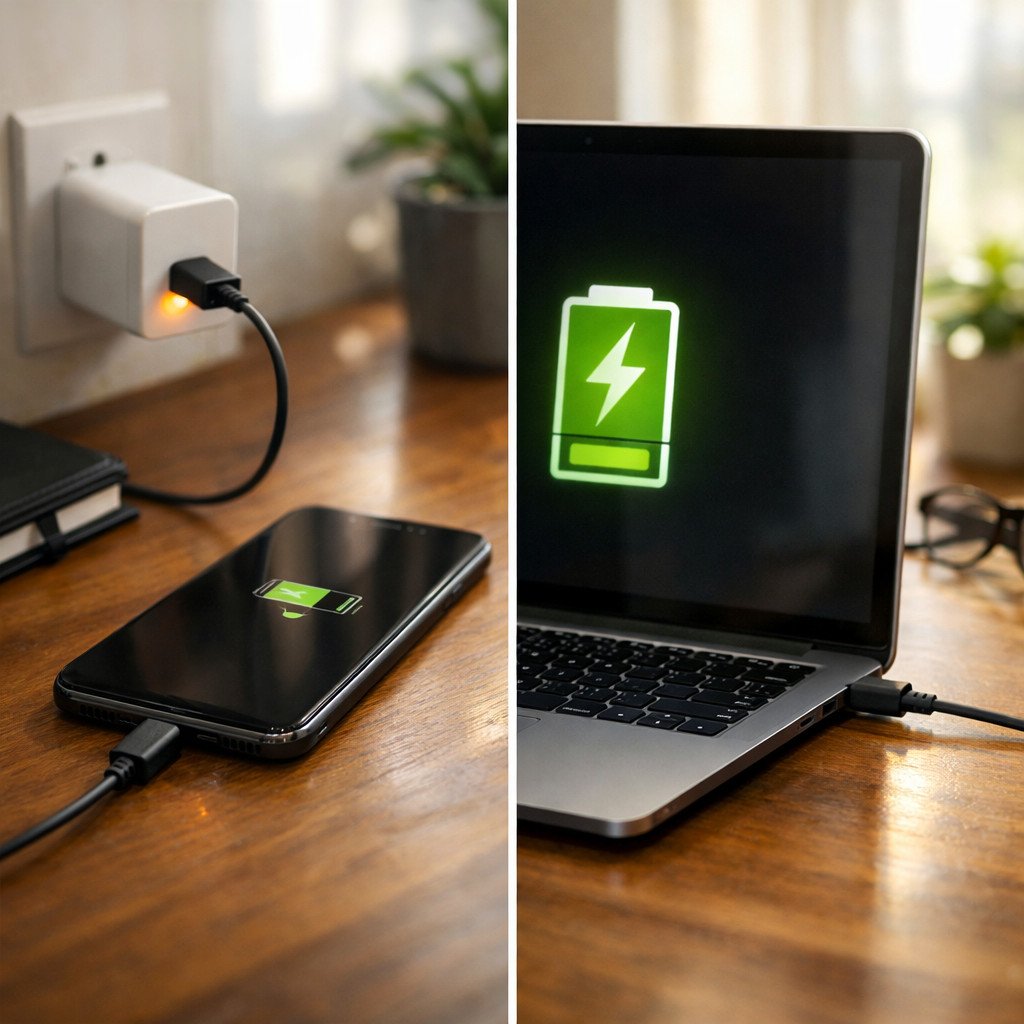
À esquerda: carregamento de smartphone via USB-A com potência máxima de 12 W. À direita: carregamento de laptop via USB-C com até 100 W — uma capacidade que o USB-A não consegue igualar.
5. Velocidade de transferência de dados: 480 Mbps a 40 Gbps
A velocidade de transferência de dados é outra dimensão em que o USB-A e o USB-C divergem significativamente — não porque o USB-C seja inerentemente mais rápido, mas porque o conector USB-C pode suportar protocolos mais recentes e rápidos que o USB-A não consegue acomodar fisicamente.
5.1 USB-A Speed Ceiling
Em termos de transferência de dados, as portas e cabos USB-A são compatíveis com diversos padrões USB. No entanto, não são compatíveis com protocolos mais recentes, como USB4 ou Thunderbolt. As velocidades máximas disponíveis são:
- USB 2.0480 Mbps (0,48 Gbps) - Adequado para teclados, mouses e transferências básicas de arquivos.
- USB 3.2 Gen 15 Gbps - Ideal para discos rígidos externos e transferências de arquivos do dia a dia.
- USB 3.2 Gen 210 Gbps - Adequado para SSDs externos e fluxos de trabalho de vídeo 4K
O USB-A não é compatível com USB 3.2 Gen 2x2 (20 Gbps), USB4 (20-40 Gbps) ou Thunderbolt 3/4 (40 Gbps). O conector físico não possui as vias de dados de alta velocidade e a blindagem adicionais necessárias para esses protocolos mais rápidos. Consequentemente, para aplicações que exigem taxa de transferência de dados máxima — como edição de vídeo, análise de grandes conjuntos de dados ou armazenamento externo de alta velocidade — o USB-A apresenta limitações fundamentais.
Capacidades de velocidade USB-C 5.2
Por outro lado, as portas e cabos USB-C podem suportar todas as velocidades USB-A, além dos seguintes padrões avançados:
- USB 3.2 Gen 2x220 Gbps - Requer um cabo USB-C completo.
- USB4 Gen 220 Gbps - Nível básico de velocidade USB4
- USB4 Gen 3 / Thunderbolt 3: 40 Gbps - Nível de velocidade Premium
- Thunderbolt 440 Gbps com requisitos mínimos mais rigorosos
A taxa de transferência de 40 Gbps representa uma melhoria de 83 vezes em relação ao USB 2.0 e de 4 vezes em relação ao máximo de 10 Gbps do USB-A. A 40 Gbps, a transferência de um arquivo de vídeo 4K de 50 GB leva aproximadamente 10 segundos, em comparação com quase 14 minutos via USB 2.0.
5.3 A distinção crucial: a importância dos cabos
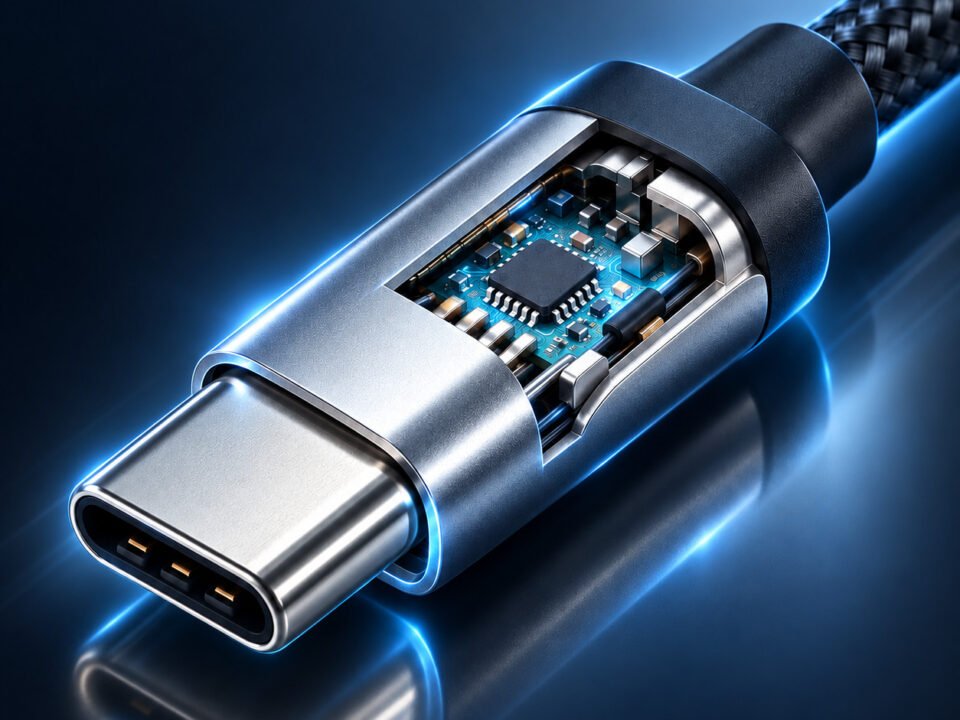
Talvez o ponto mais importante para compradores B2B entenderem é que o conector USB-C não garante transferência de dados em alta velocidade. Um cabo USB-C pode suportar apenas velocidades USB 2.0 (480 Mbps) se contiver somente os fios de dados básicos D+/D-. Cabos USB-C completos, que suportam 10 Gbps ou 40 Gbps, exigem construção coaxial para os pares de dados de alta velocidade, o que aumenta significativamente o custo de fabricação.
Muitos cabos "USB-C" de baixo custo são, na verdade, cabos USB 2.0 apenas para carregamento, disfarçados de USB-C. Quando os clientes compram esses cabos esperando uma transferência de dados rápida com seus SSDs externos, eles experimentam velocidades extremamente lentas de 30 a 40 MB/s e deixam avaliações negativas. Portanto, para compradores B2B, a rotulagem clara e as especificações precisas são essenciais para evitar essas devoluções.
Velocidade máxima USB-A
10 Gbps
Porta de teto USB 3.2 Gen 2
Futuro limitado
Não é compatível com USB4 ou Thunderbolt.
Velocidade máxima do USB-C
40 Gbps
Teto USB4/Thunderbolt 3
À prova do futuro
Compatível com USB4, Thunderbolt 3/4
6. Recursos de saída de vídeo
A saída de vídeo representa uma das linhas divisórias funcionais mais claras entre USB-A e USB-C. Compreender essa diferença é essencial para compradores B2B que buscam cabos para estações de acoplamento, conexões de monitores ou configurações de estações de trabalho multifuncionais.
6.1 USB-A e Vídeo: A Solução Alternativa do DisplayLink
A porta USB-A não oferece suporte nativo à saída de vídeo. O protocolo USB foi projetado para transferência de dados, não para sinalização de vídeo em tempo real. Para conectar um monitor via USB-A, é necessário um adaptador externo com tecnologia DisplayLink. O DisplayLink é um chipset proprietário que comprime o vídeo em pacotes de dados USB, os quais devem ser processados pela CPU do computador antes de serem enviados pela porta USB.
Essa solução alternativa apresenta limitações significativas: custo adicional do adaptador, maior utilização da CPU (tipicamente 10-20% para vídeo 1080p), latência e artefatos de compressão, além da necessidade de instalação de drivers. Para tarefas básicas de escritório com conteúdo estático, o DisplayLink via USB-A é adequado. Para qualquer aplicação que envolva reprodução de vídeo, design gráfico ou telas de alta resolução, trata-se de uma solução inadequada.
6.2 USB-C DisplayPort Alt Mode: Suporte nativo a vídeo
Por outro lado, o USB-C oferece suporte nativo ao Modo Alternativo DisplayPort, que reutiliza as vias de dados de alta velocidade do cabo USB-C para transportar sinais de vídeo DisplayPort brutos. Como resultado, trata-se de sinalização DisplayPort nativa sobre a camada física do USB-C — sem compressão ou emulação.
As vantagens do modo alternativo nativo do DisplayPort são substanciais:
- Sem compressão adicional ou sobrecarga de CPU
- Suporte completo aos recursos do DisplayPort, incluindo HDR, sincronização adaptativa e transporte multi-stream.
- Suporte para resolução de até 8K a 60Hz (com Thunderbolt 3/USB4) ou 4K duplo a 60Hz.
- Conexão com um único cabo: um cabo USB-C fornece energia ao laptop, vídeo ao monitor e dados aos periféricos USB.
Para implantações de TI corporativas, a capacidade de conexão com um único cabo, possibilitada pelo USB-C DisplayPort Alt Mode, é transformadora. Os funcionários chegam às suas mesas, conectam um único cabo e obtêm acesso instantâneo a monitores externos, Ethernet, periféricos USB e carregamento de laptops. Consequentemente, isso reduz a bagunça de cabos, simplifica o uso de mesas compartilhadas e diminui os custos de suporte de TI.
Suporte à resolução 6.3 por tipo de cabo
| Tipo de cabo | Suporte máximo de vídeo | Caso de uso |
|---|---|---|
| USB-A (via DisplayLink) | 4K a 30Hz (limitado), 1080p típico | Produtividade básica de escritório apenas |
| USB-C (USB 3.2 Gen 1 - 5 Gbps) | 4K@30Hz sem compressão | Monitor único, não recomendado para vídeo. |
| USB-C (USB 3.2 Gen 2 - 10 Gbps) | 4K a 60Hz ou 4K duplo a 60Hz com DSC. | Monitor de produtividade único e de alta qualidade |
| USB-C (Thunderbolt 3/USB4 - 40Gbps) | 8K a 60Hz, ou 4K duplo a 60Hz, ou 5K/6K a 60Hz | Edição de vídeo profissional, configurações com vários monitores |
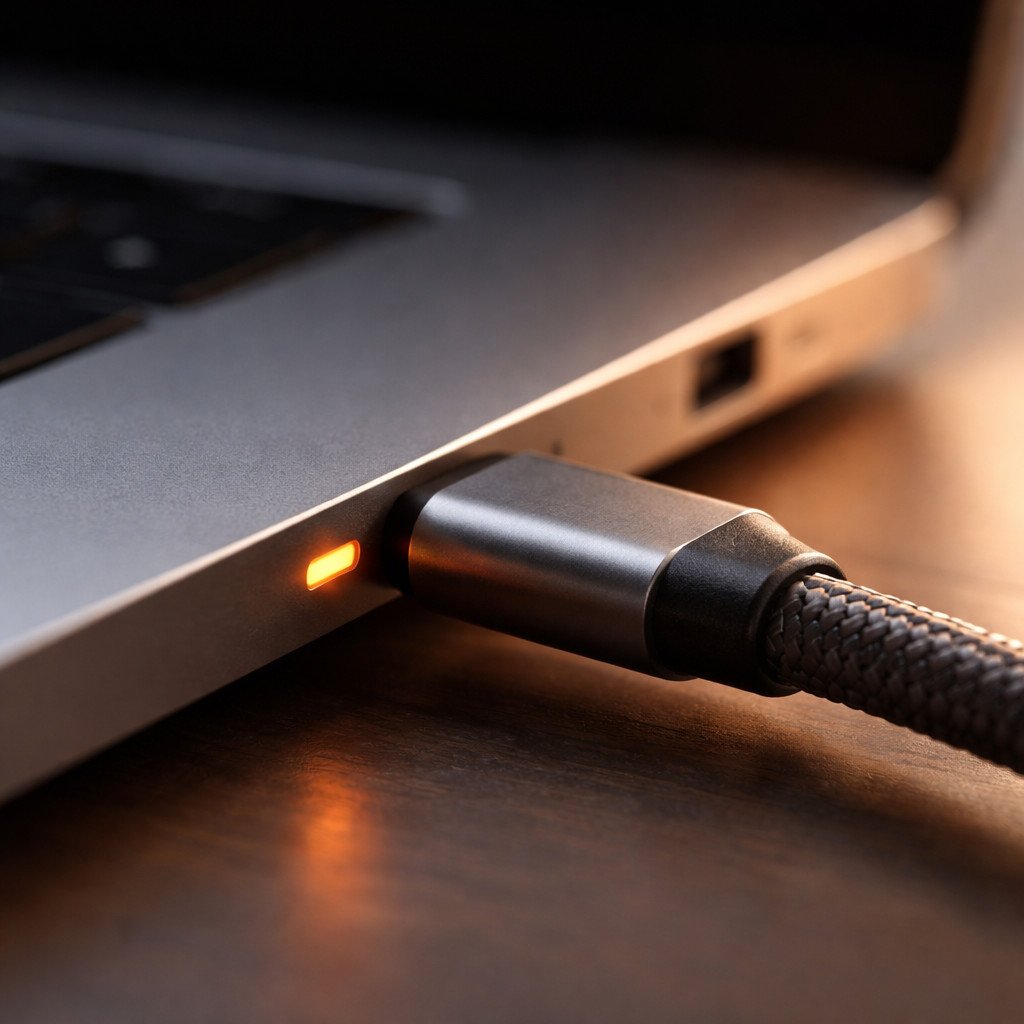
Um único cabo USB-C fornece energia, vídeo e dados, substituindo três ou mais cabos separados em configurações de estações de trabalho modernas.
Importante: Nem todos os cabos USB-C suportam saída de vídeo. O cabo deve conter todos os pares de dados SuperSpeed e os fios SBU (Sideband Use) necessários para a comunicação do canal AUX do DisplayPort. Cabos USB-C apenas para carregamento ou cabos USB 2.0 básicos não funcionarão para aplicações de vídeo. Compradores B2B devem verificar as especificações "completas" ou "compatíveis com vídeo" ao adquirir cabos destinados ao uso em monitores ou estações de acoplamento.
7. Durabilidade e vida útil do conector
A durabilidade dos conectores impacta diretamente as taxas de devolução de produtos, as solicitações de garantia e a satisfação do cliente. Compreender as diferenças mecânicas entre USB-A e USB-C ajuda os compradores B2B a selecionar produtos com a longevidade adequada para suas aplicações específicas.
7.1 Características de durabilidade do USB-A
Os conectores USB-A têm demonstrado uma durabilidade notável ao longo de décadas de uso. A porta do lado do host é particularmente robusta, com a lingueta plástica interna protegida por uma blindagem metálica. As falhas mais comuns incluem pinos tortos devido à inserção incorreta, quebra da lingueta plástica por força excessiva e desgaste dos contatos após milhares de ciclos de inserção.
A especificação USB classifica os conectores USB-A para um mínimo de 1.500 ciclos de inserção, embora implementações de qualidade frequentemente excedam 5.000 ciclos no uso real. Para periféricos de mesa que permanecem conectados por meses a fio, essa vida útil é mais do que suficiente.
7.2 Características de durabilidade do USB-C
Além disso, o USB-C foi projetado com metas de durabilidade mais elevadas. Especificamente, a especificação USB Type-C exige um mínimo de 10.000 ciclos de inserção — mais de seis vezes o mínimo exigido pelo USB-A. Consequentemente, essa classificação de ciclos mais alta reflete o papel pretendido do USB-C como a principal porta de carregamento e conectividade em dispositivos móveis que passam por ciclos de conexão frequentes.
O principal desafio de durabilidade do USB-C é o acúmulo de detritos. O perfil fino (2,6 mm de altura) cria uma cavidade estreita que pode reter fiapos e poeira. Com o tempo, esses detritos compactados podem impedir que o conector se encaixe completamente. A limpeza regular com uma ferramenta não condutora resolve esse problema.
Cabos USB-C de qualidade incorporam diversos recursos que aumentam a durabilidade:
- Bota de alívio de tensão estendida que distribui a tensão de flexão por uma área maior.
- Crimpagem interna que transfere a força de tração para a carcaça metálica, e não para as juntas de solda.
- Encapsulamento em epóxi dentro do conector que imobiliza a placa de circuito impresso.
- Moldagem por injeção em peça única que elimina as juntas onde as falhas podem começar.
| Fator de durabilidade | USB-A | USB-C |
|---|---|---|
| Ciclos mínimos de inserção especificados | 1,500 | 10,000 |
| Ciclos típicos do mundo real | 3,000 - 8,000 | Mais de 15.000 (cabos de qualidade) |
| Modo de falha primário | Pinos tortos, língua quebrada | Acúmulo de detritos, contatos desgastados |
| reparabilidade | Substituição de porta difícil | Remoção de detritos simples |
8. Retrocompatibilidade e Ecossistema
A transição do USB-A para o USB-C não acontecerá da noite para o dia. Ambos os conectores coexistirão por anos, e compreender suas características de compatibilidade é essencial para o planejamento de estoque B2B.
8.1 USB-A: A espinha dorsal legada
No entanto, o maior trunfo do USB-A continua sendo sua onipresença. Bilhões de portas USB-A existem por aí — em computadores, carregadores, carros, aviões e inúmeros outros lugares. Consequentemente, a demanda por cabos e adaptadores USB-A persistirá por anos, apesar da transição para o USB-C.
O USB-A também mantém a retrocompatibilidade com todas as gerações de USB. No entanto, o USB-A agora é uma tecnologia legada. Embora continue relevante para conectar periféricos existentes, os novos dispositivos estão cada vez mais abandonando as portas USB-A em favor do USB-C.
8.2 USB-C: O Futuro Universal
O USB-C agora é o conector padrão em praticamente todos os novos smartphones (incluindo o iPhone 15/16), tablets, laptops e acessórios. A Diretiva de Carregadores Comuns da UE exige o uso de USB-C na maioria dos dispositivos eletrônicos portáteis vendidos na Europa, consolidando a posição do USB-C como padrão de longo prazo.
O USB-C mantém a retrocompatibilidade com o USB-A por meio de cabos adaptadores e dongles. Um cabo USB-C para USB-A permite que um dispositivo USB-C moderno se conecte a um carregador ou computador USB-A antigo. Essa compatibilidade de transição é essencial para os próximos anos.
Para importadores e distribuidores, isto Guia de fornecimento B2B: USB-A vs USB-C Fornece a base técnica para o planejamento de estoque durante o período de transição do setor.
8.3 Cobertura do ecossistema de dispositivos (2026)
| Categoria do dispositivo | Adoção do USB-A | Adoção do USB-C |
|---|---|---|
| Smartphones | 0% (novos modelos) | 100% (todos os principais fabricantes) |
| Comprimidos | Limitado (modelos econômicos) | 100% (modelos de ponta) |
| Notebooks (Premium) | Diminuindo | 100% (geralmente apenas USB-C) |
| Notebooks (econômicos/corporativos) | Ainda comum | Aumentando, frequentemente misturado com USB-A |
| Computadores de mesa | Dominante | Aumentando nos painéis frontais |
| Armazenamento externo | Comum | Dominante para alto desempenho |
| Monitores/Displays | Limitado (DisplayLink) | Dominante para novos modelos |
9. Análise de custos de USB-A versus USB-C para compras B2B
O custo é uma consideração primordial em qualquer Guia de fornecimento B2B: USB-A vs USB-C A diferença de preço entre cabos USB-A e USB-C varia bastante dependendo das funcionalidades do cabo.
9.1 Comparação de custos por tipo de cabo
| Tipo de cabo | Custo típico no atacado (1m) | Principais fatores de custo |
|---|---|---|
| USB-A para Micro-USB (carregamento) | $0.25 - $0.45 | Construção simples com 4 fios, sem chips. |
| USB-A para USB-C (carregamento, 3A) | $0.35 - $0.65 | Resistor pull-up de 56kΩ, construção básica |
| USB-A para USB-C (5A, E-Marker) | $0.80 - $1.50 | Chip E-Marker, fios de alimentação mais grossos |
| USB-C para USB-C (carregamento USB 2.0) | $0.50 - $0.90 | Construção básica, sem marcador eletrônico. |
| USB-C para USB-C (5A/100W, 5Gbps) | $1.20 - $2.20 | Chip E-Marker, 1 par de alta velocidade |
| USB-C para USB-C (5A/100W, 10Gbps) | $1.80 - $3.50 | E-Marker, 2 pares coaxiais, melhor blindagem |
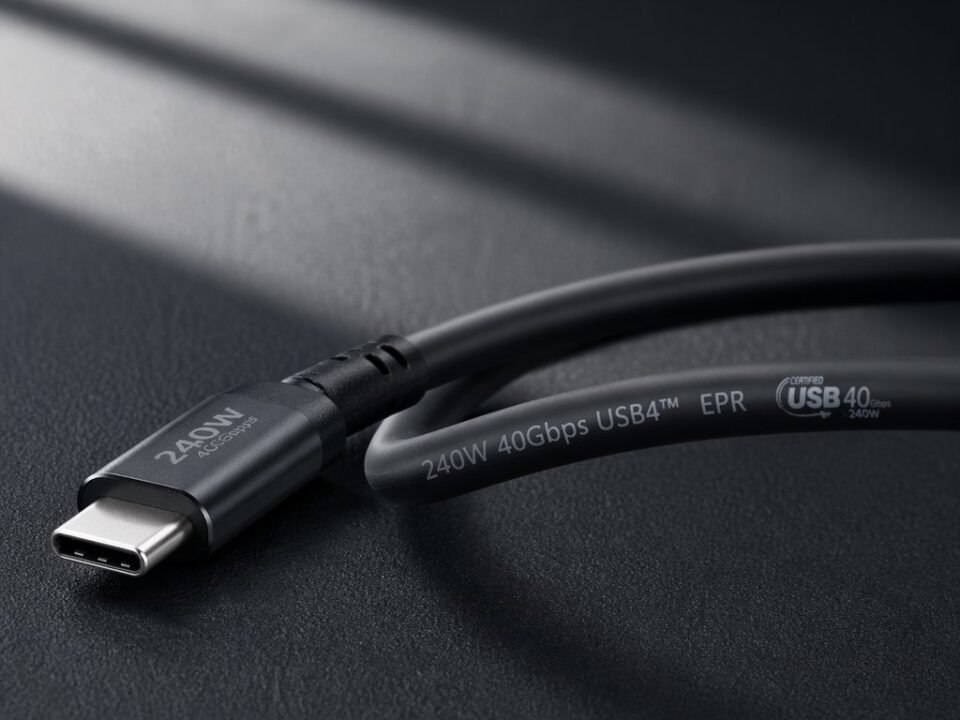
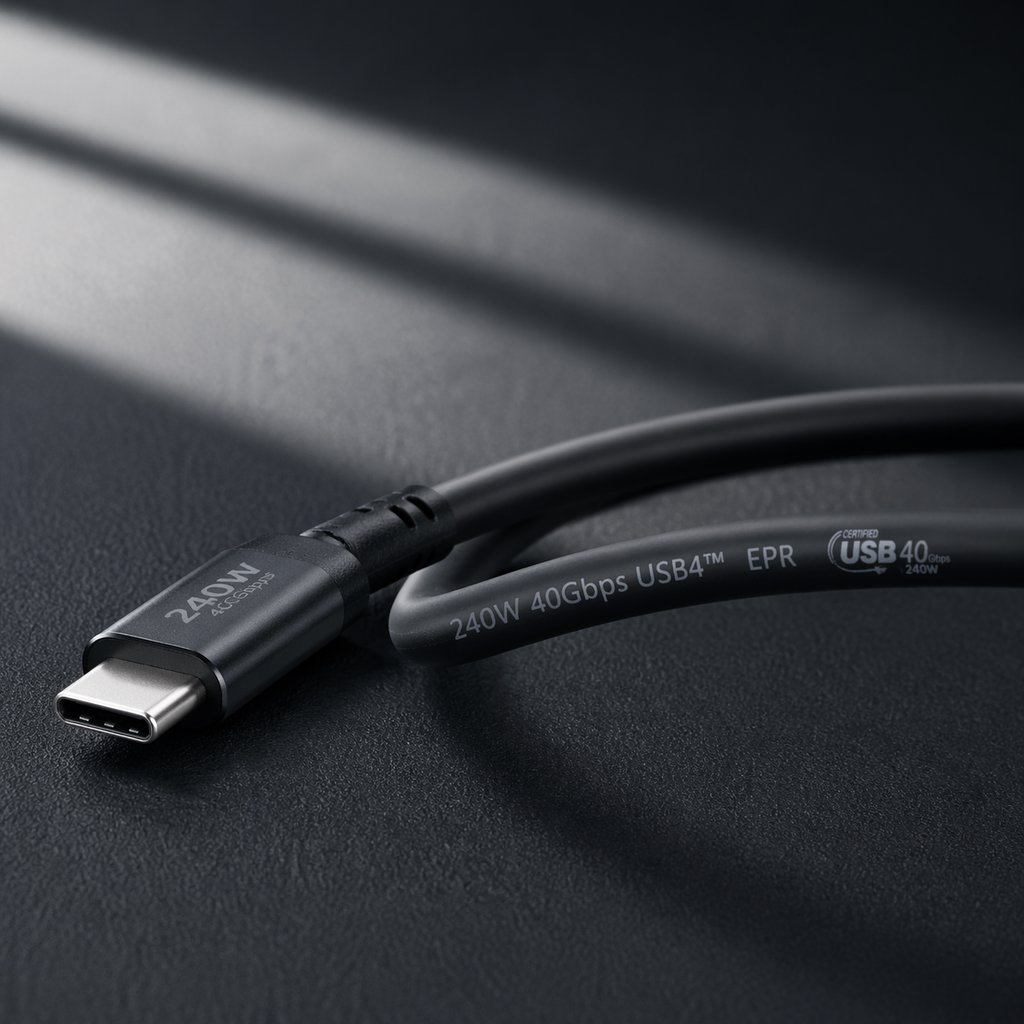
| USB-C para USB-C (240 W, 40 Gbps/TB4) | $6.00 - $15.00+ | Eletrônica ativa, 4 pares coaxiais, blindagem premium |
9.2 Análise de Custo-Benefício B2B
Embora os cabos USB-A sejam consistentemente mais baratos para carregamento básico, é importante notar que a diferença de preço diminui significativamente ao comparar cabos com capacidades equivalentes. Um cabo USB-C para USB-C de 5A/100W custa aproximadamente entre £1,20 e £2,20 no atacado, enquanto atingir os mesmos 100W de carregamento via USB-A é impossível — o USB-A simplesmente não consegue fornecer esse nível de potência.
Para compradores B2B, a principal consideração de custo não é a diferença de preço absoluta, mas sim o valor entregue por dólar. Um cabo USB-C para USB-C $2.00 que pode carregar rapidamente um smartphone, tablet e laptop, transferir dados a 10 Gbps e reproduzir vídeo 4K oferece muito mais utilidade do que um cabo USB-A para Micro-USB $0.50 que só consegue carregar lentamente um único dispositivo.
9.3 Otimização de Custos de Estoque
Os compradores B2B podem otimizar os custos de estoque alinhando as compras de cabos com os segmentos de clientes:
- Segmento de Valor/EconômicoCabos de carregamento USB-A para USB-C ($0.35-$0.65) para clientes com carregadores antigos.
- Segmento principalCabos de carregamento USB-C para USB-C de 60 W a 100 W ($0.80-$1.50) para usuários de smartphones e tablets.
- Segmento Premium/ProfissionalCabos USB-C para USB-C 10Gbps+ completos ($1.80-$3.50) atendem criadores de conteúdo.
- Segmento Empresarial/TICabos ativos Thunderbolt 4 ($10-$15+) para implantações de estações de trabalho corporativas.
10. Requisitos de Certificação: USB-IF e Além
Além da construção física, a certificação fornece validação por terceiros da segurança, desempenho e conformidade de um cabo. Portanto, os compradores B2B devem priorizar produtos certificados.
Certificação USB-IF 10.1
O USB Implementers Forum (USB-IF) administra o programa oficial de certificação para produtos USB. Os cabos certificados pelo USB-IF passaram por testes de conformidade e estão listados na lista pública de integradores do USB-IF.
Para cabos USB-C, a certificação USB-IF verifica a implementação correta do marcador eletrônico (E-Marker), a conformidade e segurança do fornecimento de energia, a conformidade da velocidade de transferência de dados e a durabilidade mecânica do conector. Cabos certificados demonstram taxas de devolução e problemas de compatibilidade significativamente menores.
Certificação Thunderbolt 10.2
Os cabos Thunderbolt 3 e Thunderbolt 4 exigem certificação separada da Intel. A certificação Thunderbolt é mais rigorosa do que a certificação USB-IF devido à taxa de dados de 40 Gbps e aos requisitos rígidos de integridade do sinal.
10.3 Conformidade com a regulamentação da UE
Para cabos vendidos no mercado europeu, aplicam-se certificações adicionais:
- Marcação CEObrigatório para todos os produtos eletrônicos; abrange segurança e compatibilidade eletromagnética (EMC).
- RoHSRestrição de substâncias perigosas; obrigatória para acesso ao mercado da UE.
- ALCANCERegulamento de segurança química; obrigatório para acesso ao mercado da UE.
Os compradores B2B que buscam fornecedores para os mercados europeus devem verificar se estes disponibilizam a documentação de conformidade completa.
11. Cenários de aplicação: quando escolher USB-A em vez de USB-C
Agora que as diferenças técnicas foram estabelecidas, a seção seguinte fornece orientações práticas para cenários de aplicação específicos.
Estação de trabalho do escritório corporativo
Escolha USB-C para:
- Docking station para laptop (solução com um único cabo)
- Conexão externa para monitor 4K
- SSD externo de alta velocidade para backups
Escolha USB-A para:
- Conexões de teclado e mouse
- Impressoras e scanners antigos
- Pen drives USB para uso ocasional
Dispositivos móveis e viagens
Escolha USB-C para:
- Carregador único para celular, tablet e laptop.
- Carregamento rápido em qualquer lugar
- Conectando-se a monitores portáteis
Escolha USB-A para:
- Compatibilidade com carregadores de carro mais antigos
- Conectando-se às portas USB-A do hotel.
Profissional Criativo
Escolha USB-C para:
- SSD NVMe externo para edição de vídeo
- Conexão para monitor de referência 4K/8K
- Leitor de cartões de alta velocidade para fotos RAW.
Escolha USB-A para:
- Interfaces de áudio legadas
- Discos rígidos de arquivamento
Estrutura de decisão para compradores B2B
Se a sua base de clientes utiliza principalmente dispositivos fabricados antes de 2020, manter um estoque maior de USB-A (40-50%) juntamente com USB-C.
Se a sua base de clientes utiliza principalmente dispositivos fabricados após 2022, priorizar o estoque de USB-C (70-80%) com o mínimo de USB-A para compatibilidade com versões anteriores.
Se você está buscando soluções para implantações de TI corporativas, Priorizar cabos de encaixe USB-C, mantendo ao mesmo tempo periféricos USB-A para equipamentos mais antigos.
Se você está buscando fornecedores para varejo/e-commerce, Manter um mix equilibrado com clara diferenciação de produtos.
12. Regulamentos da UE e normas globais
As mudanças regulatórias estão acelerando a transição do USB-A para o USB-C, principalmente no mercado europeu.
12.1 Cronograma da Diretiva do Carregador Comum da UE
- 28 de dezembro de 2024Todos os smartphones, tablets, câmeras digitais, fones de ouvido, headsets, consoles de videogame portáteis, alto-falantes portáteis, leitores de livros digitais, teclados, mouses e sistemas de navegação portáteis vendidos na UE devem estar equipados com portas de carregamento USB-C.
- 28 de abril de 2026Os laptops e notebooks vendidos na UE devem estar em conformidade com os requisitos de carregamento USB-C.
Conforme mencionado anteriormente, a diretiva também exige vendas separadas e padrões harmonizados de carregamento rápido baseados em USB Power Delivery.
12.2 Efeitos globais em cadeia
Embora a Diretiva Europeia sobre Carregadores Comuns se aplique apenas ao mercado europeu, seus efeitos são globais. Os fabricantes, em grande parte, padronizaram o USB-C em todo o mundo, em vez de manter variantes regionais separadas. Além disso, isso significa que os dispositivos vendidos na América do Norte, Ásia e outras regiões apresentam cada vez mais o USB-C como conector padrão.
12.3 Impacto no Sourcing B2B
Para compradores B2B, o cenário regulatório tem implicações claras: o USB-C é o caminho a seguir para a conformidade no mercado europeu, o USB-A continuará sendo uma porta de compatibilidade legada e a documentação de certificação é cada vez mais importante para o acesso ao mercado.
13. Perspectivas Futuras: A Próxima Década do USB
Compreender para onde a tecnologia USB está caminhando ajuda os compradores B2B a tomarem decisões de estoque com visão de futuro.
13.1 Convergência USB4 e Thunderbolt
Olhando para o futuro, o USB4 incorpora a tecnologia Thunderbolt 3 como um recurso opcional. Consequentemente, velocidades de 40 Gbps se tornarão mais acessíveis em todo o ecossistema USB. O emergente padrão Thunderbolt 5 promete velocidades de 80 Gbps a 120 Gbps através do conector USB-C. Todos esses padrões avançados exigem conectores USB-C; o USB-A atingiu seu limite evolutivo.
13.2 USB-PD 3.1 e carregamento de 240 W
A especificação Extended Power Range (EPR) permite o fornecimento de energia de até 240 W via USB-C. Isso significa que um único cabo e carregador USB-C podem alimentar praticamente qualquer dispositivo portátil. À medida que o carregamento de 240 W se torna comum, a vantagem do USB-C se torna ainda mais evidente.
13.3 A longa cauda do USB-A
Apesar da clara superioridade técnica do USB-C, o USB-A persistirá por muitos anos devido à sua enorme base instalada. Analistas do setor projetam que o USB-A permanecerá uma categoria relevante de estoque pelo menos até 2030-2032, embora com volumes decrescentes. A estratégia ideal é reduzir gradualmente o número de SKUs de USB-A enquanto se expande a oferta de USB-C de acordo com a demanda do mercado.
Esse Guia de fornecimento B2B: USB-A vs USB-C Foram analisadas as diferenças técnicas entre as duas interfaces; a seção seguinte traduz essas informações em estratégias de aquisição práticas.
14. Guia de Fornecimento B2B USB-A vs USB-C: Recomendações de Aquisição
Com base na análise abrangente deste guia, as seguintes recomendações fornecem uma estrutura para decisões de compras B2B.
14.1 Por tipo de negócio
| Tipo de negócio | Alocação USB-A | Alocação USB-C | Considerações importantes |
|---|---|---|---|
| Vendedor geral de comércio eletrônico | 30-40% | 60-70% | Mantenha ambos para ampla compatibilidade. |
| Fornecedor de TI corporativo | 20-30% | 70-80% | Priorize o encaixe e o carregamento USB-C. |
| Marca de acessórios premium | 10-20% | 80-90% | Foque em USB-C certificado e de alto desempenho. |
| Varejista de baixo custo/econômico | 50-60% | 40-50% | O USB-A continua sendo uma opção econômica para necessidades básicas. |
| Industrial/Comercial | 60-70% | 30-40% | Equipamentos legados impulsionam a demanda por USB-A |
14.2 Lista de verificação crítica de fornecimento
- Verifique a certificação USB-IF para todos os cabos USB-C anunciados como de alta velocidade ou alta potência.
- Solicite a leitura dos dados do marcador eletrônico (E-Marker) para qualquer cabo que alegue suportar mais de 100 W.
- Realizar testes de carga em amostras para verificar as alegações de fornecimento de energia.
- Inspecione o alívio de tensão e a qualidade da moldagem para avaliação da durabilidade.
- Obtenha a documentação CE, RoHS e REACH para acesso ao mercado europeu.
- Verificar a consistência dos lotes e os processos de controle de qualidade do fornecedor.
15. Resumo: USB-A vs USB-C — Fazendo a escolha certa
Em resumo, isto é... Guia de fornecimento B2B: USB-A vs USB-C A análise abrangeu todas as dimensões da comparação — desde o design físico e a potência de carregamento até as estruturas de custos e a conformidade regulatória. Portanto, os seguintes pontos-chave devem orientar suas decisões de compra.
Quando escolher USB-A
- Você precisa de máxima compatibilidade com computadores, carregadores e periféricos mais antigos.
- Você está conectando dispositivos de entrada básicos, como teclados e mouses.
- O custo é a principal preocupação absoluta para aplicações básicas de carregamento.
- Sua base de clientes utiliza principalmente dispositivos fabricados antes de 2020.
Quando escolher USB-C
- Você precisa de carregamento rápido para smartphones, tablets ou laptops.
- Você precisa de transferência de dados em alta velocidade para SSDs externos ou fluxos de trabalho de vídeo.
- Você deseja uma docking station com um único cabo que forneça energia, vídeo e dados através de uma única conexão.
- Você está buscando fornecedores para o mercado de 2026-2030.
- Você precisa estar em conformidade com os requisitos da Diretiva do Carregador Comum da UE.
A estratégia B2B equilibrada
Para a maioria dos compradores B2B, a abordagem ideal não é uma decisão de "ou um ou outro", mas sim uma transição gerenciada. O USB-A continua relevante para compatibilidade com sistemas legados e para mercados focados em custo-benefício. O USB-C representa a oportunidade de crescimento e o caminho para a conformidade. A chave é alinhar o mix de estoque com a sua base de clientes específica, aumentando gradualmente a alocação de USB-C ao longo do tempo.
Na WJWSY, oferecemos fabricação OEM e por atacado de cabos USB-A e USB-C em todos os níveis de desempenho — desde cabos de carregamento básicos até cabos ativos Thunderbolt 4 premium de 40 Gbps. Todos os produtos são fabricados com rigoroso controle de qualidade, acompanham documentação completa de certificação e podem ser personalizados de acordo com suas especificações.
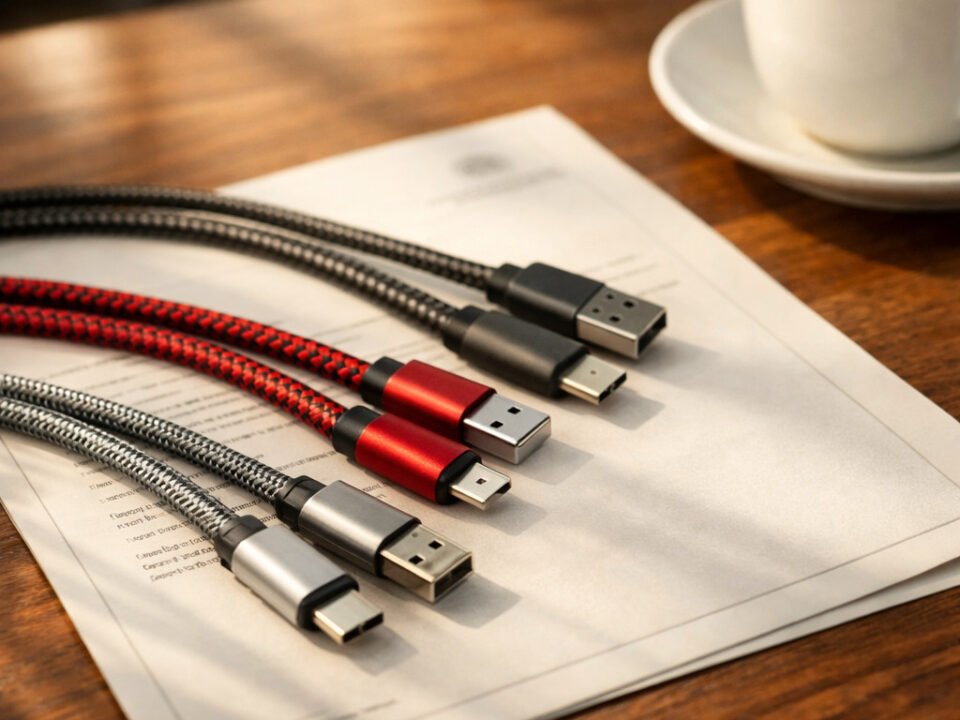
Estoque de atacado da WJWSY: amostras de cabos USB-A e USB-C com documentação de certificação completa, prontas para distribuição B2B.
Precisa de cabos USB-A ou USB-C para sua empresa?
A WJWSY oferece fabricação de cabos OEM e para atacado, tanto para interfaces USB-A quanto USB-C. De cabos básicos para carregamento a cabos USB4 Type-C premium de 40 Gbps, oferecemos documentação completa de certificação, consistência entre lotes e personalização flexível. Entre em contato com nossa equipe para discutir suas necessidades específicas e solicitar amostras.
Explore as capacidades de fabricação Solicite amostras e orçamento.
Para obter as especificações oficiais do USB, visite o site. Página de especificações USB Type-C da USB-IF e o Página padrão do USB Power Delivery.
Para obter mais informações técnicas sobre cabos, leia nosso guia. Guia de vantagens do cabo USB Type-C ou nosso Comparação completa de USB-C para USB-C.