

Quais são os diferentes tipos de cabos USB?
Quais são os diferentes tipos de cabos USB?

In our increasingly connected digital world, USB cables have evolved from simple peripheral connectors into sophisticated tools that power our devices, transfer our data, and even transmit high-resolution video. What began in 1996 as a replacement for serial and parallel ports has transformed into a multi-billion dollar ecosystem with dozens of connector types, multiple protocol generations, and power delivery capabilities that span from modest 2.5 watts to impressive 240 watts.
Yet for all their ubiquity, USB cables remain one of the most misunderstood aspects of modern technology. The confusion stems from three interconnected factors: physical connector types that determine what devices can connect, data protocols that govern transfer speeds, and power delivery specifications that affect charging capabilities. This comprehensive guide will unravel these complexities, providing you with the knowledge needed to make informed decisions whether you're charging a smartphone, transferring files to an external drive, or setting up a professional workstation.
Over the following sections, we'll explore USB technology across multiple dimensions, from the physical evolution of connectors to the future trends shaping connectivity. You'll learn not just what different cable types exist, but more importantly, how to choose the right cable for your specific needs, avoid compatibility pitfalls, and future-proof your technology investments in an ecosystem that's finally moving toward true universality after nearly three decades of fragmentation.
Fundamental Understanding
Every USB cable operates at the intersection of three key specifications: physical form factor (what it looks like), data transfer protocol (how fast it communicates), and power delivery capability (how much energy it carries). These three dimensions are often confused but understanding their distinction is essential for optimal cable selection and performance.
Navigate This Comprehensive Guide
1. Physical Connectors: The Shapes That Define Connection
Understanding the evolution from rectangular Type-A to reversible Type-C and everything in between
The physical USB connector represents the most visible aspect of cable technology—the interface you can see and touch. Over nearly three decades, USB has evolved through several distinct form factors, each reflecting the technological needs and design philosophies of its era. This physical evolution tells a story of miniaturization, user experience improvement, and industry standardization efforts that have shaped how we connect our devices.
The journey began with USB Type-A in 1996, a rectangular connector designed primarily for desktop computers and their peripherals. For almost 20 years, Type-A was the universal host connector, found on virtually every computer, charger, and hub worldwide. Its design philosophy emphasized clear host-peripheral relationships but required correct orientation for insertion—a minor inconvenience that users accepted for years until mobile devices demanded more compact solutions.
USB Type-A
The original rectangular connector that defined USB for two decades. Type-A established USB as the replacement for serial and parallel ports, becoming the standard interface for computers, chargers, and peripheral hubs worldwide. Its unidirectional design required correct orientation for insertion but offered robust connectivity for stationary devices.
USB Type-C
The oval-shaped reversible connector that represents USB's most significant redesign. Type-C addresses decades of user frustration with its symmetrical design that eliminates "wrong way" insertion. Beyond reversibility, its compact 24-pin architecture supports multiple protocols simultaneously, enabling single-cable solutions for power, data, and video.
Between Type-A's dominance and Type-C's rise, two transitional connectors bridged the gap to mobile computing. Micro-USB emerged in 2007 as the standard for Android smartphones and portable electronics, offering a 60% size reduction compared to Mini-USB while improving durability to approximately 10,000 insertion cycles. Its widespread adoption, particularly after the 2009 European Commission standardization agreement, significantly reduced electronic waste by making chargers interchangeable across devices.
Earlier still, Mini-USB served mobile devices from 2000-2007, particularly digital cameras and early smartphones. While an important step in connector miniaturization, its durability issues and official deprecation in 2007 limited its lifespan. Today, both Micro-USB and Mini-USB represent legacy standards being rapidly replaced by Type-C in new devices, though millions of existing devices still require these connectors for basic functionality.
Critical Distinction: Physical vs. Functional Compatibility
Physical connector compatibility does not guarantee functional compatibility. A modern Type-C cable might physically fit into a device but only support USB 2.0 speeds (480 Mbps) despite the connector's capability for 40 Gbps USB4 transfers. This disconnect between physical form and functional capability explains why cable selection requires attention to specifications beyond just connector shape.

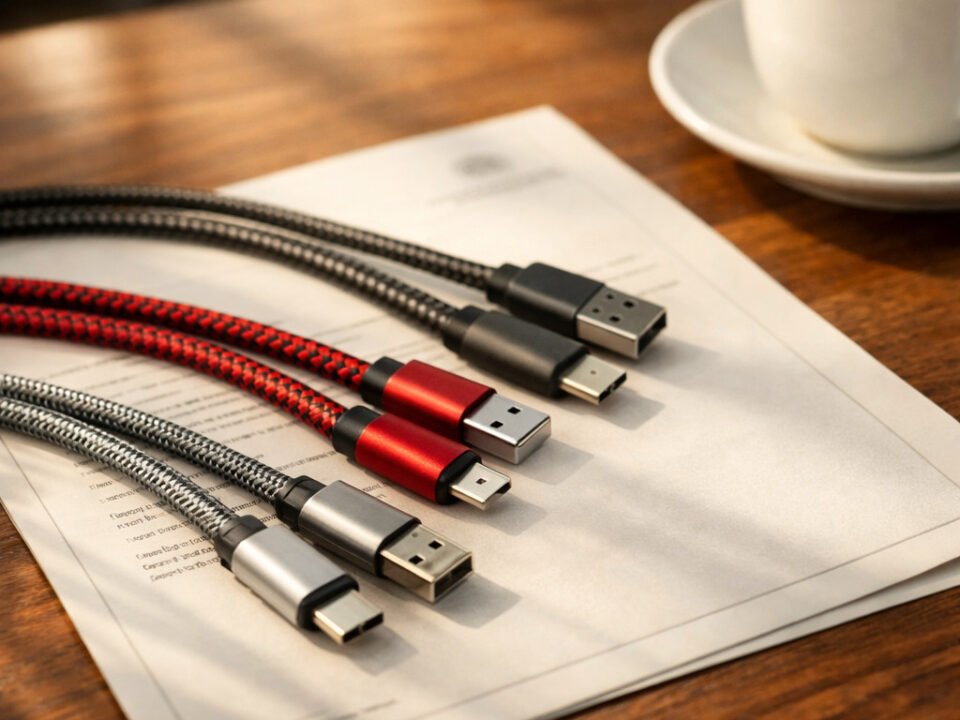
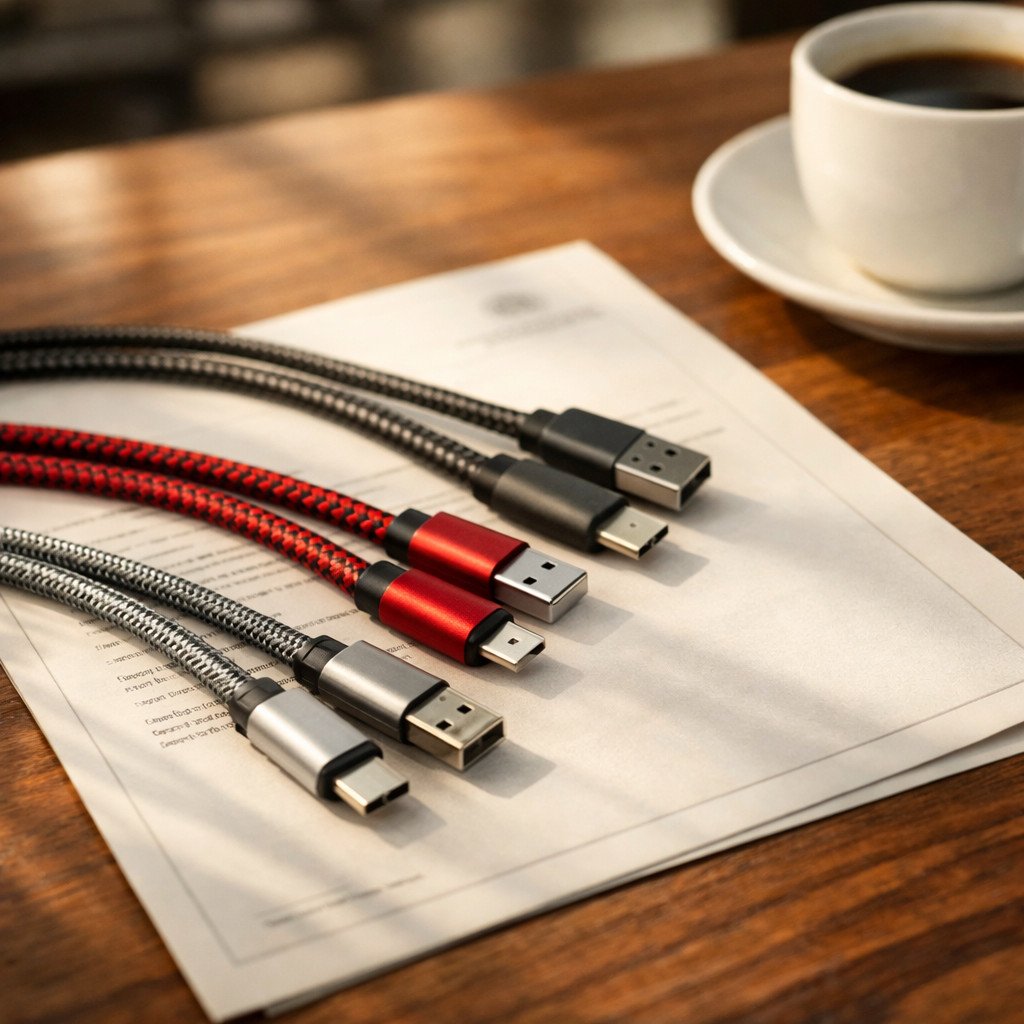
The physical evolution from Type-A (far left) through Mini-USB, Micro-USB, to Type-C (far right) illustrates three decades of miniaturization and user experience improvements
2. Protocol Standards: The Speed of Data Transfer
From USB 1.0's 1.5 Mbps to USB4's 40 Gbps – understanding the invisible rules that govern performance
While physical connectors determine what devices can connect, data protocols define how quickly and efficiently they communicate. USB's protocol evolution represents one of technology's most impressive scaling stories, growing from modest beginnings suitable for keyboards and mice to bandwidth capable of supporting multiple 8K video streams. This evolution has occurred across several distinct generations, each bringing exponential speed improvements while maintaining backward compatibility—a delicate balance that has both enabled USB's success and contributed to its complexity.
The protocol landscape is where most consumer confusion arises, particularly because physical appearance provides no indication of protocol capability. A modern-looking Type-C cable might implement any protocol from USB 2.0 (480 Mbps) to USB4 (40 Gbps), with dramatically different performance implications. Understanding this protocol hierarchy is essential for matching cable capabilities to specific use cases, whether you're transferring large video files, backing up data, or connecting high-resolution displays.
The Mainstream Standard
USB 2.0 transformed computing by making external storage practical at consumer price points. At 40 times faster than USB 1.1, it enabled affordable external hard drives, made webcams viable for video calls, and powered the first generation of portable media players. Remarkably, this 23-year-old standard remains adequate for many peripherals today, including keyboards, mice, and basic storage devices, though it's increasingly insufficient for modern workflows involving large files.
Most Micro-USB cables implement USB 2.0 protocol, which explains why devices using these connectors typically show limited transfer speeds compared to their Type-C counterparts. When purchasing cables, USB 2.0 represents the baseline expectation unless specifically labeled otherwise.
The High-Speed Era
The USB 3.x generation introduced the "SuperSpeed" branding and blue-colored ports that became visual indicators of enhanced capability. USB 3.2 Gen 1 (originally USB 3.0) delivered 5 Gbps—10 times faster than USB 2.0—making it essential for external hard drives and fast backups. USB 3.2 Gen 2 doubled this to 10 Gbps in 2013, while USB 3.2 Gen 2x2 reached 20 Gbps through dual-lane operation.
This generation's confusing naming conventions created significant market confusion. What consumers originally knew as USB 3.0 (5 Gbps) was renamed USB 3.1 Gen 1, then USB 3.2 Gen 1—all referring to the same 5 Gbps speed. Similarly, USB 3.1 Gen 2 (10 Gbps) became USB 3.2 Gen 2. When evaluating cables, focusing on the actual speed specification (5 Gbps, 10 Gbps, 20 Gbps) provides clearer guidance than marketing names.
The Convergence Standard
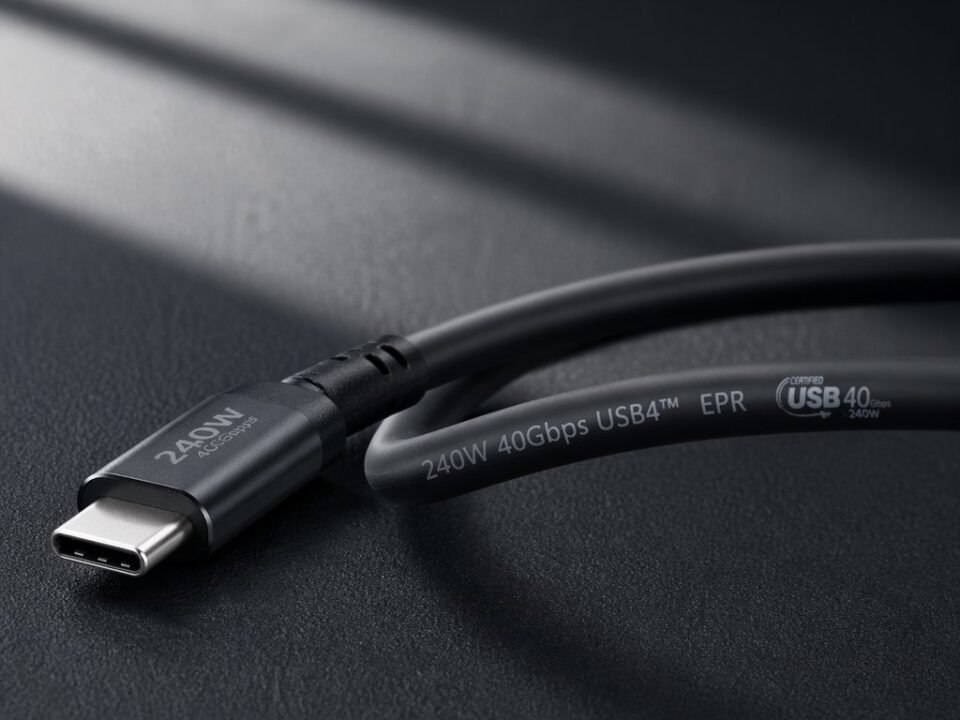
USB4 represents the most significant architectural shift since USB's inception, based on Intel's Thunderbolt 3 protocol donated to the USB Implementers Forum. Unlike previous generations, USB4 mandates Type-C connectors and unifies data, power, and display protocols into a single specification. This convergence enables true single-cable solutions where one connection handles charging, data transfer, and video output simultaneously.
USB4's 40 Gbps bandwidth supports demanding applications like 8K video transmission, external GPU connections, and multi-gigabit network adapters. It introduces dynamic bandwidth allocation, allowing data and display traffic to share the connection efficiently based on real-time needs. For professionals and power users, USB4 represents the current performance pinnacle, though its benefits require compatible devices at both ends of the connection.
The practical implications of protocol differences become clear when considering real-world tasks. Transferring a 50GB 4K movie collection takes approximately 15-20 minutes with USB 2.0, 2-3 minutes with USB 3.2 Gen 1, and just 15-20 seconds with USB4. For creative professionals working with large media files, protocol choice directly impacts workflow efficiency. Similarly, external storage performance varies dramatically—a USB 2.0 external drive might achieve 30-40 MB/s transfer speeds, while a USB4 NVMe SSD can reach 2,800-3,000 MB/s,接近70 times faster.
Real-World Performance Implications
Consider a photographer backing up a 128GB memory card after a day of shooting: With USB 2.0, this transfer would require 45-60 minutes of waiting time. USB 3.2 Gen 1 reduces this to 4-5 minutes, while USB4 completes the task in 30-45 seconds. For professionals whose time has direct economic value, protocol selection becomes a productivity consideration, not just a technical specification.
3. Power Delivery: From Basic Charging to Laptop Power
Understanding USB's transformation from 2.5W peripheral power to 240W universal charging
USB's power delivery capabilities have undergone one of technology's most remarkable transformations. What began as a simple 5-volt, 500mA (2.5 watt) power source for basic peripherals has evolved into a sophisticated power delivery system capable of charging high-performance laptops and powering desktop monitors. This 96-fold increase in power capability—from 2.5W to 240W—has transformed USB from a data interface with incidental power capability into a primary charging standard for billions of devices worldwide.
The evolution occurred in distinct phases. Early USB standards provided fixed 5V power with increasing current limits: USB 1.0/1.1 offered 500mA (2.5W), USB 2.0 maintained this, while USB 3.0 increased to 900mA (4.5W). This was sufficient for peripherals but inadequate for charging smartphones efficiently. The introduction of Battery Charging Specification (BC 1.2) in 2010 addressed this with dedicated charging ports offering up to 1.5A (7.5W), but the real revolution came with USB Power Delivery (USB-PD).
Basic Charging (Pre-2012)
The original USB power paradigm, standardized across early smartphones and accessories. These fixed-voltage systems offered simple, predictable charging but lacked intelligence for optimal power delivery. Still common in inexpensive cables and legacy chargers, this approach works adequately for basic devices but shows its limitations with modern smartphones and tablets that benefit from faster charging.
Key limitation: No power negotiation between device and charger means suboptimal charging speeds and potential compatibility issues with newer devices that expect smarter power management.
USB Power Delivery (USB-PD)
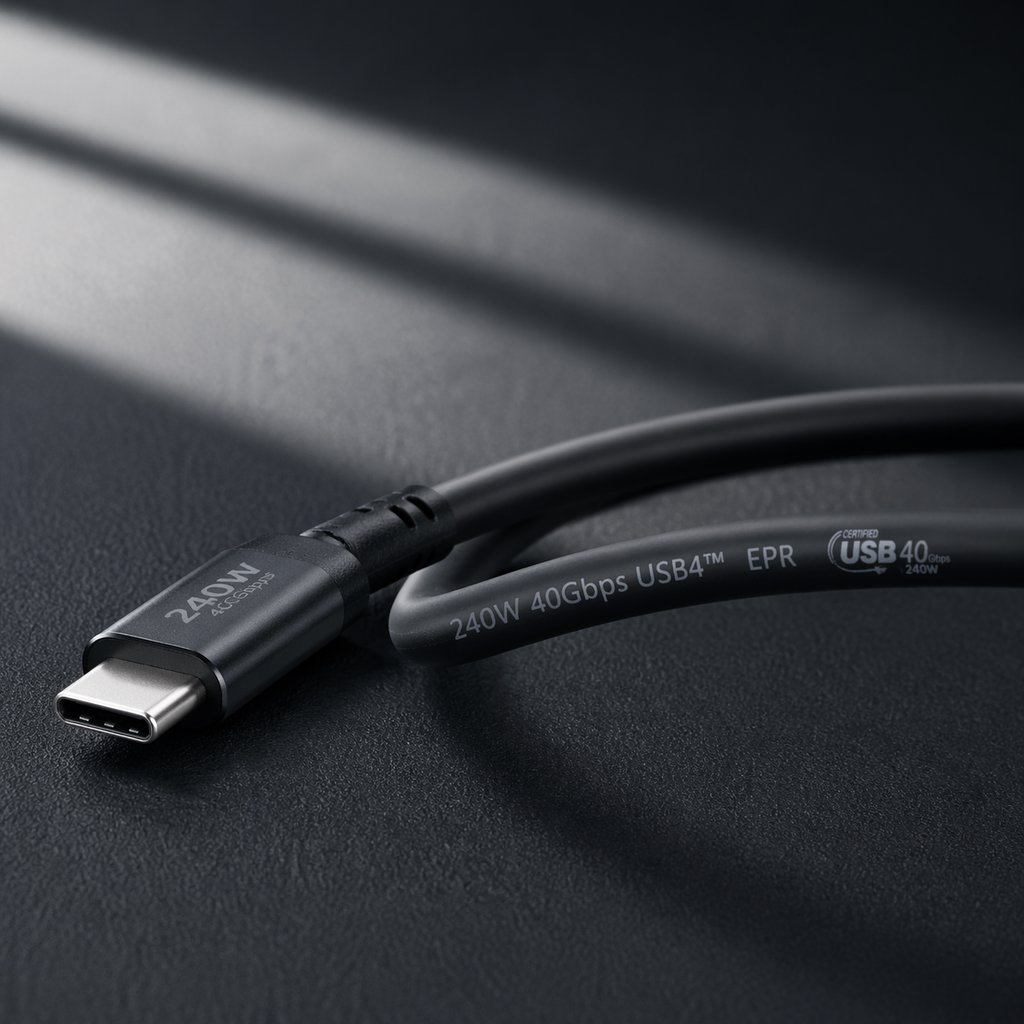
The universal fast charging standard introduced in 2012 and significantly enhanced in subsequent revisions. USB-PD enables dynamic power negotiation between devices, allowing a single cable to charge everything from wireless earbuds (5W) to gaming laptops (240W) by adjusting voltage and current based on connected device requirements.
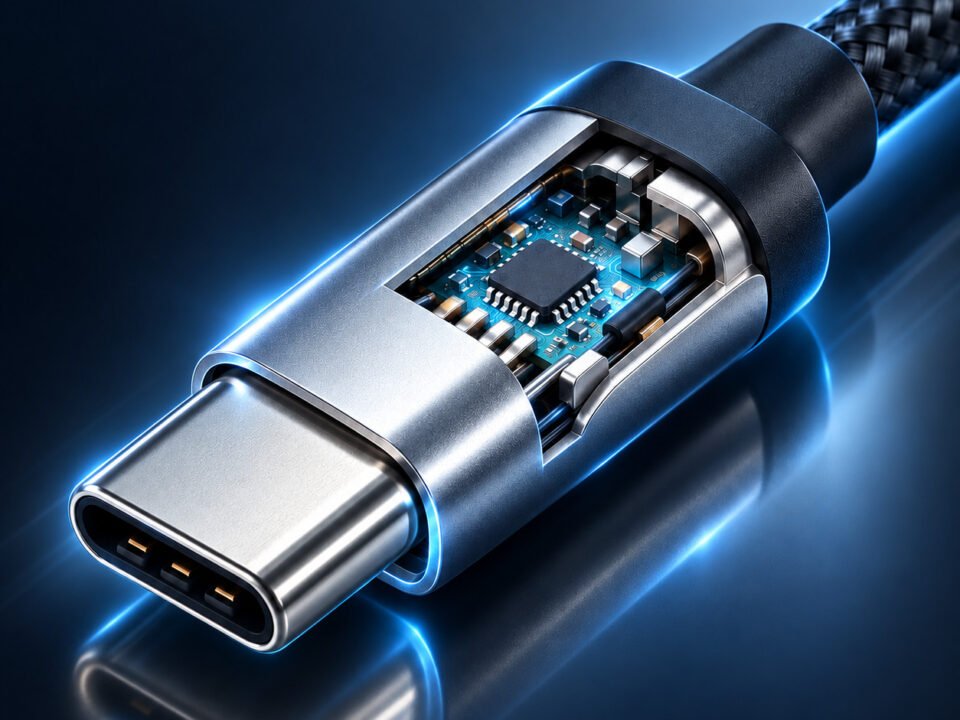
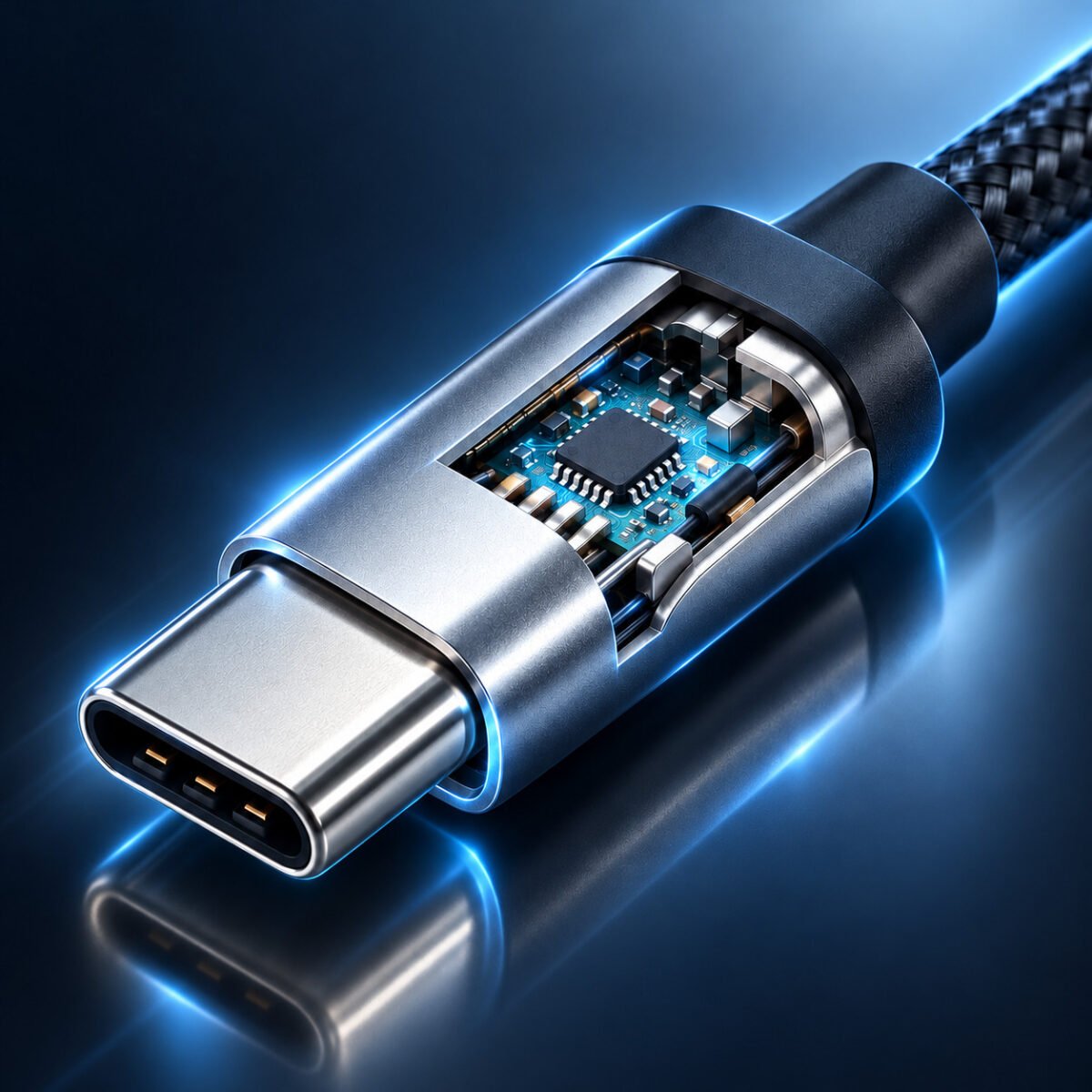
Critical innovation: USB-PD cables contain E-Marker chips that communicate capabilities to connected devices, preventing overloads and ensuring safe operation. This intelligence enables features like bidirectional power flow (where either device can charge the other) and granular power management that optimizes charging speed while protecting battery health.
Proprietary Fast Charging
Manufacturer-specific protocols developed before USB-PD reached maturity. Qualcomm Quick Charge (18-100W), Samsung Adaptive Fast Charge (15W), OnePlus Warp Charge (65W), and Oppo VOOC (up to 120W) represent competing approaches that often deliver impressive speeds but require specific chargers and cables for full performance.
Current trend: Most manufacturers are transitioning from proprietary standards to USB-PD, though many maintain compatibility with their older protocols. This creates a complex landscape where a cable might support multiple charging standards but deliver optimal performance only with specific device-charger combinations.
A critical safety consideration with high-power USB cables is the E-Marker chip—a tiny integrated circuit embedded in cables rated for 60W or higher (or any cable supporting 5A current). This chip communicates the cable's capabilities (maximum voltage, current, and supported protocols) to connected devices, preventing dangerous mismatches. Cables without proper E-Marker chips claiming high wattage ratings pose significant safety risks, including potential overheating, device damage, or in extreme cases, fire hazards.
The practical implications of power delivery specifications extend beyond charging speed. Proper power delivery affects device performance during use (preventing slowdowns when battery is low), battery lifespan (through optimized charging algorithms), and even thermal management (by reducing heat generation during charging). For laptop users, the difference between a 65W and 100W USB-PD charger can determine whether a device charges during use or slowly discharges under heavy load.
Critical Safety Consideration: Using non-certified high-wattage cables poses genuine risks. Look for USB-IF certification marks and verify E-Marker support in cables rated for 60W or higher. Reputable manufacturers clearly indicate these specifications, while uncertified cables often make exaggerated claims without proper safety implementation.

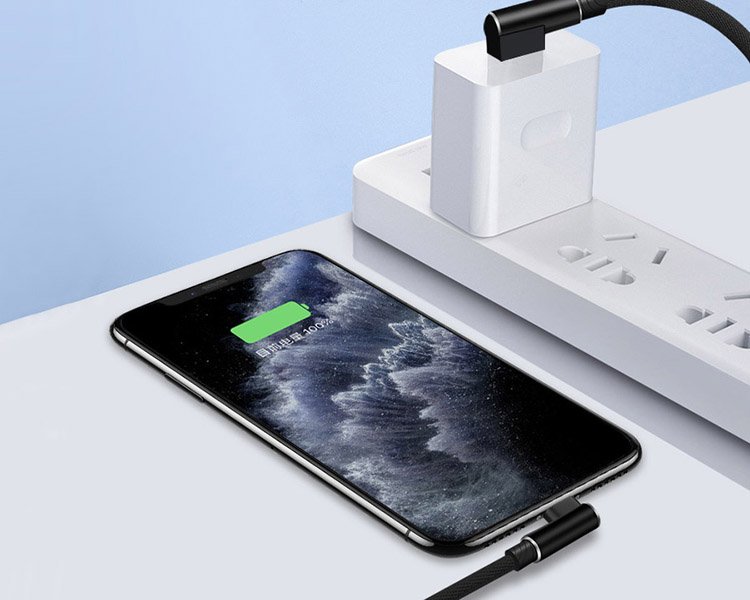
Modern USB power delivery hubs can charge multiple devices with different power requirements simultaneously, from smartphones to laptops
4. Compatibility Solutions: Bridging Technological Generations
Practical strategies for connecting legacy devices with modern standards in mixed-device environments
As USB technology evolves through multiple generations, compatibility challenges inevitably arise in homes, offices, and educational institutions where devices span technological eras. The average household today might contain devices using four different USB standards—from a decade-old printer with Type-B connector to the latest smartphone with Type-C. This technological heterogeneity creates practical challenges but also opportunities for clever solutions that extend device lifespan and reduce electronic waste.
Successful compatibility management requires understanding the USB hierarchy and implementing appropriate bridging strategies. The optimal approach varies based on specific device mixes, usage patterns, and performance requirements. From simple mechanical adapters to sophisticated protocol-converting docks, today's market offers solutions for nearly every compatibility scenario, though each approach involves trade-offs between convenience, performance, and cost.
Adapter-Based Solutions
Small, passive adapters provide the simplest compatibility bridge between different physical connectors. These mechanical solutions change connector shapes without altering electrical signals, making them inexpensive and widely available. A Type-C to Type-A adapter allows modern devices to connect to older computers, while a Micro-USB to Type-C adapter extends the life of older smartphones by enabling use with newer cables.
Advantages: Low cost, compact size, and simplicity make adapters ideal for occasional use or travel. They require no external power and introduce minimal signal degradation for basic functions.
Limitations: Adapters cannot upgrade protocol capabilities—a USB 2.0 device connected through an adapter remains USB 2.0. They also add physical stress points that may reduce durability with frequent use.
- Type-C to Type-A adapters - Connect modern devices to legacy computer ports
- Micro-USB to Type-C adapters - Use new cables with older smartphones and accessories
- Gender changers and couplers - Extend cable length or change connector gender
- OTG (On-The-Go) adapters - Enable smartphones to act as USB hosts
Multi-Function and Travel Cables
For users who need connectivity across multiple device types, especially while traveling, integrated multi-function cables offer convenient solutions. These typically combine Type-C, Lightning, and Micro-USB connectors in various configurations, reducing cable clutter and ensuring compatibility with almost any device encountered away from home or office.
Advantages: Single-cable solutions reduce packing complexity and weight. Many feature durable construction suitable for travel and include organizational features like retractable designs or carrying cases.
Limitations: Multi-function cables often prioritize convenience over performance, with many implementing only USB 2.0 speeds regardless of connector type. Build quality varies significantly across price points, with cheaper options prone to premature failure.
- 3-in-1/4-in-1 cables - Combine Type-C, Lightning, and Micro-USB in various configurations
- Retractable designs - Space-saving mechanisms ideal for travel
- Modular cable systems - Interchangeable connector tips for maximum flexibility
- Magnetic attachment cables - Easy connect/disconnect with reduced port wear
Docking Stations and Protocol Converters
For workspace setups requiring comprehensive connectivity, docking stations provide professional-grade solutions. These active devices convert between protocols and expand single connections into multiple ports, transforming laptops into full workstations with charging, display outputs, network connectivity, and peripheral support through one cable.
Advantages: Single-cable docking simplifies workspace setup and cable management. Advanced models support high-resolution displays, fast networking, and multiple high-speed peripherals simultaneously while providing substantial power delivery to connected laptops.
Limitations: Higher cost and larger size make docks less portable. Performance depends on the host connection—a Thunderbolt 4 dock offers vastly more capability than a basic USB-C hub. Compatibility verification is essential as not all docks work with all devices.
- USB-C hubs - Affordable expansion for modern laptops (typically 4-10 ports)
- Thunderbolt docks - High-performance solutions with display, network, and peripheral support
- Port replicators - Complete desktop replacement with charging and multiple displays
- Protocol converters - Active devices that translate between USB generations
Hybrid & Future-Proof Solutions
For environments with diverse device types and evolving technology needs, hybrid solutions combine multiple approaches. These include universal docking stations with legacy ports, modular cable systems with interchangeable tips, and smart adapters that auto-detect device requirements.
Advantages: Maximum flexibility for mixed-device environments, future-proofing against technology changes, and reduced clutter through integrated solutions.
Limitations: Higher cost for comprehensive solutions, potential complexity in setup, and possible performance compromises compared to dedicated solutions.
- Universal docking stations - Combine USB-C with legacy ports (VGA, HDMI, Ethernet, USB-A)
- Smart protocol converters - Auto-negotiate between USB generations for optimal performance
- Modular cable systems - Interchangeable connectors with intelligent chip recognition
- Multi-port charging stations - Simultaneous charging with different connector types
When implementing compatibility solutions, understanding performance expectations is crucial. Passive adapters maintain the speed of the slowest component in the chain—connecting a USB4 device to a USB 2.0 port through an adapter yields USB 2.0 performance. Active converters and docks can potentially improve performance but introduce latency and may require external power. For critical applications like video editing or high-speed data transfer, dedicated cables supporting the required protocols generally outperform adapter-based solutions.
Strategic Compatibility Approach
Rather than maintaining a drawer full of every possible cable, develop a strategic approach: Invest in one high-quality USB-C cable with USB4/PD support for modern devices, keep a set of basic adapters for legacy connections, and consider one reliable multi-function cable for travel. This covers 95% of use cases while minimizing clutter and confusion. For permanent setups, a quality docking station often provides the best balance of performance and convenience.
5. Future Trends: The Next Evolution of USB Connectivity
Where USB technology is heading in an era of increasing wireless integration and smarter connectivity
As we look toward the future of USB technology, several clear trends are emerging that will shape connectivity for years to come. While the fundamental need for wired connections will persist for high-performance applications, the nature of those connections and their integration with wireless technologies is evolving rapidly. The next decade will likely see USB completing its transformation from a fragmented ecosystem into a truly universal standard while integrating intelligence that makes connectivity more seamless and user-friendly.
The most significant near-term development is the consolidation around USB-C as the universal physical standard, driven by regulatory mandates, industry consensus, and consumer demand for simplicity. Looking further ahead, we see trends toward higher power delivery, smarter cable technology, deeper wireless integration, and new form factors that address emerging use cases. These developments will reshape not just how we connect devices but how we think about connectivity itself.
Complete Interface Unification (2024-2027)
The European Union's 2024 mandate requiring USB-C for all portable electronic devices sold in member states marks a watershed moment in connector standardization. This regulatory intervention, combined with voluntary industry adoption, will likely result in over 95% of consumer electronics (excluding specialized industrial equipment) featuring USB-C ports by 2027. This consolidation finally realizes the "universal" promise embedded in USB's name after nearly three decades of fragmentation.
Beyond consumer convenience, this unification carries significant environmental benefits by reducing electronic waste from obsolete chargers and cables. Industry analysts estimate the EU mandate alone could eliminate approximately 11,000 tons of e-waste annually by 2030. The transition period presents challenges for device manufacturers and consumers with legacy equipment, but the long-term benefits of a truly universal connector justify these transitional costs.
Continuous Power Delivery Expansion (2024-2030)
USB Power Delivery specifications continue evolving toward higher capacities and smarter management. While current USB-PD 3.1 supports up to 240W (enough for most laptops), future iterations are expected to reach 500W or more by 2026-2028. This expansion will enable single-cable solutions for high-performance workstations, gaming systems, and even some desktop replacements that currently require proprietary power bricks.
Parallel developments include more granular power management with dynamic adjustment based on device state, ambient temperature, and user behavior. Future systems might reduce power delivery when devices reach certain charge levels to extend battery lifespan, or increase delivery temporarily during intensive tasks. These intelligent power management features, combined with higher maximum capacities, will make USB the undisputed universal power standard for virtually all consumer electronics.
Smarter Cable Technology (2025-2030)
Future USB cables will incorporate significantly more intelligence through embedded microcontrollers, sensors, and communication capabilities. These "smart cables" will be able to identify connected devices, negotiate optimal power and data transfer rates, monitor cable health and temperature, detect physical stress or damage, and even report estimated remaining lifespan based on usage patterns.
Advanced features under development include automatic speed optimization based on content type (prioritizing bandwidth for video streams while transferring files in background), predictive failure alerts that warn users before cable failure occurs, and security features that prevent unauthorized data access or "juice jacking" attacks. Some prototypes even include basic display capabilities showing connection status, transfer speeds, or power delivery information through integrated LEDs or e-ink segments.
While wireless technologies like Wi-Fi 7 (up to 46 Gbps), Bluetooth LE Audio, and advanced wireless charging standards will handle more casual connectivity needs, wired USB connections will remain essential for high-bandwidth applications, reliable power delivery, latency-sensitive tasks, and security-conscious environments. The future isn't wireless replacing wired, but rather each technology finding its optimal role in a connected ecosystem where the choice between wired and wireless becomes situational rather than ideological.
Emerging form factors beyond traditional cables also warrant attention. Magnetic connectors that reduce port wear, waterproof industrial designs for harsh environments, and ultra-flexible materials for wearable integration represent specialized developments that will coexist with mainstream USB-C. Perhaps most intriguing are developments in wireless power transfer that might eventually complement or replace wired charging for certain applications, though fundamental physics constraints suggest wired power will remain superior for high-power applications for the foreseeable future.
Conclusion: Building a Future-Ready Cable Collection
Based on current trends and emerging standards, here are practical recommendations for building a cable collection that serves immediate needs while preparing for technological evolution:
- Primary daily cable: Invest in a high-quality 1.5-2m USB-C cable with USB-IF certification, USB4/Thunderbolt 4 support, and 100W+ power delivery capability. This covers most modern devices with optimal performance.
- Data transfer specialist: Add a dedicated USB 3.2 Gen 2 (10 Gbps) or faster cable for external storage and backup needs where maximum speed matters more than multi-function capability.
- Strategic compatibility toolkit: Maintain a small set of quality adapters (Type-C to Type-A, Micro-USB to Type-C) for legacy devices, but avoid stockpiling obsolete cables that encourage keeping outdated technology.
- Travel-optimized solution: Consider one reliable multi-function cable or compact adapter set for maximum compatibility when away from your primary setup, prioritizing durability over maximum feature set.
- Future-conscious purchasing: When acquiring new devices, prioritize those with USB-C ports and USB4/Thunderbolt support, even if current needs don't require these capabilities. This forward-looking approach extends device relevance as the ecosystem evolves.
Remember that in the world of USB cables, strategic quality consistently outperforms undifferentiated quantity. Three well-chosen, properly certified cables will serve you better than a drawer full of cheap, unreliable ones. As the technology continues evolving toward greater standardization and intelligence, maintaining your cable collection will become simpler rather than more complex—finally delivering on the universal promise that has guided USB development for nearly three decades.

The future promises integrated connectivity solutions where wired and wireless technologies complement rather than compete with each other