

What Is DP Alt Mode? USB-C Video Output Explained
What Is DP Alt Mode? USB-C Video Output Explained
A USB-C port can be the one connector a laptop needs at a desk. A single cable to a monitor can carry picture, sound, file transfer, and power at the same time, and most of the clutter on a desk disappears with it. The feature that makes this possible is DisplayPort Alternate Mode.
This guide is written for readers meeting the term for the first time, and for people who already own hardware with the feature but have never used it.
DP Alt Mode, short for DisplayPort Alternate Mode, allows a USB-C connector to transmit DisplayPort video and audio signals alongside data and power delivery. A laptop with a port that supports it can extend or mirror its screen on a monitor, a television, or a projector through that one connector.
What follows covers what the mode is, how it works, which cables and devices support it, and where the limits sit.

1. What is DP Alt Mode?
1.1 Introduction to DP Alt Mode
DisplayPort Alternate Mode lets a USB-C port carry native DisplayPort video and audio to an external display without an adapter in between. DisplayPort itself is a digital display interface built for high resolution and high refresh rate, and the alternate mode sends that same signal over the pins of the USB-C connector. The result is video, audio, and data over one cable instead of a full-size DisplayPort plug on the side of the machine. The catch is that the feature is optional: a USB-C port may support data and charging and still carry no video at all. The device specification sheet is the most reliable way to confirm support before buying a monitor or a cable.
1.2 How DP Alt Mode Works
The Video Electronics Standards Association (VESA) introduced the mode in 2014. It needs no drivers, and the graphics processor drives the output directly, so a supported port behaves like a display output from the moment a cable is plugged in.
Once negotiated, the port sends the DisplayPort protocol natively. The four high-speed lanes inside a USB-C connection can all go to video for the highest resolution the link can carry, or they can be split so that two lanes carry video while the other two carry USB 3.x data. In the full four-lane arrangement the USB 3.x path is unavailable, though USB 2.0 keeps running on its own pair.
Before the mode existed, a standard USB-C port delivered power and USB data and nothing else. Video required a separate output on the device or an adapter hanging off the port.
Because the mode shares the connector rather than replacing it, video works while the same port charges the battery and moves files. A display can be powered, a drive can be read, and the screen can stay live at the same time.
The mode also runs over both passive and active cables, which is why the same laptop can reach a short desktop monitor and a longer run across a room with the right cable in each case.
What comes out the other end is a normal DisplayPort signal: higher resolution, higher refresh rate, deeper color, and support for variable refresh rate where the display and the source both implement it. Resolutions of 4K and beyond are within reach, which is why the mode matters for gaming, graphic design, and video work rather than only for office documents.
1.3 Checking Device Compatibility
Compatible cables and equipment come first. Before anything else, confirm that the USB-C port on the source device actually lists DisplayPort Alt Mode or USB-C DisplayPort output in its specification.
With the mode active, the port behaves like a full-size DisplayPort output: no dongle, no converter, no second cable. It drives a high-resolution display the same way a dedicated HDMI or DisplayPort port would.
The feature is optional at every level. It has to be present on the source port and on the display, and the cable between them has to carry the lanes the signal needs. A missing piece at any of the three points usually yields a blank screen rather than a degraded picture.
2. Benefits of DP Alt Mode
The benefits come from consolidation rather than from any single specification number. One cable carries video, audio, USB data, and charging, which is why so many USB-C monitors can serve as the single connection a laptop needs at a desk.
2.1 Key Benefits of DP Alt Mode
- Seamless video output — a supported port connects straight to a compatible display without adapters or converters, so there is one cable to plug in instead of a dongle and a second cable.
- High-quality video and audio — the mode inherits DisplayPort's resolution, refresh rate, and audio handling, which matters for film, games, and color-critical work on a larger screen.
- Enhanced productivity — the desktop can be extended rather than mirrored, and Multi-Stream Transport allows several displays to be daisy-chained from one port with a short cable run between each.
- Broad compatibility — the feature appears across laptops, tablets, and phones that use the USB-C connector, so the same display can serve several devices.
- Future-proof connectivity — many hubs and monitors now detect whether a connected device supports the mode and switch behavior accordingly, which removes a setup step.
As the feature spreads, more devices interoperate without a compatibility list, and a display bought for one machine tends to work with the next.
3. DP Alt Mode vs. USB-C
The two terms are related but not interchangeable, and treating them as synonyms causes most of the confusion around USB-C video.
USB-C is a connector standard. It defines the physical shape, the pin layout, the power delivery rules, and the data rates a port may support. It is symmetrical, small enough for a phone, and capable of fast charging and high-speed data.
When people say "USB-C," they usually mean the connector itself: the oval port, the reversible plug, the cable that charges a laptop and moves files.
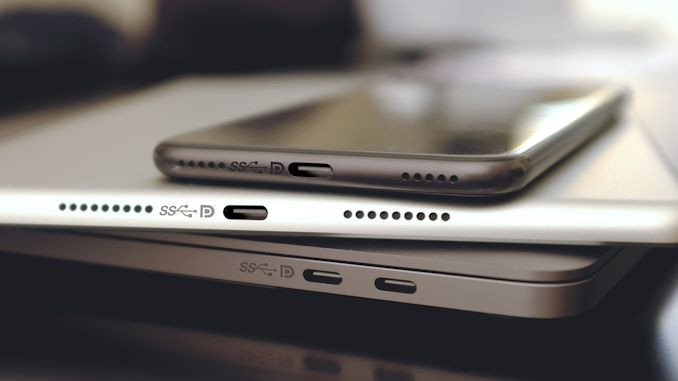
DP Alt Mode is narrower. It is an optional capability layered on that connector that repurposes the high-speed lanes for DisplayPort signaling. It describes what a particular port can do with the connector, not the connector itself.
That distinction explains why two laptops with identical-looking ports behave differently. One drives a 4K monitor over a single cable; the other charges and transfers data and produces no picture, because the manufacturer did not implement the mode. Compatibility depends on the specific device and the specific cable, and the specification sheet is the place to confirm it.
4. Do All USB-C Cables Support DP Alt Mode?
No. The connector is standardized; the cable behind it is not. DP Alt Mode needs a cable built to carry the high-speed lanes with enough signal integrity for video, and a charge-only cable has no reason to include them.
The practical answer is to buy a cable described as full-featured or explicitly rated for video. Those designs are tested for the bandwidth and signal quality the mode requires.
Many cables print the DisplayPort logo or the words "DP Alt Mode" on the jacket or the packaging. That marking means the cable has been verified for video, and it is quicker to check than a specification table.
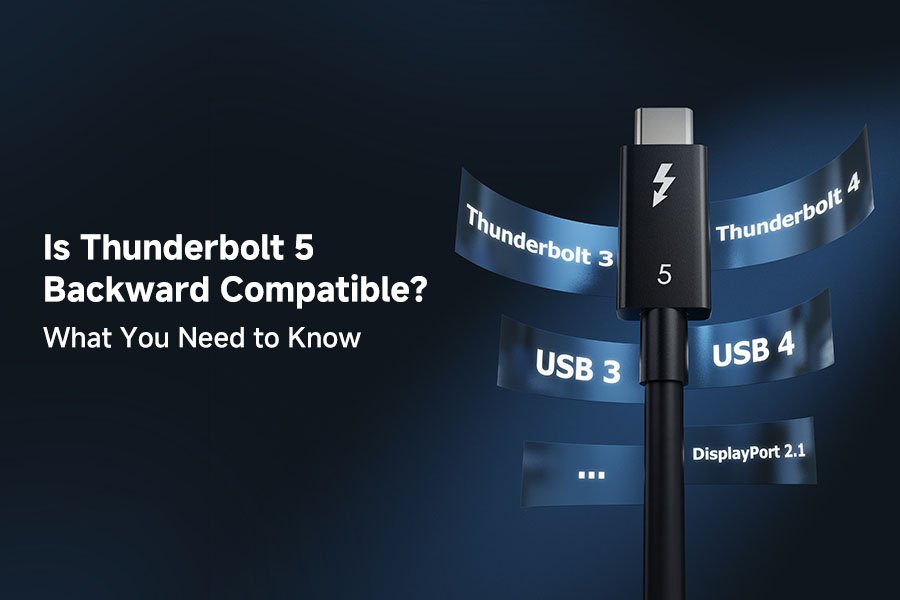
USB4 builds on the capabilities of Thunderbolt 3 and supports DP Alt Mode, so a USB4-certified cable carries video. Thunderbolt 3 cables do as well, since the mode has been part of that specification from the start.
Thunderbolt 4 supports the mode too, so a Thunderbolt 4 cable can transmit DisplayPort signals alongside the other functions the standard carries.
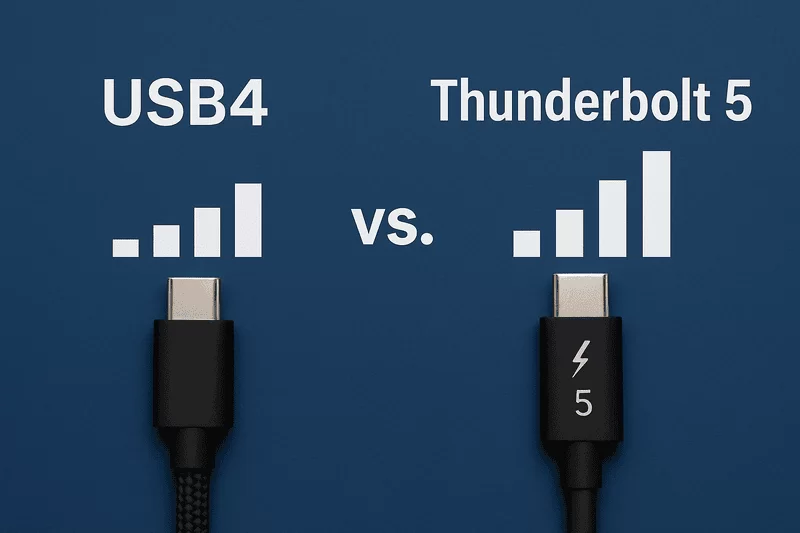
Thunderbolt 5 continues the same pattern at higher bandwidth, with more headroom for high resolution and high refresh rate on external monitors, and it keeps the mode available for displays that predate it.
A cable without support produces nothing. Plug one into a capable laptop and a capable monitor and the screen stays dark, because there is no path for the video signal.
Both the source port and the display have to support the mode, and the cable has to be built for it. A full-featured cable cannot rescue a laptop whose port does not implement the feature, and a capable port cannot push video through a charge-only cable.
Checking is a matter of reading the packaging, the product description, or the manufacturer's specification before ordering. The port list on the device and the cable's rated functions answer the question in less time than a failed setup does.
5. FAQ
What is DP Alt Mode?
DP Alt Mode, or DisplayPort Alternate Mode, allows a USB-C connector to transmit DisplayPort video and audio signals alongside data and power delivery.
How does DP Alt Mode work?
It repurposes the high-speed lanes in a USB-C connection to carry DisplayPort signals, which allows a direct connection to a display without extra adapters or a separate video output.
Do all USB-C ports support DP Alt Mode?
No. Support is device-specific. The source port and the display must both support the mode, and the cable has to be built for video.
How can I tell if a USB-C cable supports DP Alt Mode?
Look for the DisplayPort logo or the words "DP Alt Mode" on the cable or its packaging. Cables certified for USB4, Thunderbolt 3, Thunderbolt 4, or Thunderbolt 5 support it as well.
Can DP Alt Mode deliver high-resolution and high-refresh-rate video?
Yes. The mode carries DisplayPort's own capabilities, so the resolution and refresh rate ceiling depends on the DisplayPort version implemented and the bandwidth of the lanes assigned to video.
Is DP Alt Mode compatible with HDMI?
Not natively. The mode carries DisplayPort signaling, and an adapter is required to drive an HDMI display.
6. Conclusion
DP Alt Mode is a VESA technology that sends DisplayPort signals over a USB-C connector. It removes the need for a dedicated display output without removing any of the functions the port already had.
Knowing what the mode is, how it negotiates the lanes, and how to confirm support on both the port and the cable covers most of what goes wrong with USB-C displays. The remaining failures are almost always a missing capability at one of the three points rather than a faulty cable.
For work, entertainment, or creative use, the mode turns one connector into a display output, a charging port, and a data link at the same time.
A port that carries video changes what the cable has to do. The assembly needs the high-speed lanes, adequate shielding, and connectors rated for the number of insertions a desk setup sees, which is a different bill of materials from a charge-only cable of the same length.
For buyers specifying USB-C cable assemblies at volume, the same details decide cost and reliability: lane count, conductor gauge, and whether the cable is rated for video or only for power.