

USB Cable Max Length: How Long Each Type Can Run
USB Cable Max Length: How Long Each Type Can Run
USB cables have a recommended length, and anything past it moves into unsupported territory. The result can be a connection that drops in and out, transfers that fail with errors, or a device the host does not recognize at all. The cause is the same one that limits Ethernet and HDMI runs: past a certain point the signal is too weak to be read reliably at the far end.
The actual maximum depends on several things, and cable quality is only one of them. The USB generation being used and the connector type both constrain how long a run can be and how much performance survives it.
The good news is that the limits are not final. A longer cable can be built from a generation with a higher ceiling, from an active design, or from an extender that bridges two shorter runs.
What follows covers what happens when a cable runs too long, the maximum for each generation, and the three practical ways to exceed it.
1. USB Cable Max Length: What Happens When a USB Cable Is Too Long?
Most USB cables are duplex, meaning they communicate in both directions even during a one-way transfer. The host sends a packet, waits for a response from the device, then sends the next one. A longer cable adds travel time to every exchange, which raises the chance of late-collision errors, and a cable past the specification length raises that chance further.
Length also brings attenuation. Every meter of conductor carries resistance, so signal strength falls as the run gets longer. Within the rated length the signal still arrives strong enough to be read; beyond it, especially where the cable uses thin conductors or poor shielding, the packet can arrive incomplete or not at all. Higher-speed generations feel this sooner, because a faster link leaves less time for the response to come back, which is why each generation shortens the maximum.
The visible symptoms are choppy video where a display is involved, a corrupted file transfer, or no transfer at all.
Interference rises with length as well, and a cable built to a lower standard is more exposed to it than one with proper shielding and a heavier gauge.
None of this makes a longer run impossible. It makes it something to plan rather than assume.
2. How long can a USB 2.0 Cable be?
For USB 2.0 the recommended maximum is 5 meters, about 16 feet, and that is the longest passive maximum in any USB specification; USB 1.0 stopped at 3 meters.
Longer USB 2.0 cables exist, but they rely on thick conductors to hold off loss and interference past that point. The alternative is to bridge two cables with a powered hub.
Anything longer than that belongs in the sections on extension cables and active designs below.
3. How long can a USB 3.0/3.1 Cable be?
USB 3.0, later renamed USB 3.1 Gen 1 and then USB 3.2 Gen 1, has no official maximum, but the recommended ceiling is 2 to 3 meters, roughly nine feet. A powered hub can link two runs the way it does for USB 2.0, though there are better answers for long runs.
The 10 Gbps tier, where USB 3.1 Gen 2 became USB 3.2 Gen 2, is stricter than 5 Gbps: passive cables for it are generally rated to about a meter rather than three.
USB 3.2 Gen 2x2, which pairs two 10 Gbps lanes over USB-C for 20 Gbps, is stricter again. Passive cables for that rate rarely exceed a meter, and the connector type does not change the physics.
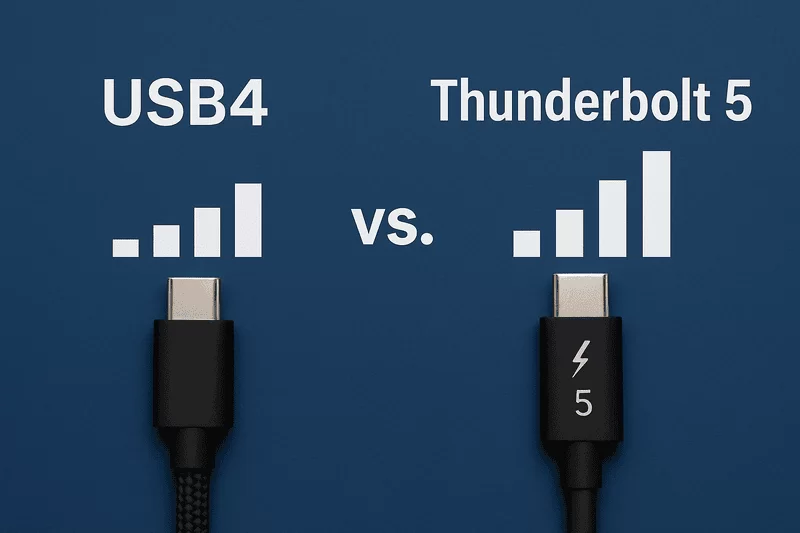
USB4 narrows the ceiling further. A passive USB4 cable rated for 40 Gbps is recommended only to about 0.8 meters, roughly 2.6 feet, and the 80 Gbps generation that follows is shorter still in passive form. The bandwidth is what forces this: a higher rate needs better conductors, tighter impedance control, and better shielding to keep the signal readable, and attenuation becomes harder to overcome at every step up.
4. Increase USB Cable Length with Extension Cables
The simplest way past the limit is to extend what is already there rather than replace it. A USB extension cable adds a male-to-female run, comes in lengths up to about 3 meters, and is the least expensive option when the existing cable is otherwise fine.
A second extension can be chained, but only while the total stays inside the maximum for that generation. Past that, the connection may still establish and then fail under load, and device vendors support the specification rather than the workaround.
For runs well beyond a few meters, an extender is the better tool. These use a transmitter at the host end and a receiver at the device end, joined by CATx cabling, and they carry USB over that link. Copper-based extenders reach beyond 50 meters, and fiber versions go considerably further.
That approach suits keyboards, mice, printers, and scanners placed in another room or inside a cabinet, and it is common in industrial and medical installations. It is not the same as a USB network adapter, which adds an Ethernet port to a device and provides no extension at all.
5. Go Longer with Active USB Cables
An active cable is the tidier answer. It carries electronics inside the connector that regenerate the signal, so the run can be longer without the data arriving degraded. That is what makes it useful for wired virtual reality headsets, where the cable has to reach from a desk to a standing play area.
USB 2.0 active cables reach up to about 30 meters in theory, though those long versions are expensive and need external power. Practical versions sit around 10 meters and draw what they need from the port, and beyond that the voltage drop can starve the device. Combining an active cable with hubs and passive cables adds a little more, but stacking hubs on top of an active run tends to cause trouble.
USB 3.0 and USB 3.1 active cables are quoted up to about 18 meters by some manufacturers, with 10-meter versions far more common and far cheaper.
For USB 3.2 Gen 2, Gen 2x2, and USB4 or Thunderbolt over USB-C, active designs are limited to roughly 3 meters. That is a large gain over the 0.8-meter passive ceiling for USB4, but it shows how narrow the options become at high speed. The compensating advantage is that a good active cable holds power delivery as well as data over the longer run.
6. FAQs about USB cable length
Are shorter USB cables better?
Within the recommended length for the generation, length matters little. A shorter cable does give a stronger signal with less exposure to interference, but a well-built cable works across its rated range.
If a long run is causing trouble, an active cable solves it better than a shorter passive one, because it regenerates the signal instead of just shortening the path.
Does the length of a USB cable matter for charging?
Yes, and the effect can be large. A short run delivers more power to the device than a long one, because resistance in the conductor turns part of the voltage into heat.
Length is not the only factor, though. The generation of the cable, the temperature of the wire, the rating of the charger, whether the device supports a fast-charging standard, and the conductor gauge all move the result. A long cable with heavy conductors can beat a short cable with thin ones.
Wireless charging does not solve this. It removes the cable, but it currently delivers less power than a wired connection and wastes more of what it draws, so a short, modern, well-made cable remains the better option for speed.
Do long USB cables cause lag?
Not within the rated length. A longer cable does add resistance and weaken the signal, but as long as every packet arrives intact, timing is unaffected.
Past the rated length, all of that changes: data loss appears, and lag becomes possible, especially over long runs.
Commercial devices built for gaming or other latency-sensitive work ship with cables inside the limit, and those cables tend to be as short as the placement allows.
Matching a cable to a run means checking the rated data rate first, then the length that rate supports without regeneration.
Passive assemblies cover the short runs at full speed, while active designs carry the same rate across a desk or into another room.