

Types of Phone Chargers: USB-A, USB-C, Wireless and More
Types of Phone Chargers: USB-A, USB-C, Wireless and More
Charging hardware has changed a great deal in a short time. The rectangular USB-A plug, the reversible USB-C connector, and the wireless pad on a bedside table all solve the same problem in different ways, and they are not interchangeable. This guide covers the common charger and cable types, what each one can actually deliver, and how to match a setup to a device.
1. Different Types of Phone Chargers
Six types cover most of what is sold today. Each suits a different device, setting, or charging habit.
USB-A Chargers
This is the classic rectangular plug, and it typically tops out at 12W, which is 5V at 2.4A. That is adequate for an overnight charge and slow by current standards. Fast-charging tricks such as Quick Charge lift USB-A to about 18W, but the ceiling is set by the connector rather than by the charger.
What keeps USB-A useful is the range of cables it accepts. A USB-A plug can feed Mini-USB, Micro-USB, USB-C, and Lightning, which is why these chargers still turn up in drawers and travel bags. New devices are moving toward USB-C at both ends, so the flexibility is shrinking year by year.

USB-C Chargers
A USB-C charger with Power Delivery covers a wide range: 20W at the low end and 240W at the top once Extended Power Range is supported. Many also implement PPS, which adjusts the output voltage in fine steps so that a phone can pull power at the rate its charging curve expects.
For any device that supports fast charging, a USB-C PD charger is the default choice. The cable has to match it, which is covered in the next section.

Wireless Chargers
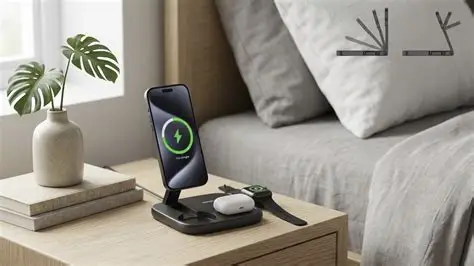
A wireless charger tops up a phone placed on a pad, with no cable involved. Most phones use the Qi standard, which runs from 5W to 15W depending on the device and the pad.
MagSafe adds a ring of magnets so that the coil lines up every time, and it holds the phone at 15W. Paired with a 30W or higher adapter, the newer iPhones reach 25W.
Qi2 brings the same magnetic alignment to Android phones and third-party accessories, which removes the guessing that Qi charging used to involve.
Wireless is slower than a cable, so it fits desks, bedside tables, and car mounts where convenience matters more than speed.
Portable Chargers (Power Banks)
A power bank is what carries a charge when no outlet is available. A mid-size pack of around 10,000 mAh holds enough for roughly one and a half to two full charges of a modern phone, since conversion losses take a share of the rated capacity.
Many packs now support USB-C PD at 20W or more, and some also accept a charge while delivering one, which lets them act as a small wall charger.
Airline rules are worth knowing: packs under 100Wh, roughly 27,000 mAh, are generally allowed in carry-on luggage without approval.

Multi-Port Chargers
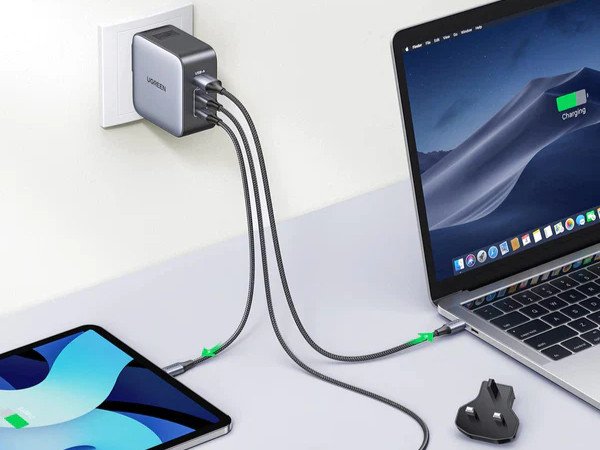
Multi-port units are for the case where several devices need power at once. GaN designs fit two or three USB-C ports and often one USB-A port into a body not much larger than a single-port brick, which makes them practical for a desk or a travel bag.
The figure to read is the total. A 65W three-port unit shares 65W across whatever is connected, so the per-port number printed in the specification is the one that matters.

Car Chargers
The USB port built into a car is usually there for data and tops out around 0.5A, which is why a phone on it barely moves while navigation runs.
A charger that plugs into the 12V socket does the job properly. A USB-C PD model at 45W or more keeps a phone charging while maps and music are running, and a USB-A port on the same body covers older devices.

2. Different Types of Charging Cables
A charger is only half of the setup. The connectors at each end and the specifications of the cable decide how much power and data can pass, and a mismatch shows up as slow charging rather than as an error message.
USB-C to USB-C
Both ends are reversible, and the cable is the modern default for phones, tablets, and laptops. Power Delivery reaches 240W only when the cable carries a 5A E-Marker rated for 50V and both ends support Extended Power Range; below that, a cable without an E-Marker caps the link at 3A and 60W.
Data speed depends entirely on the cable. A charge-only cable runs at 480 Mbps, while a Thunderbolt or USB4 version reaches 40 Gbps, and USB4 version 2 and Thunderbolt 5 reach 80 Gbps.
The European Union's common charger rules applied to phones and most small electronics from late 2024, with laptops following in 2026, so this connector is only becoming more common.
USB-C to Lightning
This is the fast-charging cable for an iPhone 8 through iPhone 14, and for AirPods cases that still use the older port. Paired with a USB-C PD charger, it takes a phone from empty to about half in thirty minutes.
The charging ceiling is around 20W, with the largest Pro models reaching the high 20s. Data transfer stays at USB 2.0 speed, 480 Mbps, even on the original cable, because the Lightning connector has no high-speed pairs.
MFi certification covers Lightning accessories and does not apply to USB-C cables. A Lightning cable without the mark may be refused by the phone, which is the practical reason to check it on this cable type.
Lengths of 1m, 2m, and 3m are common. The 3m version is the one most likely to fail first, since a longer cable puts more leverage on the plug when it is pulled.
USB-A to USB-C
This cable bridges an older USB-A charger and a USB-C phone. The C end carries a pull-up resistor rather than a configuration channel, so the phone treats the source as a fixed 5V supply and Power Delivery never starts.
The ceiling is about 15W at 5V, and Quick Charge models can add a little through the data pins, though nothing here matches a native USB-C PD charger. Data speed is a separate matter: a USB 3.2 Gen 2 version of this cable carries 10 Gbps, which is enough to pull photos off a phone into an older laptop.
USB-A to Lightning
This is the cable that shipped in the box for most of the Lightning era, from 2012 until the iPhone 12 moved to a USB-C plug, and it still appears with budget accessories. The 8-pin connector seats either way up, and it works with every Lightning device ever made.
The limit is the USB-A end: about 12W and USB 2.0 data. That is fine for an overnight charge and slow for a top-up on the way out of the house, which is why the USB-C version exists.
USB-A to Micro-USB
Micro-USB was the standard Android connector for years and now appears mostly on older phones, e-readers, and budget speakers. It delivers 5V at up to 2A, about 10W, and no widely adopted fast-charging standard was built around it.
The connector is also rated for 1.8A, so 2A sits at the edge of its specification rather than inside it. It is slow, and it only fits one way, which is why the move to USB-C was welcome.
3. What to Consider When Choosing a Phone Charger?
With the types covered, the remaining questions are about fit: what the phone accepts, what the charger can deliver, and where the charging happens.
Device Compatibility
Start with the port on the phone. Recent Android phones and iPhone 15 and later use USB-C, while older iPhones use Lightning and older budget devices may use Micro-USB. The charger and the cable both have to match that port.
Charging Speed & Power Output
The wattage a phone accepts sets the target. Many current phones fast-charge at 20W to 45W, and a charger above that rating does not make them faster, only more capable of sharing.
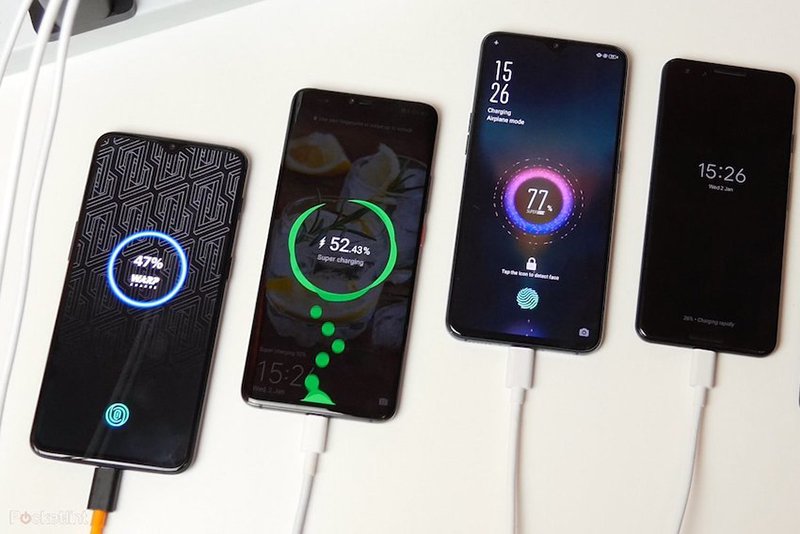
Protocol support is the second half. A phone that expects USB Power Delivery, Quick Charge, or PPS reaches its own ceiling when the charger speaks the same protocol, and otherwise settles at a lower level. An iPhone 8 through 14, for example, needs a 20W USB-C PD charger plus a USB-C to Lightning cable to charge at its fastest.
Charger Type & Use Case
Where the charging happens decides the form factor:
- At home, a higher-wattage USB-C charger or a multi-port GaN unit covers a desk or a bedside table.
- On the move, a power bank or a car charger needs fast charging and a body small enough to carry.
- At a desk or nightstand, a wireless pad trades speed for the convenience of setting the phone down.
Cable Quality
A fast charger cannot compensate for a cable that cannot carry the current. Above 60W, a USB-C cable needs an E-Marker, and above 3A the conductor gauge has to support it. A thin cable on a high-current charger runs warm, and the heat is where the failures start.
Build & Safety Features
Look for:
- Over-voltage and over-current protection
- Temperature control that reduces output when the case gets hot
- Third-party marks — USB-IF for the standard, UL or ETL for electrical safety, and MFi for Lightning accessories
4. Conclusion
Choosing a phone charger comes down to three matches: the connector on the phone, the wattage the phone accepts, and the cable that can carry both. Everything else — brand, styling, port count — is secondary to those three.
A USB-C PD charger with a matching cable covers most current phones and does it across devices, while the older connector types remain necessary only where the device still uses them.
5. Frequently Asked Questions
Can I use any charger with my phone?
Any charger that fits the port and stays within the voltage and current the phone expects will charge it safely. A compliant USB-C Power Delivery charger from one brand will charge a phone from another, provided both follow the standard. For full speed, the charger also has to support the protocol the phone uses, and it should carry a recognized safety mark such as UL or ETL.
Is wireless charging as fast as wired charging?
No. A Qi pad delivers 5W to 15W, and MagSafe reaches 15W, or 25W on the newer iPhones with a 30W or higher adapter, while a wired USB-C charger commonly runs at 20W to 45W. Wireless is slower by a clear margin, and the gap widens on phones whose wired charging uses PPS or a proprietary protocol.
Charger specs and cable specs are usually printed in different places, and the pair only works when the lower of the two wins: a 65W charger on a 3A cable delivers 60W, and a 240W cable does nothing for a phone that stops at 25W.
The same logic applies to a mixed fleet. One USB-C PD charger covers the newer devices, a C-to-C cable rated above the highest current decides whether the full wattage actually arrives, and Lightning or Micro-USB cables are added only for the devices that still need them.