

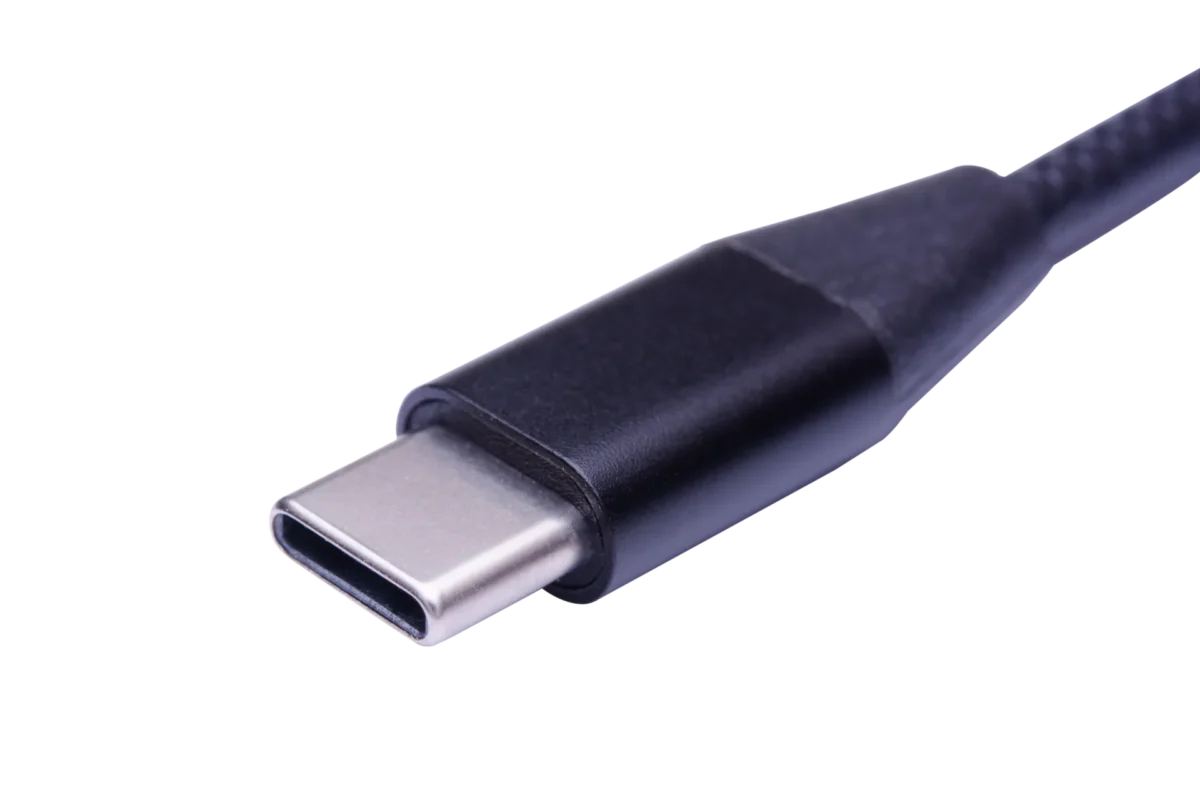
What Is a USB-C Cable? Types, Speed & Charging Explained
What Is a USB-C Cable? Types, Speed & Charging Explained
If you use a smartphone, tablet, or laptop, you have probably come across USB-C cables. They are now widely used for charging and data transfer across modern electronic devices.
USB-C offers a reversible connector, supports different USB data standards, and can deliver up to 240W of power through compatible USB Power Delivery (PD) implementations. However, not all USB-C cables offer the same performance.
Some are designed for basic charging and data synchronization, while others support high-speed data transfer, laptop charging, and display connections.
So, what exactly is a USB-C cable? How does it differ from older USB connectors, and what should you consider when choosing one?
Let's look at its design, charging capabilities, data speeds, compatibility, and construction.
1. How does USB-C differ from other USB types?
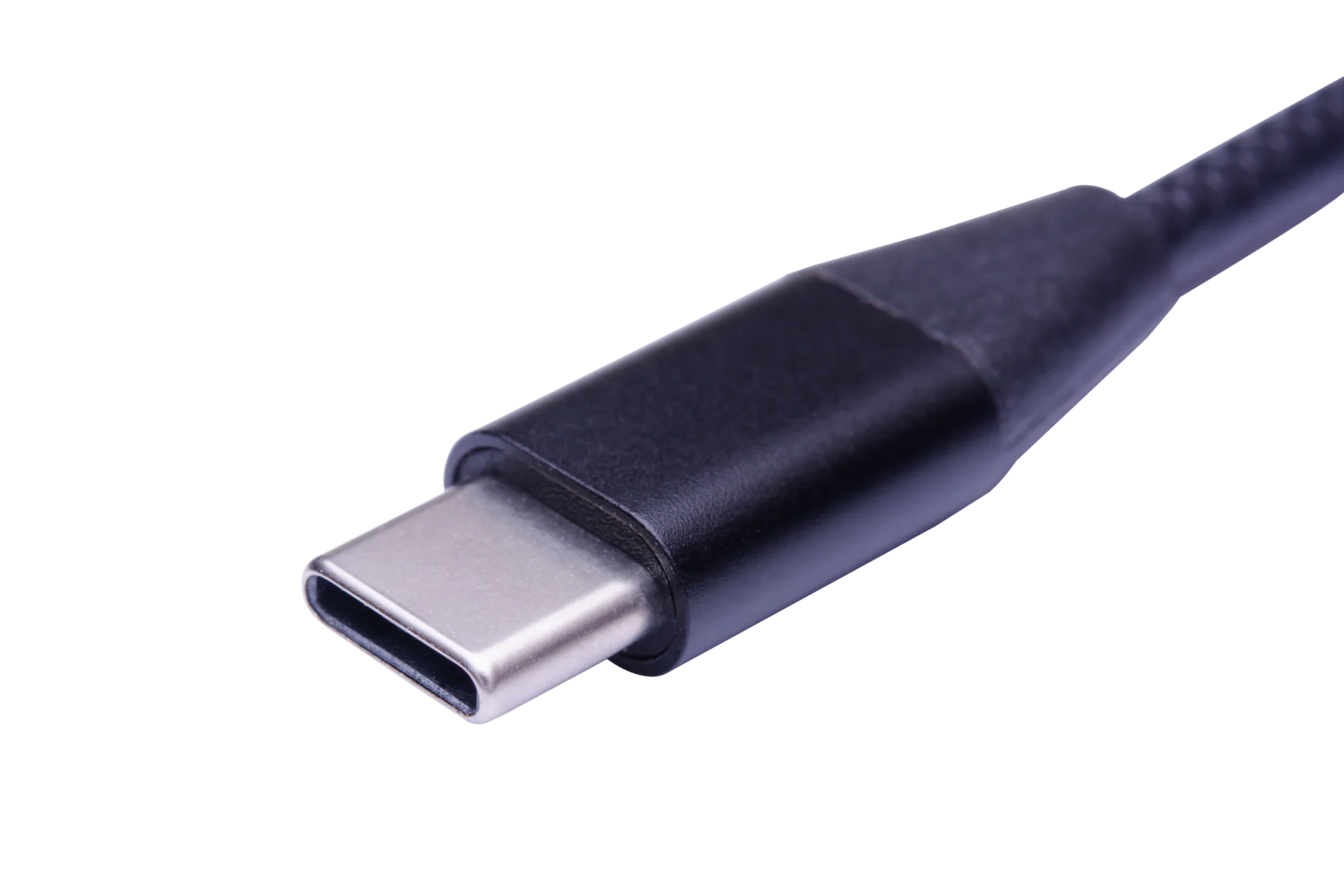
USB-C is a connector standard designed to provide a smaller, reversible connection for modern electronic devices.
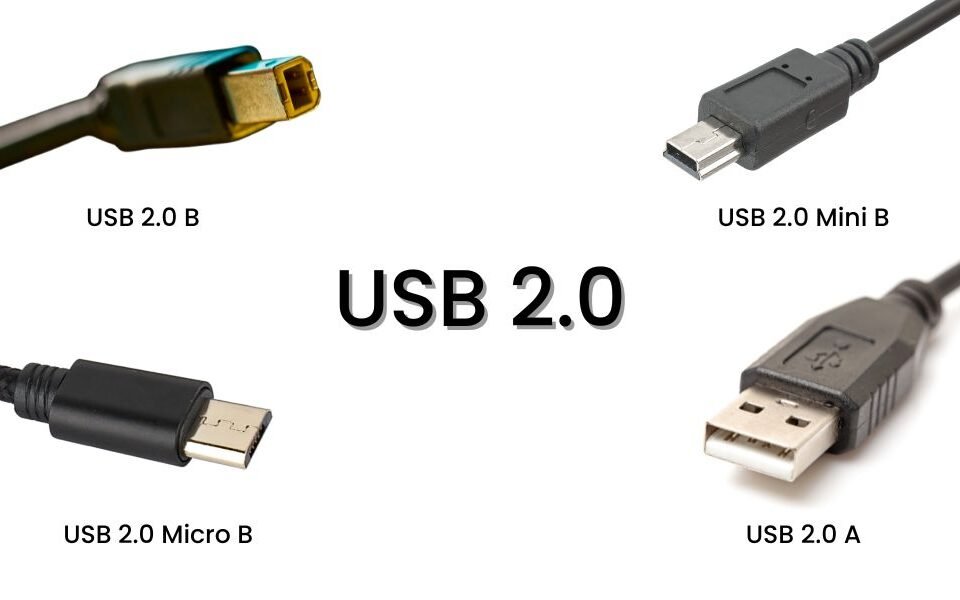
Unlike traditional USB-A, USB-B, and Micro USB connectors, USB-C can be inserted in either orientation. It also supports a range of power and data capabilities through compatible implementations.
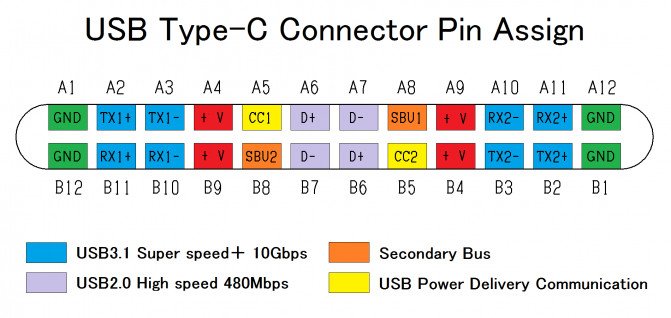
One important distinction: USB-C describes the connector, not the data-transfer standard or charging protocol. A USB-C cable may support USB 2.0, USB 3.2, USB4, or other compatible technologies, depending on its design.
1.1 Size and Shape Comparison
| Tipo USB | Reversible | Diseño de conectores | Common Applications |
|---|---|---|---|
| USB-A | No | Rectangular | Computers, keyboards, chargers |
| USB-B | No | Square-shaped | Printers, scanners |
| Micro USB | No | Small, asymmetrical | Older smartphones, cameras |
| USB-C | Sí | Small, oval-shaped | Smartphones, tablets, laptops |
USB-C's reversible design makes everyday connections easier. Its compact size also allows manufacturers to use the same connector across different product categories.

1.2 Speed and Power
USB-C supports different data-transfer speeds and power levels depending on the cable, connected devices, and supported protocols.
For example, USB-C cables can support USB 2.0 data transfer at 480 Mbps or much higher speeds through USB 3.x and USB4 implementations.
For charging, USB Power Delivery supports power delivery of up to 240W through compatible USB-C cables and equipment.
| Característica | USB-C Capability | Important Consideration |
|---|---|---|
| Data transfer | Up to 80 Gbps with supported USB4 configurations | Requires compatible devices and cables |
| Power delivery | Hasta 240 W | Requires compatible USB PD EPR equipment and cable |
| Reversible connection | Sí | Can be inserted in either orientation |
| Display output | Supported through compatible Alternate Modes | Requires compatible host, cable, and display |
| Rayo | Supported by compatible implementations | Not every USB-C cable supports Thunderbolt |
USB-C can also support DisplayPort and other Alternate Modes, allowing compatible cables to handle video and data connections.
The key point is that the USB-C connector alone does not guarantee maximum charging power, data speed, or display functionality.
2. Can USB-C cables charge all devices?

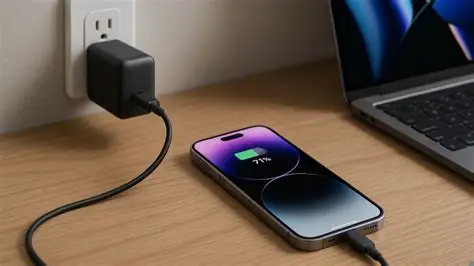
USB-C cables are widely used for charging smartphones, tablets, laptops, headphones, power banks, and other electronic products.
However, not every USB-C cable is suitable for every device. Different cables support different current ratings, power levels, and charging protocols.
2.1 Charging Capabilities of USB-C
The charging capability of a USB-C cable depends on its electrical design and supported specifications.
| Tipo de cable | Typical Power Capability | Common Applications |
|---|---|---|
| USB-A a USB-C | Depends on the charger and cable | Smartphones, accessories |
| USB-C to USB-C (3A) | Hasta 60 W | Smartphones, tablets, selected laptops |
| USB-C to USB-C (5A, SPR) | Hasta 100 W | Compatible laptops and higher-power devices |
| USB-C to USB-C (5A, EPR) | Hasta 240 W | High-power laptops and compatible equipment |
A USB-C cable supporting 5A current requires an appropriate E-Marker to communicate its capabilities to connected equipment.
For charging up to 240W, the cable must also support USB PD Extended Power Range (EPR), together with compatible chargers and devices.
A cable rated for 60W cannot automatically deliver 100W or 240W simply because both ends use USB-C connectors. The power rating, electronic marking, and supported charging specifications all matter.
2.2 Device Compatibility
The right cable should match the power requirements of the connected device.
For example:
- Teléfonos inteligentes: Many smartphones can use USB-C cables rated for 60W or less, depending on their charging requirements.
- Tabletas: A suitable USB-C PD cable can support compatible tablet charging and data transfer.
- Laptops: Some laptops require 60W, 100W, 140W, or higher power, depending on the model.
- Power banks: Cable current and power ratings should match the power bank's input and output capabilities.
- Gaming and professional equipment: Some devices require specific data-transfer speeds or higher power ratings.
A cable's power rating should always be considered alongside the charger and device specifications.
For businesses developing USB-C products, selecting the right cable specifications is particularly important for compatibility, electrical performance, and product reliability.
3. What data transfer speeds does USB-C support?

USB-C cables support different data-transfer speeds depending on their internal construction and the USB standard they implement.
The connector may look identical across different cables, but their actual data performance can vary considerably.
For example, a basic USB-C cable may support only USB 2.0, while a full-featured USB4 cable can support much higher data rates.
3.1 USB-C Data Speed Standards
| Protocolo | Common Marketing Name | Maximum Data Rate |
|---|---|---|
| USB 2.0 | High-Speed USB | 480 Mbps |
| USB 3.2 Gen 1 | USB 5 Gbps | 5 Gbps |
| USB 3.2 Gen 2 | USB 10 Gbps | 10 Gbps |
| USB 3.2 Gen 2x2 | USB 20 Gbps | 20 Gbps |
| USB4 | USB4 20Gbps / 40Gbps | 20–40 Gbps |
| USB4 Versión 2.0 | USB4 80Gbps | Up to 80 Gbps |
| Thunderbolt 4 | Thunderbolt 40Gbps | 40 Gbps |
| Thunderbolt 5 | Thunderbolt 80Gbps | 80 Gbps bidirectional |
USB4 Version 2.0 supports up to 80 Gbps over compatible USB4 connections and cables meeting the corresponding performance requirements. Not every USB-C cable supports this speed.
Thunderbolt 4 supports up to 40 Gbps, while Thunderbolt 5 supports up to 80 Gbps bidirectional bandwidth.
Thunderbolt 5 also features Bandwidth Boost, which can provide up to 120 Gbps in one direction while maintaining up to 40 Gbps in the other direction for supported display-intensive applications.
These are interface capabilities, not guaranteed file-transfer speeds. Actual performance depends on the connected devices, cable specifications, and application.
3.2 Choosing the Right Speed
Not every application requires a high-speed USB-C cable.
For everyday smartphone charging and basic file synchronization, USB 2.0 may be sufficient.
For transferring large files, connecting external SSDs, or using compatible docking stations, a USB 3.x or USB4 cable may be more suitable.
Consider the following:
| Solicitud | Suggested Cable Specification | Por qué |
|---|---|---|
| Basic phone charging | USB-C 2.0 | Sufficient for many everyday applications |
| Smartphone data synchronization | USB-C 2.0 or higher | Depends on device interface |
| External SSD connections | USB 10Gbps or higher | Supports faster data transfer |
| Video production and large media files | USB4 or compatible Thunderbolt | Higher bandwidth |
| Docking stations and professional displays | USB4 or Thunderbolt-compatible | Supports demanding data and display applications |
Always check both the host device and cable specifications. A high-speed cable cannot increase the data-transfer capability of a device that supports only a lower USB standard.
4. Is USB-C compatible with older USB ports?
Yes. USB-C devices can connect to older USB-A, Micro USB, and USB-B equipment using compatible adapters or cables.
This makes it possible to use newer devices with some existing accessories without replacing every connection at once.
However, compatibility depends on the cable or adapter design, supported protocols, and the devices being connected.
4.1 What You Lose
Using adapters or hybrid cables can introduce certain limitations.
- Reduced data speed: The connection operates according to the capabilities of the older interface.
- Limited power delivery: Older USB ports may not support the same charging power as USB-C PD.
- Display output limitations: DisplayPort Alternate Mode and Thunderbolt functionality are not automatically available through every adapter.
- Protocol limitations: Some older devices may not support newer USB-C features.
- Compatibility differences: Not every adapter supports every device combination.
For example, connecting a USB-C device to a USB-A port does not automatically provide USB Power Delivery or USB 3 data speeds.
If you regularly transfer large files or charge higher-power devices, a direct USB-C to USB-C connection is generally preferable when supported by both devices.
5. How to Choose a High-Quality USB-C Cable?
Choosing a USB-C cable involves more than checking its connector type or advertised wattage.
A high-quality cable should match the intended charging and data requirements while providing reliable electrical and mechanical performance.
5.1 What to Look For
| Característica | Por Qué Es Importante |
|---|---|
| USB-IF compliance | Indicates that a product has passed the applicable USB-IF compliance testing requirements |
| CE marking | Addresses applicable European regulatory requirements |
| FCC compliance | Addresses applicable US electromagnetic compatibility requirements |
| RoHS conformity | Addresses restrictions on specified hazardous substances |
| Power rating | Identifies supported charging capacity, such as 60W or 240W |
| Data-rate labeling | Indicates supported data-transfer performance |
| E-cha | Communicates supported cable capabilities and is required for applicable 5A USB-C cable implementations |
| Connector construction | Helps maintain reliable electrical and mechanical connections |
| Outer jacket | Protects internal conductors against everyday wear |
| Manufacturer quality control | Helps maintain consistent product performance |
USB-IF compliance, CE marking, FCC compliance, and RoHS conformity address different requirements. They should not be treated as interchangeable certifications.
An E-Marker is an electronic component used to communicate cable capabilities to connected equipment. It is not an independent safety certification.
5.2 Additional Tips
Before purchasing or developing a USB-C cable, consider the following:
- Match the cable's power rating to the connected device's requirements.
- Check the USB data standard rather than assuming all USB-C cables offer the same speed.
- Choose appropriate conductor sizes and cable construction for the intended current.
- Check connector molding and strain-relief design.
- Consider bending durability, electrical continuity, and voltage-drop testing.
- Choose a manufacturer that can provide relevant product specifications and quality-control information.
For customized USB-C cable projects, cable length, connector type, material, appearance, data rate, and power rating should all be defined before production.
6. Conclusion
USB-C has become an important connection standard for modern electronic devices because it combines a reversible connector with flexible power and data capabilities.
However, not all USB-C cables are the same. Their charging power, data-transfer speeds, display support, and compatibility depend on the specifications implemented in the cable and connected devices.
For everyday charging, a suitable 60W USB-C cable is sufficient for many smartphones and tablets. Higher-power applications may require 100W or 240W cables, while professional data-transfer applications may need USB 3.x, USB4, or Thunderbolt-compatible products.
Choosing the right USB-C cable means matching its specifications to the intended application rather than relying on the connector shape alone.