


How to Select AC DC Power Adapter
How to Select an AC/DC Power Adapter: A Practical Buyer's Guide
Selecting the right AC/DC power adapter is one of the first decisions in product design and sourcing. The adapter must deliver the correct voltage, provide enough current, and fit the device's connector. This guide is intended for overseas buyers, brand owners, product managers, and industrial customers sourcing AC/DC adapters, including projects that require a matched power cable or USB charging cable. It covers the output parameters to confirm and the AC input, safety, and market checks that follow, then explains how the requirement varies across consumer, industrial, and medical applications.

1. Selection Steps
Confirm the following steps in order. The first four define the DC output; the fifth covers AC input, safety, and the destination market. Working through them in sequence reduces the risk of specifying an adapter that cannot support the device.
1.1 Step 1 — Confirm Voltage
Output voltage (V) must match the device's specified DC input requirement. The rated input voltage is usually printed on the device label, on the specs sheet, or on the original adapter that came with the device. Common output voltages include 5V, 9V, 12V, y 24V; other output voltages are used depending on the device architecture and application.
For devices powered through a fixed-voltage DC input, select an adapter whose nominal output voltage matches the device's rated input voltage and whose output tolerance falls within the device's permitted range.
USB-C devices require a different check. USB-C describes the connector, but it does not by itself indicate which charging protocol or power level is supported. If the device uses USB Power Delivery, confirm that the adapter supports a compatible USB PD version and provides a voltage, current, and power profile that the device can request. The connected cable must also support the required current and power level. Without a compatible power negotiation profile, the device may charge slowly, operate at reduced performance, or not operate as intended.
Key points:
- Locate the device's rated input voltage before ordering.
- For a fixed-voltage DC input, select an adapter whose nominal output voltage matches the device's rated input voltage. For USB-C Power Delivery products, confirm compatible PD profiles rather than checking only one printed output voltage.
- An adapter with a higher output voltage than the device expects can stress sensitive components; an adapter with a lower output voltage may prevent the device from reaching full function, so it will often be rejected during device testing.
1.2 Step 2 — Confirm Current
Current (A) is the amount of electrical flow an adapter is designed to deliver. The device draws current up to a level defined by its own load. As a result, the adapter's rated output current should be equal to, or greater than, the maximum current the device can draw.
A higher current rating is generally acceptable when the adapter has the correct output voltage, polarity, connector, regulation characteristics, and — for USB-C products — a compatible power negotiation protocol. The device normally draws only the current it requires. However, an adapter rated below the device's maximum demand may overheat, shut down, produce an unstable output, or prevent the device from operating correctly under full load.
Current is frequently printed in units of milliamps (mA) on small devices, so divide by 1000 to convert to amps when comparing with an adapter label. For example, a device marked with a 2000 mA input requirement corresponds to 2 A. When an adapter provides more than one output port, check the current rating of each port separately rather than only the total; the current available at a single port may be lower than the combined figure.
Practical rule: rated output current of the adapter ≥ maximum current draw of the device.
1.3 Step 3 — Confirm Wattage
Wattage (W) is the total power an adapter can deliver continuously, and it is the product of voltage and current.
W = V × A
For continuous operation, the adapter's rated output power must cover the device's maximum continuous demand. Also check startup, charging, motor, heater, or other short-duration peak loads specified by the device manufacturer. The adapter must be capable of supporting that load for the required duration without excessive voltage drop or protection shutdown.
For multi-port adapters, do not rely only on the total wattage printed on the product. Confirm the maximum output available from the intended port and the power allocation when multiple ports are used at the same time. The design margin should be determined from the device's peak load, the adapter manufacturer's derating information, ambient temperature, and the required service conditions rather than from a universal percentage.
Key points:
- Calculate wattage as voltage multiplied by current.
- Select an adapter whose wattage rating covers the device's peak power need.
- For bundled or multi-function products, account for the combined demand of the connected parts.
1.4 Step 4 — Confirm Connector

The connector physically couples the adapter to the device. It is the last parameter and one that is frequently overlooked. Even when voltage, current, and wattage are correct, an incompatible connector prevents the product from working out of the box. Confirm the following:
- Connector type and dimensions — for a DC barrel connector, record the outer diameter, inner diameter, and required insertion length.
- Polarity — confirm whether the center contact is positive or negative. Reversed polarity can damage equipment that does not include reverse-polarity protection.
- USB connection — for USB-powered products, confirm the adapter's output port, the device-side connector, and the required cable configuration, such as USB-A to USB-C or USB-C to USB-C.
- Protocol support — a USB-C connector alone does not guarantee USB Power Delivery or a particular wattage. Confirm the charging protocol and supported power profiles when these capabilities are required.
- Mechanical fit — confirm straight or right-angle construction, cable length, plug overmold dimensions, port recess depth, and clearance around the device enclosure.
Compare the proposed connector with the device drawing or an approved reference sample. For barrel connectors, dimensional fit and polarity should be verified on the actual device. For USB-based products, test the adapter, cable, and device together to confirm physical fit and the intended charging or operating power. A pre-production sample is recommended before volume ordering.
1.5 Step 5 — Confirm AC Input, Safety, and Market Requirements
The DC output specification is only one side of adapter selection. The adapter must also be suitable for the mains supply, installation environment, and destination market. Confirm:
- Rated AC input voltage and frequency for each destination market.
- Wall-plug type or detachable AC cord configuration.
- Required safety, EMC, energy-efficiency, and market-access approvals.
- Protection functions required by the application, such as overcurrent, overvoltage, short-circuit, and overtemperature protection.
- Operating temperature, humidity, altitude, and indoor or outdoor use.
- Project-specific requirements for insulation, flammability, standby power, labeling, or traceability.
Approval requirements vary by product category and destination country. Confirm the exact standards and certification scope for the selected adapter model rather than assuming that one approval covers each market or end product.
2. Application‑Based Selection
Selection requirements also depend on the environment in which the device operates. The section below explains how the same output parameters are weighted differently across three common applications. If this is the first time you are specifying an adapter for a new product, using a sample unit from the supplier for an initial fit check is a practical way to de-risk the ordering process. A well-matched adapter and cable set reduces returns and improves the end-user experience of the final product.
2.1 Consumer Devices
Consumer applications include smartphones and tablets, routers, LED lighting products, small appliances, and home entertainment equipment. For these products, ease of use, portability, and visual consistency with the device are often as important as the electrical parameters. USB-C has become a widely adopted interface in this category, and many consumer adapters now offer multiple output ports so that several devices can be powered from one unit.
Selection focus:
- Compact housings and detachable cable options for daily portability.
- Multi-port designs for charging several consumer devices together.
- Attention to regional plug styles, since consumer power outlets vary by market.
For consumer applications, voltage, current, and wattage should match the device specification, and the connector should match the interface standard used by the device. A wide range of off-the-shelf USB-based adapters covers most common consumer input specifications. Regional plug type and input voltage range of the wall side also matter for these products, since a consumer adapter is sold into a specific market and should work with that market's mains supply. If the same product is shipped to more than one region, select adapter models with an input rating that covers the relevant mains voltages, or offer region-specific plugs as options.
For battery-powered consumer electronics, the adapter supplies power to the device's internal charging system. Confirm the device's maximum input requirement when charging and operating at the same time rather than estimating the charging and operating loads separately. Including the USB cable in the same order as the adapter lets the buyer verify that the cable's power rating is suitable for the current the device draws, which avoids a bottleneck between the adapter and the device.
2.2 Industrial Equipment
Industrial equipment — such as sensors, gateways, test benches, and automation modules — places a stronger emphasis on reliability, continuous output, and stable connectors under sustained operation. These devices often run for long periods, so the adapter should be selected according to the maximum continuous load, peak-load requirements, ambient temperature, and the manufacturer's derating data. Connectors should also be suitable for vibration and repeated mating when required by the application.
Selection focus:
- Confirm continuous-load capacity, peak-load performance, and temperature derating.
- Choose durable connectors and cabling suitable for fixed installation.
- Match the actual operating environment, including temperature and expected service life.
For industrial programs, the electrical parameters follow the same selection steps, but procurement teams typically request engineering samples and verification in the real operating condition before committing to volume. The cable chosen for an industrial adapter should match the current and length that the installation requires, and the connector should be rated for repeated mating cycles if the unit is regularly disconnected. Indoor and outdoor versions of the same device may need housing protection appropriate to the site, so the adapter choice should be reviewed together with the enclosure used in the field. Recording the ambient temperature at the installation point helps the team decide whether output derating, additional peak-load capability, or a different adapter design is required.
In line-powered industrial settings, mains voltage variation, transient disturbances, and surge-immunity requirements can differ from consumer environments, so confirming the adapter's input range against the actual mains supply at the site is a useful check. A wide-input adapter does not maintain output through a power loss; if the device must ride through short mains interruptions, confirm the adapter's hold-up time or plan for an external battery or UPS. Consistent connector selection across the installed fleet also simplifies spare-part management later.
2.3 Medical Equipment
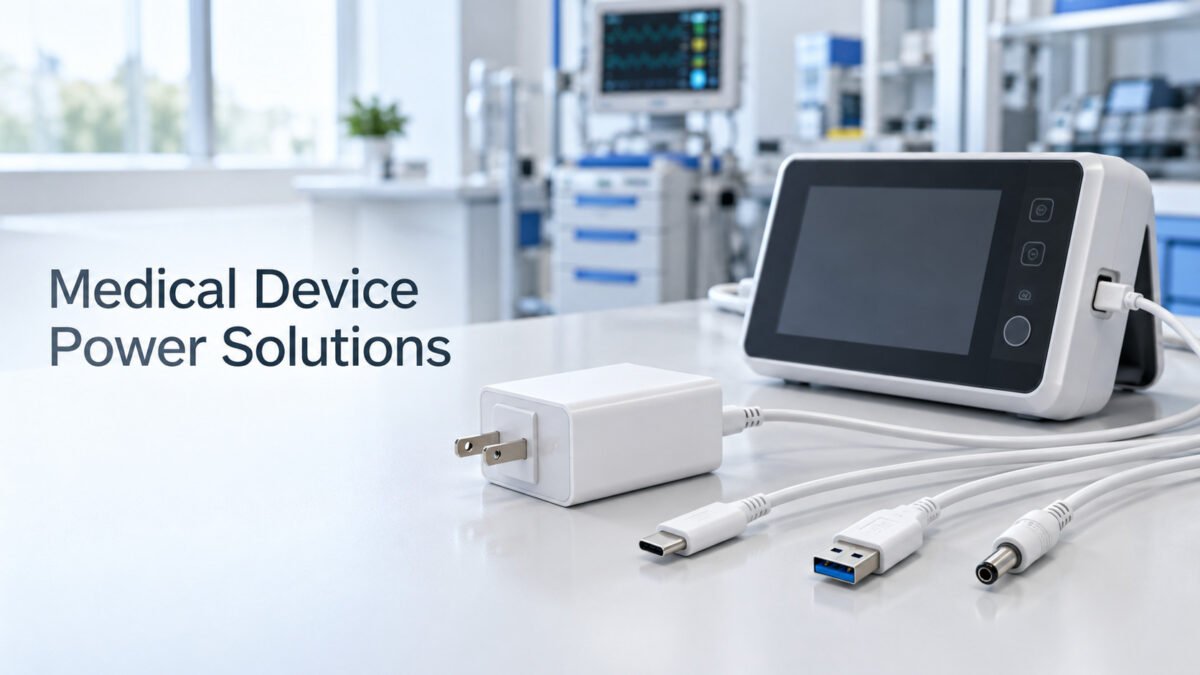
Medical power requirements depend on the equipment's intended use, patient contact, operating environment, and target market. Where applicable, confirm compliance with IEC 60601-1 and the relevant EMC, collateral, particular, and national requirements. Required means of protection, insulation, leakage current limits, and other safety parameters must be defined by the equipment manufacturer's engineering and regulatory teams.
Selection focus:
- Confirm the applicable safety and electromagnetic compatibility requirements with the regulatory team.
- Evaluate isolation and leakage characteristics relevant to the medical application.
- Keep voltage, current, wattage, and connector strictly aligned with the device's approved specification.
An external adapter's certification does not automatically make the complete medical device or system compliant. Confirm that the exact adapter model, cable, connector, ratings, approvals, and revision are included in the equipment's approved configuration. Supplier documentation and product markings should be verified against the applicable certification records before production use.
Summary: confirm output voltage, current, wattage, and connector in that order, then verify AC input, compliance, and operating environment. This step-by-step approach keeps the AC/DC adapter selection aligned with the device and helps avoid rework later in the sourcing process.
Request an Adapter Recommendation or Quotation
Send us the device input voltage, maximum current or power, connector drawing, polarity, destination market, estimated annual quantity, operating environment, and required certifications. For USB-C projects, please also specify the required charging protocol and power profile.