

USB4 vs USB-C: What’s the Real Difference?
USB4 vs USB-C: What's the Real Difference?
Putting "USB4" on one BOM line and "USB-C" on another describes two different things, and neither substitutes for the other. USB-C is a connector shape. USB4 is a protocol that happens to run through it. A USB-C port on a phone charger and a USB-C port on a workstation dock are physically identical, which is exactly the ambiguity procurement and design teams run into.
The distinction matters most when a cable has to be specified rather than bought: the two names point to different test evidence, different documents and different failure modes.
- 1. Key Takeaways
- 2. USB-C vs USB4: Untangling the Names
- 3. What Changed With USB4 Version 2.0
- 4. Where Thunderbolt 5 Fits In
- 5. Power Delivery: 240W and What It Costs
- 6. Passive vs Active: Why Cable Length Isn't Free
- 7. Custom Cable Assembly Sourcing
- 8. Common B2B Applications
- 9. Frequently Asked Questions
- 10. The Bottom Line
1. Key Takeaways
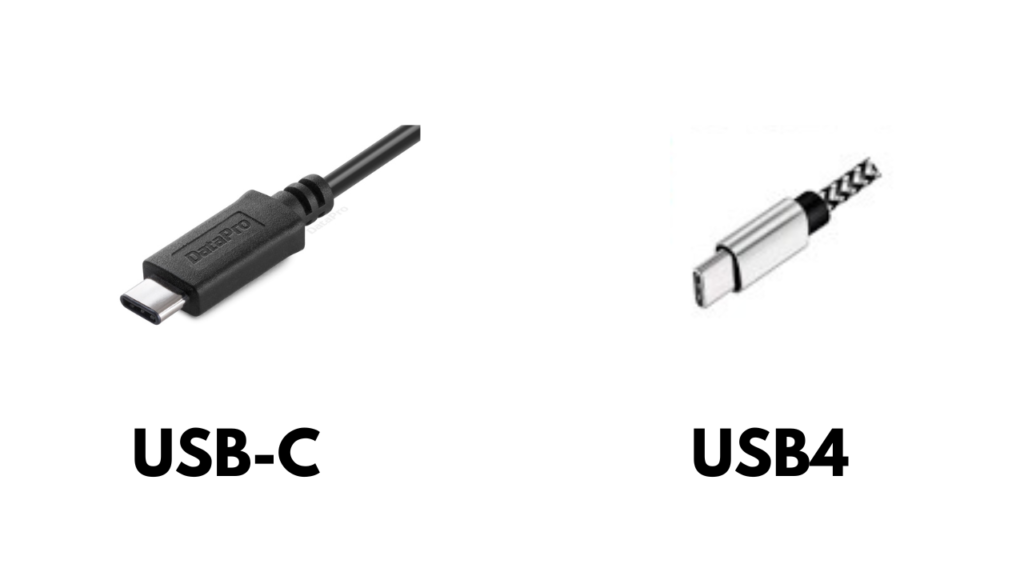
- USB-C is the connector. A reversible 24-pin interface. On its own it says nothing about data rate.
- USB4 is the protocol. It only runs over a USB-C connector, and not every USB-C port implements it.
- Version 2.0 doubled the ceiling, from 40 Gbps to 80 Gbps in both directions, with an optional 120/40 Gbps asymmetric mode for display-heavy links.
- Thunderbolt 5 builds on Version 2.0 and adds Intel's mandatory certification, which guarantees the top rate instead of leaving it optional.
- Length is rate-dependent. A passive copper assembly holds 80 Gbps to roughly 0.8 m; beyond that the design needs active electronics or optics.
- Not every USB-C cable is a USB4 cable. For OEM builds, shielding, impedance control and certification are what separate a passing sample from a reliable product.
2. USB-C vs USB4: Untangling the Names
USB-C is defined by the USB Type-C Cable and Connector Specification, first published in 2014. That document covers the mechanical interface, the 24-pin assignment, cable detection and the way power is negotiated over the CC wire. It does not set a data rate.
USB4 is the protocol layer, first published by the USB Implementers Forum in 2019. It tunnels USB 3.2, DisplayPort and PCI Express traffic over the same connector. A USB-C port can therefore be wired for USB 2.0 underneath and carry nothing faster than 480 Mbps — a common arrangement on budget hardware, and one of the most frequent reasons a cable feels slow.
For a cable builder, the split changes what has to be tested. A connector-level check confirms fit, pinout and current rating. A protocol-level check confirms the assembly can sustain the data rate the product needs. Those are separate test setups, and mixing them up is how a cable ends up certified for the wrong claim.
3. What Changed With USB4 Version 2.0
The original USB4 spec stopped at 40 Gbps, with 20 Gbps as the mandatory baseline. In October 2022 the USB-IF published USB4 Version 2.0, marketed as "USB 80Gbps", which doubled the ceiling.
| Specification | Published | Maximum rate | Signaling | Display | Power |
|---|---|---|---|---|---|
| USB4 Version 1.0 | 2019 | 40 Gbps (20 Gbps mandatory) | NRZ | DisplayPort tunneling | PD 3.0, up to 100W |
| USB4 Version 2.0 ("USB 80Gbps") | 2022 | 80 Gbps symmetric, 120/40 Gbps asymmetric | PAM3 | DisplayPort 2.1 tunneling | PD 3.1 EPR, up to 240W |
| Thunderbolt 5 | Announced 2023, in products from 2024 | 80 Gbps, up to 120 Gbps with Bandwidth Boost | PAM3, on the USB4 v2 base | DisplayPort 2.1 | Up to 240W |
The rate increase comes from a new encoding scheme rather than from pushing the old signaling harder. PAM3 encodes three levels per symbol instead of two, so each transition carries more information at the same clock. Version 2.0 also added the asymmetric mode — 120 Gbps one way, 40 Gbps back — aimed at high-resolution displays that consume bandwidth in one direction only.
One caveat for anyone specifying hardware: under Version 1.0, 80 Gbps does not exist and 40 Gbps is optional, so a product can carry the USB4 name while implementing only the 20 Gbps floor. Under Version 2.0 the host requirement moves to 80 Gbps. Either way, the port shape proves nothing; the certification and the datasheet do.
4. Where Thunderbolt 5 Fits In
Thunderbolt 5 is built on the USB4 Version 2.0 foundation rather than replacing it. The practical difference is compliance: Intel requires every Thunderbolt 5 product to pass certification that guarantees 80 Gbps, and up to 120 Gbps in Bandwidth Boost mode, where a generic USB4 v2 device is permitted but not required to deliver it.
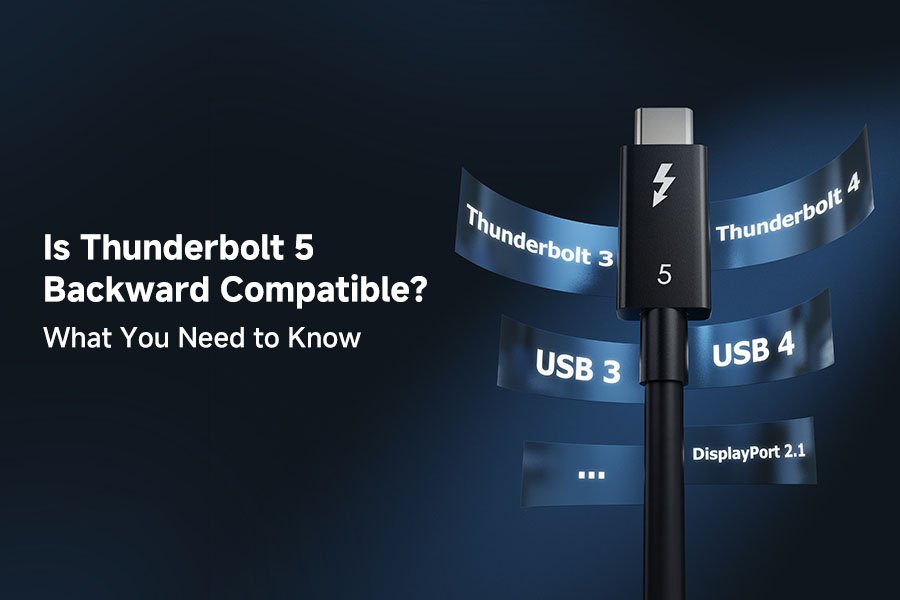
Thunderbolt 5 is backward compatible with Thunderbolt 4, Thunderbolt 3 and standard USB4 hardware. A mixed link always runs at the highest rate both ends support, so the newer device's ceiling rarely decides the outcome.
For OEMs building docks, monitors or storage enclosures this is a design choice rather than a marketing detail. A Thunderbolt-certified port is a guaranteed number on the box; a plain USB4 port leaves the number to the datasheet's fine print.
5. Power Delivery: 240W and What It Costs
Power followed the same trajectory as data. Extended Power Range, introduced with USB PD 3.1 in 2021 and carried into PD 3.2 in 2024, raised the ceiling from 100W (20V/5A) to 240W (48V/5A). That is enough to run a gaming laptop or a small workstation from one cable.
Three details matter for the assembly:
- The cable has to declare its rating. Above 3A, an E-Marker is mandatory, and a 240W cable declares 5A at 50V. Without it, the charger holds the contract at 3A, which caps a 20V link at 60W.
- Current, not wattage, sizes the copper. 48V/5A needs conductors and insulation rated for 5A continuously, plus the thermal margin for a connector that sits at 5A for hours.
- Data rate and power are independent. A 240W assembly can be a USB 2.0 cable with four legacy conductors plus the PD wires, transferring files at 480 Mbps while charging at 240W.
PD 3.2 adds SPR AVS, which lets the charger adjust voltage in 100mV steps in the standard power range. It changes the negotiation, not the cable's current rating.
6. Passive vs Active: Why Cable Length Isn't Free
Signal integrity falls with distance, and it falls faster at 80 Gbps than at 40 or 20. Across USB4 and Thunderbolt implementations the rule of thumb is consistent:
- Passive copper holds full rate to roughly 0.8 m. Beyond that, loss eats into throughput even when the assembly is well built.
- Active copper, with signal-conditioning electronics in the connector housings, reaches a few meters at the rated speed, at higher cost and complexity.
- Active optical cable carries the data as light, reaches 10 m and beyond, and removes the EMI concern at a higher unit price.
This is not optional guidance past the prototype. It is the difference between a cable that passes on a 30 cm test jig and one that drops links once it is routed through a two-meter run inside an enclosure — and the reason "just use a longer cable" is rarely the right answer for a product that needs the higher rate.

7. What This Means for Custom Cable Assembly Sourcing
Five items come up on nearly every USB4 or USB-C assembly project:
1. Shielding and impedance control. At 80 Gbps, 90Ω differential impedance and consistent shield coverage are what separate a cable that passes eye-diagram testing from one that does not. Coverage percentage and overlap decide EMI performance across generations.
2. Passive or active, decided early. If the run has to exceed roughly 0.8 m at full 80 Gbps, that decision belongs in the layout phase, not after a compliance failure. Active and optical options change connector footprint, cost and sometimes host firmware requirements.
3. Certification. A USB-IF Test ID (TID) and compliance testing are the evidence that the assembly performs at its labeled rate — the only evidence a buyer or auditor accepts.
4. Design for manufacturability. Connector orientation, strain relief and the cable-to-connector transition affect field reliability in ways a bench sample never reveals.
5. Standards alignment. For regulated industries, USB4 and USB-C requirements intersect with sector-specific approvals, and the test plan has to cover both.
8. Common B2B Applications
- Robotics and UAVs. High-speed camera and sensor links, where flex life and shielding matter as much as bandwidth.
- Industrial automation. USB-C power delivery and data tunneling replacing separate power and signal cabling on HMIs and control panels.
- Telecom and data center equipment. 80 Gbps links in test benches, provisioning stations and edge gear where Thunderbolt-class bandwidth is enough without a fiber run.
- Medical devices. Power and data on one connector, inside tighter EMI and biocompatibility constraints.
9. Frequently Asked Questions
Is USB4 the same as USB-C?
No. USB-C is the connector shape; USB4 is the protocol that runs over it. A device can have a USB-C port and never implement USB4.
What is USB4 Version 2.0?
Published by the USB-IF in 2022 and marketed as "USB 80Gbps", it doubles the original maximum from 40 Gbps to 80 Gbps symmetric, uses PAM3 signaling, and adds an optional 120/40 Gbps asymmetric mode for display-heavy links.
Do all USB-C cables support 80 Gbps?
No. 80 Gbps needs an assembly rated and certified for it — either a short passive copper cable built to the USB4 v2 or Thunderbolt 5 specification, or an active cable. A generic USB-C cable may carry nothing faster than USB 2.0.
Is Thunderbolt 5 better than USB4?
It is stricter, not a different standard. Thunderbolt 5 sits on USB4 Version 2.0 and adds mandatory certification that guarantees 80 Gbps, and 120 Gbps in Bandwidth Boost, where a plain USB4 v2 device is allowed to deliver less.
How long can a USB4 80 Gbps cable be?
A passive copper assembly holds full rate to about 0.8 m. Longer runs need active copper, for a few meters, or active optical cable, for 10 m and beyond.
How do I get a custom USB4 or USB-C assembly built?
Start from the required data rate, run length, connector orientation and environment — flex cycles, temperature, EMI exposure. Those four inputs decide the conductor, shield and certification plan before any sample is made.
10. The Bottom Line
USB-C is a shape; USB4 is a speed. For a charging cable the confusion costs nothing. For an assembly that has to hold 80 Gbps in the field for years, it decides whether the product passes compliance and whether it survives installation.
The specification that governs the result is written on the assembly drawing: pair count, impedance, shield coverage and current rating, each with test evidence behind it.
For projects where the port is fixed but the assembly is open, those four lines are the whole conversation. Where the data rate is already settled and the question is power, the same drawing carries the 5A and 50V declarations that make 240W possible.