

Soluções de carregamento para dispositivos educacionais
Soluções de carregamento para dispositivos educacionais
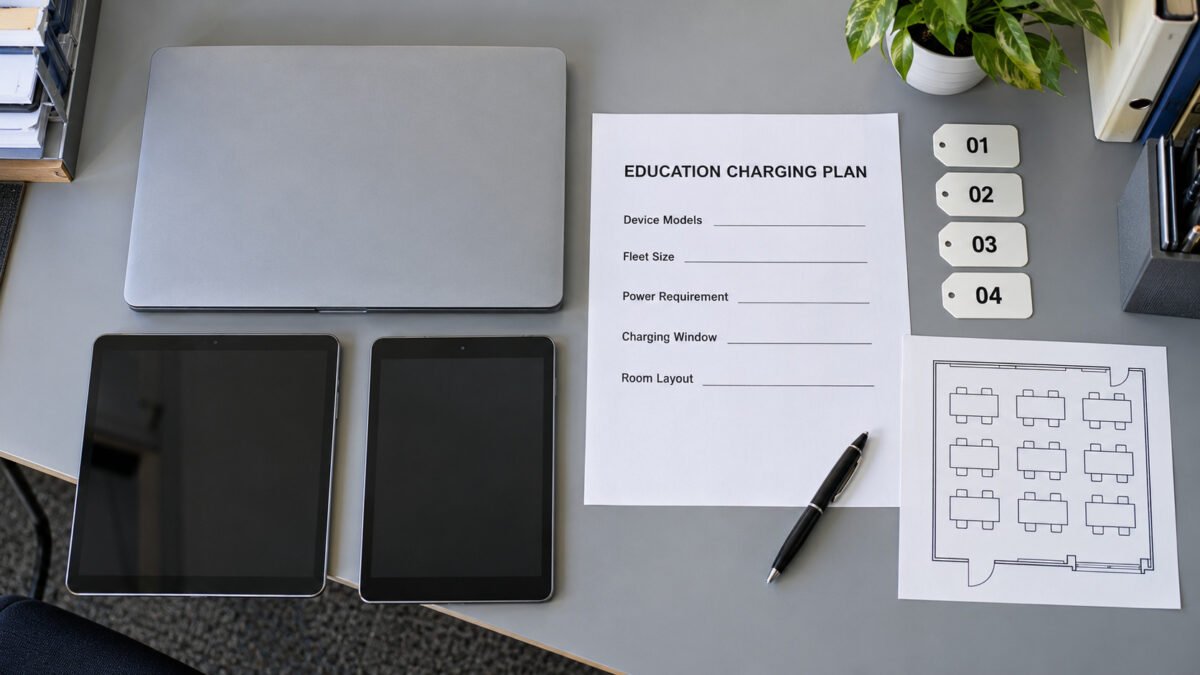
Education environments combine a large number of portable devices with power access that is often limited or unevenly distributed. Classrooms, libraries, computer labs and training rooms need to keep laptops, tablets and classroom equipment charged so that lessons are not interrupted by a dead battery. Education device charging solutions cover laptop charging, tablet charging and the powering of classroom equipment, each matched to how the devices are used and how many need power at the same time. The choice of charging products depends on the size of the device fleet, the layout of the room and whether the units must serve students, staff or both.
1. Charging Solutions by Device Type
Education charging deployments may use individual power adapters, desktop or multi-port USB chargers, centralized USB-C charging stations, or carts and cabinets that distribute AC power to the device manufacturers’ adapters. The suitable architecture depends on the device fleet, room layout, storage requirements and the number of devices charged at the same time. The following sections organize the selection by device type while distinguishing the charging hardware used for each application.
1.1 Laptop Charging
Laptops used in education span a wide range of power requirements, from low-power models to devices that require higher output while operating and charging at the same time. A USB-C laptop charging solution should use USB Power Delivery only when the charger or charging station, laptop and cable support compatible power profiles. Depending on the selected model, chargers may support different USB PD power levels. For USB-C power delivery above 3A, an appropriate 5A electronically marked cable is required. A USB-C connector alone does not confirm USB PD support or a particular wattage, so the port rating, supported power profiles and cable rating should be verified against the laptop models in use.
The charging architecture depends on whether devices are charged individually or as a fleet. A fleet cart or cabinet may use centralized USB-C outputs, distribute AC power to individual device adapters, or sequence charging groups to limit input current, depending on the selected model. For centralized USB-C systems, verify the per-port output, supported USB PD profiles, cable rating and total simultaneous output. For AC-distribution or sequenced systems, verify the outlet count, AC input rating, switching behavior, adapter compatibility and ventilation. Storage capacity alone does not establish charging capacity, so the charging architecture and supported device models should be confirmed separately.
1.2 Tablet Charging
Tablets used in education generally have lower power requirements than laptops and may be charged individually or as a managed fleet. Depending on the selected model, a tablet cart or multi-port charging station can provide organized device storage, cable management and charging connections for multiple tablets. Features such as lockable storage, retained cables and per-slot organization should be specified only where required for the project and supported by the selected product.
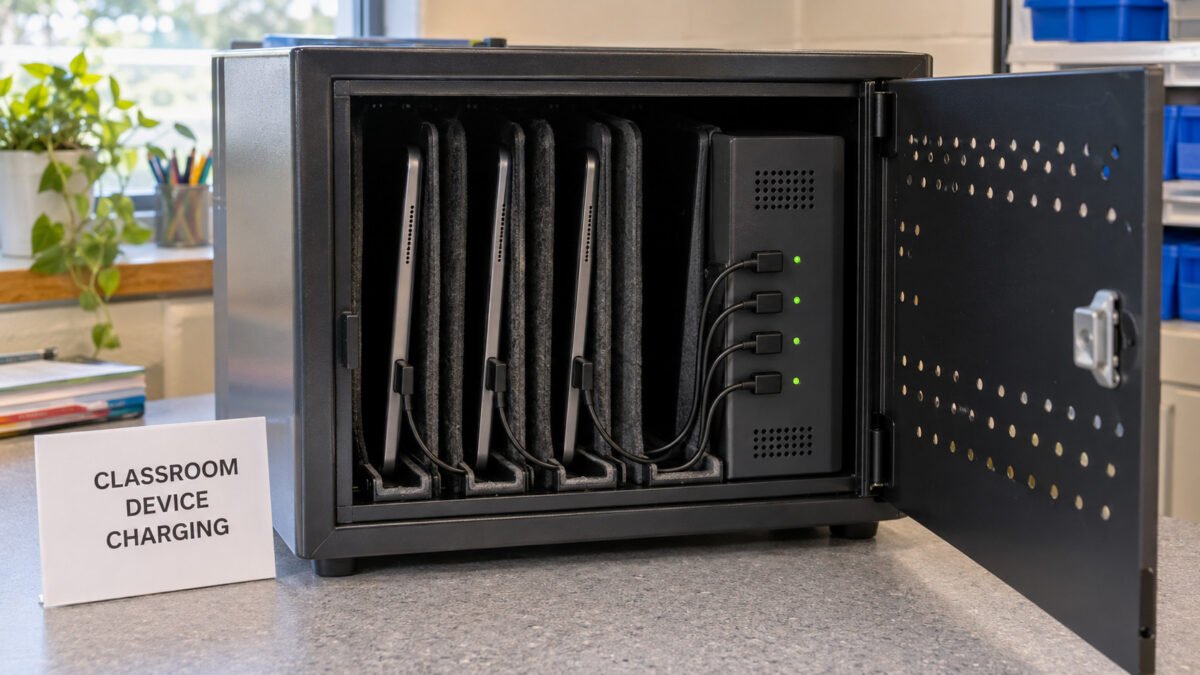
The required charging output depends on the tablet models and whether they remain in use while charging. Many tablets accept USB-C power, but the required wattage and charging protocol vary by model and should not be assumed from the connector alone. For a station that charges all tablets simultaneously, the planned combined load should remain within the unit’s total rated output. If a cart intentionally sequences charging groups, confirm the switching schedule, maximum active load and whether the available charging time is sufficient for the fleet. Where cables remain inside the unit, the device-side connector, cable retention method and replacement procedure should be selected for the expected users.
1.3 Classroom Equipment
Classroom equipment such as interactive displays, document cameras, wireless presenter systems, microphones and small peripherals may need power continuously or during a session. Some equipment accepts power through USB, while other items require a separate power supply with a fixed DC output. The suitable source depends on the device: a USB source with compatible voltage, current capability and any required charging protocol, including negotiated USB power where supported, or a matched power adapter for equipment with a fixed DC input.
Where a fixed power adapter is used, it must be matched to the equipment in voltage, current capability, connector and polarity, because a fixed adapter does not negotiate. The adapter’s rated current should meet or exceed the device requirement, with any additional margin determined by the equipment specification and operating conditions. For equipment installed out of reach or inside furniture, the cable length and mounting should be planned for service access, and the compliance scope for the destination market should be reviewed together with the other charging products.
2. Key Selection Considerations
Beyond the individual product types, three considerations apply across an education charging deployment: handling many devices at once, keeping power stable for the intended uses, and making the system easy for staff to manage. These factors are considered together, because the port count, the power-allocation behavior and the management features all affect how well the fleet charging point performs in daily use.
2.1 Multi-Device Charging
A classroom or lab rarely charges one device at a time, so the connected combination matters more than any single device. The total rated output of a station should be sized for the planned concurrent load, and the maximum rating shown for each port does not necessarily mean that every port can deliver that output simultaneously. The per-port limits, the total available output and the manufacturer’s power-allocation table should be reviewed against the expected combination of laptops, tablets and accessories before deployment.
How output is shared or allocated depends on the product design. Some units use fixed per-port limits, some apply port priority, and others redistribute or sequence power when the connected load changes. On models that redistribute power, connecting or disconnecting a device may trigger power renegotiation or a brief interruption. This transition behavior should be reviewed against the connected equipment, particularly where devices must remain operating while connected. For sequenced charging systems, the active charging groups, switching intervals and total charging window should also be confirmed.
2.2 Stable Power
Stable power matters when devices remain connected for extended periods, such as a laptop left on a cart between classes or a tablet stored for the day. The selected unit should provide suitable simultaneous output for the intended device mix, subject to its documented power-allocation behavior. For continuously powered equipment, the output under load should be confirmed within the unit’s rated conditions, and the environmental temperature range should fit the room or storage location so the unit operates within its rating.
Stability also covers the AC side and the cables. A station that charges many devices at once may draw substantial continuous power, so the AC input rating, branch-circuit capacity, thermal design, ventilation and cable management should be confirmed for the installation. Voltage drop in low-voltage output cables should be considered by reviewing conductor size, cable length and operating current together. AC branch-circuit capacity and fixed wiring should be assessed separately according to applicable electrical requirements. Built-in or hardwired products should be installed in accordance with applicable electrical and building requirements, using qualified personnel where required.
2.3 Easy Management
Education staff manage fleets between lessons, so the charging hardware should be straightforward to operate. Where supported by the selected model, clear port labeling and per-slot status indicators can help staff identify connections and understand the operating status defined in the product documentation. Status indicators should not be assumed to report the device battery level or charging completion unless this function has been verified. A unit that stores cables and devices together reduces handling, and a defined replacement procedure for the cable set keeps the station working over time.
Management also includes how the fleet is selected and supported. When a device fleet is standardized, one charging model can be adopted across rooms, which simplifies procurement, spares and staff training. Documented power-allocation tables, per-port output ratings and compliance documentation support planning and maintenance. For a repeatable deployment, the same model can be specified for each classroom or lab once the device mix and installation are confirmed.
2.4 OEM and ODM Options
Depending on the selected platform, order volume and project requirements, OEM and ODM options may include enclosure color, cable length, connector configuration, port labeling, device-bay arrangement, product labeling and packaging. Available options should be confirmed for the selected model. Any change that may affect electrical, mechanical, thermal or regulatory performance should be reviewed and validated before production, and the applicability of existing compliance documentation should be reconfirmed for the final configuration and destination market.
Education device charging solutions match individual adapters, multi-port chargers, charging stations, carts or cabinets to the device fleet and daily operating requirements. Laptop and tablet deployments should be selected by device power requirements, charging architecture, simultaneous-load behavior, cable configuration, storage capacity and available charging time. Classroom equipment may require a compatible USB power source, including negotiated USB power where supported, or a correctly matched fixed-output adapter. Port count, per-port output, total rated output, power-allocation behavior, installation method and regional compliance should be confirmed for the selected model. For an education charging project, provide the device models, required power, fleet size, charging window, cart or furniture arrangement and destination market for a solution review.
Need a Charging Solution for Your Education Deployment?
Whether you need individual adapters, multi-port chargers, centralized USB-C charging stations, or carts and cabinets for a device fleet, our team can help you specify the right solution for your classrooms, labs and training rooms. From laptop and tablet fleets to classroom equipment, we support education projects with competitive pricing and flexible MOQ.