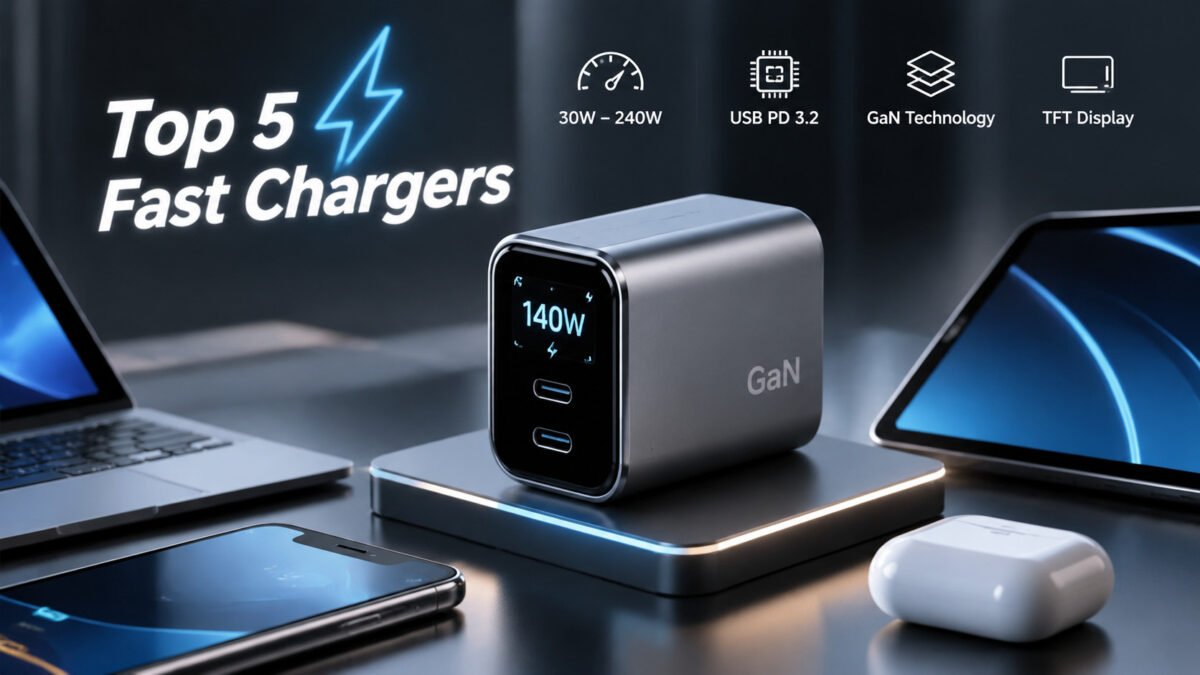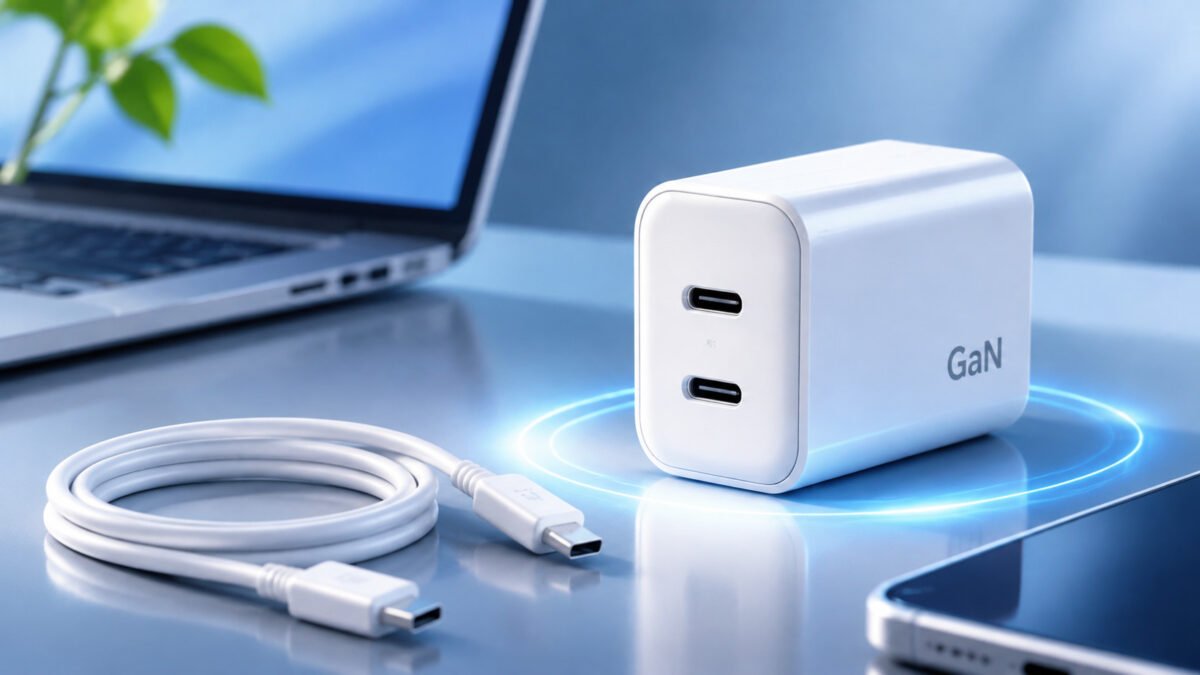


È possibile caricare un iPhone con un caricabatterie per iPad?
È possibile caricare un iPhone con un caricabatterie per iPad?
If you own both an iPhone and an iPad, you may wonder whether you can use the same charger for both devices. iPad power adapters often have higher output power than older iPhone chargers, making them a convenient option for charging multiple Apple devices.
The good news is that you can use a compatible iPad charger to charge an iPhone. A higher-wattage power adapter does not automatically force its maximum power into the phone. Instead, the iPhone controls how much power it accepts according to its charging requirements.
However, charging speed depends on the iPhone model, adapter output, charging protocol, and cable compatibility.
In this guide, we explain how charging an iPhone with an iPad charger works, its benefits, compatible charger types, potential battery concerns, and how to choose a suitable charging solution.
1. How Does Charging an iPhone with an iPad Charger Work?
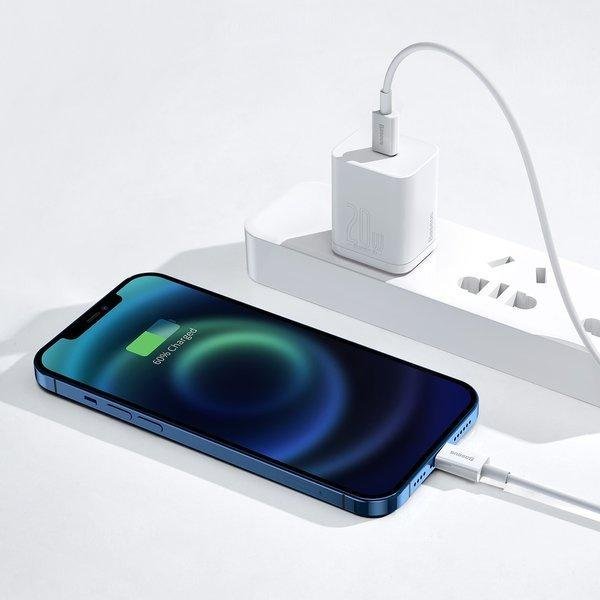
Charging an iPhone with an iPad charger works through the power management system built into the device.
When a compatible charger is connected, the iPhone and charger establish an appropriate charging configuration. The phone regulates the power it receives rather than automatically drawing the charger's maximum rated output.
For USB-C Power Delivery chargers, this process uses USB PD communication to establish compatible voltage and current levels.
For example, a 30W USB-C iPad charger can be used with an iPhone that supports a lower charging power. The phone will only accept power according to its supported charging configuration.
1.1 Understanding Charger Wattage
Charger wattage represents its maximum rated power output. It is calculated by multiplying voltage by current:
Power (W) = Voltage (V) × Current (A)
Per esempio:
- 5V × 2A = 10W.
- 9V × 2.22A ≈ 20W.
- 15V × 2A = 30W.
- 20V × 3A = 60W.
A higher-wattage charger provides greater power capacity, but the connected device determines how much power it actually uses.
This is why a 30W or 60W iPad charger can charge a compatible iPhone without necessarily delivering its full rated output.
1.2 What Cable Do You Need?
The charging cable must match the connectors on both the iPhone and the power adapter.
- For iPhone 15 and later models, a USB-C to USB-C cable can be used with a compatible USB-C charger.
- For earlier iPhone models with a Lightning connector, use a USB-C to Lightning cable when connecting to a USB-C power adapter.
- Older iPad adapters with USB-A ports can also charge compatible iPhones using the appropriate USB-A charging cable.
Using the correct cable is important for maintaining charging compatibility and achieving the intended charging performance.
2. What Are the Benefits of Using an iPad Charger for Charging an iPhone?

Using an iPad charger for an iPhone offers several practical advantages, particularly if you already own both devices.
2.1 Faster Charging with Compatible Adapters
Some iPad chargers provide higher output power than older iPhone adapters.
When paired with an iPhone that supports fast charging, a compatible USB-C Power Delivery adapter can provide faster charging than a traditional low-power charger.
For example, Apple specifies different fast-charging requirements across iPhone generations:
- iPhone 17, iPhone 17 Pro, and iPhone 17 Pro Max support fast charging with a 40W or higher adapter.
- iPhone 17e and iPhone Air support fast charging with a 20W or higher adapter.
- Earlier compatible iPhone models generally support fast charging with an 18W or higher USB-C PD adapter.
The actual charging speed depends on the specific iPhone model, battery level, temperature, and charging conditions.
2.2 Greater Convenience
Using one compatible charger for multiple devices reduces the need to carry separate power adapters.
If you use an iPhone and an iPad regularly, an iPad USB-C charger can serve as a shared charging accessory for both devices.
This is particularly convenient when traveling, working remotely, or charging devices in different locations.
2.3 More Flexible Charging Options
Higher-wattage USB-C adapters can support different power requirements across several device categories.
For example, a compatible USB-C PD adapter may charge:
- iPhones.
- iPads.
- AirPods.
- Other USB-C accessories.
- Compatible MacBook models.
This makes USB-C charging solutions more versatile for users with multiple electronic devices.
3. Which iPad Chargers Are Compatible with iPhone Charging?
Most genuine Apple iPad power adapters can also be used to charge compatible iPhone models.
Compatible third-party USB-C adapters can also work when they meet the appropriate electrical and USB charging requirements.
Here is an overview of common charger power categories.
| Tipo di caricatore | Potenza | iPhone Compatibility | Main Application |
|---|---|---|---|
| Apple 18W USB-C Adapter | 18W | Compatible iPhone models | Fast charging for supported models |
| Apple 20W USB-C Adapter | 20W | Sì | Fast charging for many iPhone models |
| Apple 30W USB-C Adapter | 30W | Sì | iPhone and iPad charging |
| Apple 35W Dual USB-C Adapter | 35W total | Sì | Charging multiple compatible devices |
| Higher-Power USB-C Adapter | 60W and above | Sì | Multiple Apple device categories |
These ratings describe charger output capability, not the amount of power every iPhone will draw.
Some newer iPhone models require higher-power adapters to achieve their fastest supported charging speeds.
3.1 Apple USB-C Chargers
Apple offers different USB-C power adapters for its iPad and Mac product lines.
Many of these adapters can also charge iPhones.
For example, Apple's 20W USB-C power adapter is a common option for compatible iPhone models, while higher-power Mac and iPad adapters provide additional capacity for devices that support higher charging power.
3.2 Third-Party USB-C Chargers
Third-party USB-C chargers can also be used with iPhones.
When selecting one, consider:
- Compatibilità con USB Power Delivery.
- Rated output voltage and current.
- Applicable electrical safety certifications.
- Output stability.
- Build quality and protection features.
Choosing a properly designed charger is important for reliable everyday charging.
4. Why Are GaN Chargers a Practical Choice for Charging iPhones and iPads?
Gallium Nitride (GaN) technology has become increasingly popular in modern charging products.
Compared with traditional silicon-based power components, GaN components can support higher switching frequencies and help manufacturers develop compact power adapters with higher power density.
This makes GaN chargers a practical option for users who need to charge several electronic devices.
4.1 Compact and Lightweight Design
One of the main advantages of GaN technology is its potential to reduce charger size.
Manufacturers can develop relatively compact adapters while maintaining higher output power capabilities.
This is particularly useful for travel chargers and multi-device charging products.
4.2 Support for Different Power Ratings
GaN charger designs are available across a wide range of output powers.
Depending on the product architecture, they can support applications such as:
- 20W and 30W smartphone charging.
- 45W and 65W tablet and laptop charging.
- 100W laptop charging.
- 140W high-power USB-C charging.
Higher output power does not mean that every connected device will charge at that level. The device and charging protocol determine the actual power delivered.
4.3 Multi-Port Charging Capabilities
Many GaN chargers feature multiple USB-C and USB-A ports.
This allows users to charge an iPhone, iPad, and other accessories using a single power adapter.
The charger distributes available power according to its port configuration and power management design.
When several devices are connected simultaneously, the output available to each port may change.
4.4 Energy Efficiency and Thermal Management
GaN technology can help improve power density and conversion efficiency in suitable circuit designs.
However, overall charger temperature and efficiency also depend on circuit topology, component selection, housing design, and thermal management.
A well-designed GaN charger combines appropriate power conversion with protection and temperature control.
5. Can Charging an iPhone with an iPad Charger Damage the Battery?
No. Using a compatible, properly designed iPad charger does not automatically damage an iPhone battery.
The iPhone has an internal battery management system that regulates charging according to battery condition, temperature, and power requirements.
A higher-wattage adapter does not simply push its maximum rated power into the phone.
5.1 How iPhone Battery Protection Works
Modern iPhones use charging management systems to control the charging process.
These systems monitor factors such as:
- Battery temperature.
- Charging voltage.
- Charging current.
- Battery charge level.
- Charging conditions.
When the battery approaches a high state of charge, the device can reduce charging power to manage heat and battery stress.
5.2 Does a Higher-Wattage Charger Reduce Battery Lifespan?
A higher-wattage charger's maximum output rating alone does not determine battery lifespan.
Battery aging is influenced by several factors, including:
- Operating temperature.
- Charging and discharging cycles.
- Time spent at high charge levels.
- Battery chemistry.
- Overall usage patterns.
Using a compatible higher-wattage USB-C charger is generally safe. Maintaining suitable charging temperatures and using reliable accessories are more important considerations.
5.3 What About Low-Quality Chargers?
Poorly designed or non-compliant chargers may create electrical and thermal risks.
Potential problems include unstable output, inadequate insulation, insufficient protection, and overheating.
For this reason, users should select chargers that meet applicable electrical safety requirements rather than choosing products based only on their advertised wattage.
6. How Does Wireless Charging Compare to Using an iPad Charger for an iPhone?

Wireless charging provides convenience by eliminating the need to connect a charging cable directly to the phone.
However, wired charging with a compatible USB-C Power Delivery adapter generally offers greater charging flexibility and can provide higher power than many wireless charging arrangements.
6.1 Wired Charging
Using an iPad USB-C charger with a compatible cable provides a direct power connection.
Advantages include:
- Flexible charger power ratings.
- Support for USB Power Delivery.
- Convenient charging across different device categories.
- Generally higher charging efficiency than wireless charging.
Wired charging is particularly useful when you need to recharge a phone quickly or use one adapter for multiple devices.
6.2 Wireless Charging
Wireless charging uses electromagnetic induction to transfer power from a charging pad or stand to a compatible device.
Common wireless charging technologies include Qi and Qi2, while Apple's MagSafe system provides a magnetic alignment experience for compatible iPhones.
Advantages include:
- No need to plug a cable into the phone.
- Convenient desk and bedside charging.
- Easy placement and removal.
- Support for compatible charging accessories.
Actual wireless charging performance depends on the iPhone model, charger specification, power adapter, and operating conditions.
6.3 Wired vs. Wireless Charging Comparison
| Funzione | Wired iPad Charger | Wireless Charger |
|---|---|---|
| Connessione | Charging cable | Wireless charging pad or stand |
| Ricarica Di Velocità | Depends on adapter and device | Depends on wireless standard and device |
| Charging Efficiency | Generally higher | Generally lower due to energy losses |
| Convenienza | Requires a cable | No direct cable connection to phone |
| Power Options | Wide range of USB-C power ratings | Depends on Qi, Qi2, or MagSafe support |
| Multi-Device Charging | Possible with multi-port adapters | Depends on charging station design |
For users who prioritize charging speed and flexibility, wired USB-C charging is generally the more practical option.
Wireless charging is useful when convenience and cable-free operation are more important.
7. When Should You Consider Using a Multi-Port Charger for Your Apple Devices?
If you regularly charge an iPhone, iPad, AirPods, and other electronic devices, a multi-port charger can simplify your charging setup.
Instead of carrying several individual adapters, you can use one multi-port charging solution.
7.1 Charging Multiple Devices Simultaneously
Multi-port chargers can supply power to several compatible devices at the same time.
For example, a charger with two USB-C ports and one USB-A port may support combinations such as:
- iPhone and iPad.
- iPhone and AirPods.
- iPad and other USB accessories.
- Multiple smartphones and tablets.
The actual power available to each connected device depends on the charger's total output and port allocation design.
7.2 Reducing Charger Clutter
A multi-port charger helps reduce the number of individual adapters needed at home, in the office, or while traveling.
This is particularly useful for families and professionals who use several USB-powered devices.
7.3 What Should You Consider When Choosing a Multi-Port Charger?
Before selecting a multi-port charger, consider:
- Total rated output power.
- Individual port output capabilities.
- USB-C PD and other supported charging protocols.
- Simultaneous charging performance.
- Power distribution between ports.
- Thermal management and electrical protection.
These factors help ensure that the charger matches the requirements of your connected devices.
8. What Are the Differences Between Third-Party Chargers and Standard Apple Chargers?
Apple power adapters are designed to work with compatible Apple devices and provide charging configurations that meet their supported requirements.
Third-party chargers offer another option for users who want different power ratings, port configurations, sizes, or product designs.
Neither category is automatically better in every situation. The right choice depends on the device, charging requirements, product specifications, and quality of the adapter.
8.1 Port Configuration and Power Options
Apple offers power adapters with different output ratings and port configurations.
Third-party manufacturers may offer additional combinations, including:
- Single-port USB-C chargers.
- Dual USB-C adapters.
- USB-C and USB-A combination chargers.
- Multi-port desktop chargers.
- Compact GaN travel chargers.
These configurations provide different options for users who need to charge multiple devices.
8.2 Product Design and Customization
Apple's retail adapters are standardized products designed for its consumer market.
Third-party charger manufacturers can develop products for different applications and customer requirements.
Depending on the manufacturer's engineering capabilities, OEM and ODM projects may involve:
- Customized output power.
- Different port configurations.
- Housing dimensions and appearance.
- Branding and product labeling.
- Packaging requirements.
- Supported charging protocols.
For brands and wholesalers, these options can be important when developing charging products for specific markets.
8.3 What Should Buyers Evaluate?
When comparing Apple and third-party charging products, buyers should look beyond the brand name and advertised wattage.
Important evaluation criteria include:
- Supported charging standards.
- Output voltage and current.
- Electrical safety performance.
- Thermal management.
- Product certifications for the destination market.
- Manufacturing and quality-control capabilities.
A third-party charger should only be selected when its specifications and safety compliance are appropriate for the intended application.
9. How Can You Maximize Charging Efficiency When Using an iPad Charger for Your iPhone?
Using a compatible iPad charger is only one part of an efficient charging setup.
The charging cable, device condition, and operating environment also influence performance.
9.1 Use a Compatible Charging Cable
Choose a cable that matches your iPhone's charging port and the charger's output interface.
For USB-C iPhones, use a suitable USB-C cable.
For Lightning iPhones connected to USB-C adapters, use a compatible USB-C to Lightning cable.
A suitable cable helps maintain charging compatibility and supports the intended power configuration.
9.2 Choose the Appropriate Charger Power
A charger with sufficient output power can support the iPhone's fast-charging requirements.
However, selecting a much higher-wattage charger does not necessarily provide a proportional increase in charging speed.
Always consider the charging requirements of the specific iPhone model.
9.3 Avoid Excessive Heat
Temperature can influence charging performance and battery health.
To help maintain suitable charging conditions:
- Avoid charging in direct sunlight.
- Keep the phone away from heat sources.
- Avoid covering the charger during operation.
- Remove cases if they contribute to excessive heat during charging.
- Avoid demanding activities that generate substantial heat while charging.
9.4 Keep Charging Ports and Connections Clean
Dust and debris inside charging ports can affect physical connections.
Keep connectors clean and inspect cables regularly for visible damage.
Damaged cables and loose connections should be replaced.
9.5 Use Reliable Charging Accessories
Select chargers and cables from reputable manufacturers that meet applicable electrical and safety requirements.
For third-party products, check the supported charging protocols, output specifications, and relevant market certifications.
10. Frequently Asked Questions
Q1: Can I use any iPad charger to charge my iPhone?
Many genuine Apple iPad power adapters can charge compatible iPhones. Third-party adapters can also work when they meet the appropriate USB and electrical safety requirements. For fast charging, check the iPhone model's supported charging specifications.
Q2: Will using an iPad charger void my iPhone warranty?
Using a compatible Apple or third-party power adapter does not automatically void an iPhone warranty. However, damage caused by defective or non-compliant accessories may not be covered by the applicable warranty terms.
Q3: How fast can an iPad charger charge an iPhone?
Charging speed depends on the iPhone model, adapter output, cable, battery level, and temperature.
For example, Apple states that iPhone 17, iPhone 17 Pro, and iPhone 17 Pro Max can reach up to 50% charge in around 20 minutes with a 40W or higher adapter. Other models have different requirements and charging times.
Q4: Are GaN chargers better for my iPhone than traditional chargers?
GaN chargers can provide compact designs and higher power density. They are useful when you need one charger for several devices. However, they do not automatically charge an iPhone faster than every traditional charger. Actual performance depends on compatibility and output specifications.
Q5: Can I leave my iPhone charging overnight with an iPad charger?
Yes. A compatible, properly designed charger can be used for overnight charging. Modern iPhones include battery management features such as Optimized Battery Charging to help manage battery aging.
Q6: Can a 30W iPad charger charge an iPhone faster than a 20W charger?
Not necessarily. If the iPhone's supported charging power is already reached with a 20W adapter, a 30W adapter may not provide a significant speed improvement. The result depends on the specific iPhone model and charging conditions.
Q7: Can I charge an iPhone and iPad at the same time with one charger?
Yes, if you use a suitable multi-port charger. The charger must provide enough total output power for both devices, and its port power allocation determines how much power each device receives.
11. Conclusion
Charging an iPhone with an iPad charger is a practical and generally safe option when the adapter and cable are compatible with the device.
A higher-wattage USB-C charger provides additional power capacity, but the iPhone controls how much power it accepts. Actual charging speed depends on the device model, supported charging protocols, cable specifications, battery condition, and temperature.
For users with multiple Apple devices, a suitable USB-C PD or multi-port GaN charger can simplify everyday charging while supporting different power requirements.
For brands, wholesalers, and product developers, understanding charger compatibility, power ratings, and charging protocols is equally important when selecting or developing charging products.