

What Is Thunderbolt? Versions, Speeds, and Uses
What Is Thunderbolt? Versions, Speeds, and Uses
Thunderbolt has been part of high-speed connectivity for more than a decade, yet the name still causes confusion. It appears on laptops, docks, and external drives, and the ports look identical to plain USB-C. What separates the two is how many signals the interface can carry at once, and how much of that capacity a host is required to deliver.
Thunderbolt is a high-speed hardware interface for connecting external peripherals to a computer. It was developed by Intel, with Apple collaborating on its early implementation, and it has run through five generations since 2011, each one raising speed or adding a capability the previous version left optional.

1. Introduction to Thunderbolt
The work began in the late 2000s under Intel's Light Peak project. The original goal was an optical interconnect that could carry data over long distances without the limits of copper, but the optical components of the time were too costly and too fragile for a consumer product, so the first shipping version moved to copper wire.
Thunderbolt 1 arrived in 2011 with a transfer rate of 10 Gbps, delivered over a Mini DisplayPort connector. That figure was a large step up from USB 2.0 at 480 Mbps, and it explains why the interface was adopted first by video editors and audio engineers working with large files rather than by general office users.
Each generation since has kept the same underlying promise: one port that carries more than one kind of signal at the same time.
2. How Thunderbolt Works
Thunderbolt combines two protocols on a single link: PCI Express for data and DisplayPort for video. The interface does not convert one into the other. It carries both as separate tunnels, so a device at the far end sees what looks like a native PCIe or DisplayPort connection.
One cable therefore does three jobs. It moves data between the host and the peripheral, sends video to a display, and delivers DC power. A single connection to a dock can charge a laptop, drive two monitors, and read from an external SSD without a second wire.
The interface also supports daisy-chaining. Devices fitted with two Thunderbolt ports pass the signal along, and a chain can hold up to six peripherals on one host port. The chain carries Thunderbolt and DisplayPort traffic; a USB printer or keyboard reaches the host through a dock rather than sitting at the end of the chain itself.
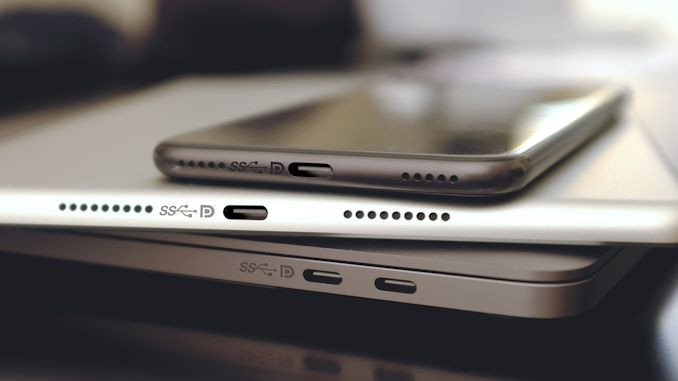
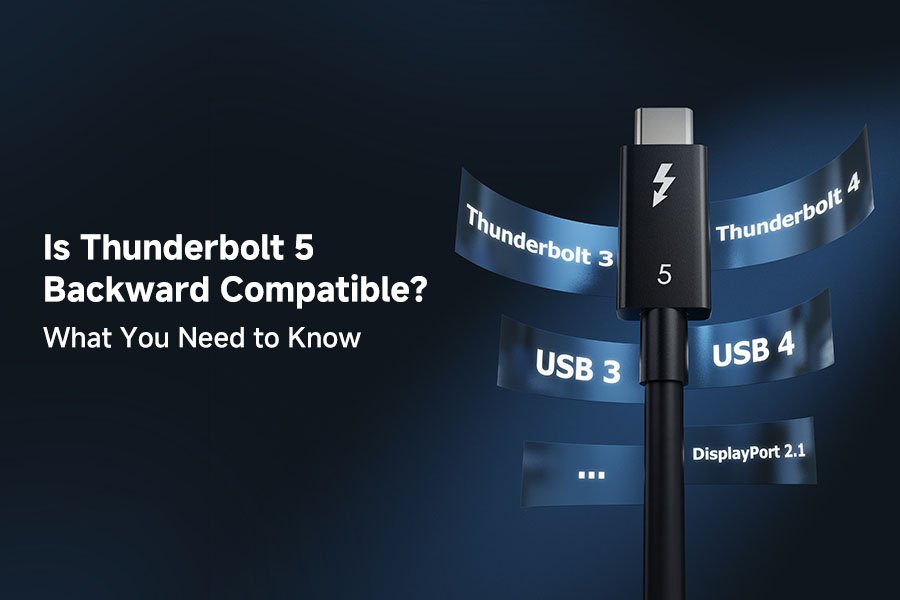
Backward compatibility is part of the design. A Thunderbolt 3 device works on a Thunderbolt 4 or Thunderbolt 5 port at the older standard's speed. Thunderbolt 3, 4, and 5 all use the USB-C connector, but the connector shape does not say which protocol sits behind it: a USB-C port without a lightning bolt marking may be USB 3.2, USB4, or charging only. For a side-by-side comparison of the two labels, see Thunderbolt vs USB-C.
The cable matters as much as the port. Passive Thunderbolt 3 cables hold 40 Gbps only up to about 0.8 m; longer passive cables top out at 20 Gbps, and runs beyond that need an active or optical cable. A USB-C cable built for charging may carry no PCIe traffic at all.
3. Thunderbolt Generations
Each generation has changed the connector, the speed, or the minimum features a device has to provide.
| Generation | Speed | Notable changes |
|---|---|---|
| Thunderbolt 1 | 10 Gbps | First generation, Mini DisplayPort connector |
| Thunderbolt 2 | 20 Gbps | Doubled bandwidth, still Mini DisplayPort |
| Thunderbolt 3 | 40 Gbps | USB-C connector, power delivery up to 100 W |
| Thunderbolt 4 | 40 Gbps | Same peak speed, stricter minimum requirements and dock support |
| Thunderbolt 5 | 80 Gbps | Bandwidth Boost to 120 Gbps for video, power delivery up to 240 W |
The move to USB-C in Thunderbolt 3 was the change most people noticed. It replaced the Mini DisplayPort plug, added USB Power Delivery up to 100W, and let one port run a display, a drive, and a charger together.
Thunderbolt 4 kept the 40 Gbps ceiling but raised the floor. A certified Thunderbolt 4 host has to support two 4K displays or one 8K display, provide at least 32 Gbps of PCIe bandwidth, wake from sleep over the connection, and offer charging on at least one port. Two ports that both say Thunderbolt 4 should therefore behave the same way, while two ports that both say USB-C may not.
Thunderbolt 5, announced in 2023, doubles the bidirectional rate to 80 Gbps and adds Bandwidth Boost, which shifts the link to 120 Gbps in one direction while keeping 40 Gbps in the other for display-heavy work. It also raises power delivery to 240W and moves PCIe tunneling to Gen4 x4. The 120 Gbps figure used in marketing refers to that boosted mode, not to the default rate in both directions.
4. What This Means for Cables
Thunderbolt places heavier demands on a cable than USB-C charging does. Bandwidth at 40 or 80 Gbps depends on shielding and pair geometry, 240W depends on conductor gauge, and both depend on an E-Marker that the host reads before it negotiates.
Cable assemblies for Thunderbolt and USB4 are specified around the data rate and current a host will actually negotiate, with passive lengths kept inside the standard and active designs used where the run is longer.