
Cable Material and Durability Specification Guide
2026-09-09
USB-C Power Adapter Solutions
2026-09-09
High Power USB-C Cable Solutions up to 240W
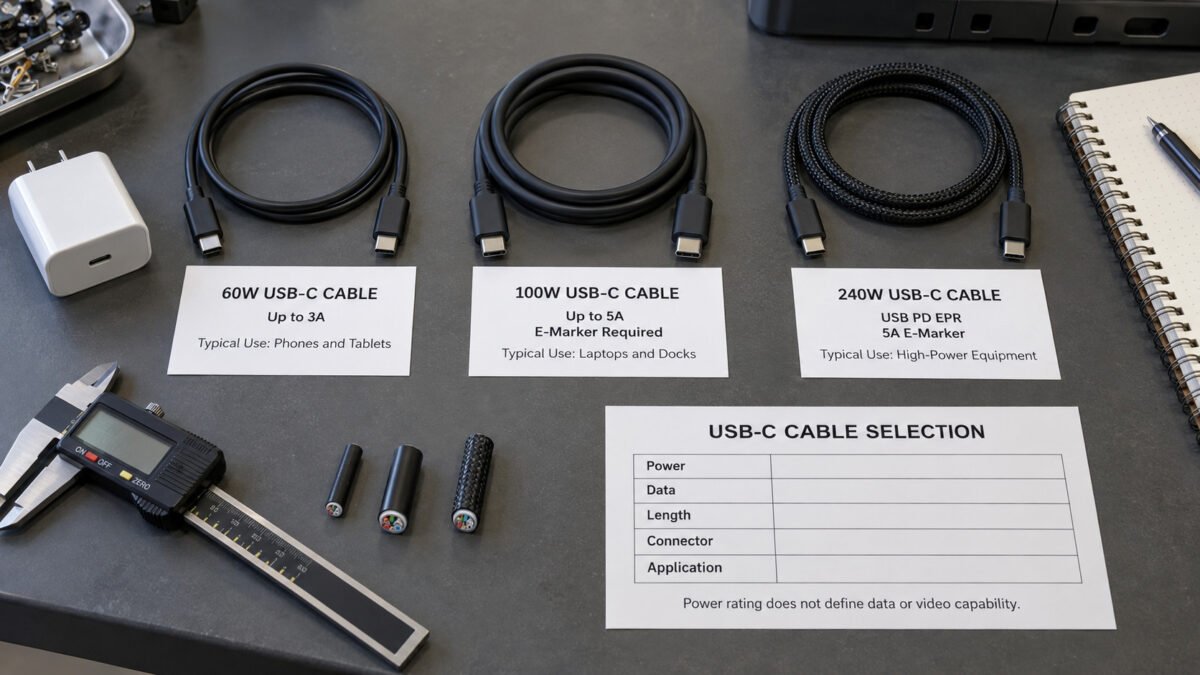
High Power USB‑C Cable Solutions up to 240W
USB-C charging cable solutions for laptops, docking stations, monitors and other high-power devices, with selected models supporting USB PD charging up to 240W.
1. What Is a High Power USB‑C Cable?
A high-power USB-C cable is designed for devices that require more charging power than basic USB charging cables are intended to support. For B2B buyers, the key value is not complex USB theory, but whether the cable can match the actual power needs of the target device, and whether it can be supplied reliably at volume. The aim of this page is to give procurement teams, brand owners and industrial customers the information they need to select a cable correctly the first time.
Unlike a basic charging cord selected mainly by connector type, a high-power USB-C cable must be specified by several related parameters. Buyers should confirm the required wattage, connector configuration, cable length, data rate, video requirement and operating environment. These factors affect conductor size, internal construction, shielding, flexibility and the range of practical cable lengths. Confirming them at the beginning of a project helps the supplier recommend an appropriate design and prepare a more accurate quotation.
1.1 Higher Power Delivery
The primary capability of a high-power USB-C cable is its capacity to carry greater electrical power than conventional charging cords. Selected models support USB Power Delivery up to 60W, 100W ou 240W, depending on the cable specification. This allows a compatible USB-C cable to deliver higher charging power to equipment with greater power requirements, rather than limiting it to the low output typical of basic cables.
In practical terms, the cable rating defines the maximum power level the cable is designed to support. The actual charging power is negotiated between the charger and device and cannot exceed the capability of the lowest-rated component in the system. A 240W cable, for example, does not make a 60W charger deliver more power, nor does it force a device to draw more than it requires. For buyers, the correct approach is to match the cable rating with the charger output, device input and intended operating conditions.
1.2 Laptop Charging
High-power USB-C cables are not restricted to small gadgets. A wide range of them are suitable for charging full-size laptops and portable workstations that support USB-C charging. This makes them a practical part of travel, office and field setups where a single charger and cable are expected to handle a powerful portable computer.
USB-C laptop charging can simplify accessory planning, but the same connector shape does not guarantee the same charging performance. Laptop models may require different USB PD power levels, and some devices use manufacturer-specific charging conditions in addition to standard USB PD support. Buyers sourcing cables for business fleets, retail bundles or equipment packages should therefore check representative device models before confirming a bulk order. Laptop compatibility is a useful starting point, but the final cable specification should still be based on actual input requirements.
1.3 High‑Power Device Support
Selected cables extend beyond laptops to compatible monitors, docking stations and professional equipment that require higher wattage input. When device input specifications are aligned with the cable rating, these cables can serve as a consistent link between a power source and more demanding equipment.
Typical examples include a wall-powered USB-C monitor that supplies charging power to a connected laptop, a compatible portable monitor designed to receive power through USB-C, and a docking station that combines charging and connectivity. Selected bench or field equipment may also accept USB PD input through a USB-C port. Because the direction of power and the supported functions vary by device, buyers should confirm whether each USB-C port is designed to receive power, supply power or support both roles.
Full charging performance depends on the cable rating, charger output, device input and USB PD compatibility. No single component determines the result on its own, so buyers should verify these four factors together before choosing a configuration.
2. Power Rating Options
The product range is organized by power rating, so different applications can be matched to the most appropriate cable. The levels below cover common USB-C charging requirements for different device categories. Choosing the correct level up front saves time later, because it narrows the rest of the specification decisions such as length, connector housing and data capability.
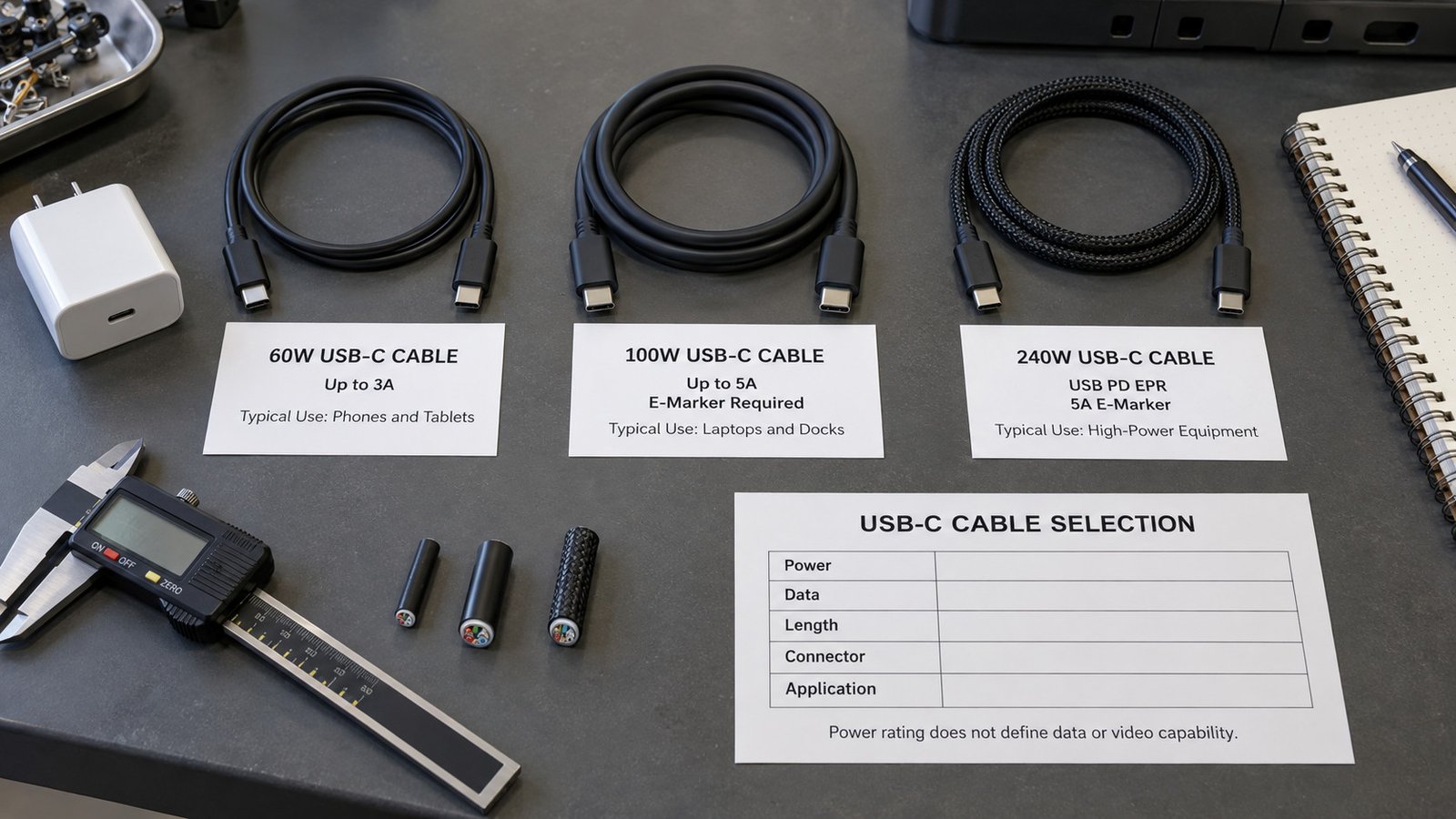
2.1 60W USB‑C Cable
A 60W USB-C cable is suitable for everyday charging applications and moderate power requirements. It offers a balance of convenience and capability for devices that do not need very high wattage input.
Typical applications:
- Phones
- Comprimidos
- Portable accessories
- Small electronic devices
A 60W cable can cover many phones, tablets and portable devices within one product range, provided that the connector and charging protocol are compatible. The connected device will normally draw only the power it supports, so using a 60W-rated cable does not mean that every device receives 60W. For volume projects, buyers should compare the device list and required charging protocols before using one cable specification across several SKUs. This helps simplify stock planning without assuming universal compatibility.
2.2 100W USB‑C Cable
A 100W USB-C cable is commonly selected for larger devices with higher charging power requirements.
Typical applications:
- Laptops
- Compatible USB-C monitors
- Docking stations
- Office and mobile workstation setups
The 100W level remains a familiar commercial category for laptop, monitor and docking-station projects. It is commonly associated with 20V at 5A charging using an electronically marked cable, although actual charging power depends on the connected equipment. Because these applications may also require data or video, buyers should not select the cable by wattage alone. A cable intended for a docking station, for example, should be checked for charging power, data rate and video capability as separate specifications.
2.3 240W USB‑C Cable
A 240W USB-C cable is designed to support USB PD Extended Power Range applications above 100W while remaining suitable for compatible lower-power USB-C devices.
Typical applications:
- High-power laptops
- Portable workstations
- Compatible docking stations
- Selected professional equipment
A 240W-rated cable is intended for USB PD EPR applications where the required power may exceed 100W. However, 240W is the cable's maximum supported rating rather than the amount of power delivered at all times. If the charger or device supports a lower level, the system will operate at the highest mutually supported power level. This makes the 240W option suitable for compatible EPR equipment while allowing it to remain usable with lower-power USB-C devices.
For 100W charging, a 5A electronically marked USB-C cable is required. For power levels above 100W and up to 240W, the cable must also support USB PD Extended Power Range (EPR). Full rated power is available only when the cable, charger and device support the required USB PD power level.
2.4 Power Level Comparison
| Rating | Typical Use | Device Examples |
|---|---|---|
| 60W USB‑C Cable | Everyday personal devices | Phones, tablets, portable accessories, small devices |
| 100W USB‑C Cable | Larger consumer and office equipment | Laptops, compatible USB-C monitors, docking stations |
| 240W USB‑C Cable | Demanding and professional systems | High-power laptops, portable workstations, selected professional equipment |
Observação: "100W USB-C cable" remains a commonly used commercial product description. Under the current USB-IF cable power labeling system, compliant USB-C to USB-C cables are generally identified by 60W or 240W power capability.
3. How to Choose the Right High Power USB‑C Cable
Choosing the right cable involves matching a small number of key parameters to the target product. Buyers generally evaluate the five factors below before finalizing a specification. Working through them in order helps avoid ordering a cable that is correct on one point but unsuitable on another.
3.1 Required Wattage
The first consideration is the power draw of the target device. Choose a cable rating that matches or exceeds the power requirement of the device. Common options include 60W, 100W e 240W. A cable rated below the device requirement may not support full charging, so confirming the device input before ordering is recommended. The final charging performance also depends on the charger and device specifications, not the cable alone.
For projects covering several devices, buyers can group the target models by maximum input power and select a suitable cable category for each group. A higher-rated compatible cable may be used with a lower-power device, but it will not automatically increase charging speed. Cost, cable diameter, flexibility, data capability and product positioning should also be considered before standardizing on one rating for the entire range.
3.2 Cable Length
Cable length affects both convenience and performance. Shorter cables are often preferred for stable charging and lower power loss over the line, while longer cables may be needed for desktop, travel or installation use. The suitable length should be selected according to the application. Where space or reach is a factor, the length becomes part of the specification and should be stated clearly in the order.
It is worth noting that length is connected to the power and data design of the cable. Higher data rates, video and high wattage can place different limits on the practical length available for a specified cable design. A buyer who needs an unusual length should confirm it against the intended power and data requirements rather than treating length as an independent choice.
3.3 Connector Configuration
USB-C to USB-C is the standard configuration for high-power USB PD charging. Other connector configurations may be available for lower-power projects, depending on the device design and charging requirements. Buyers should also specify whether straight, right-angle or custom connector housings are required, especially for recessed ports or space-limited installations.
Connector choice is largely driven by the physical layout of the product being supplied. A cable that loops into a tight space may call for a right-angle housing, while a straight cable is simpler when clearance is not a concern. Recording the housing type alongside the connector standard helps ensure that the delivered cable fits the available installation space rather than simply matching the connector type.
3.4 Data and Video Requirements
Power rating, data rate and video capability are separate specifications. A cable rated for 100W or 240W does not automatically support high-speed data or video. Depending on the cable construction, selected models may support USB 2.0 data rates up to 480Mbps, USB 5Gbps, USB 10Gbps, USB 20Gbps, USB4 or compatible video modes.
For monitors and docking stations, buyers should confirm the required data rate and video capability. The cable, host device and connected monitor or dock must all support the required data or video function. Buyers should therefore specify whether the cable is required for charging only, charging and data, or charging, data and video. This one-line clarification prevents a common mismatch, where a cable is chosen for its power rating alone and later found not to carry the data or video the setup depends on.
3.5 Usage Environment
The usage environment affects material and durability requirements. Cables for office use, travel, retail products or industrial equipment may require different jacket materials, bending performance, connector reinforcement, shielding or packaging options. Mapping the intended environment to the cable construction helps reduce the risk of premature failure and reduces the chance of specifying the wrong grade for the job.
A cable that will be packed, unrolled and moved every day has different needs from one fixed behind a desk. Similarly, equipment used near heat, oils or moisture calls for properties that must be verified rather than assumed. Requirements such as temperature resistance, oil resistance, flame retardancy or water protection should be specified and verified separately for the selected cable design.
4. OEM/ODM Customization Options
The product line can be tailored to brand and project requirements. Customization allows a buyer to receive a cable that matches the visual identity and technical needs of their product, rather than adapting to a fixed standard design.
Available customization options:
- Comprimento — customized within the suitable range for the required power, data rate and application
- Cable jacket — material and texture suited to the design
- Connector shell — finish, color and form factor
- Color — matched to a brand or product identity
- Logo — marking and labeling per brand specifications
- Embalagem — from bulk to retail-ready presentation
- Data/power specification — aligned with the target device and charger
- Bulk order support — suitable for stocking and continuous procurement

Each of these options can be discussed as part of the project specification, so that the final product matches the application rather than a generic off-the-shelf design. Custom parts such as branding and packaging are typically confirmed before production, while technical customizations are reviewed against the intended power, data and application requirements so the proposed cable design can be evaluated against the agreed specifications.
5. Send Your Cable Requirement
To receive a suitable quote, buyers are invited to share the key specifications of the project. Providing the following details helps us recommend a suitable cable configuration and prepare a more accurate quotation.
- Required wattage — the power rating the cable must support
- Connector type — the connector configuration needed
- Comprimento — the required cable length
- Data/video requirement — whether the cable must carry data or video
- Aplicativo — the target device or use case
- Quantidade — the expected order volume
Supplying these points up front speeds up the process, because the production team can align the specification to the intended use before any extra rounds of clarification. Share these details with our sales team, and we will recommend a suitable cable configuration and prepare a project-based quotation.
Need a High Power USB‑C Cable Solution?
Whether you need 60W, 100W, or 240W USB-C cables for laptops, docking stations, monitors, or professional equipment, our team can help you specify the right solution for your application. From standard configurations to fully customized OEM/ODM designs with specific lengths, jackets, connectors, colors, logos, and packaging, we support high-power cable projects with competitive pricing and flexible MOQ.