

Best GaN Chargers: Why They’re Smaller and Faster
BUYING GUIDE · GAN CHARGERS
Best GaN Chargers: Why They're Smaller and Faster
Tired of waiting on a slow charge? Looking for something that wastes less energy on the way to the battery? A GaN charger is the usual answer, and the appeal is easy to state: more output from a smaller shell, with less heat left over.
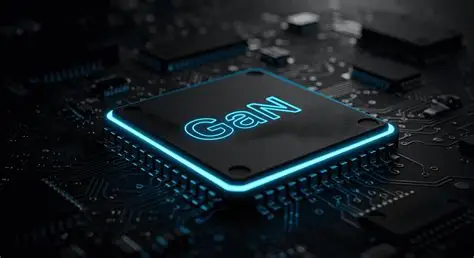
GaN stands for gallium nitride, a semiconductor material that has replaced silicon in the switching stage of many chargers. It tolerates higher voltages and switches faster with lower losses, which is what allows a compact adapter to run a laptop without turning into a hand warmer.
What follows is what GaN actually changes, what it does not, and how to choose a unit for a phone, a desk, or a car.
1. Why You Need a GaN Charger
Fast, efficient, and reliable are the three things most people want from a charger. GaN addresses each of them, though not always in the way the marketing suggests.
1.1 Faster Charging
A GaN charger is not faster because of the material itself. Charging speed is set by the protocol the phone and charger agree on, and by the wattage the charger can supply. What GaN changes is the amount of power that fits in a given size, so a pocketable adapter can reach 65W where a silicon design of the same volume might stop at 30W. For a laptop or a tablet with a large battery, that higher ceiling is what shortens the charge.
1.2 Smaller Size
GaN transistors can be switched at higher frequencies than silicon ones without a proportional rise in losses, and a higher switching frequency allows a smaller transformer and smaller capacitors. The material also loses less energy as heat, so the heatsink inside the case can shrink as well.
Both effects compound. A 65W GaN unit often occupies the volume of an older 30W brick, which matters to anyone who carries a charger between home, office, and hotel.
1.3 Increased Efficiency
Efficiency in a charger is the share of the energy from the wall socket that reaches the device instead of leaving as heat. GaN's lower switching losses and lower on-resistance raise that share, and the gain shows up in two places.
The first is the electricity bill, though the difference on a single charger is small. The second is temperature: a cooler-running adapter ages more slowly, because the electrolytic capacitors inside it degrade faster at high temperature.
1.4 Compatible with Multiple Devices
Compatibility comes from USB Power Delivery rather than from GaN. A charger that implements PD will negotiate with a laptop, a tablet, and a phone regardless of what its transistors are made of.
What GaN adds is the ability to put that much output into a multi-port body. Three or four ports at 65W to 140W total were difficult to build in a small silicon design; with GaN they are common, which is why one adapter can now replace a bag of them.
1.5 Safety Features
Most GaN chargers include over-voltage, over-current, and over-temperature protection, and the better ones add a certified safety mark from a recognized testing body. The protections are not unique to GaN, but a compact high-power adapter benefits from them more than a low-power brick does, since the components sit closer together.
Taken together, the case for GaN is about density and heat rather than a new charging standard. For anyone who wants one small adapter to cover several devices, that is enough.
2. How to Make Your Phone Charge Faster
The simplest lever on charging speed is the charger itself. A higher-rated GaN unit shortens the early part of the charge, which is where most of the time is spent. The steps below cover the parts that actually decide the result.
2.1 Choose a GaN Charger That Is Compatible with Your Device
Start with the port on the phone. An iPhone 15 or later uses USB-C, while an iPhone 14 or earlier uses Lightning; most Android phones have used USB-C for years, apart from older budget models on Micro-USB. The charger's wattage should meet or exceed the phone's maximum, and the protocol it supports should match what the phone expects.
2.2 Plug in the Charger
Plug the adapter into a wall outlet and check that any indicator light comes on. Foldable prongs are worth having for travel, and an input rating of 100V to 240V means the same unit works in most countries without a transformer.
2.3 Connect the Cable to Your Device
The cable is part of the power path, not an afterthought. A USB-C cable without an E-Marker is limited to 3A, which caps the link at 60W even on a 100W charger, so a high-wattage adapter needs a cable rated for 5A. For a phone, any certified C-to-C cable is usually sufficient, because phones rarely draw more than 3A.
2.4 Monitor the Charging Process
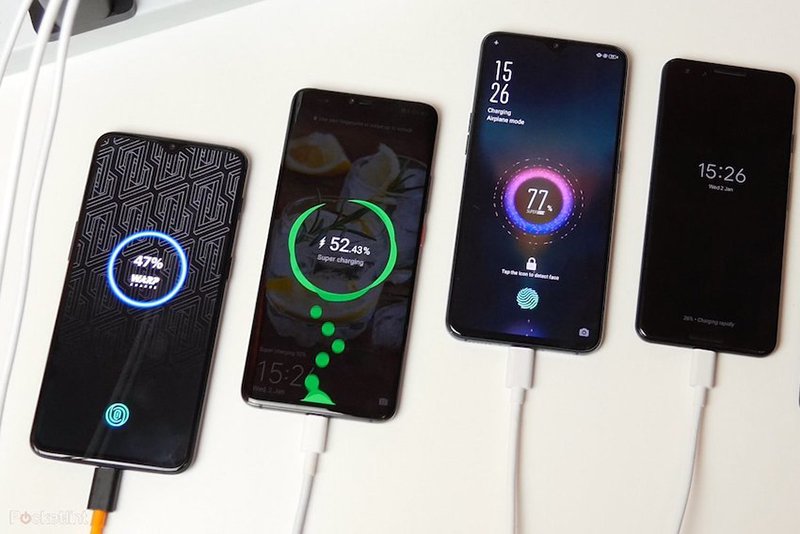
A phone that has negotiated a fast charge usually says so on the lock screen, with a label such as "fast charging" or a double lightning bolt. Some GaN chargers also display the live wattage, and a USB-C power meter placed inline shows the actual voltage and current when the phone's own indication is unclear.
2.5 Wait Until Your Device is Fully Charged
The visible speed gain happens in the first half of the charge. Once the battery passes roughly 80%, the phone switches to a constant-voltage stage and the current tapers, so the last stretch takes a similar time on almost any charger. Judging a charger by the time to 100% hides the difference that matters.
2.6 Unplug Your Device
When the phone reaches full, unplug it. Leaving a certified charger connected draws a small amount of standby power and keeps the battery at a high state of charge, which is not ideal for longevity. Some chargers cut output once the device stops drawing current, but unplugging is the reliable version.
None of this is complicated, and the difference from a traditional charger comes down to two things: the higher wattage a GaN unit can supply at a given size, and the lower heat while doing it.

3. GaN Charger Types
GaN designs now cover phones, desks, and cars. The sections below break down what each format is for and where its limits sit.
3.1 GaN Phone Chargers
A phone charger in this class is small, often with foldable prongs, and runs from 30W to 45W through one or two USB-C ports. That range covers the fast-charging ceiling of most phones, which sit between 20W and 45W, and the compact body fits a pocket or a small bag pocket.
3.2 GaN Desktop Chargers
Desktop units are larger and are meant to stay in one place. A 65W to 140W model with four to six ports can run a laptop, a tablet, a phone, and a set of accessories from a single outlet, with one cable running from the brick to the wall instead of four cables running to four adapters. The trade-off is that the total is shared, so the per-port figure drops as devices are added.
3.3 GaN Car Chargers
A car charger draws from the 12V socket and typically delivers 30W to 65W through a USB-C PD port, often alongside a USB-A port for older devices. The point is to keep a phone charging while navigation, music, and a hotspot all run at once, which a built-in USB port at 0.5A cannot do.

4. Best GaN Chargers
4.1 Dual-Port 40W Chargers
A 40W unit with two USB-C ports is the smallest step up from a single-port brick. It covers a phone at full speed on one port and earbuds or a watch on the other, and the same 40W is enough for a tablet at a moderate rate when the phone is unplugged. The figure to check is the split: many 40W chargers give 20W per port when both are in use, and 40W only when one is connected.
4.2 65W Desktop Chargers
A 65W desktop unit usually carries two USB-C ports and two USB-A ports, with a detachable power cord and a body that sits flat on a desk. A 45W laptop leaves about 20W for a phone, while a laptop that draws the full 65W uses the whole budget and pushes the other ports onto a slower profile. Because the total is fixed, the port allocation printed on the case matters more than the headline number.
4.3 30W Single-Port Chargers
The 30W single-port design is the smallest and the least expensive of the three. It matches the fast-charging ceiling of most recent iPhones, which peak around 27W, and covers mid-range Android phones as well. For a single phone charged overnight or at a desk, nothing larger is needed.
These three tiers cover most of what GaN chargers are sold for, and the right pick depends on how many devices share the outlet rather than on the material inside.
The same logic carries over to a mixed fleet. One higher-wattage GaN adapter covers the laptop and the phone, a C-to-C cable rated for 5A protects the top of the range, and a compact 30W unit handles travel where only a phone comes along.
Where several people or several devices share one desk, the total output and the port split decide the experience far more than the wattage printed on the box. A 65W charger on a 3A cable delivers 60W, and a 140W adapter gains nothing if the device on the end stops at 25W.