

Practical Uses for Male-to-Male USB-C Cables
Practical Uses for Male-to-Male USB-C Cables
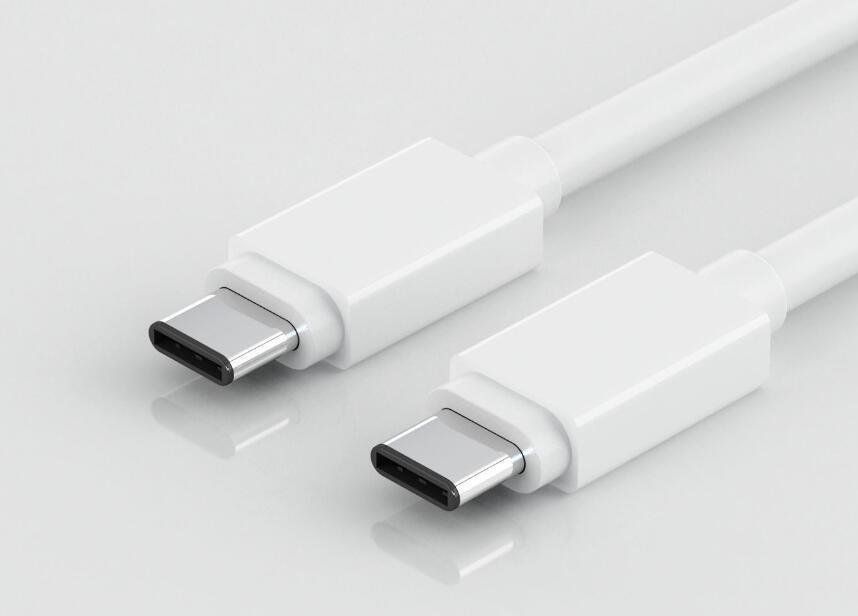
A male-to-male USB-C cable has a plug at both ends. That single fact decides everything about how it is used: it joins two device ports directly, with no hub, no adapter and no host in the middle. Phone to laptop, power bank to phone, portable SSD to tablet — all of these are the same physical arrangement.
It is also where most of the confusion comes from. The same description covers a USB-C til USB-C-kabel, which is safe and standard, and a USB-A to USB-A cable, which is neither. This guide separates the two, then goes through the uses that actually work.
1. What Counts as a Male-to-Male Cable
Two plugs, two roles. In a USB-C til USB-C-kabel both ends are identical, reversible, and capable of negotiating which side supplies power. A passive cable is not directional for USB data, so either end can go into the charger or the phone; active and optical cables are marked, and those do have a required direction.
A USB-A to USB-A cable looks similar in principle and is a different animal. USB-A was designed as a host port: it supplies 5V and expects to be in charge of the bus. Put two of them on one cable and you have connected two power sources to each other with no arbitration layer between them.
That is the rule to remember before anything else in this article:
- C-to-C male-to-male: standard, and the subject of most of what follows.
- A-to-A male-to-male: only for specific products built with a bridge chip inside.
2. Why A-to-A Is the Exception
A plain A-to-A cable has no electronics. It connects VBUS to VBUS and ground to ground, so both hosts see a device that is also feeding power back at them. Depending on the ports, the result ranges from nothing happening to one port's protection circuit working hard, and on poorly protected hardware, damage.
The cable also cannot move files between two computers, which is the use most people buy it for. Two hosts cannot talk over a passive A-to-A link; that requires a USB bridge cable with a controller in the middle, or simply a network connection, a cloud folder or a transfer utility.
The genuine A-to-A products on the market are either those bridge cables or cables bundled with a specific device that expects one. Treat a loose A-to-A cable with no documentation as a cable with no safe general-purpose use.
3. Connecting Devices With a C-to-C Cable
This is the busy category, because a C port can be either role.
- Phone or tablet to a laptop. The laptop sources power and mounts the phone as a storage device. The cable carries both functions at once.
- External SSD to a phone, tablet or laptop. A USB-C enclosure works on any of them; the speed depends on the port generation at each end, not on the cable being male-to-male.
- Two computers, for a one-off file move. This works where both machines support USB4 or Thunderbolt networking over USB-C. It is not universal, so check the spec sheet, and it is not the same as the A-to-A case above — the link is negotiated, and one side is assigned the host role.
- Monitor or dock. The same plug, with display and USB data separated over the alternate mode lanes. A capture device uses the data path instead and does not need the alternate mode.
What does not belong here: printers, scanners and audio interfaces with USB-B ports, which need a B-plug at the device end, and older peripherals that only exist in USB-A.
4. Charging One Device From Another
Phone-to-phone and laptop-to-phone charging over C-to-C is real, and it is the reason dual-port power banks and reverse wireless charging exist.
The limits matter more than the feature:
- Power is small. A laptop asked to charge a phone typically settles in the 4.5–7.5W range, sometimes 15W on ports designed for it. Two phones are similar. Expect a slow top-up, not a fast charge.
- The source has to offer. Some ports are charge-only inputs, some are data-only, and some will not source power at all. A cable cannot create a role the port does not support.
- The 5V default is the floor. Before any PD contract, the link sits at 5V. If the two devices cannot agree on a higher profile, that is where they stay.
- Battery-to-battery is lossy. Every conversion step loses energy, so moving 10Wh from one battery puts noticeably less than 10Wh into the other.
For a device with no wall outlet nearby — a portable speaker, a small fan, an LED light with a USB-C input — the same arrangement works, but check the input rating. A speaker that expects 5V/1A will not benefit from a 65W source, and one that expects 9V may not charge at all from a 5V-only port.
5. Extending Reach: What a Male-to-Male Cable Cannot Do
This is the one use in the popular lists that does not survive contact with the hardware. A male-to-male cable cannot extend a cable, because extension needs a plug at one end and a socket at the other. What you need is a male-to-female extension cable, or a longer cable in the first place.
The practical limits on length, if you do extend:
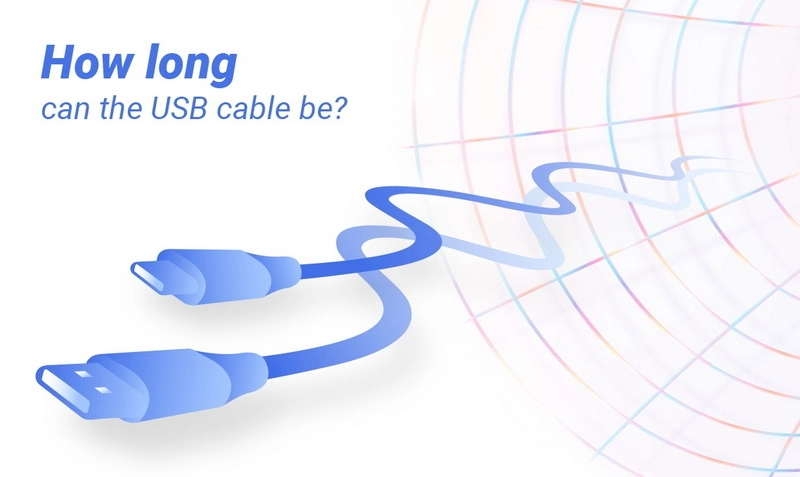
- USB 2.0 tolerates roughly 5 m of passive cable in total, including the original cable.
- USB 3.x and USB4 are far less forgiving — around 3 m at 5 Gbps, about 1 m at 10 Gbps, and 0.8 m at 40 Gbps without active electronics.
- Power drops before data does. A long thin cable may still enumerate while delivering well under its rated current, which shows up as a slow charge rather than a failed connection.
Beyond those lengths the answer is an active extension cable or an optical cable, not a longer passive one.
6. Common Problems and How to Read Them
Nothing happens when connected. Usually a role mismatch: both ends are hosts, both are devices, or one port is data-only. It is rarely the cable.
It charges, but slowly. The link settled at 5V. Either the source cannot offer more, or the devices did not find a common PD profile. A cable rated above 3A needs an E-Marker, and without one the contract stays at 3A — 60W at 20V.
It moves files, but at USB 2.0 speed. Many C-to-C cables are built with charging pairs only, or with USB 2.0 data pairs. A 240W cable can still be a 480 Mbps cable; the two ratings are independent.
It works on one device and not another. Port roles differ by model. Some laptops source power on one C port and not the others; some tablets accept a drive only through a powered hub.
7. Frequently Asked Questions
Can a male-to-male USB-C cable charge an iPhone?
Yes, from iPhone 15 onward, which uses a USB-C port — a C-to-C cable is the standard charging cable for those models. An iPhone 14 or earlier has a Lightning port and needs a USB-C to Lightning cable; a C-to-C cable will not fit it.
How do I know whether a male-to-male cable is compatible?
Check the port type first, then the role. Two USB-C ports are compatible in principle, but the link only works if at least one side can act as source, host or device as required. Matching shapes is not enough, and for USB-A it is the wrong test entirely.
Is a male-to-male cable safe for data transfer?
A C-to-C cable is, and it is the standard way to connect a drive, a phone or a dock. An A-to-A cable without a bridge chip is not: it links two host ports with no negotiation, cannot transfer files between two computers, and in the worst case stresses the power circuits at both ends.
Why does my phone charge so slowly from a laptop?
Laptop ports usually cap reverse charging at a few watts, and some only supply it while the laptop is awake. That is a port policy, not a cable fault. A dedicated charger will be faster in every case.
8. Choosing the Right Cable
For anything in this article, the specifications that matter are the same three: the current rating (3A, or 5A with an E-Marker), the data rating (480 Mbps, 5 Gbps, 10 Gbps or higher), and the power rating if the cable will be used above 60W. The connector shape tells you where the cable plugs in; it tells you nothing about what it can carry.
If you are specifying C-to-C assemblies for a product line, the port roles on the host device and the highest current the system will request are the two inputs that decide the cable build. Both are worth settling before the enclosure is drawn.